
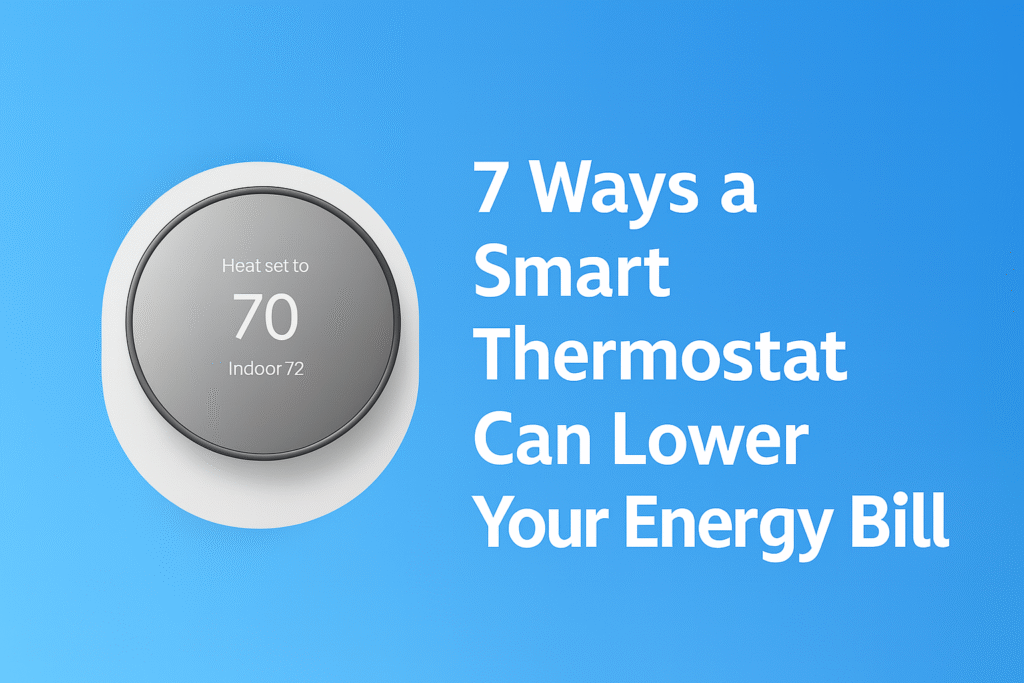
Smart thermostat tips can help you lower your energy bill fast. A smart thermostat is one of the easiest home upgrades that pays you back every single month. Whether you’re trying to reduce your energy bill, optimize your heating and cooling, or simply gain more control over your home’s comfort, a smart thermostat can make a huge difference — automatically.
In this guide, we break down the top 7 Smart Thermostat Tips that help you save money, based on real-world data, energy-efficiency research, and industry testing.
What Is a Smart Thermostat (And How It Works)
A smart thermostat is a device that automatically controls your home’s heating and cooling system to improve comfort and reduce energy usage.
Unlike traditional thermostats, smart thermostats can:
- Learn your schedule
- Adjust temperatures automatically
- Be controlled remotely through an app
- Integrate with smart home systems
They work by analyzing your habits and adjusting temperature settings to avoid unnecessary energy use.
👉 Think of it as a system that optimizes your heating and cooling automatically
How Much Money Can a Smart Thermostat Actually Save?
Smart thermostats can reduce energy costs, but the exact savings depend on usage and home setup.
On average, users can save between 10–20% on heating and cooling costs by optimizing schedules and reducing unnecessary usage. The biggest savings come from automatically adjusting temperatures when you’re asleep or away.
While results vary, even modest improvements can lead to noticeable reductions in monthly energy bills over time.
Do Smart Thermostats Really Save Money?
Yes — smart thermostats can significantly reduce energy costs when used correctly.
They save money by:
- Automatically adjusting temperature
- Reducing energy use when you’re away
- Optimizing heating and cooling schedules
Many users see savings of 10–30% on their energy bills.
👉 The key is using features like scheduling and automation effectively.
How Long Does It Take to Pay for Itself?
One of the most important factors to consider is how quickly a smart thermostat pays for itself.
Depending on energy usage and local utility costs, many smart thermostats can recover their cost within one to two years through energy savings. After that point, the savings become ongoing.
For most users, this makes a smart thermostat a long-term investment rather than just a convenience upgrade.
| Smart Thermostat | Best For | Key Features | Price Range | Rating |
|---|---|---|---|---|
| Google Nest Thermostat | Best Budget Option | Auto-Schedule, Energy-Saving Mode, App Control | $$ | ⭐⭐⭐⭐⭐ |
| Ecobee Smart Thermostat Premium | Best Overall | Built-in Alexa, Air Quality Monitor, Smart Sensors | $$$$ | ⭐⭐⭐⭐⭐ |
| Honeywell Home T9 | Best for Larger Homes | Room Sensors, Smart Scheduling, Geofencing | $$$ | ⭐⭐⭐⭐ |
| Amazon Smart Thermostat | Best Value | Energy Star Certified, Alexa Integration | $ | ⭐⭐⭐⭐ |
| Wyze Smart Thermostat | Best Entry Level | Remote App Control, Scheduling | $ | ⭐⭐⭐⭐ |
| Nest Learning Thermostat (3rd Gen) | Best for Automation | Auto-Learn, Farsight Display, Energy History | $$$$ | ⭐⭐⭐⭐⭐ |
| Emerson Sensi Touch | Best for Easy Installation | Smart Alerts, Touchscreen, App Control | $$ | ⭐⭐⭐⭐ |
How to Set Up a Smart Thermostat for Maximum Savings
To get the most savings from your smart thermostat:
- Set a daily schedule
- Use eco mode when away
- Enable geofencing if available
- Adjust temperature gradually
Proper setup is what turns a smart thermostat into real savings.
👉 Small adjustments can lead to big long-term savings.
Are Smart Thermostats Worth It for Renters?
Smart thermostats can be useful for renters — but it depends on your setup.
They are worth it if:
- Your thermostat is accessible and replaceable
- Your lease allows device changes
- You plan to stay long enough to benefit from savings
However, some apartments restrict thermostat replacement.
👉 Always check with your landlord before installing one.
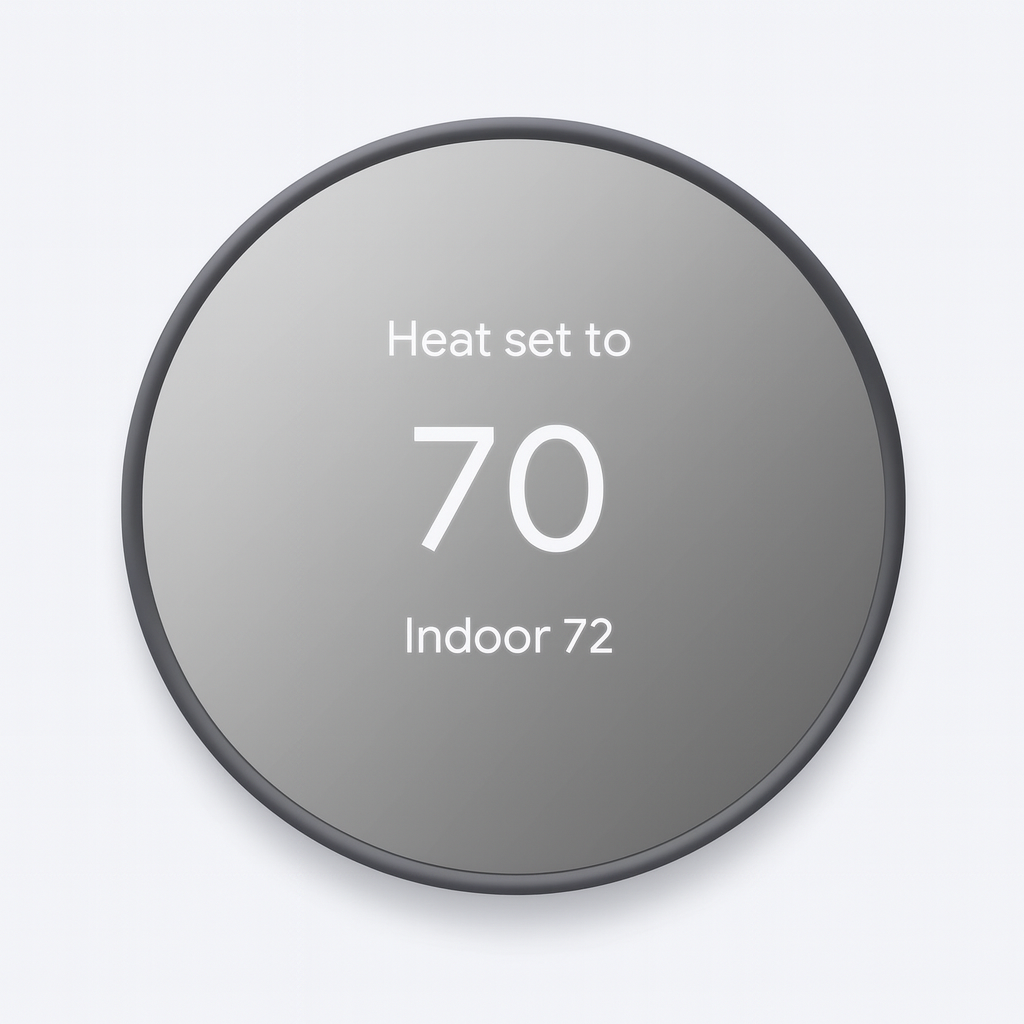
Google Nest Thermostat
Best Overall Smart Thermostat
The Nest Thermostat is an affordable, easy-to-use smart thermostat that automatically adjusts for energy savings and works with Alexa, Google Home, and more.
- Auto-Schedule & Eco Mode
- Energy usage reports
- Works with room sensors
- Voice control via Alexa/Google
How Much Money Can a Smart Thermostat Save?
One of the biggest reasons people switch to smart thermostats is cost savings.
Average Savings:
- 10%–15% on heating costs
- 10%–20% on cooling costs
For most households, this can add up to:
👉 $100–$300 per year in savings
Why They Save Money:
- Reduce energy use when you’re not home
- Optimize temperature based on schedule
- Prevent over-heating or over-cooling
👉 The more consistent your usage, the more you save
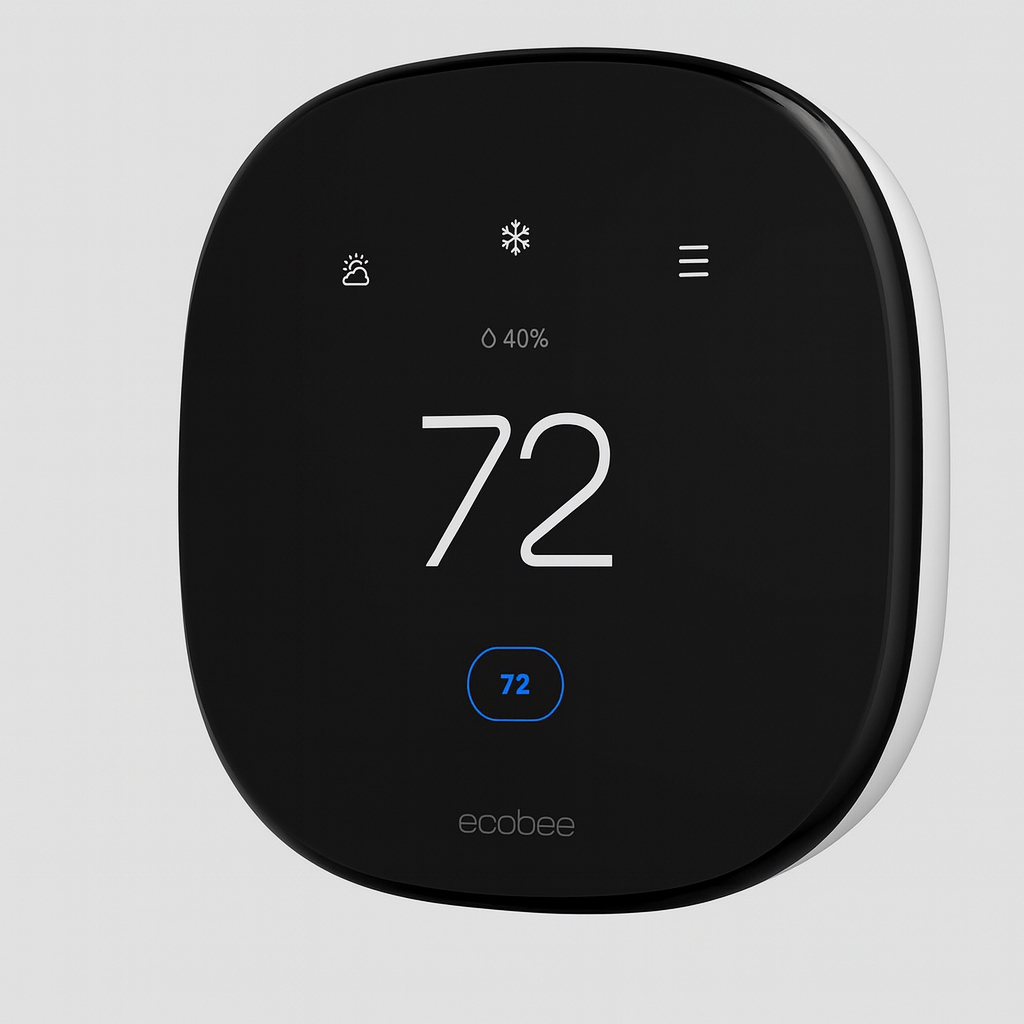
Ecobee Smart Thermostat Premium
Most Accurate & Sensor-Driven Thermostat
Ecobee’s premium model includes room sensors, air quality monitoring, and powerful automation to optimize every part of your home’s environment.
- Advanced motion & room sensors
- Air quality monitoring built-in
- Works with Alexa, Google, Siri & HomeKit
- Super-accurate temperature control
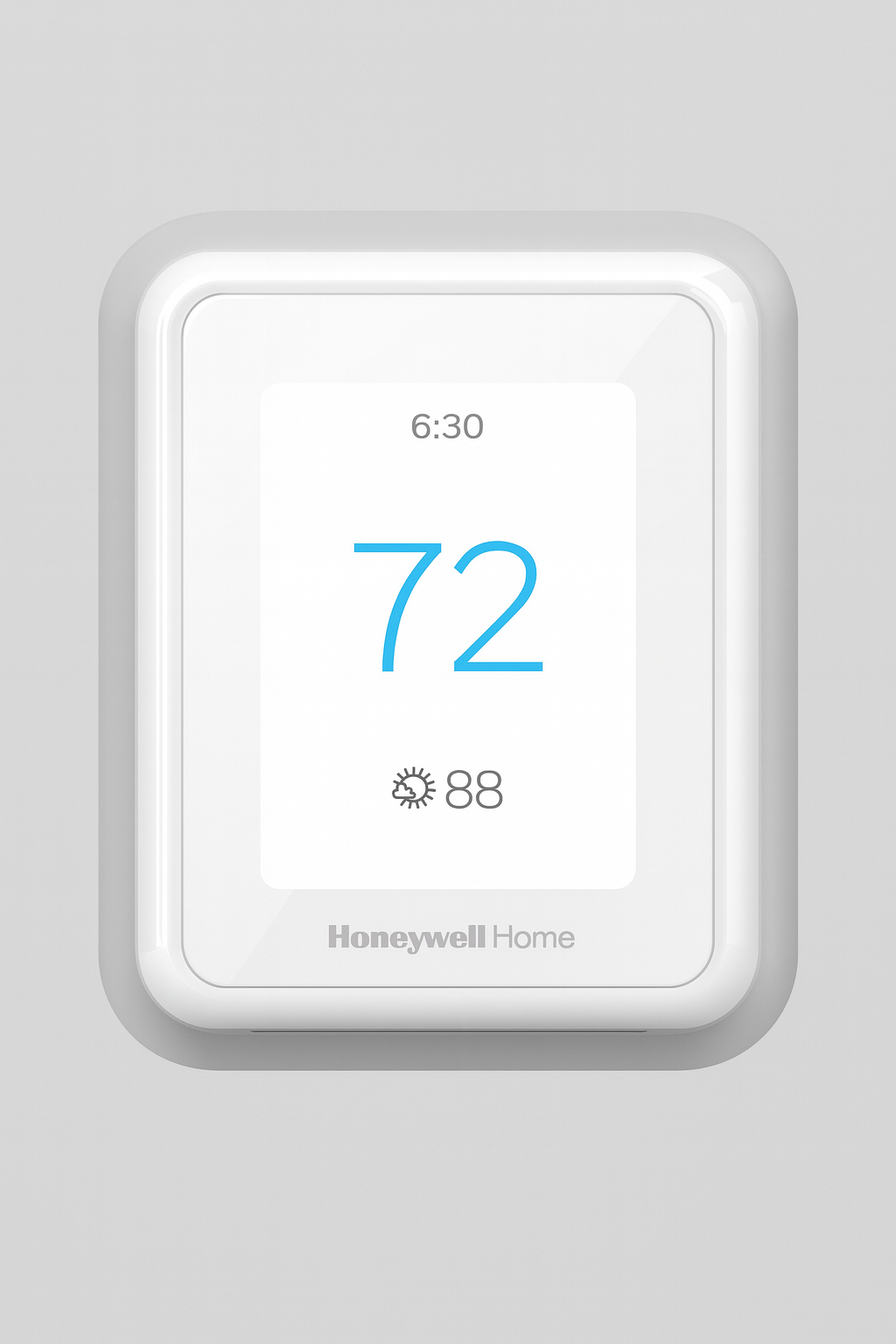
Honeywell Home T9 Smart Thermostat
Best Budget-Friendly Smart Thermostat
The Honeywell T9 offers smart room sensors, deep integration with smart home platforms, and reliable performance at an affordable price.
- Smart room sensors included
- Learns temperature preferences
- Good for large homes
- Works with Alexa & Google Home
Can You Install a Smart Thermostat in an Apartment?
Installation is a common concern, especially for renters.
Some smart thermostats require wiring changes, while others are easier to install with minimal modifications. In many apartments, installation may depend on landlord approval and the existing HVAC system.
For renters, checking compatibility and installation requirements before purchasing is essential to avoid issues.
Are Smart Thermostats Worth It for Apartments?
Yes — but it depends on your setup.
They Are Worth It If:
✔ You control your own thermostat
✔ You pay your own energy bills
✔ You stay in one place long enough to benefit
They May Not Be Worth It If:
❌ Your building controls heating/cooling
❌ You can’t replace your thermostat
❌ You move frequently
👉 For renters with control over their HVAC, smart thermostats can be a great investment
1. Automatic Scheduling Based on Your Daily Routine
Traditional thermostats keep your system running even when you don’t need it.
Smart thermostats fix that.
They learn your:
- Waking hours
- Work schedule
- Sleep routine
- Weekend patterns
This means your thermostat will automatically lower heating or cooling when you’re away and adjust the temperature before you return. If you’re deciding between different automation options, understanding the difference between smart plugs and smart switches can help you choose the best setup for your apartment.
💡 Savings Potential:
10–20% monthly just by avoiding wasted energy.
2. Geofencing: Adjusts When You Leave or Return Home
Most smart thermostats use your phone’s location to detect when you’re:
- Leaving home
- Returning home
- Away unexpectedly
When you leave the house, the thermostat switches to Eco Mode.
When you’re on your way back, it switches back to Comfort Mode.
💡 Savings Potential:
Up to 15% on HVAC runtime.
3. Energy Usage Monitoring (See Where Your Money Goes)
Smart thermostats provide detailed energy reports, showing exactly:
- How long your HVAC system runs
- Daily and weekly usage
- Estimated monthly cost
- How weather impacts your bill
Understanding your usage makes it easier to identify unnecessary energy waste.
If you want a deeper breakdown of how smart devices impact your electricity costs, check out our guide on how smart plugs save electricity and where your money actually goes.
💡 Savings Potential:
5–10% from improved awareness and optimization.
Do Smart Thermostats Work Without WiFi?
Most smart thermostats require WiFi for full functionality, but they can still operate without it.
With WiFi:
- Remote control via app
- Smart scheduling
- Voice assistant integration
Without WiFi:
- Manual temperature control still works
- Basic scheduling may still function
❌ No remote access
❌ No smart features
👉 WiFi unlocks the full potential, but basic operation still works offline
4. Automatic Temperature Adjustments Based on Weather
Smart thermostats pull real-time weather data to adjust indoor temperature automatically.
Examples:
- On hot days → reduce AC strain
- On cold nights → optimize heating cycles
- During mild weather → run minimal HVAC
Instead of constantly adjusting your thermostat manually, the system ensures your home stays comfortable without wasting energy.
💡 Savings Potential:
5–12% depending on your climate.
5. Smart Thermostat Tips: Smart Home Integrations That Reduce Heating & Cooling Waste
Many smart thermostats work with:
- Alexa
- Google Assistant
- Apple HomeKit
- IFTTT automation
- Smart sensors
For example:
- A door sensor detects a door has been left open → AC turns off
- Room sensors detect no movement → heating reduces automatically
- Voice commands let you adjust temperature without overcooling a room
💡 Savings Potential:
8–15% from reduced waste and improved control.
6. Precision Temperature Control (Not Too Hot or Too Cold)
Traditional thermostats often heat or cool past the set temperature.
Smart thermostats use advanced algorithms to maintain a steady, precise temperature.
This reduces:
- Overheating
- Overcooling
- Long HVAC cycles
- Sudden system spikes
Your HVAC system works smarter, not harder.
💡 Savings Potential:
5–8% from reduced heating/cooling cycles.
7. Eco Mode & Smart Recommendations
Most smart thermostats include personalized tips such as:
- “Raise your cooling set point by 2° to save energy.”
- “Running your heat at night costs extra — lower by 1°.”
- “Your home’s humidity is high — adjusting for efficiency.”
And Eco Mode automatically sets cost-saving temperatures at ideal ranges:
- Heating Eco Range: 64–68°F
- Cooling Eco Range: 74–78°F
💡 Savings Potential:
10–20% depending on your current settings.
Do Smart Thermostats Require WiFi?
Most smart thermostats require WiFi for full functionality.
WiFi is needed for:
- Remote control via apps
- Automation and scheduling
- Energy usage tracking
Without WiFi, many features are limited.
👉 A stable internet connection ensures the best performance.
Do Smart Thermostats Work With All HVAC Systems?
Not all smart thermostats are compatible with every heating and cooling system.
Some systems, such as older HVAC setups or those without a common wire (C-wire), may require additional components or may not be compatible at all. Checking compatibility before buying is one of the most important steps.
Most manufacturers provide compatibility tools to help determine whether a device will work with your system.
Smart Thermostat vs Manual Thermostat: Is It Worth Upgrading?
Traditional thermostats require manual adjustments, while smart thermostats automate temperature control based on your habits and environment.
This automation reduces wasted energy and improves comfort without constant input. Over time, the convenience and efficiency gains often outweigh the initial cost.
For users looking to reduce energy usage and simplify control, upgrading to a smart thermostat is typically worth it.
How to Choose the Best Smart Thermostat
Choosing the right thermostat depends on your home setup and needs.
1. Compatibility
Make sure it works with your HVAC system.
2. Features
Look for:
- Scheduling
- Learning capabilities
- Energy reports
3. Smart Home Integration
Check compatibility with:
- Alexa
- Google Home
4. Ease of Installation
Choose models that are easy to install or don’t require professional setup.
5. Budget
Balance cost with long-term savings.
👉 The best thermostat is one that fits your system and maximizes efficiency
⭐ Total Combined Potential Savings
Depending on your habits, these Smart Thermostat Tips show how a smart thermostat can save:
15% – 30% on your monthly energy bill.
Over a year, that’s:
- $150–$350 for most households
- Up to $500+ in hotter/cooler climates
Are Smart Thermostats Worth It Overall?
Smart thermostats are one of the most effective smart home upgrades for saving money.
They provide:
- Energy efficiency
- Automation
- Long-term cost savings
While the upfront cost can be higher, the savings often pay for the device over time.
👉 For most homeowners (and some renters), they are absolutely worth it.
Common Mistakes That Reduce Smart Thermostat Savings
Even with a smart thermostat, you can lose potential savings if it’s not used correctly.
1. Not Setting a Schedule
Without automation, you lose most benefits.
2. Overriding Settings Constantly
Frequent manual changes reduce efficiency.
3. Poor Placement
Installing near heat sources can affect readings.
4. Ignoring Energy Reports
These insights help optimize usage.
5. Setting Extreme Temperatures
Small adjustments are more efficient than drastic changes.
👉 Smart thermostats work best when you let them automate consistently
⭐ Final Thoughts
A smart thermostat is one of the smartest upgrades you can make in 2025, especially when you apply proven Smart Thermostat Tips. From real-time energy savings to smarter home automation, these tips help you cut your bills significantly while enjoying a more comfortable and energy-efficient home.
If you’re building a smart home on a budget, this upgrade gives you maximum savings with minimum effort.
If you’re building a connected home, check out our Smart Home Hub 101 guide to see how smart thermostats work with Alexa and Google Home.
If you’re planning to expand beyond just a thermostat, here’s a complete step-by-step guide to building a smart home in an apartment without drilling or complicated wiring.
Pingback: Best Smart Home Devices for Seniors (Simple & Easy to Use)
Pingback: Best Smart Home Devices for Caregivers (Remote Monitoring)
Pingback: 10 Best Smart Home Devices for Seniors Living Alone
Pingback: Best Voice-Controlled Smart Devices for Limited Mobility
Pingback: Matter Smart Home Guide (What It Is & Why It Matters)
Pingback: Smart Home Hub Explained: What It Is, How It Works & What to Buy (2026)