
Table of Contents
What Is an Energy Monitoring Smart Plug?
An energy monitoring smart plug is a device that allows you to track how much electricity your appliances are using in real time.
It works by plugging into a standard outlet, then connecting your device (like a TV, coffee maker, or fan) through it.
Using a mobile app, you can:
- Monitor energy usage
- Track power consumption over time
- Identify high-energy devices
- Control devices remotely
Unlike regular smart plugs, these provide detailed insights into your electricity usage, helping you save money and improve efficiency.
👉 Think of it as a real-time energy tracker for your home
Smart home devices promise convenience, automation, and lower energy bills—but do smart plugs actually save electricity, or is it just smart-home hype? If you’re considering adding smart plugs to your home, this real-world cost breakdown explains how smart plugs work, how much electricity they can save, and whether they’re actually worth it.
By the end of this guide, you’ll know exactly when smart plugs save energy, when they don’t, and how to use them the right way.
Disclosure: This article contains affiliate links. If you purchase through these links, we may earn a small commission at no extra cost to you.
What Is Standby Power (Phantom Energy)?
Many devices continue to use electricity even when they appear to be off.
This is known as standby power or phantom energy, and it can come from devices like TVs, gaming consoles, and chargers. Smart plugs help reduce this waste by cutting power completely when devices are not in use.
Understanding standby power is key to seeing where real energy savings come from.
What Are Smart Plugs and How Do They Work?
Smart plugs are small devices that plug into a standard wall outlet and allow you to control whatever is plugged into them using an app, voice assistant, or automation schedule.
Smart plugs often work alongside other devices in a connected ecosystem, and understanding smart home hubs can help you decide whether you need additional automation tools.
Most smart plugs work with:
- Alexa
- Google Home
- Apple HomeKit
- Smart home hubs or Wi-Fi networks
Once installed, smart plugs let you:
- Turn devices on/off remotely
- Create schedules
- Monitor energy usage (on supported models)
- Reduce unnecessary electricity use
This is where smart plugs can save electricity—by eliminating wasted power.
How Energy Monitoring Smart Plugs Work
Energy monitoring smart plugs measure the amount of electricity flowing through them.
Here’s how it works:
1. Power Measurement
The plug tracks voltage and current used by the connected device.
2. Data Processing
It converts this into energy usage data (usually shown in watts or kWh).
3. App Integration
The data is displayed in a mobile app where you can:
- View real-time usage
- Check daily/monthly consumption
- Set usage alerts
4. Automation
Some plugs allow you to:
- Turn devices off automatically
- Schedule usage
- Reduce energy waste
👉 This gives you full visibility and control over your energy usage
Do Smart Plugs Actually Save Electricity?
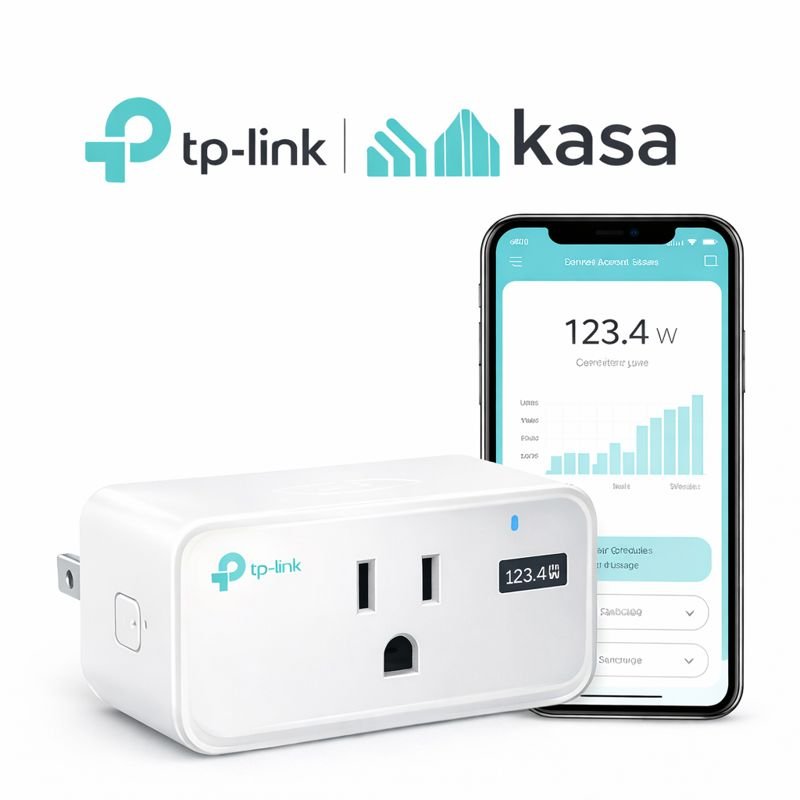
🔌 TP-Link Kasa Smart Plug with Energy Monitoring (KP115)
Best Overall for Real Energy Savings
If you want to actually see how much electricity your devices use, the TP-Link Kasa KP115 is one of the most reliable smart plugs on the market. It tracks real-time energy usage and shows daily, weekly, and monthly consumption directly in the app.
Why it’s great:
- Real-time energy monitoring
- Helps identify power-hungry devices
- Schedules & timers to reduce wasted power
- Works with Alexa & Google Assistant
Yes—but only when used correctly.
Smart plugs don’t magically reduce power usage. Instead, they help eliminate phantom energy, also known as vampire power—electricity devices use even when turned off.
Common devices that waste electricity:
- TVs
- Cable boxes
- Game consoles
- Coffee makers
- Phone chargers
- Lamps with smart bulbs disabled
Smart plugs save electricity by cutting power completely when devices aren’t needed.
What Can You Track With an Energy Monitoring Plug?
Energy monitoring plugs can track a wide range of household devices.
Common Devices to Monitor:
- TVs and entertainment systems
- Coffee makers and kitchen appliances
- Space heaters
- Fans and air conditioners
- Computers and office equipment
What You Can Learn:
✔ Which devices use the most electricity
✔ How much energy you use daily
✔ Where you can cut energy costs
✔ Hidden “energy vampires”
👉 This helps you make smarter decisions about your energy usage
Which Devices Save the Most Electricity With Smart Plugs?
Not all devices benefit equally from smart plugs.
Devices that run continuously or use standby power—such as entertainment systems, computers, and small appliances—tend to offer the most savings. Large appliances like refrigerators or HVAC systems usually don’t benefit as much.
Focusing on the right devices makes smart plugs more effective.
How Much Electricity Do Smart Plugs Save?
The average U.S. household spends $100–$200 per year on phantom energy. Smart plugs can reduce a portion of that waste.
Real-World Savings Breakdown
| Device | Annual Phantom Cost | With Smart Plug |
|---|---|---|
| TV + cable box | $20–$40 | Reduced to near $0 |
| Game console | $10–$25 | Fully eliminated |
| Coffee maker | $5–$10 | Fully eliminated |
| Chargers & lamps | $5–$15 | Reduced |
How Accurate Are Energy Monitoring Smart Plugs?
Energy monitoring features are helpful, but they may not be perfectly precise.
Most smart plugs provide close estimates of energy usage, which are accurate enough for tracking trends and identifying high-consumption devices. However, minor variations can occur depending on the device and measurement method.
For most users, the data is reliable enough to make informed decisions.
Best Use Cases for Energy Monitoring Smart Plugs
Energy monitoring plugs are useful in more ways than most people realize.
1. Reducing Energy Bills
Identify high-consumption devices and cut unnecessary usage.
2. Tracking Appliance Efficiency
See how efficiently your devices operate over time.
3. Preventing Energy Waste
Automatically turn off devices when not in use.
4. Monitoring Specific Rooms
Track energy usage in different areas of your home.
5. Smart Home Automation
Combine with Alexa or Google Home for automated control.
👉 These plugs turn energy tracking into actionable insights
💡 Estimated annual savings: $30–$100 per home
💡 Smart plug cost: $8–$25 each
In many cases, a smart plug pays for itself within a year.
Do Automation and Schedules Increase Energy Savings?
Smart plugs become more effective when used with automation.
Setting schedules to turn devices off during inactive hours or using routines to control usage can significantly reduce wasted electricity. Manual use alone often doesn’t maximize savings.
Automation is where smart plugs provide the most value.
How Long Does It Take to See Real Savings?
Smart plugs typically provide gradual savings rather than immediate results.
The time it takes to see noticeable reductions in electricity bills depends on usage habits and the devices being controlled. In many cases, users begin to see measurable savings within a few months.
Consistency in using automation and monitoring is key to maximizing long-term benefits.
Do Smart Plugs Use Electricity Themselves?
Yes—but very little.
Most smart plugs use:
- 0.5–1.5 watts when idle
- Less than $1 per year in electricity
This small usage is far outweighed by the energy savings from cutting phantom power. So even though smart plugs use electricity, they still save more energy than they consume.
When Smart Plugs Save the Most Electricity
Smart plugs are most effective when used on devices that:
- Stay plugged in 24/7
- Don’t need constant power
- Are often forgotten
Best Devices for Smart Plug Energy Savings
- TVs & entertainment systems
- Game consoles
- Lamps
- Space heaters (with safety limits)
- Coffee makers
- Fans
- Window air conditioners
Using schedules and automation dramatically increases savings.
When Smart Plugs Don’t Save Much Electricity
Smart plugs are not useful for:
- Refrigerators
- Medical equipment
- Internet routers
- Smart thermostats
- Devices that must stay on
Plugging these into smart plugs can actually cause problems or eliminate benefits.
Smart Plugs With Energy Monitoring: Are They Worth It?
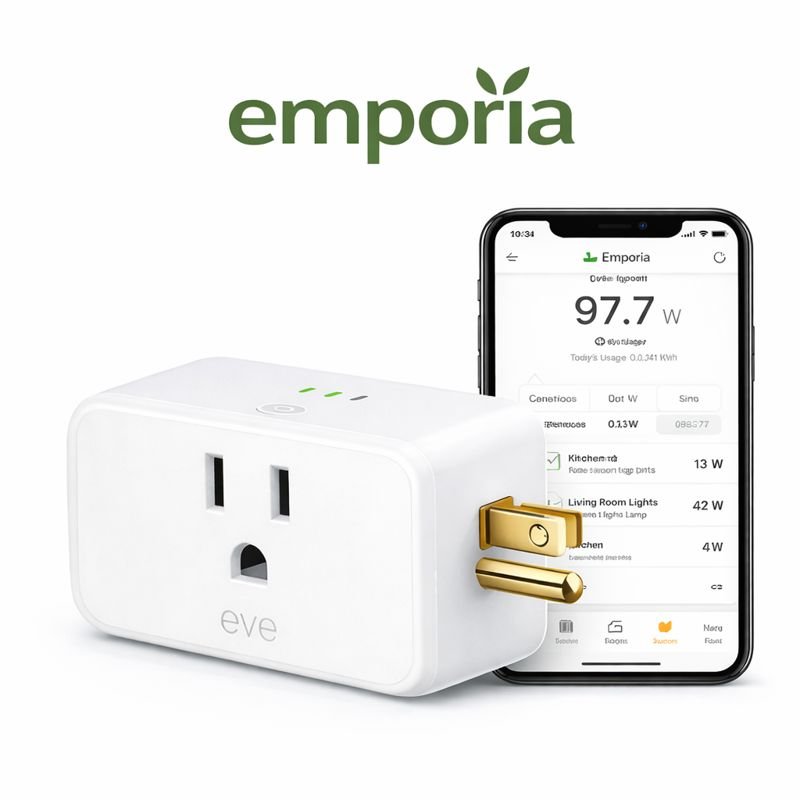
🔌 Emporia Smart Plug with Energy Monitoring
Best for Advanced Energy Tracking
The Emporia Smart Plug is ideal for users who want deep energy analytics and more detailed reporting.
Best for:
- Whole-home energy tracking setups
- Detailed power usage charts
- Identifying inefficient appliances
Some smart plugs include real-time energy monitoring, showing exactly how much electricity a device uses.
Benefits of energy-monitoring smart plugs:
- Identify power-hungry devices
- Track daily, weekly, and monthly usage
- Optimize schedules for maximum savings
If your goal is lower electric bills, energy-monitoring smart plugs are absolutely worth it.
Can Smart Plugs Lower Your Electric Bill?
Smart plugs alone won’t cut your electric bill in half—but they can make a noticeable difference, especially when combined with:
- Smart thermostats
- LED lighting
- Automation routines
- Energy-efficient appliances
Think of smart plugs as low-cost efficiency tools that stack savings over time.
For even greater energy savings, many homeowners pair smart plugs with a smart thermostat to reduce heating and cooling costs automatically.
👉 https://topratedbycraig.com/7-ways-a-smart-thermostat-can-lower-your-energy-bill-2025-guide/
Smart Plugs vs Power Strips: Which Saves More Electricity?
| Product | Energy Monitoring | Best For | Works With | Price |
|---|---|---|---|---|
|
TP-Link Kasa Smart Plug (KP115) Check price on Amazon |
✅ Yes (Real-time) | Tracking real energy savings | Alexa, Google Assistant | $$ |
|
Amazon Smart Plug Check price on Amazon |
❌ No | Alexa voice control | Alexa only | $ |
|
Meross Smart Plug Mini Check price on Amazon |
❌ No | Budget automation | Alexa, Google, HomeKit* | $ |
|
Eve Energy Smart Plug Check price on Amazon |
✅ Yes | Apple HomeKit users | Apple HomeKit, Matter | $$$ |
|
Emporia Smart Plug Check price on Amazon |
✅ Yes (Advanced) | Detailed energy analytics | Alexa, Google Assistant | $$ |
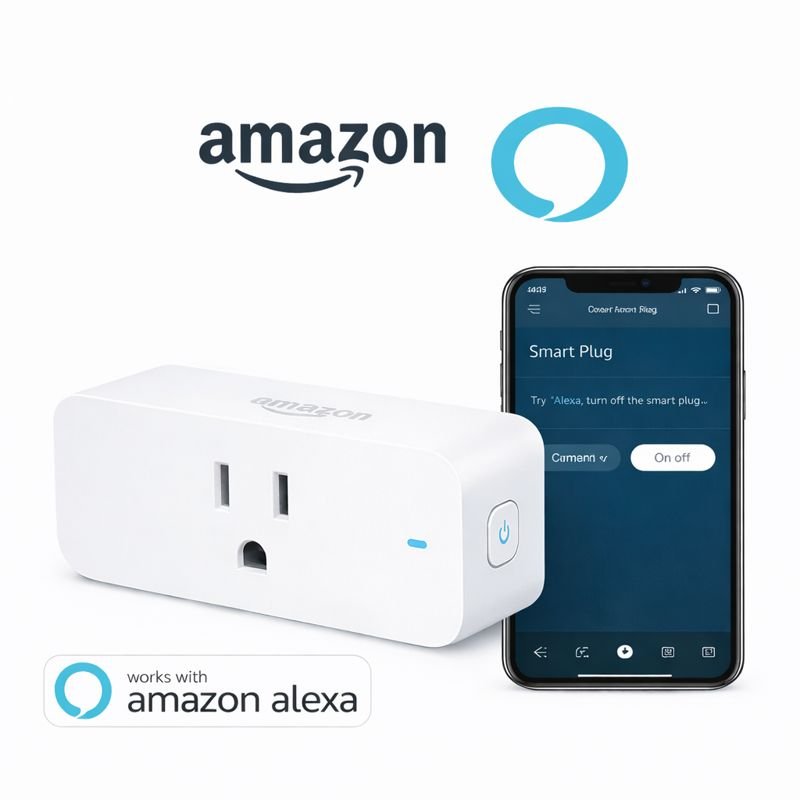
🔌 Amazon Smart Plug
Best for Alexa Homes
The Amazon Smart Plug is designed specifically for Alexa users and offers simple setup with reliable voice control.
Why choose it:
- Seamless Alexa integration
- Easy setup in the Alexa app
- Ideal for lamps, coffee makers, and fans
⚠️ Note: Does not include energy monitoring.
Both reduce phantom power, but smart plugs offer more control.
Smart Plug Advantages
- App control
- Scheduling
- Voice commands
- Automation
- Energy tracking
Power Strip Advantages
- Lower upfront cost
- Multiple outlets
For targeted savings and automation, smart plugs win.
🔌 Best Smart Plugs That Save the Most Electricity (2025 Picks)
Not all smart plugs save electricity the same way. The best smart plugs for energy savings offer reliable scheduling, strong app control, and (in some cases) built-in energy monitoring so you can see exactly how much power your devices use.
Here are the top smart plugs that help reduce wasted electricity in real-world use:
⭐ TP-Link Kasa Smart Plug (Best Overall for Energy Savings)
Best for: Most households, beginners, and renters
Energy Monitoring: ❌ No (basic model)
Works with: Alexa, Google Assistant
The TP-Link Kasa Smart Plug is one of the most popular smart plugs for saving electricity thanks to its rock-solid reliability and easy scheduling features. While it doesn’t track energy usage, it excels at cutting phantom power from devices like TVs, game consoles, and lamps.
Why it saves energy:
- Automatically turns devices off when not in use
- Great for nightly shutoff schedules
- No hub required (Wi-Fi)
Best use cases: TVs, lamps, coffee makers, chargers
⭐ TP-Link Kasa Smart Plug with Energy Monitoring (Best for Tracking Usage)
Best for: Data-driven energy savers
Energy Monitoring: ✅ Yes
Works with: Alexa, Google Assistant
If you want to see exactly how much electricity your devices are using, this version of the Kasa smart plug includes real-time energy monitoring. It’s ideal for identifying which devices waste the most power when idle.
Why it saves energy:
- Tracks real-world energy consumption
- Helps identify energy hogs
- Encourages smarter usage habits
Best use cases: Entertainment centers, space heaters, office equipment
⭐ Amazon Smart Plug (Best for Alexa Homes)
Best for: Alexa-only users
Energy Monitoring: ❌ No
Works with: Alexa (only)
The Amazon Smart Plug is designed specifically for Alexa households. While it lacks energy monitoring, it’s extremely simple to set up and perfect for voice-controlled energy savings.
Why it saves energy:
- Instant voice control for turning devices off
- Easy routines like “Alexa, goodnight”
- Reliable automation for daily schedules
Best use cases: Lamps, fans, holiday lights
⭐ Meross Smart Plug Mini (Best Budget Option)
Best for: Budget-friendly energy savings
Energy Monitoring: ❌ No (some models include it)
Works with: Alexa, Google Assistant, SmartThings
Meross smart plugs are an excellent low-cost option for reducing wasted electricity without sacrificing features. They’re compact, fast, and perfect for apartments or multi-room setups.
Why it saves energy:
- Affordable way to control multiple devices
- Strong scheduling and automation
- Small design doesn’t block outlets
Best use cases: Bedrooms, kitchen appliances, dorms
⭐ Eve Energy Smart Plug (Best for Apple HomeKit Users)
Best for: Apple HomeKit & Matter users
Energy Monitoring: ✅ Yes
Works with: Apple Home, Matter
Eve Energy is one of the best smart plugs for Apple users who want privacy-focused energy monitoring. It shows real-time power usage and integrates beautifully with Apple Home automations.
Why it saves energy:
- Detailed energy usage reports
- Advanced automation rules
- Matter-ready for future smart homes
Best use cases: Home offices, media setups, smart homes built around Apple
🏆 Which Smart Plug Is Best for Saving Electricity?
- Best overall: TP-Link Kasa Smart Plug
- Best with energy monitoring: Kasa Smart Plug with Energy Monitoring
- Best for Alexa: Amazon Smart Plug
- Best budget pick: Meross Smart Plug
- Best for Apple HomeKit: Eve Energy
🔎 Pro Tip: Energy Monitoring vs Basic Smart Plugs
If your goal is maximum savings, start with one energy-monitoring smart plug to identify waste, then use basic smart plugs throughout your home for scheduling and automation.
Are Smart Plugs Worth It in 2025?
🔌 Meross Smart Plug Mini (Energy Monitoring)
Best Value Pick
Meross offers one of the best balances between price and features. You get energy monitoring, scheduling, and voice control without paying a premium.
Why it’s great:
- Energy usage tracking
- Compact design (won’t block outlets)
- Works with Alexa, Google Assistant & SmartThings
- Excellent value for the price
👉 Check price on Amazon
Yes—especially if you:
- Live in an apartment or rental
- Want cheap smart home upgrades
- Care about energy efficiency
- Use Alexa or Google Home
Smart plugs are one of the lowest-cost ways to start saving electricity with smart home technology.
Best Practices to Maximize Smart Plug Energy Savings
To get the most out of smart plugs:
- Use schedules instead of manual control
- Group devices into routines
- Turn off devices overnight
- Monitor usage monthly
- Avoid always-on essentials
These steps turn smart plugs into real money-saving tools, not just convenience gadgets.
How to Choose the Best Energy Monitoring Smart Plug
Choosing the right smart plug depends on your needs and setup.
1. Accuracy
Look for plugs with reliable energy tracking.
2. App Features
Choose apps that provide:
- Real-time data
- Historical tracking
- Alerts
3. Compatibility
Make sure it works with:
- Alexa
- Google Home
4. Build Quality
Choose trusted brands for safety and durability.
5. Price vs Features
Balance affordability with functionality.
👉 The best plug is one that gives you clear insights + reliable control
Final Verdict: Do Smart Plugs Save Electricity?
Yes—smart plugs do save electricity when used strategically.
They won’t replace major upgrades like insulation or efficient HVAC systems, but they eliminate wasted power, reduce energy usage, and help lower electric bills over time.
For under $25, smart plugs offer:
- Real energy savings
- Better control
- Smart home automation
- Long-term cost benefits
If you’re serious about saving electricity the smart way, smart plugs are absolutely worth it.
If you’re just getting started, smart plugs are often one of the easiest upgrades among the best smart home devices for beginners.
👉 https://topratedbycraig.com/best-smart-home-devices-for-beginners-2025-guide/
Want More Smart Home Energy-Saving Guides?
Visit 👉 https://topratedbycraig.com
for beginner-friendly smart home tips, product reviews, and real-world cost breakdowns.
Do smart plugs actually save electricity?
Yes, smart plugs save electricity by eliminating phantom power from devices that continue drawing energy when turned off, such as TVs, game consoles, and chargers.
How much money can smart plugs save per year?
Smart plugs can save between $30 and $100 per year, depending on how many devices you control and how often automation is used.
Do smart plugs use electricity themselves?
Yes, but very little. Most smart plugs use less than $1 per year in electricity, which is far less than the energy they help save.
Are smart plugs worth it for apartments or renters?
Yes. Smart plugs are renter-friendly, easy to install, and don’t require permanent wiring changes.
Which devices benefit most from smart plugs?
Devices like TVs, entertainment systems, coffee makers, lamps, and game consoles benefit most because they commonly waste electricity when idle.
Do smart plugs save more electricity than power strips?
Smart plugs usually save more electricity than traditional power strips because they automatically shut devices off using schedules or automation, while most power strips rely on manual switching.
Can smart plugs lower your electric bill?
Yes. Smart plugs can lower your electric bill by reducing unnecessary energy usage, especially when combined with schedules and automation.
Do smart plugs work without a smart home hub?
Most smart plugs work directly over Wi-Fi and do not require a hub, though some Matter or Zigbee models may need one.
Pingback: Best Smart Home Devices for Seniors (Simple & Easy to Use)
Pingback: Best Smart Home Devices for Caregivers (Remote Monitoring)
Pingback: 7 Smart Thermostat Tips to Lower Your Energy Bill (2025)
Pingback: Smart Home Hub Guide: What It Is, How It Works, and Which One You Need (2025)
Pingback: 10 Best Smart Home Devices for Seniors Living Alone
Pingback: Best Smart Home Devices Under $50 (Budget Picks 2025)