
The ultimate beginner-friendly breakdown to help you choose the perfect smart home hub.
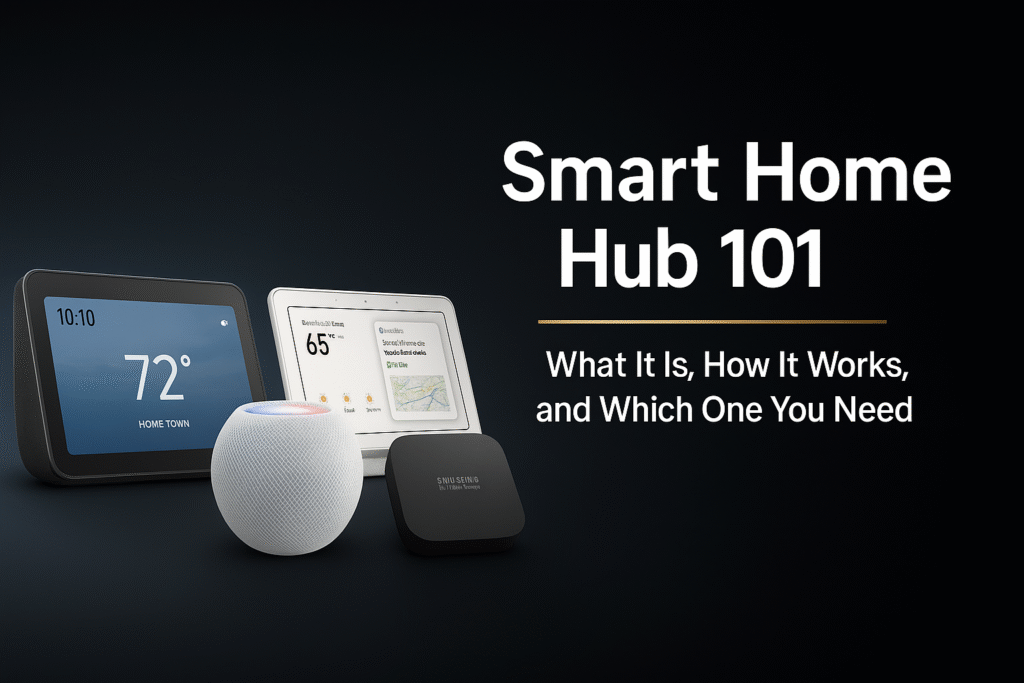
If you’re searching for the best smart home hub guide to understand what a hub is, how it works, and which one fits your home, this breakdown is perfect for you. A smart home hub acts as the brain of your connected devices, helping everything work smoothly and efficiently.
In this Smart Home Hub Guide, we’ll walk through what a smart home hub is, how it works, and the top models you should consider in 2025 based on compatibility, features, and ecosystem.
Quick Picks (Best Smart Home Hubs for Beginners)
Don’t want to overthink it? Start here:
- 🏆 Best Overall: Amazon Echo Hub – best all-in-one control for Alexa users
- 📱 Best for Google Users: Google Nest Hub – simple interface with strong Google Home integration
- 🍎 Best for Apple Users: Apple HomePod Mini – seamless HomeKit control and automation
- ⚙️ Best for Advanced Automation: SmartThings Station – most flexible for multi-device setups
👉 Simple rule: Pick the hub that matches your ecosystem (Alexa, Google, Apple, or SmartThings).
🔎 What Is the Best Smart Home Hub for Beginners?
If you’re just starting out, the best smart home hub depends on how simple you want your setup to be.
For most beginners:
- Alexa users → Amazon Echo Hub or Echo devices
- Google users → Google Nest Hub
- Apple users → HomePod Mini
The key is not choosing the “most powerful” hub—but the one that fits your current devices and ecosystem.
Starting simple will always beat starting complex.
Smart Home Hub Comparison (2025)
Compare the top hubs by ecosystem, features, and value — then tap “Buy Now” to grab the one that fits your smart home.
| Hub | Best For | Key Features | Price Range | Rating | |
|---|---|---|---|---|---|
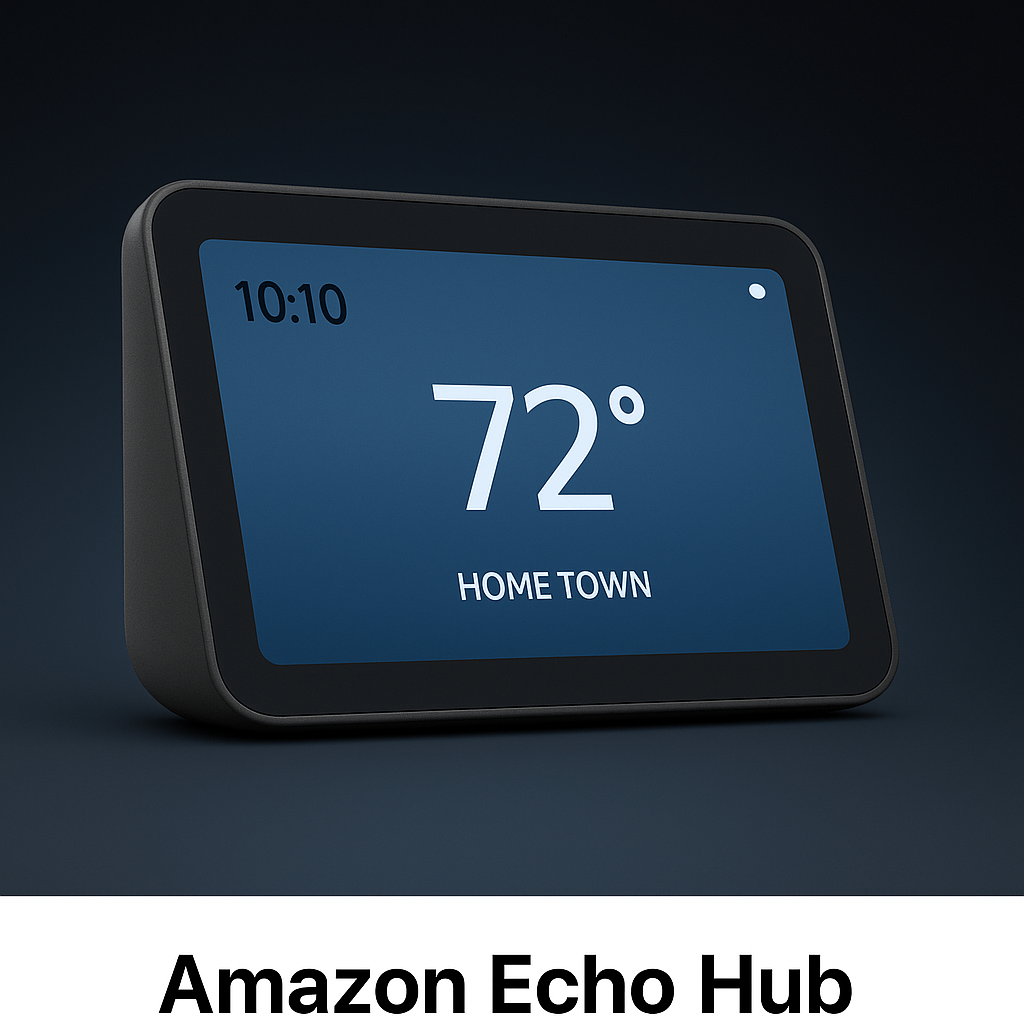
Amazon Echo Hub
Alexa smart display hub
|
Alexa users, Ring/Blink homes | Touchscreen · Routines · Great for beginners | $$ | ★★★★★ | Buy Now |
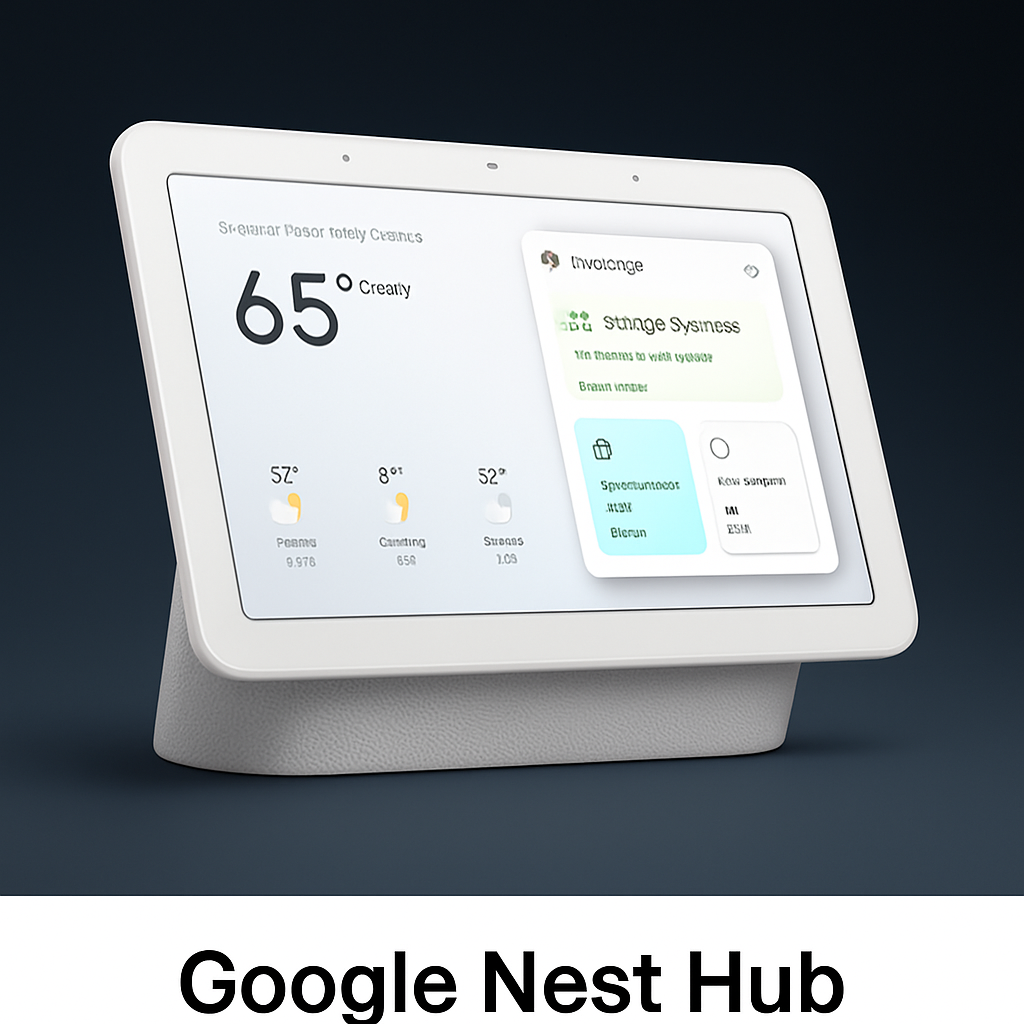
Google Nest Hub
Google Assistant smart display
|
Google Home & Nest users | Google Assistant · Routines · Photo frame | $$ | ★★★★☆ | Buy Now |
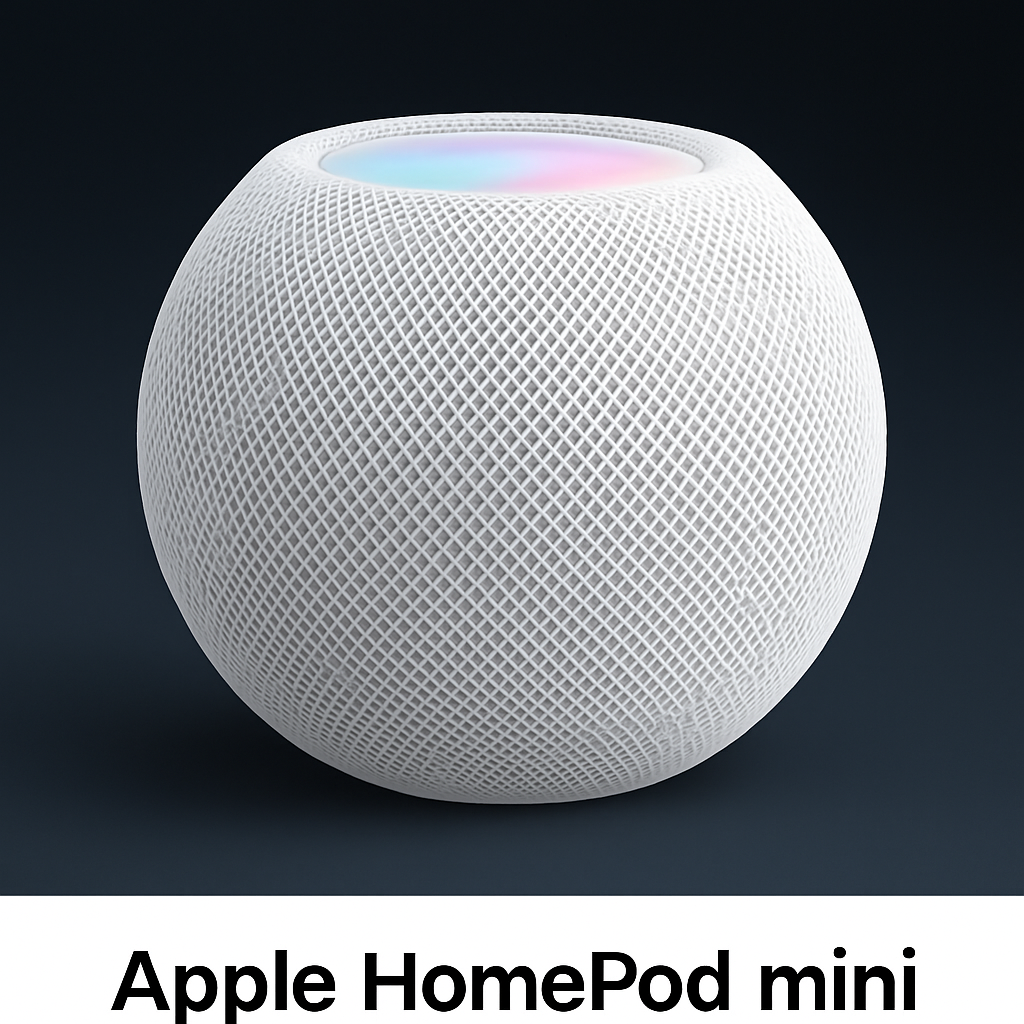
Apple HomePod mini
HomeKit + Siri hub
|
Apple/iPhone households | Secure automations · Great sound · Matter support | $$ | ★★★★★ | Buy Now |
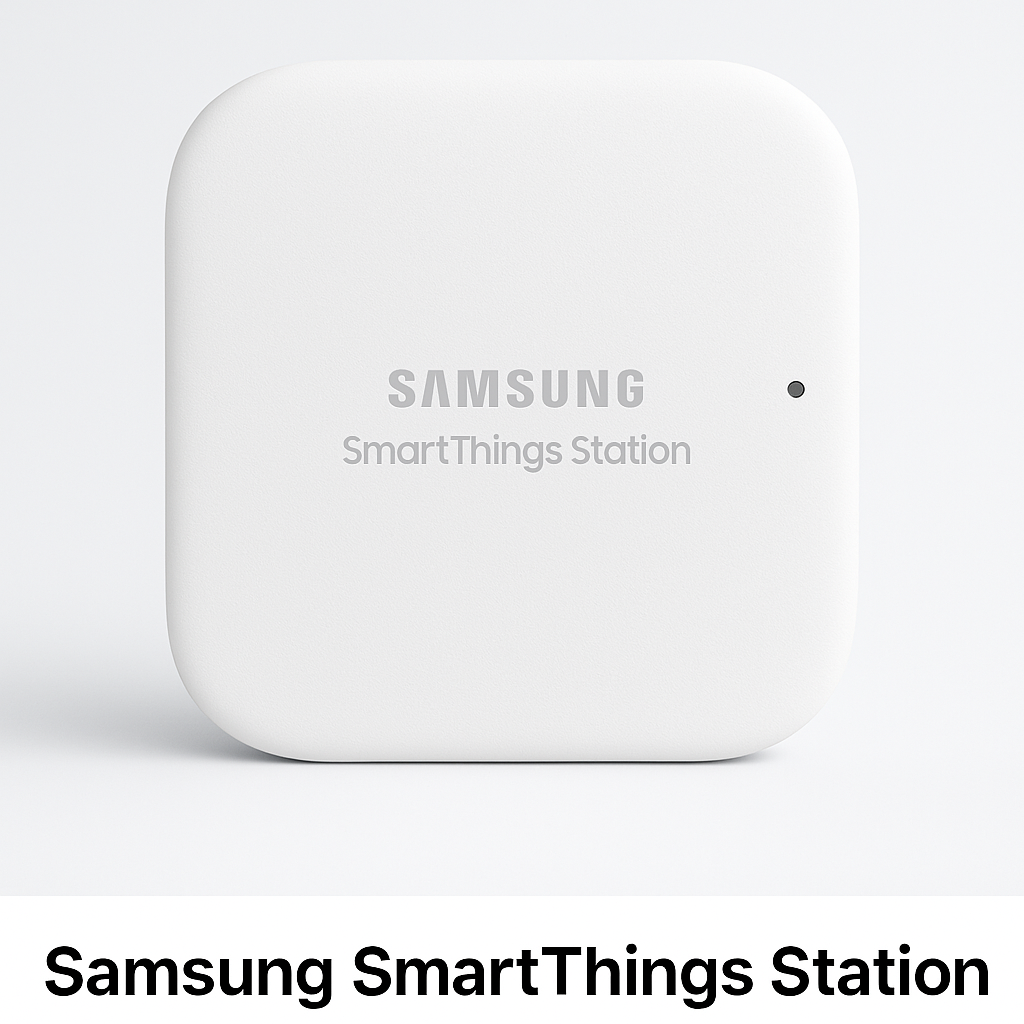
Samsung SmartThings Station
Advanced Matter hub
|
Power users & automation geeks | Matter · Zigbee · Powerful routines | $$ | ★★★★★ | Buy Now |
How Many Devices Can a Smart Home Hub Handle?
Each hub has a limit to how many devices it can support efficiently.
While most hubs can handle dozens of devices, performance may decrease if too many are connected at once. This depends on the hub model and the types of devices being used.
For beginners, starting with a small number of devices ensures better performance.
⚡ Smart Home Hub vs No Hub: What’s the Difference?
One of the biggest questions beginners have is whether they even need a hub.
Here’s the difference:
Smart Home Hub:
- Connects multiple devices into one system
- Enables advanced automation
- Supports protocols like Zigbee, Thread, Matter
No Hub Setup:
- Devices connect directly to Wi-Fi
- Easier to set up
- Limited automation
If you’re just using a few devices, you may not need a hub yet.
But if you want a fully connected system, a hub becomes much more valuable.
🏆 What Is a Smart Home Hub? (Smart Home Hub Guide for Beginners)
🧠 What Is a Smart Home Hub?
A smart home hub is the central brain of your smart home. Instead of controlling each device individually, a hub brings everything together into one app or one voice assistant.
- A hub allows you to:
- Automate your home
- Control devices from one dashboard
- Trigger routines automatically
- Connect devices that normally wouldn’t work together
- Use Matter, Thread, Zigbee, or Z-Wave protocols
Once you understand how hubs work, the next step is choosing renter-friendly devices that actually fit your space without drilling or complicated installs.
Can You Use More Than One Smart Home Hub?
Some users choose to use multiple hubs, especially as their setup grows.
While this can expand compatibility, it can also make your system more complex to manage. Most beginners are better off starting with one hub and expanding only if needed.
Keeping your setup simple helps avoid confusion and improves reliability.
Do You Actually Need a Smart Home Hub?
Not everyone needs a smart home hub — but it depends on how advanced you want your setup to be.
If you only use a few WiFi devices like smart plugs or lights, you can control them directly through apps or voice assistants like Alexa.
However, a smart home hub becomes important when:
- You want to connect multiple devices from different brands
- You’re using Zigbee, Z-Wave, or Matter devices
- You want faster, more reliable automation
- You want devices to work even if WiFi goes down
Without a hub, your devices rely heavily on your internet connection and may not communicate efficiently.
👉 Simple setup = no hub needed
👉 Advanced automation = hub recommended
When Is a Smart Home Hub Overkill?
Not every smart home setup requires a hub.
If you’re only using a few devices like smart plugs or bulbs, a hub may add unnecessary complexity. In simple setups, WiFi-based devices can often meet your needs.
Understanding when a hub is unnecessary helps you avoid overcomplicating your system.
Real Smart Home Hub Setups (Beginner to Advanced)
Understanding when you need a hub is easier when you see how it fits into real setups.
🔹 No Hub Setup (Simple Smart Home)
- Smart plugs and bulbs
- Alexa or Google Home
- No central hub
👉 Best for: renters and beginners
🔹 Basic Hub Setup
- Smart hub + sensors
- Smart plugs and lights
- Voice assistant integration
👉 Best for: users wanting more control
🔹 Advanced Hub Setup
- Multiple devices across rooms
- Automations and routines
- Local control with minimal cloud reliance
👉 Best for: long-term smart home systems
👉 Key takeaway: You only need a hub when your setup becomes more complex.
How Long Does It Take to Set Up a Smart Home Hub?
Setting up a smart home hub is usually a quick process.
Most hubs can be set up within 10–20 minutes, including connecting devices and configuring basic settings. More complex setups with multiple devices may take longer.
Understanding setup time helps beginners feel more confident getting started.
🏠 What Devices Work With a Smart Home Hub?
A smart home hub connects multiple types of devices into one system.
Common devices include:
- Smart lights and bulbs
- Smart plugs and switches
- Door locks and sensors
- Cameras and security systems
- Thermostats
The biggest advantage is control.
Instead of managing multiple apps, a hub lets you control everything from one place.
⚙️ How Does a Smart Home Hub Work?
1️⃣ Device Communication
Smart devices talk to the hub using wireless signals like:
- Wi-Fi
- Bluetooth
- Zigbee
- Thread
- Matter
- Z-Wave
2️⃣ Automation (Routines)
- Lights turning on when you walk in
- Thermostat adjusting automatically
- Doors locking at night
- Cameras activating when you’re away
3️⃣ Central Control (One App)
- Lights
- Plugs
- Cameras
- Doorbells
- Speakers
- Thermostats
- Sensors
- Security systems
Where Should You Place a Smart Home Hub?
Placement plays an important role in how well your hub performs.
A central location helps ensure better communication between devices, especially in larger spaces. Avoid placing the hub behind thick walls or inside cabinets, as this can weaken signals.
Proper placement improves connection strength and overall system performance.
📡 Do Smart Home Hubs Need Wi-Fi?
Yes—but not always in the way you think.
Most hubs:
- Use Wi-Fi for internet access
- Use other protocols (Zigbee, Thread, Matter) to connect devices
This means:
- Devices can still communicate locally
- Your system can be more reliable than Wi-Fi-only setups
For beginners, this is important because hubs can actually improve performance—not complicate it.
Do Smart Home Hubs Require Internet or WiFi?
Smart home hubs can work both with and without internet — depending on the system.
With Internet (Most Common)
- Enables remote access
- Allows voice control (Alexa, Google Assistant)
- Sends notifications to your phone
Without Internet (Local Control)
Some hubs allow devices to communicate locally using:
- Zigbee
- Z-Wave
- Matter
✔ Faster response times
✔ More reliable automation
✔ Works during internet outages
👉 Many modern hubs offer hybrid control (local + cloud) for the best experience.
❓ Do You Actually Need a Smart Home Hub?
👉 If you want simple voice control
Choose:
Google Nest Hub
Amazon Echo Hub
👉 If you want deep automation
Choose:
Samsung SmartThings Station
👉 If you use Apple devices
Choose:
Apple HomePod Mini
If you’re unsure which ecosystem to choose, here’s a clear breakdown of Matter vs Alexa and which one makes more sense for your setup.
👉 If you want Matter & Thread support
Choose:
Samsung SmartThings Station
Apple
If you prefer a simpler setup, here are the best Matter-compatible smart devices that don’t require a hub at all.
🤔 Is a Smart Home Hub Worth It?
A smart home hub is worth it if you plan to build a connected system—not just use a few devices.
It becomes valuable when you want:
- Multiple devices working together
- Automation across rooms
- Faster and more reliable control
If you only have 1–2 devices, you may not need one yet.
But if you’re building a full smart home, a hub quickly becomes essential.
Best Smart Home Hub for Apartments (Renter Guide)
Choosing a smart home hub for an apartment requires a different approach than a full house setup.
What Renters Should Look For:
- Compact size (fits small spaces)
- Wireless setup (no wiring required)
- Easy installation and removal
- Compatibility with Alexa or Google
Best Hub Types for Apartments:
✔ All-in-one hubs (Echo, SmartThings)
✔ Matter-compatible hubs
✔ Plug-and-play systems
What to Avoid:
❌ Complex wired hubs
❌ Systems requiring permanent installation
👉 For renters, simplicity and flexibility matter more than advanced features
🔥 The 4 Most Popular Smart Home Hubs for Beginners (2025)
Amazon Echo Hub (Best for Alexa Users)
Why choose it:
- Big screen + smart dashboard
- Great with Ring & Alexa
- Strong automation features
Best for: Alexa households
Google Nest Hub / Hub Max (Best for Google Users)
Why choose it:
- Best voice assistant
- Great with Nest cameras
- Perfect photo frame display
Best for: Android + Google Home users
Apple HomePod Mini (Best for Apple HomeKit)
Why choose it:
- Super secure
- Fast, responsive
- Great Apple integration
Best for: Apple users
Samsung SmartThings Station (Best for Automation)
Why choose it:
- Most powerful routines
- Matter, Zigbee, Thread support
- Works with many brands
Best for: Power users + advanced automation
🔗 Matter vs Zigbee vs Thread: What Should You Choose?
You’ve probably seen terms like Matter, Zigbee, and Thread—but what do they mean?
Matter:
- New universal standard
- Works across Alexa, Google, Apple
- Best for future-proofing
Zigbee:
- Reliable, low-power network
- Requires a compatible hub
- Widely supported
Thread:
- Fast and efficient
- Works with Matter devices
- Designed for modern smart homes
For beginners:
👉 Matter + Thread is the safest long-term choice
👉 Zigbee is still very reliable with the right hub
Smart Home Hub vs No Hub (Key Differences)
Understanding the difference between hub-based and hub-free setups helps you decide what’s right for you.
Hub-Based Smart Home
✔ Connects multiple devices seamlessly
✔ Supports advanced automation
✔ Works with Zigbee, Z-Wave, Matter
❌ Slightly more setup required
No Hub Smart Home (WiFi Devices Only)
✔ Easy to set up
✔ Works straight out of the box
✔ Lower upfront cost
❌ Can be slower and less reliable
❌ Depends heavily on WiFi
👉 If you want a scalable system, a hub is the better long-term choice
📊 Smart Home Hub Guide Quick Comparison Table
| Hub | Best For | Key Features | |
|---|---|---|---|
|
Amazon Echo Hub
Alexa Ecosystem
|
Alexa users • Ring/Blink devices | Touchscreen • Routines • Great for beginners | Buy Now |
|
Google Nest Hub
Google Home
|
Google Assistant users • Nest devices | Routines • Voice commands • Photo frame | Buy Now |
|
Apple HomePod mini
Apple HomeKit
|
Apple homes • Privacy-focused setups | Siri • Secure automations • Matter support | Buy Now |
|
SmartThings Station
Advanced Automation
|
Power users • Multi-brand homes | Matter • Zigbee • Fast automations | Buy Now |
Best Smart Home Hubs by Use Case
Not all smart home hubs are the same. The best choice depends on your setup, experience level, and what devices you plan to use.
Here’s how to choose:
🔹 Best for Beginners
Simple hubs with easy setup and app control are best for users new to smart home technology.
👉 Ideal for: first-time users
🔹 Best for Alexa Users
Hubs that integrate directly with Alexa allow you to control devices with voice commands and routines.
👉 Ideal for: Amazon Alexa users
🔹 Best for Advanced Automation
More powerful hubs allow complex automations, local control, and advanced integrations.
👉 Ideal for: users building a full smart home system
👉 Key takeaway: Most beginners don’t need a complex hub—start simple and upgrade later if needed.
🧠 How to Choose the Right Smart Home Hub (Quick Guide)
If you’re still unsure, keep it simple.
Choose based on what you already use:
- Use Alexa? → Amazon Echo Hub
- Use Google? → Google Nest Hub
- Use Apple? → HomePod Mini
- Want maximum automation? → SmartThings Station
Don’t overthink it.
The best hub is the one that fits your current ecosystem and grows with you over time.
How to Choose the Right Smart Home Hub
Choosing the right smart home hub comes down to your needs, devices, and future plans.
1. Compatibility
Make sure the hub supports:
- Alexa or Google Home
- Your existing devices
2. Protocol Support
Look for hubs that support:
- Zigbee
- Z-Wave
- Matter
3. Ease of Setup
Beginner-friendly hubs are easier to install and manage.
4. Automation Capabilities
Choose a hub that supports routines and smart triggers.
5. Budget
Hubs range from affordable to advanced systems.
👉 The best hub is one that fits your current needs while allowing future expansion
Should You Use a Smart Home Hub or Not?
If you’re still unsure, here’s the simplest way to decide:
🔹 You DON’T need a hub if:
- You’re using smart plugs, bulbs, and basic devices
- You want simple setup
- You’re renting
🔹 You SHOULD use a hub if:
- You want advanced automation
- You’re using sensors or Zigbee/Z-Wave devices
- You want more control over your smart home
🔹 Best choice for most beginners:
👉 Start without a hub and upgrade only if needed
🎉 Final Thoughts: Which Hub Should You Choose?
Choose Amazon Echo Hub if:
✔ You use Alexa
✔ You want a smart display
Choose Google Nest Hub if:
✔ You prefer Google Assistant
✔ You use Nest cameras
Choose HomePod Mini if:
✔ You’re an Apple household
Choose Samsung SmartThings if:
✔ You want the most advanced automation system
According to the Connectivity Standards Alliance, Matter improves interoperability across smart home platforms.
If you’re new to smart homes, start with our guide on Best Matter Smart Home Devices for Beginners to see which devices work best with modern hubs.
Pingback: Best Matter Smart Home Devices (2025 Guide)
Pingback: 7 Smart Thermostat Tips to Lower Your Energy Bill (2025)
Pingback: Best Smart Home Devices Under 50 | 2025 Budget Buyer’s Guide
Pingback: Best Smart Home Devices for Beginners (2025 Easy Starter Guide)
Pingback: Best Smart Doorbell 2025 (Top Picks for Home Security)
Pingback: Best Smart Home Devices for Apartments (2025 Guide)
Pingback: How Does Alexa Hub Work? (5 Simple Facts for Beginners)
Pingback: Best Smart Home Devices for Seniors (Simple & Easy to Use)
Pingback: Best Smart Home Devices for Caregivers (Remote Monitoring)
Pingback: Best Voice-Controlled Smart Devices for Limited Mobility
Pingback: Best Matter Compatible Smart Devices (2025 Guide)
Pingback: Smart Home Devices That Don’t Require Wiring (Easy Setup)
Pingback: Alexa Smart Home Control Dashboard – Lights & Cameras
Pingback: What Is a Smart Home Hub? Do You Really Need One in 2026?
Pingback: Best Smart Devices for Caregivers (Who Can’t Be Home 24/7)
Pingback: Best Alexa Devices for Apartments and Renters (No Drilling)
Pingback: Best Matter Smart Devices for Renters (No Hub Required)