
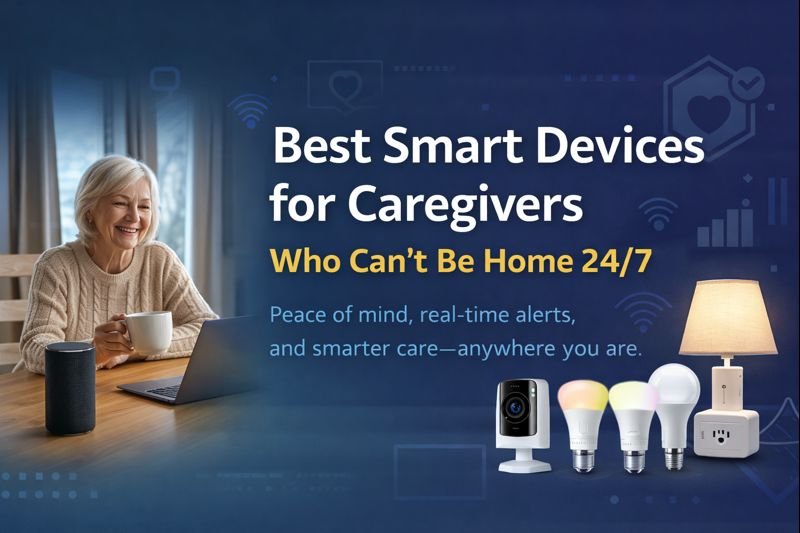
Best smart devices for caregivers make it possible to monitor loved ones, receive real-time alerts, and provide peace of mind—even when you can’t be home 24/7. Peace of mind, real-time alerts, and smarter care—anywhere you are.
Caregiving doesn’t stop when you leave the house. Whether you’re working long shifts, traveling, or juggling multiple responsibilities, today’s smart devices make it possible to monitor, protect, and support loved ones remotely—without invasive cameras everywhere or expensive subscriptions.
This guide highlights reliable, easy-to-use smart devices that caregivers trust to stay connected 24/7.
Quick Picks (Best Smart Devices for Remote Caregiving)
- Best Overall: Amazon Echo – Perfect for voice check-ins, drop-ins, and daily communication when you can’t be there in person.
- Best for Visual Monitoring: Ring Indoor Cam – Lets you check in live and get motion alerts, giving you peace of mind from anywhere.
- Best for Routine Tracking: Philips Hue Bulbs – Great for automating daily routines like lights turning on/off to signal activity.
- Best for Movement Alerts: Aqara Motion Sensor – Sends instant notifications when movement is detected, helping you stay aware in real time.
- Best for Activity Confirmation: Smart Plug – Simple way to confirm activity (like a lamp or TV turning on) through app control.
How Smart Devices Help When You Can’t Be There
Caring for someone remotely can be stressful, especially when you’re not physically present to check in.
Smart devices bridge that gap by giving you real-time visibility and control. With the help of platforms like Amazon Alexa, you can monitor activity, receive alerts, and even communicate instantly.
These devices allow you to:
- Check in through cameras
- Get motion or activity alerts
- Control lights and devices remotely
- Respond quickly in case of emergencies
Instead of guessing if everything is okay, you can stay connected and informed no matter where you are.
Why Smart Home Devices Matter for Caregivers
Caregiving can be physically and emotionally demanding — especially when you can’t always be present.
Smart home devices help bridge that gap by allowing you to:
- Monitor loved ones remotely
- Respond quickly to emergencies
- Reduce daily stress and check-ins
They’re not just about convenience — they provide peace of mind.
👉 Even a simple setup can make caregiving easier and safer.
🧠 Who This Guide Is For
- Caregivers managing seniors who live alone
- Adult children caring for aging parents from a distance
- Families needing instant alerts without constant check-ins
- Anyone wanting safety + independence, not surveillance
This guide focuses on the best smart devices for caregivers who need reliable, non-invasive monitoring solutions.
When Smart Devices May Not Be Enough on Their Own
While smart devices can provide valuable support, they are not a complete replacement for in-person care.
They may not be enough if:
- The person requires medical supervision
- There is a high risk of falls or emergencies
- Daily assistance is needed for basic tasks
In these cases, smart devices should be used alongside regular check-ins or professional care—not as a replacement.
❌ Who This Guide Is NOT For
This guide is designed for everyday caregiving and peace-of-mind monitoring. It may not be the best fit if:
- You need medical-grade monitoring or emergency response systems
(These smart devices support safety and awareness—not clinical care.) - The home does not have reliable Wi-Fi or smartphone access
Most devices require an internet connection for alerts and remote access. - You are providing short-term or temporary caregiving
These solutions are best for ongoing, long-term support. - You require constant live surveillance
This guide focuses on privacy-friendly monitoring, not 24/7 camera coverage. - The person being cared for is uncomfortable with any technology
While simple, these devices still require basic interaction or acceptance.
🔝 Top Smart Devices for Caregivers Who Can’t Be Home 24/7
Are Smart Home Devices Easy for Seniors to Use?
Many caregivers worry that smart devices might be too complicated for seniors.
The good news is — most modern devices are designed with simplicity in mind.
Features like:
- Voice control (Alexa, Google Assistant)
- Simple mobile apps
- Automation
…make them easy to use with minimal effort.
👉 Devices with voice commands are often the easiest option for seniors.
1️⃣ Amazon Echo (5th Gen)

Amazon Echo (5th Gen)
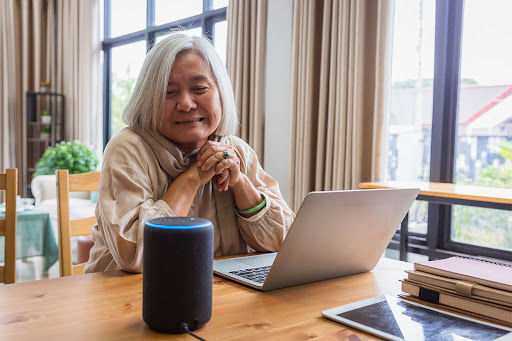
Best for voice check-ins & emergency help. Allows caregivers to drop in, set reminders, and automate daily routines remotely.
Check Price on AmazonBest for voice check-ins & emergency help
- Voice calls & Drop-In
- Alexa routines (lights, reminders, alerts)
- Works hands-free for seniors
Why caregivers love it: Quick voice check-ins without cameras.
2️⃣ Ring Indoor Cam

Ring Indoor Cam
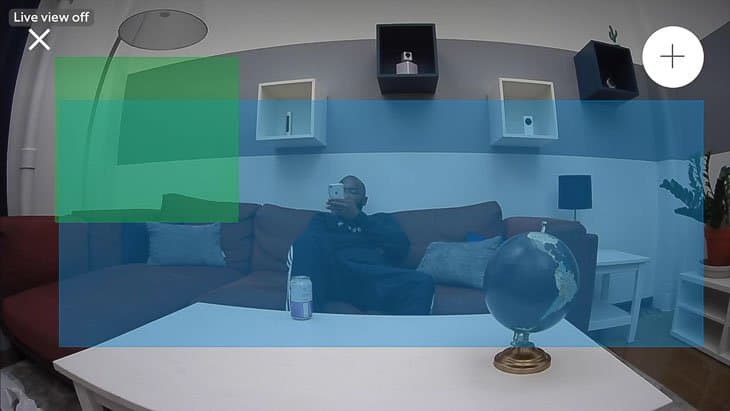
Best for visual reassurance. Provides live video, motion alerts, and two-way talk for instant confirmation.
View on AmazonBest for visual reassurance
- Live video + motion alerts
- Two-way talk
- Optional subscription
Why caregivers love it: Instant visual confirmation when alerts trigger.
3️⃣ Philips Hue Smart Bulbs

Philips Hue Smart Bulbs
Best for routine and activity signals. Smart lighting schedules help caregivers identify daily patterns.
See Pricing on AmazonBest for routine monitoring
- Track daily activity via light usage
- Automate morning/night routines
- No cameras required
Why caregivers love it: Behavior signals without invading privacy.
4️⃣ Aqara Motion Sensors

Aqara Motion Sensor
Best for movement & safety alerts. Sends instant notifications if movement patterns change.
Check on AmazonBest for movement & safety alerts
- Detect motion in key areas
- Send instant phone notifications
- No monthly fees
Why caregivers love it: Alerts if movement stops or happens unexpectedly.
5️⃣ Smart Plug (Standalone)

Smart Plug (Caregiver-Friendly)
Best low-cost caregiver monitoring option. Smart plugs allow caregivers to confirm daily activity through simple on/off usage—without cameras or complex setup.
- Monitor device usage remotely
- Turn appliances or lamps on/off instantly
- Create schedules for daily routines
- Works with Alexa and Google Assistant
Best low-cost caregiver monitoring option.
Smart plugs allow caregivers to confirm daily activity through simple on/off usage—without cameras or complicated setups.
[View Smart Plug Options on Amazon]
Best low-cost activity check
- Monitor device usage remotely
- Turn appliances or lamps on/off instantly
- Create schedules or routines for daily habits
- Works with Alexa and Google Assistant
Why caregivers love it:
Affordable, subtle, and effective—smart plugs provide peace of mind without invading privacy.
Real-Life Situations Where These Devices Make a Difference
Smart caregiving devices aren’t just about convenience—they can make a real difference in everyday situations.
For example:
- A motion sensor alerts you if there’s no movement for hours
- A smart camera lets you check in after a missed call
- Smart lights turn on automatically to prevent nighttime falls
- A smart speaker allows hands-free communication
These small features can prevent problems, reduce anxiety, and help caregivers respond faster when something feels off.
Do Caregiver Smart Devices Require WiFi?
Most smart home devices used for caregiving rely on WiFi for:
- Remote monitoring
- Alerts and notifications
- Video streaming
Some devices offer limited local functionality, but full features typically require internet access.
👉 A stable WiFi connection is essential for reliable caregiving support.
📊 Comparison Table (Quick View)
| Device | Best For | Alerts | Subscription |
|---|---|---|---|
| Amazon Echo | Voice check-ins | Voice, routines | ❌ No |
| Ring Indoor Cam | Visual monitoring | Motion, live view | ⚠️ Optional |
| Philips Hue Bulbs | Routine tracking | Automation | ❌ No |
| Aqara Motion Sensor | Movement alerts | Instant notifications | ❌ No |
| Smart Plug | Activity confirmation | App control | ❌ No |
Best Smart Home Setup for Caregivers
A good caregiver setup should focus on safety, communication, and ease of use.
A practical setup includes:
- A smart display or speaker
- Indoor cameras for monitoring
- Motion or door sensors
- Smart plugs for control
This allows caregivers to stay connected and monitor loved ones remotely.
👉 Keep the setup simple and focused on essential needs.
Best Overall Device for Remote Caregivers
Amazon Echo (5th Gen) offers the best balance of communication, automation, and peace of mind.
Check Best Price on AmazonHow to Choose the Right Setup for Your Situation
Every caregiving situation is different, so the best setup depends on your specific needs.
Consider:
- How often you need to check in
- Whether the person is mobile or stationary
- If communication is a priority
- The level of monitoring required
Some setups may only need a camera and smart speaker, while others benefit from sensors and automation.
Choosing the right combination ensures you’re not overcomplicating—or under-supporting—the situation.
🧰 Recommended Caregiver Starter Setup
(Simple • Affordable • Reliable)
- Amazon Echo (main living area)
- Aqara Motion Sensor (hallway or bathroom)
- Smart Plug (bedroom or kitchen)
💡 This setup gives voice access, movement awareness, and routine visibility without constant camera monitoring.
🔗 Trusted External Resources
- AARP – Smart home safety tips for aging adults
- National Institute on Aging – Aging in place guidance
- CDC – Fall prevention & senior safety
❓ Frequently Asked Questions (FAQ)
Are smart devices safe for seniors living alone?
Yes. Devices like motion sensors, smart lights, and voice assistants increase safety without limiting independence.
Do caregivers need cameras everywhere?
No. Many caregivers prefer motion sensors + smart lights to respect privacy while still staying informed.
Which device works best if I’m out of state?
Amazon Echo paired with motion sensors provides real-time alerts and voice access from anywhere.
Are there monthly fees?
Most devices in this guide work without subscriptions. Cameras may offer optional plans.
Can these devices notify multiple caregivers?
Yes. Most apps allow shared access for family members.
🧩 Real-Life Caregiver Scenario: How Smart Devices Help When You’re Away
Imagine this:
You’re at work, in a meeting, or running errands across town. You can’t call every hour—but you still want to know your loved one is safe.
- The hallway motion sensor confirms movement early in the morning.
- A smart lamp turns on automatically at breakfast time, signaling routine.
- Your phone receives a notification if no movement is detected by mid-day.
- A quick voice check-in through a smart speaker lets you say hello—no cameras needed.
Nothing feels invasive. Nothing feels overwhelming.
Yet you’re always informed.
This is how modern caregivers stay connected without being physically present—using smart devices as quiet, dependable support in the background.
💙 Why This Matters for Caregivers
Smart home technology doesn’t replace care—it extends it. These tools help caregivers:
- Reduce constant worry
- Respect independence and privacy
- Respond faster when something feels off
- Maintain balance between caregiving and daily life
Care isn’t about watching every moment.
It’s about being ready when it matters most.
Are Smart Home Devices Worth It for Caregivers?
Smart home devices can significantly improve caregiving by adding convenience and safety.
They help:
- Reduce stress
- Improve communication
- Provide real-time monitoring
While they don’t replace human care, they act as a powerful support system.
👉 For caregivers, these devices are absolutely worth it.
Privacy and Safety Considerations for Caregiving Devices
When using smart devices for caregiving, privacy and consent are important.
Make sure to:
- Inform the person being monitored
- Use secure passwords and settings
- Limit camera placement to appropriate areas
- Choose trusted brands with good security practices
These steps help protect both safety and dignity while still providing the support you need.
Quick Setup Example: A Simple Remote Care System
If you’re not sure where to start, here’s a simple setup:
- Smart speaker for communication
- Indoor camera for monitoring
- Motion sensor for activity alerts
- Smart lights for safety
This combination gives you visibility, communication, and basic protection without being overwhelming.
Final Takeaway
You don’t need to be home to care deeply. With the right smart devices, caregivers gain awareness, control, and peace of mind—while loved ones maintain dignity and independence. Choosing the best smart devices for caregivers means staying connected, informed, and ready—no matter where you are.
Smart care isn’t about watching—it’s about being ready.
Craig is a smart home technology reviewer and caregiver-focused content creator who helps families use affordable technology to support aging loved ones. He tests smart devices for real-world usability, safety, and caregiver peace of mind.
Pingback: Matter Smart Home Guide: Make Tech Simple for Seniors
Pingback: 10 Best Smart Home Devices for Seniors Living Alone
Pingback: Best Voice-Controlled Smart Devices for Limited Mobility
Pingback: No-Drill Smart Home for Apartments (Easy Renter Setup Guide)