
Introduction
What is a smart home hub, and do you actually need one in 2026? Most people think they need a smart home hub—until they realize they just spent money on something they didn’t actually need.
In 2026, smart home technology has changed. Devices powered by Alexa and Matter can now work together without a traditional hub—but not always. If you’re building a simple setup, starting with the best Alexa devices under $100 for renters is often all you need to get up and running without overcomplicating things. Some setups run smoothly without one, while others become unreliable without a central system.
Here’s where most people make the wrong decision.
This guide breaks it down simply so you know exactly when you need a smart home hub—and when you don’t—so you can build a clean, renter-friendly setup without wasting money or overcomplicating things. The truth is, most people either overcomplicate their setup—or buy a hub they never actually needed.
Quick Picks (Best Smart Home Hub Options in 2026)
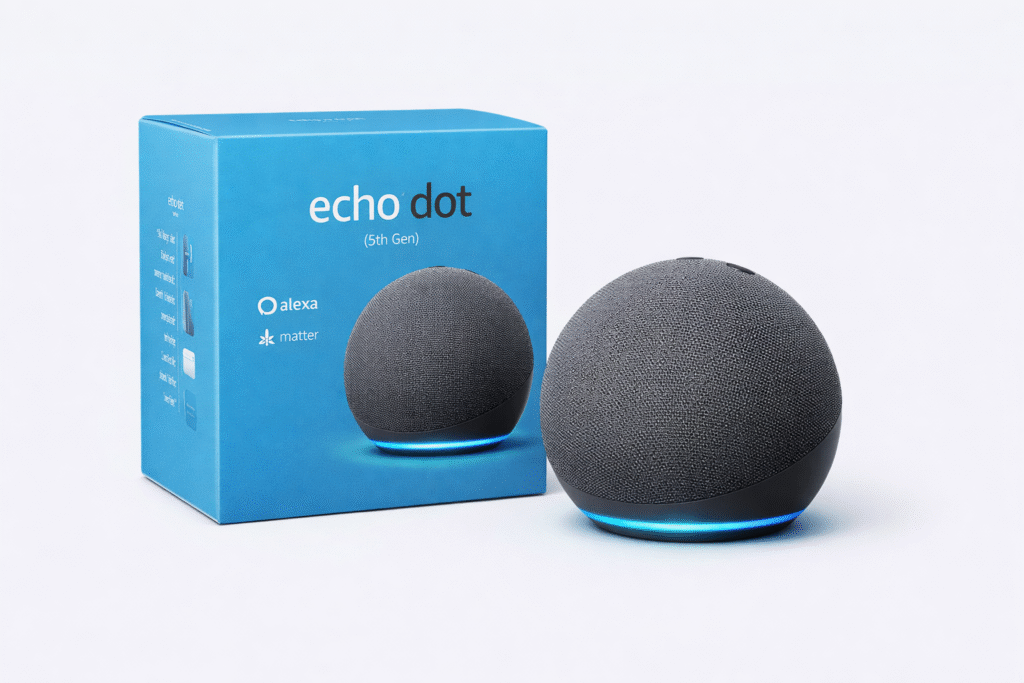
- Best for Simple Setups (No Hub Needed): Amazon Echo Dot (5th Gen) – Perfect if you want basic voice control and simple smart home features without needing a separate hub.
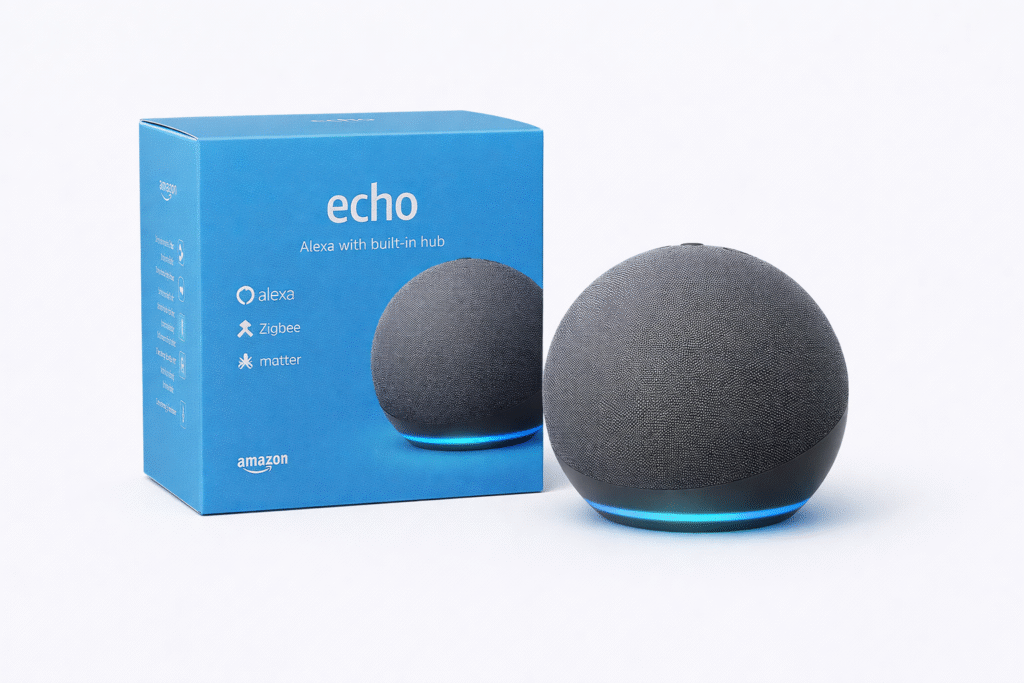
- Best All-in-One Hub: Amazon Echo (4th Gen – with Zigbee) – Built-in hub makes it easy to connect and control multiple devices as your setup grows.
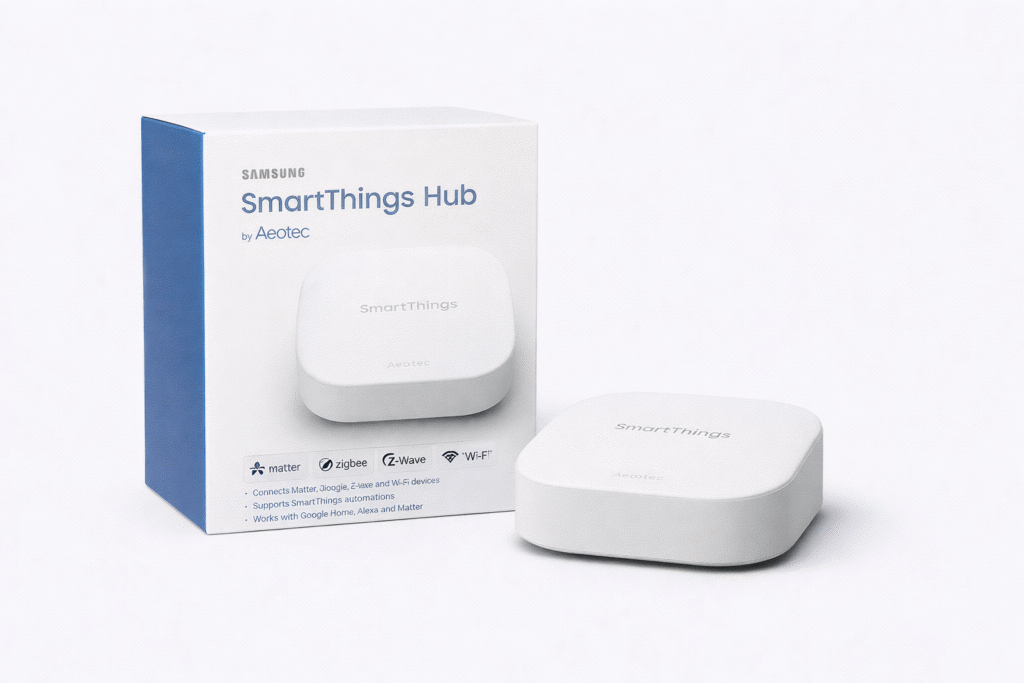
- Best for Advanced Setups: Samsung SmartThings Hub (Aeotec) – Ideal for full smart home control with advanced automations and support for a wide range of devices.
What Is a Smart Home Hub in Simple Terms?
A smart home hub is a central device that connects and controls your smart home devices.
Instead of each device working separately, a hub allows them to communicate and work together.
This means you can:
- Control everything from one app
- Create automations and routines
- Improve reliability across devices
👉 For beginners, a hub simplifies your entire smart home setup.
Zigbee vs Thread vs WiFi: What’s the Difference?
Smart home hubs often use different communication protocols like Zigbee, Thread, or WiFi.
WiFi devices connect directly to your router but can become slower as more devices are added. Zigbee and Thread allow devices to communicate through a hub, creating a more efficient and stable network.
Understanding these differences helps explain why hubs are often more reliable in larger smart home setups.
Do You Actually Need a Smart Home Hub? (Quick Answer)
If you want the simple answer—most people don’t need a smart home hub in 2026.
You DON’T need a hub if:
- You’re using Alexa, Google Home, or Apple Home
- Your setup is small (lights, plugs, cameras, sensors)
- Your devices are Wi-Fi or Matter-compatible
- You want something simple and renter-friendly
You DO need a hub if:
- You’re using Zigbee or Z-Wave devices
- You want advanced automations
- You’re building a larger system
- You want faster, more reliable performance
Bottom line: Start simple. Only add a hub when your setup actually needs it.
Do You Need a Smart Home Hub for an Apartment?
Most apartment setups do not require a smart home hub.
You can use:
- WiFi smart plugs
- Smart bulbs
- Alexa or Google devices
However, a hub becomes useful if you want:
- More advanced automation
- Better reliability
- Support for Zigbee or Matter devices
👉 For renters, starting without a hub is usually the simplest option.
Who This Is For
This guide is for renters, beginners, and anyone who wants a smart home that actually works without being complicated.
If you want something easy to set up, lease-friendly, and reliable without technical headaches, you’re in the right place.
What Is a Smart Home Hub?
A smart home hub is a central device that connects and controls multiple smart devices from one place.
Instead of each device working separately, a hub allows everything to communicate—lights, sensors, locks, and more.
But here’s what matters in 2026: platforms like Alexa and Matter already act like a basic hub, which is why most people don’t need a separate one. Many modern devices now use Matter, which allows different brands to work together more easily. If you’re just getting started, using Matter-compatible devices can simplify your setup without needing a dedicated hub.
According to the Connectivity Standards Alliance, the organization behind Matter, this standard is designed to improve compatibility and simplify smart home setups across different devices.
When You Don’t Need a Hub
If your setup is simple, skip the hub.
For most apartments, devices like smart plugs, lights, and cameras connect directly through Wi-Fi or Alexa. This is the easiest way to build a smart home without wiring or extra hardware.
This is the best approach for beginners and renters.
What Breaks Without a Smart Home Hub?
While many smart devices can work without a hub, certain features may not function as expected.
Automation may be slower or less reliable, and some devices may not connect at all if they require a hub-based protocol. As your setup grows, these limitations become more noticeable.
Understanding these trade-offs helps you decide whether skipping a hub is worth it.
Smart Home Hub vs No Hub: What’s the Difference?
Choosing between a hub and no hub setup depends on your needs.
No hub setup:
- Easier to install
- Works with WiFi devices
- Best for beginners
Hub-based setup:
- More reliable connections
- Supports more device types
- Better automation
👉 Beginners should start without a hub and upgrade later if needed.
What You Can Do With a Hub That You Can’t Without One
A hub allows devices to work together in ways that aren’t possible with basic setups.
For example, you can create automations that connect multiple devices across different brands, such as turning on lights when a sensor detects motion or triggering routines based on multiple conditions.
Without a hub, most devices operate independently, limiting how advanced your automation can become.
When You Do Need a Hub
A hub becomes valuable when your setup grows or becomes more advanced.
If you’re using Zigbee or Z-Wave devices, want faster automation, or need everything to work together reliably, a hub gives you more control and stability.
This is where your smart home starts to feel seamless instead of patched together.
Quick Comparison Table
| Device | Best For | Hub Needed? |
|---|---|---|
| Amazon Echo Dot (5th Gen) | Simple setups | No |
| Amazon Echo (4th Gen – with Zigbee) | Growing setups | Built-in |
| Samsung SmartThings Hub (Aeotec) | Advanced systems | Yes |
Amazon Echo Dot (5th Gen)
Best Overall Pick
If you want a smart home setup that just works without extra complexity, this is the best place to start.
It gives you voice control, simple automation, and compatibility with most devices—without needing a separate hub.
For renters, this keeps everything easy, portable, and stress-free.
Why:
- Matches “simple / no hub needed”
- High conversion product
- Beginner-friendly (your audience)
Best for Alexa Users
If you want more control without buying a separate hub, this is the upgrade that makes the most sense.
It gives you better performance and broader compatibility while still keeping your setup simple and beginner-friendly.
This is ideal if you plan to expand your smart home over time.
Why:
- Built-in Zigbee hub
- Perfect bridge between simple and advanced
- Strong upsell from Echo Dot
Samsung SmartThings Hub (Aeotec)
Best for Advanced Smart Homes
If you’re building a more advanced smart home setup, this is where a dedicated hub actually makes a difference.
The Samsung SmartThings Hub (Aeotec) lets you connect Zigbee, Z-Wave, and Matter devices all in one system, giving you far more control than a basic Alexa-only setup.
Instead of relying only on Wi-Fi, this hub creates a more stable and responsive system—especially as you add more devices over time.
This is what turns a simple smart home into a fully connected system that works seamlessly together.
Why it stands out:
- Supports Zigbee, Z-Wave, and Matter devices
- Handles advanced automations across multiple devices
- More reliable than Wi-Fi-only setups
- Built for scaling and long-term use
Do Smart Home Hubs Reduce Lag and Improve Performance?
One of the biggest benefits of a smart home hub is improved performance.
By handling communication locally, hubs reduce delays caused by cloud-based processing. This results in faster response times when controlling devices or running automations.
For users with multiple devices, this can make a noticeable difference in how responsive the system feels.
Do Smart Home Hubs Require WiFi?
Yes — most smart home hubs require WiFi for full functionality.
WiFi is needed for:
- Device control through apps
- Voice assistant integration
- Remote access
Some hubs also use local networks (like Zigbee or Thread), but internet access is still important.
👉 A stable WiFi connection ensures your smart home runs smoothly.
Are Smart Home Hubs Future-Proof in 2026?
With the rise of Matter and new smart home standards, many users are concerned about future compatibility.
Modern hubs that support multiple protocols and standards are more likely to remain useful over time. Choosing a hub that supports newer technologies can help ensure your system stays compatible with future devices.
For long-term setups, this makes hubs a more flexible and future-ready option.
Decision Shortcut
If you want something simple—skip the hub.
If you want more control—consider a hub.
If you’re unsure—start without one and upgrade later.
FAQs
Do smart home hubs still matter in 2026?
Yes, but mostly for advanced setups. Most beginners don’t need one.
Can Alexa replace a smart home hub?
In many cases, yes. Alexa can control many devices without a dedicated hub.
Is a hub better than Wi-Fi?
For larger setups, yes. For smaller setups, Wi-Fi is usually enough.
Can You Start Without a Hub and Upgrade Later?
Many users begin with a simple setup and add a hub later.
Most smart home systems allow you to integrate a hub without replacing your existing devices. This makes it easy to start small and expand as your needs grow.
This flexibility is one of the reasons smart home ecosystems continue to grow in popularity.
Are Smart Home Hubs Worth It in 2026?
Smart home hubs are more useful than ever, especially as smart home systems become more advanced.
They offer:
- Better device compatibility
- More reliable automation
- Centralized control
However, they’re not necessary for simple setups.
👉 If you plan to expand your smart home, a hub is worth it.
Final Verdict
If you’re building a simple smart apartment setup, you probably don’t need a smart home hub.
But if you want advanced automation, better performance, and long-term flexibility, a hub becomes worth it.
Start simple—and only upgrade when your setup demands it.
About the Author
Craig is the founder of TopRatedByCraig.com, where he helps renters build simple, effective smart home setups without wasting money or overcomplicating things.
Pingback: Smart Home Hub Guide: What It Is, How It Works, and Which One You Need (2025)
Pingback: Best Smart Home Hubs for Apartments (No Drilling) – 2026
Pingback: Best Matter Smart Devices for Apartments (Renter-Safe Picks)
Pingback: Best Smart Home Devices Under $50 (Affordable Picks That Actually Work – 2026)