
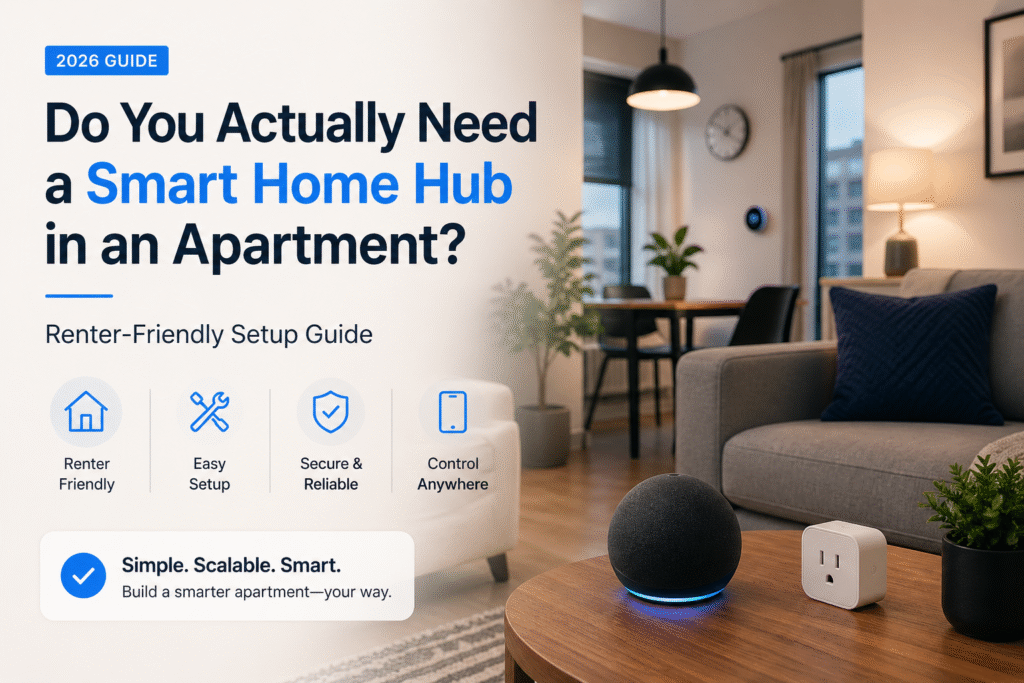
Introduction
Most renters don’t buy a smart home hub because they truly need one—they buy it because it sounds like the smart move. More control. More automation. A “smarter” apartment.
Then reality hits.
The setup feels more complicated than expected. Devices don’t always connect smoothly, which often comes down to compatibility—this is why newer smart home standards like Matter are becoming essential for simple, renter-friendly setups. Your clean, simple space starts to feel cluttered—and worse, you’re left wondering if you just made something temporary feel too permanent.
That’s when the real questions start creeping in:
- Will this affect my deposit?
- Did I just overcomplicate everything?
- Was there an easier way to do this?
If you’re asking “do you need a smart home hub in an apartment?”, you’re not alone—and more importantly, you’re asking the right question before wasting time and money. If you already know you want one, check out the best smart home hubs for apartments that won’t risk your lease.
This guide gives you a clear, renter-first answer.
You’ll learn exactly when a smart home hub makes sense—and when it’s smarter (and cheaper) to skip it entirely. Whether you want a simple plug-and-play setup or something more advanced later, everything here is built around one goal:
keeping your apartment smart, flexible, and 100% renter-safe. This approach is perfect for a minimalist smart home setup in small apartments where space and simplicity matter.
No drilling. No permanent changes. No unnecessary complexity. Just a setup that works for your lifestyle—without risking your lease.
⭐ Top Picks (Quick Recommendations)
If you don’t want to overthink it, start here—these are the smartest choices based on how most renters actually live:
- Best Overall (No Hub Needed): Amazon Echo (4th Gen)
👉 Perfect balance of voice control, smart home integration, and built-in hub features—without extra clutter. - Best for Expanding Later: Philips Hue Bridge
👉 Ideal if you want smoother automation and plan to build a more advanced setup over time. - Best Budget Option: Kasa Smart Plug Mini
👉 The easiest, cheapest way to make your apartment “smart” instantly—no hub, no commitment.
If you want to keep things simple, there are plenty of smart home devices that don’t need a hub and still work perfectly in small apartments.
Do You Actually Need a Smart Home Hub? (Quick Answer)
For most renters, the answer is simple:
👉 No—you don’t need a smart home hub to get started.
Today’s plug-and-play devices (like smart plugs, cameras, and voice assistants) work right out of the box using Wi-Fi or built-in ecosystems like Alexa. That means you can build a functional, renter-friendly smart home without adding extra hardware or complexity.
✅ When You DON’T Need a Hub
- You want a simple, beginner-friendly setup
- You’re using Wi-Fi or Alexa-compatible devices
- You live in a small apartment with minimal devices
- You want to avoid extra cost, setup time, and clutter
👉 For most renters, this is the smartest place to start.
⚡ When You DO Need a Hub
- You want advanced automation (devices triggering each other)
- You’re using Zigbee, Z-Wave, or Matter devices
- You plan to build a larger, more connected smart home system
- You want faster, more reliable local control
👉 A hub becomes valuable when your setup starts growing beyond basic use.
🚫 When You Should AVOID a Hub
- You’re just starting and unsure what you need
- You only have 1–3 smart devices
- You move often and need a fully portable setup
- You want to keep things simple, flexible, and renter-safe
👉 Buying a hub too early is the #1 mistake renters make—it adds cost and complexity without real benefit.
🎯 Bottom Line
Start simple. Most renters don’t need a hub right away. Build your setup with easy, no-hub devices first—then upgrade only if your needs grow.
What Does a Smart Home Hub Actually Do?
A smart home hub acts as the central brain of your smart home. Instead of each device working on its own, a hub connects everything into one system so your devices can communicate, automate, and respond together.
Think of it like this: without a hub, your smart devices are independent. With a hub, they start working as a team.
🧠 What a Hub Actually Controls
A smart home hub allows you to:
- Connect devices from different brands into one system
- Create automations (like lights turning on when motion is detected)
- Control everything from a single app or dashboard
- Improve speed and reliability with local control
⚡ What Happens Without a Hub
If you skip a hub, your devices will still work—but:
- Each device may need its own app
- Automations are more limited
- Devices may not communicate across brands
- Performance depends more on your Wi-Fi connection
👉 For small setups, this is usually fine. For larger setups, it can become frustrating.
🏠 What This Means for Apartment Setups
In most apartments, you don’t need a hub to get started. A few smart devices can work perfectly on their own without adding extra hardware or complexity.
But as your setup grows—especially if you add sensors or automation—a hub can make everything feel smoother, faster, and more connected.
🎯 Bottom Line
A smart home hub isn’t required—it’s a scaling tool. It becomes valuable when your setup grows beyond basic devices, not before.
What Devices Actually Require a Hub?
Not all smart home devices work the same way. Some connect instantly using Wi-Fi, while others rely on a hub to function properly and unlock their full features.
Understanding the difference helps you avoid buying equipment you don’t actually need.
🔌 Devices That Usually DON’T Need a Hub
These are the most common—and most renter-friendly—options:
- Smart plugs
- Wi-Fi cameras
- Basic smart bulbs
- Most Alexa or Google-compatible devices
👉 These devices connect directly to your Wi-Fi and are perfect for simple, plug-and-play setups.
🔗 Devices That Often REQUIRE a Hub
These are designed for more advanced systems:
- Zigbee or Z-Wave sensors (door, motion, leak sensors)
- Advanced lighting systems (like Philips Hue)
- Some smart locks with automation features
- Multi-device automation setups
👉 These devices rely on a hub to communicate, automate, and work reliably together.
⚖️ What This Means for Renters
If you’re only using a few basic devices, you can skip a hub completely and still get great results.
But once you start adding sensors, automation, or multiple device types, a hub becomes more useful—and sometimes necessary.
🎯 Bottom Line
Start with devices that don’t require a hub. Only move to a hub when your setup actually demands it—not before.
👤 Who This Is For
- Renters unsure whether a hub is necessary for their apartment
- Tenants with mixed-brand smart devices seeking compatibility
- Short-term renters wary of permanent installations or deposits
- Small-apartment dwellers needing compact, removable setups
- Lease-conscious users who still want basic automation
📑 Table of Contents
- Introduction
- Who This Is For
- Quick Comparison Table
- Decision Shortcut
- FAQs
- Final Verdict
- About the Author
📊 Quick Comparison Table
| Product | Contract Required | DIY Install | Monitoring Option | Best For | Works With Alexa |
|---|---|---|---|---|---|
| Amazon Echo (4th Gen) | No long-term contract | Yes (removable setup) | Optional monthly plan | Renters planning long-term growth | Yes |
| Philips Hue Bridge | No long-term contract | Yes (wireless & adhesive) | Optional month-to-month | Quick setup & simple control | Yes |
| Kasa Smart Plug Mini | No long-term contract | Yes (compact & wireless) | Optional low-cost plan | Budget-friendly small apartments | Yes |
Smart Home Hub vs No Hub (Apartment Breakdown)
Choosing between a smart home hub and a no-hub setup doesn’t have to be complicated. It comes down to how simple—or advanced—you want your apartment setup to be.
🧠 Smart Home Hub (Centralized System)
Best for: Renters planning a more advanced or long-term setup
Pros:
- Connects multiple devices across different brands
- Enables advanced automations (devices working together)
- More reliable performance with local control
- Better for growing a full smart home system
Cons:
- Higher upfront cost
- More complex setup
- Adds extra hardware (can feel cluttered in small spaces)
- May be unnecessary for basic use
⚡ No Hub (Wi-Fi / App-Based Setup)
Best for: Most renters, beginners, and small apartments
Pros:
- Easy, plug-and-play setup
- No extra equipment needed
- Lower cost to get started
- Fully portable (perfect for moving)
- Works great with Alexa or Google Home
Cons:
- Limited advanced automation
- Can have minor delays depending on Wi-Fi
- Some devices won’t work across ecosystems
🎯 What Renters Should Actually Choose
- If you want simple, stress-free control → Go NO HUB
- If you want full automation and plan to stay long-term → Consider a HUB
👉 For most apartment setups, a no-hub system gives you everything you need without the cost, complexity, or commitment.
💡 Real-World Advice
Start with a no-hub setup and build from there. If you ever feel limited by compatibility or automation, that’s your signal to upgrade—not before.
Best Smart Home Setup for Apartments
If you’re not sure where to start, the best smart home setup for an apartment isn’t about having more devices—it’s about building something simple, flexible, and renter-friendly.
Here’s what actually works in real apartment setups:
🟢 No Hub Setup (Best for Most Renters)
- Smart speaker (Alexa or Google)
- 1–2 smart plugs
- Optional smart bulbs
👉 This is the easiest way to get started. It’s affordable, simple to manage, and works perfectly in small spaces.
🔵 Hybrid Setup (Best for Growing Systems)
- Smart speaker
- Smart plugs + lights
- Add a bridge (like a lighting hub) for better compatibility
👉 This setup improves reliability and lets your devices work together—without committing to a full system.
🔴 Full Hub Setup (Best for Advanced Users)
- Central smart home hub
- Sensors (motion, door, leak)
- Full automation between devices
👉 This is only worth it if you plan to stay long-term and want a fully connected system.
🧠 What Renters Should Actually Do
Start with a no-hub setup and keep it simple. As your needs grow, you can upgrade gradually without wasting money or overcomplicating your space.
🎯 Bottom Line
The best smart home setup for apartments is one that fits your lifestyle—not one that adds unnecessary complexity.
For most renters, simple setups deliver 80–90% of the benefits without needing a hub at all.
Best Smart Home Setup for Small Apartments
In a small apartment, space matters just as much as functionality. The goal isn’t to add more devices—it’s to create a setup that feels simple and uncluttered.
🟢 Minimalist Setup (Most Renters)
- 1 smart speaker
- 1–2 smart plugs
- Optional smart bulb
👉 Clean, simple, and easy to move
🔵 Balanced Setup
- Smart speaker
- Smart plugs + lights
- Optional bridge for better reliability
👉 Best mix of control and simplicity
🔴 Advanced Setup (Only If Needed)
- Hub + sensors
- Multiple automations
- Full ecosystem control
👉 Only makes sense if you’re staying long-term
Smart Home Hub vs Wi-Fi Devices (What’s the Real Difference?)
Most renters don’t realize they’re actually choosing between two different types of systems:
🧠 Smart Home Hub (Centralized Control)
- Connects devices through Zigbee, Z-Wave, or Matter
- Doesn’t rely entirely on Wi-Fi
- Enables faster, more reliable automation
🌐 Wi-Fi Devices (No Hub Setup)
- Each device connects directly to your Wi-Fi
- Controlled through apps or voice assistants
- Easier to set up, but less advanced
⚖️ What This Means for Renters
- Small apartment + few devices → Wi-Fi setup wins
- Multiple devices + automation → hub becomes useful
👉 Most renters start with Wi-Fi devices and only switch when their setup grows.
Amazon Echo (4th Gen)
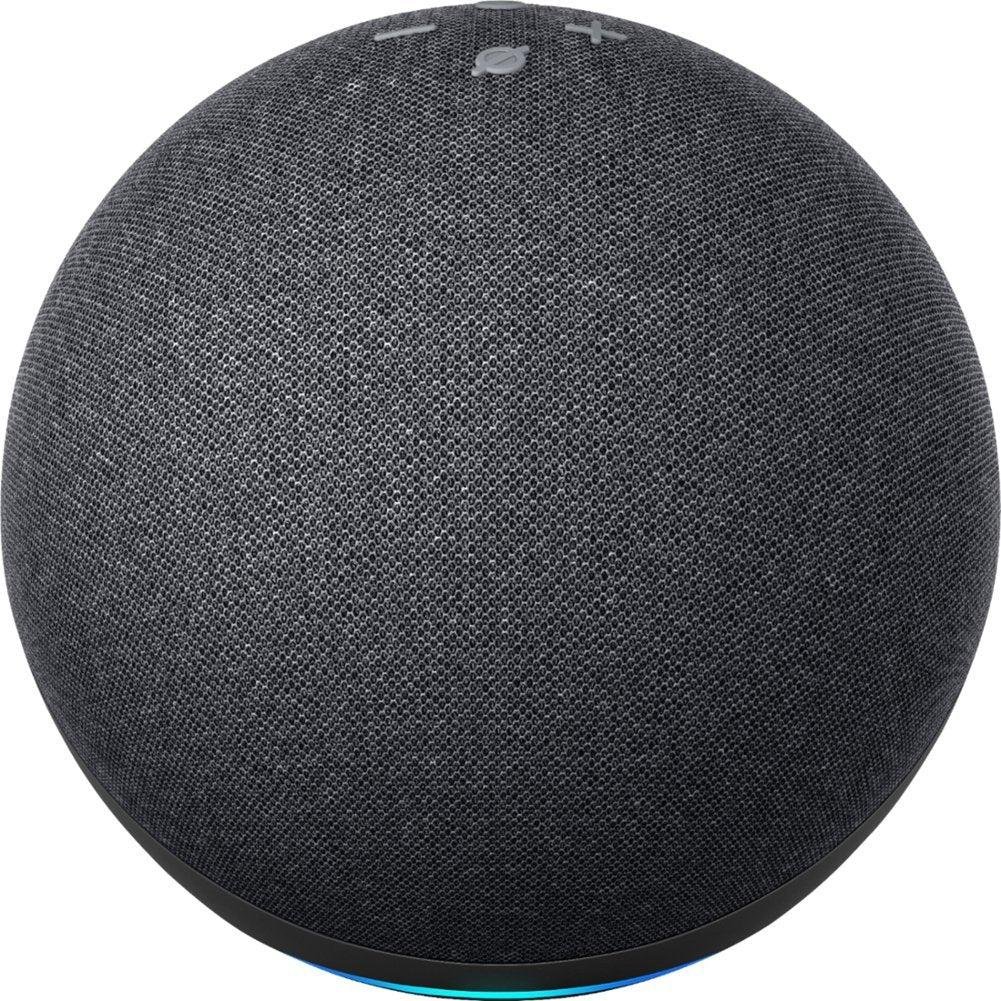
Best For: Renters who want a complete smart home system with voice control and built-in hub support for long-term automation
What It Is: A voice-first smart speaker with a built-in Zigbee hub for many smart devices.
Why Renters Love It: Combines speaker, assistant, and hub in one portable plug-in unit.
Real-Life Scenario: Use voice to control lights and plugs in a studio without drilling or rewiring.
One Limitation: Bigger than a tiny plug and needs a dedicated outlet.
- Built-in Zigbee hub for direct device pairing
- Good voice control and automation options
- Easy to unplug and take when you move
👉 Best for renters who want simple control without committing to a full hub system
Philips Hue Bridge
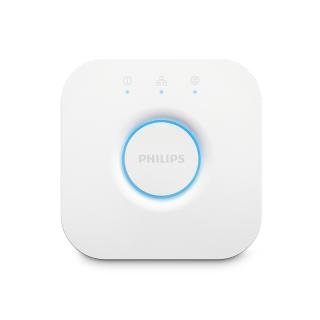
Best For: Renters expanding their setup who need smoother device compatibility and reliable lighting automation without going fully all-in
What It Is: A small bridge that centralizes Hue lights and some third-party devices.
Why Renters Love It: Improves reliability and scene control without permanent changes.
Real-Life Scenario: Manage multiple smart bulbs and routines from one app in an apartment.
One Limitation: Works mainly with Hue ecosystem for best results.
- Reliable lighting automation and schedules
- Compact and easy to unplug
- Simplifies multi-bulb control without drilling
👉 Best for renters who want simple control without committing to a full hub system
Kasa Smart Plug Mini
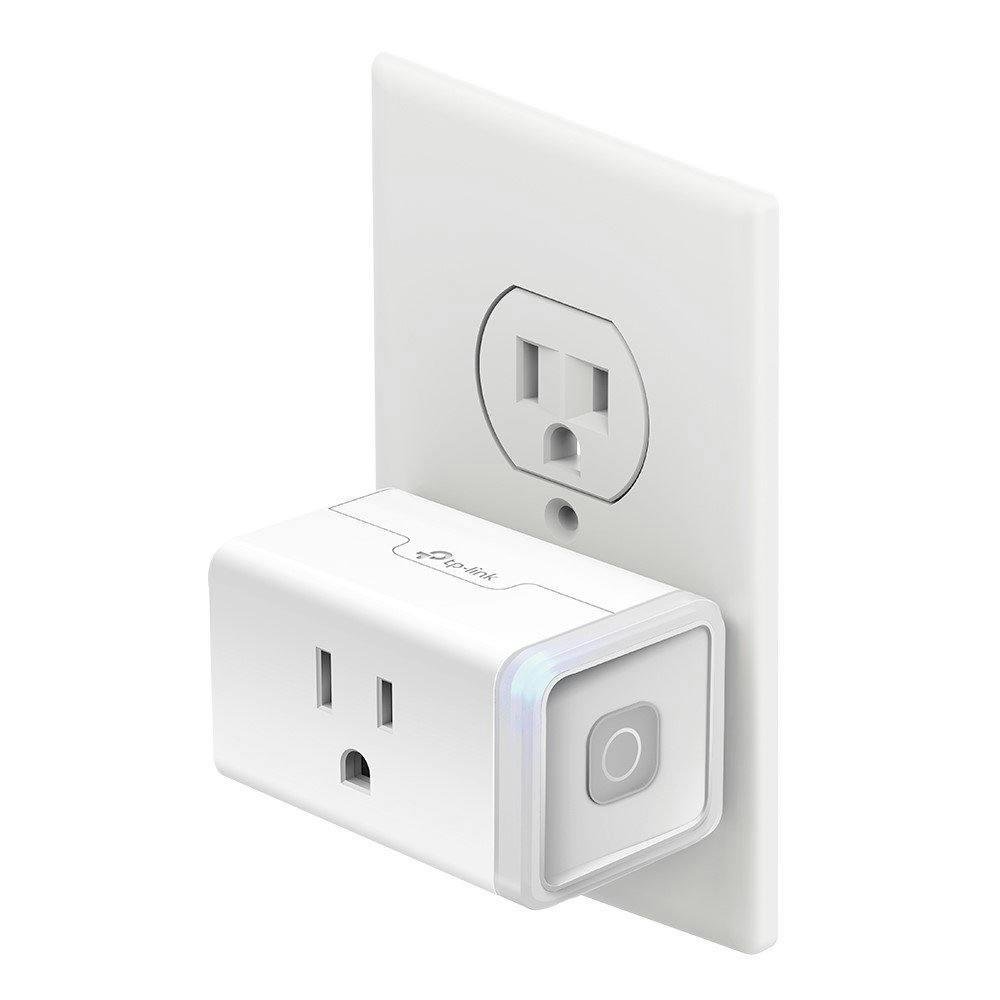
Best For: Best for: Beginners who want a simple, no-hub smart home setup with instant control over everyday devices
What It Is: A compact smart plug that adds app and voice control to ordinary devices.
Why Renters Love It: Tiny, very portable, and installs in seconds without tools.
Real-Life Scenario: Turn lamps and fans on/off by schedule to simulate occupancy when away.
One Limitation: Lacks a built-in bridge for larger multi-device setups.
- Very compact—won’t block the second outlet
- Easy schedules and remote control via app
- No permanent installation required
👉 Best for renters who want simple control without committing to a full hub system
Do not choose based on features alone. Basic setup is plug-and-play simplicity; Growing setup adds a bridge for smoother device pairing; Full Coverage uses a centralized hub for broader control. For renters, this avoids landlord conflicts, reduces permanent wiring, and addresses ecosystem confusion without overcommitting. It keeps things removable and lease-friendly while preserving useful automations.
🎯 Decision Shortcut
Don’t overthink it—your setup should match your lifestyle, not complicate it.
- Just getting started or want zero risk?
Stick with simple plug-and-play devices. You’ll get instant smart home benefits without adding clutter, complexity, or anything that could risk your deposit. - Want better performance without committing long-term?
Add a small bridge. It quietly improves reliability and compatibility while still keeping your setup fully removable and renter-safe. - Ready for a more advanced, stable setup?
Go with a centralized hub—but only if you actually plan to stay longer and want everything working seamlessly together.
👉 Bottom line: Most renters don’t need a full hub right away. Start simple, stay flexible, and only upgrade when your setup—and your living situation—truly calls for it. This is the best approach if you’re trying to build a budget smart home setup without overcommitting.
Biggest Mistakes Renters Make With Smart Home Hubs
A lot of renters don’t get stuck because smart home tech is hard—they get stuck because they start the wrong way.
Avoid these common mistakes before you waste money, time, or risk your lease:
❌ Buying a Hub Too Early
This is the #1 mistake.
Many renters assume they need a hub right away, so they buy one before even testing a simple setup. The result? Extra cost, unnecessary complexity, and a system they don’t fully use.
👉 What to do instead:
Start with a few no-hub devices. Only upgrade if you actually need more control or automation.
❌ Overcomplicating the Setup
It’s easy to get pulled into building a “perfect” smart home from day one. But in a small apartment, too many devices and systems can quickly feel overwhelming.
👉 What to do instead:
Keep it simple. Focus on 2–3 devices that solve real problems (lighting, security, convenience).
❌ Choosing the Wrong Ecosystem
Mixing devices that don’t work well together leads to frustration—apps that don’t sync, devices that won’t connect, and automations that fail.
👉 What to do instead:
Stick with one main ecosystem (like Alexa or Google Home) or choose devices that support newer standards like Matter for better compatibility.
🎯 Bottom Line
Most renters don’t fail because smart home tech is confusing—they fail because they try to do too much, too fast.
Start simple, stay flexible, and build your setup based on what you actually need—not what sounds impressive.
❓ FAQs
Do I need a smart home hub in a small apartment?
A hub isn’t required for many standalone smart devices; basic lighting and plugs work plug-and-play. Consider a hub if you face cross-brand pairing issues or want consolidated control without adding wiring.
Can I install a hub without landlord permission?
Most hubs are plug-in and non-invasive, so landlords rarely need notification. Still, avoid drilling or hardwired controllers and choose removable setups to protect deposits.
Will a hub improve security in my rental?
A hub centralizes automations and incident responses, which can speed reactions and reduce false alarms. Keep cameras and alarm sensors removable and confirm monitoring plans don’t violate your lease or building policies.
What if my devices are from different brands?
Cross-brand devices often need a bridge or hub for smooth interaction and consistent automations. Start Basic and add a bridge in the Growing setup before committing to a centralized hub to verify compatibility.
🏁 Final Verdict
Start simple and scale only as your needs grow. If you’re building your setup from scratch, this complete smart home guide for renters will walk you through everything step by step.
If you’re still wondering do you need a smart home hub in an apartment, here’s the truth most people won’t tell you:
Probably not—at least not right away.
The biggest mistake renters make is overcommitting too early. They buy a full smart home hub thinking it will simplify everything… but instead, it adds cost, complexity, and a level of permanence that doesn’t match apartment living.
You don’t need more equipment—you need the right starting point.
Start simple. Plug-and-play devices give you instant control, zero stress, and complete freedom to move without worrying about your setup—or your deposit. If you want a step-by-step breakdown, this guide to building a smart home in an apartment walks you through exactly how to set it up. As your needs grow, you can add a bridge to smooth out compatibility without locking yourself into a system.
And if you eventually settle in long-term?
That’s when a centralized hub finally makes sense—when it enhances your lifestyle instead of complicating it.
👉 The smart move isn’t going all-in—it’s building your setup in stages.
This approach keeps your apartment clean, your setup flexible, and your lease protected—while still giving you the full smart home experience when you’re ready for it.
Bottom line: Stay flexible. Stay renter-safe. And only upgrade when it truly makes your life easier—not harder. For most renters, the goal isn’t complexity—it’s building a smart home setup that fits small spaces without unnecessary equipment.
👤 About the Author
Craig, Founder of TopRatedByCraig, TopRatedByCraig.com.
I focus on renter-first, lease-safe, scalable smart home security.