
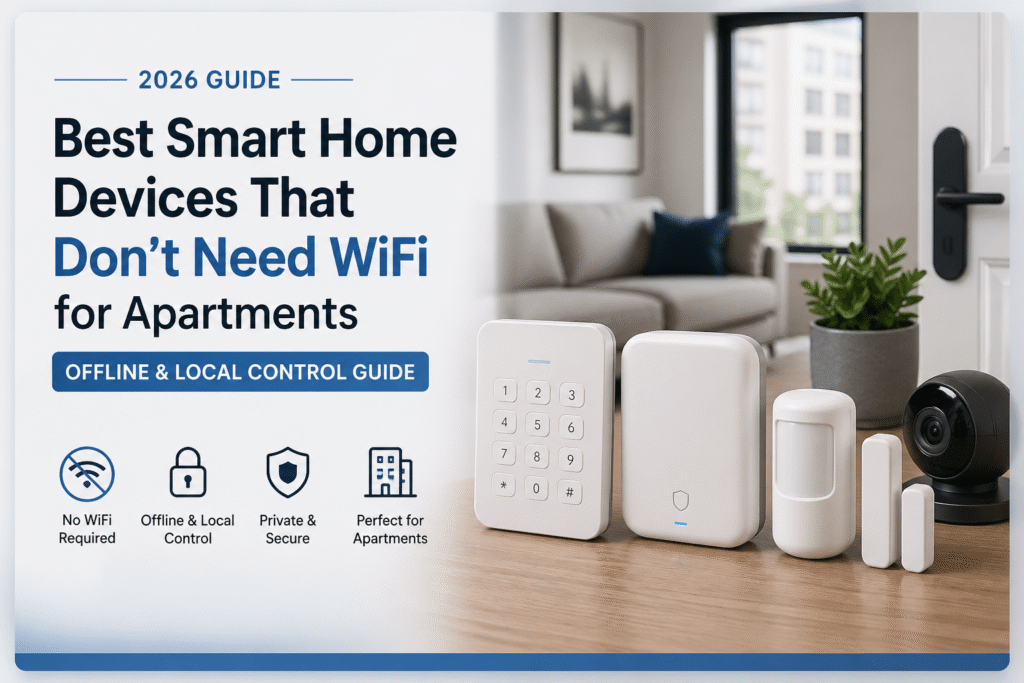
No WiFi. No cloud delays. Just reliable security that works when you need it.
Introduction
Most renters assume a smart home only works with strong, constant WiFi. So when the internet drops, everything stops—cameras go offline, sensors disconnect, and control disappears right when you need it most. That leaves you stuck between frustration and vulnerability, wondering if your setup is actually protecting you… or just giving you a false sense of security. Following basic smart home security and privacy best practices from NIST can help you avoid these issues and stay in control of your devices.
It’s even worse in apartments. Spotty connections, shared networks, and limited control over infrastructure make unreliable systems the norm—not the exception. And when your devices depend on the cloud, you’re not really in control—you’re just borrowing it. For a step-by-step breakdown of what to secure first, follow a simple apartment security checklist for renters to avoid missing key protection points.
But here’s the truth: you don’t need WiFi to secure your apartment.
Today’s smart home devices without WiFi for apartments are built for reliability, privacy, and local control. No constant internet. No cloud dependency. No waiting for apps to reconnect. Just devices that work when you need them—every time.
This guide breaks it down into a simple path you can actually follow:
- Basic setup: Plug-and-play devices that work out of the box with minimal internet reliance
- Growing setup: Add a local bridge or hub to improve range and reduce WiFi dependency
- Full coverage: Centralized, offline-first systems designed for strong local control and privacy
Every option here is renter-safe, removable, and designed to work even when your internet doesn’t—so you’re not left unprotected when it matters most.
Because real security shouldn’t depend on your WiFi signal.
⭐ Top Picks (Quick Decision)
If you want the best offline smart home setup for apartments without relying on unstable internet, here’s the fastest way to choose the right devices:
- Best Overall: Eufy Security 5-Piece Home Alarm Kit
👉 Complete offline-capable system with local storage, no monthly fees, and reliable protection even without constant internet - Best Camera (Local Storage): Reolink Indoor Camera (SD Card)
👉 Privacy-focused camera that records locally—no cloud required, no subscription, no internet dependency for core features - Best for Weak Internet: YoLink Smart Home Starter Kit (Hub + Sensors)
👉 Long-range, low-dependency system that works even when WiFi is unreliable or inconsistent
Do Smart Home Devices Without WiFi Really Work?
Most “smart home devices without WiFi” don’t mean zero internet at all—they mean they don’t rely on constant internet to function.
Here’s how it actually works:
- Devices use local storage (SD card or hub) for recordings
- Sensors communicate through local networks or hubs
- Internet is only needed for remote access—not core functionality
👉 This means your system keeps working even if your WiFi goes down.
That’s the key difference:
You’re not removing internet completely—you’re removing dependence on it.
Why WiFi-Dependent Smart Homes Fail in Apartments
When your smart home depends on WiFi, you’re trusting your safety to something you don’t control.
In apartments, that’s a problem.
- Shared networks slow down devices
- Internet outages disable cameras and alerts
- Cloud systems fail when connections drop
👉 That means the exact moment you need your system… it might not work.
This is why more renters are switching to smart home devices without WiFi—for reliability, privacy, and consistent control.
👤 Who This Is For
- Renters with unreliable or limited apartment WiFi.
- Privacy-minded renters avoiding cloud-only devices.
- Short-term renters who need removable installations.
- Renters who prefer local control over remote features.
- Small-space renters avoiding landlord permission hassles.
- Renters looking for smart home devices for small apartments without WiFi to keep setups simple and reliable
Best Use Cases for Smart Home Devices Without WiFi
Smart home devices without WiFi are especially useful in real-world apartment situations where internet isn’t reliable.
Here’s where they make the biggest difference:
- Apartments with weak or shared WiFi → Devices stay connected locally
- Privacy-focused setups → No cloud recording or data sharing
- Frequent movers → Easy to remove, reset, and reinstall
- Backup security → System still works during internet outages
👉 If any of these sound familiar, an offline-capable setup isn’t just convenient—it’s necessary.
📑 Table of Contents
- Introduction
- Who This Is For
- Quick Comparison Table
- Decision Shortcut
- FAQs
- Final Verdict
- About the Author
📊 Quick Comparison Table
| Product | Contract Required | DIY Install | Monitoring Option | Best For | Works With Alexa |
|---|---|---|---|---|---|
| Eufy Security 5-Piece Home Alarm Kit | No long-term contract | Yes (removable setup) | Optional monthly plan | Renters planning long-term growth | Yes |
| Reolink Indoor Camera (SD Card Local Storage) | No long-term contract | Yes (wireless & adhesive) | Optional month-to-month | Quick setup & simple control | Yes |
| YoLink Smart Home Starter Kit (Hub + Sensors) | No long-term contract | Yes (compact & wireless) | Optional low-cost plan | Budget-friendly small apartments | Yes |
Eufy Security 5-Piece Home Alarm Kit
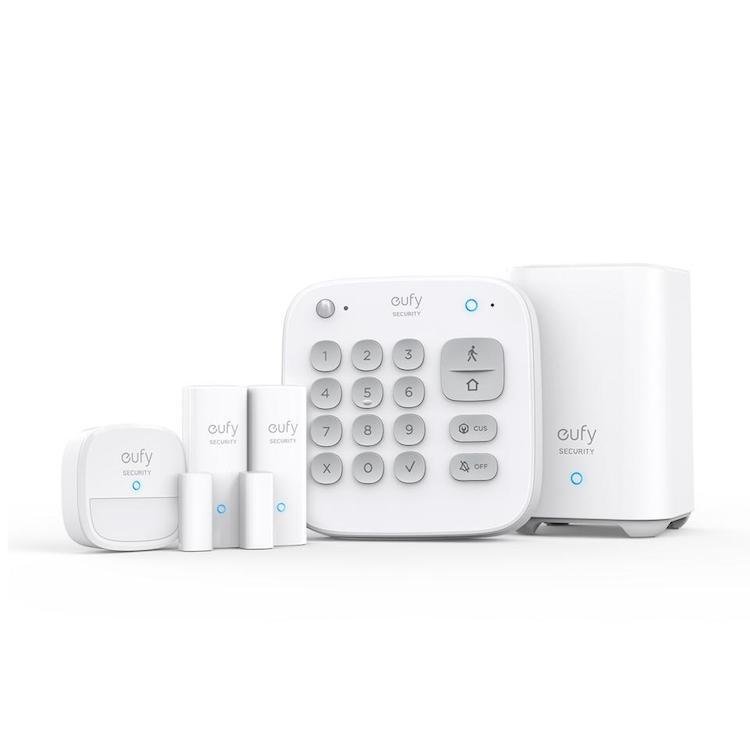
Best For: Renters who want full security without cloud or subscription
What It Is: A battery-backed, entry sensor and hub alarm kit for in-home security.
Why Renters Love It: No cloud requirement; removable sensors and local control protect privacy.
Real-Life Scenario: Place sensors on doors and windows for instant, local alerts during travel or nights.
One Limitation: Limited advanced automation compared to hub-centric systems.
Who Should Buy This?
- Renters who want a full security system without monthly fees
- People who care about privacy and local storage
- Apartments with unreliable or shared WiFi
- Anyone who wants a simple, all-in-one system that works offline
👉 If you want a system that works even when your internet doesn’t, this is one of the most reliable renter-safe options available.
Reolink Indoor Camera (SD Card Local Storage)
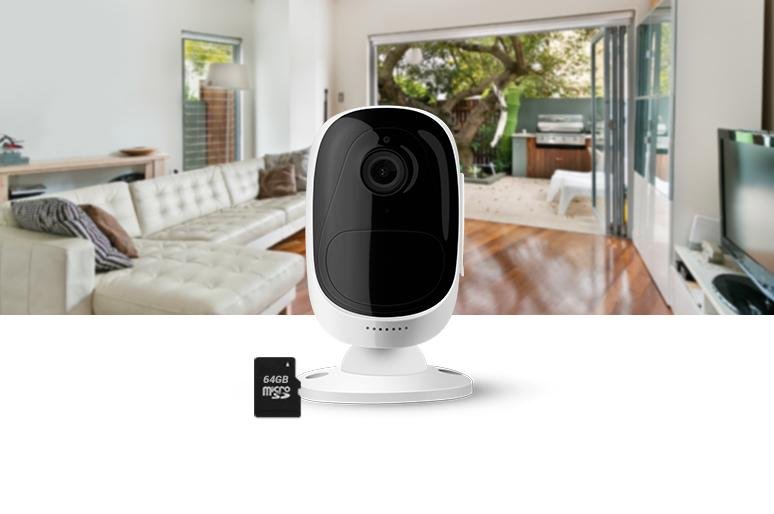
Best For: People who want cameras without cloud tracking
What It Is: An indoor camera that records locally to an SD card without cloud dependency.
Why Renters Love It: Local storage avoids cloud tracking and keeps footage private and under your control.
Real-Life Scenario: Set it on a shelf to monitor pets or check entryways while avoiding subscription fees.
One Limitation: Requires regular SD management to archive footage off-device.
Who Should Buy This?
- Renters who want a camera without cloud subscriptions
- Privacy-focused users who prefer local recording
- People who need basic surveillance that doesn’t rely on constant internet
- Small apartments needing a simple, low-cost monitoring option
👉 If you want a camera that keeps recording even when your WiFi drops, this is one of the most dependable renter-safe choices you can make.
If you want to explore more options, check out other indoor cameras that work without WiFi for additional local-storage and offline-friendly setups.
YoLink Smart Home Starter Kit (Hub + Sensors)
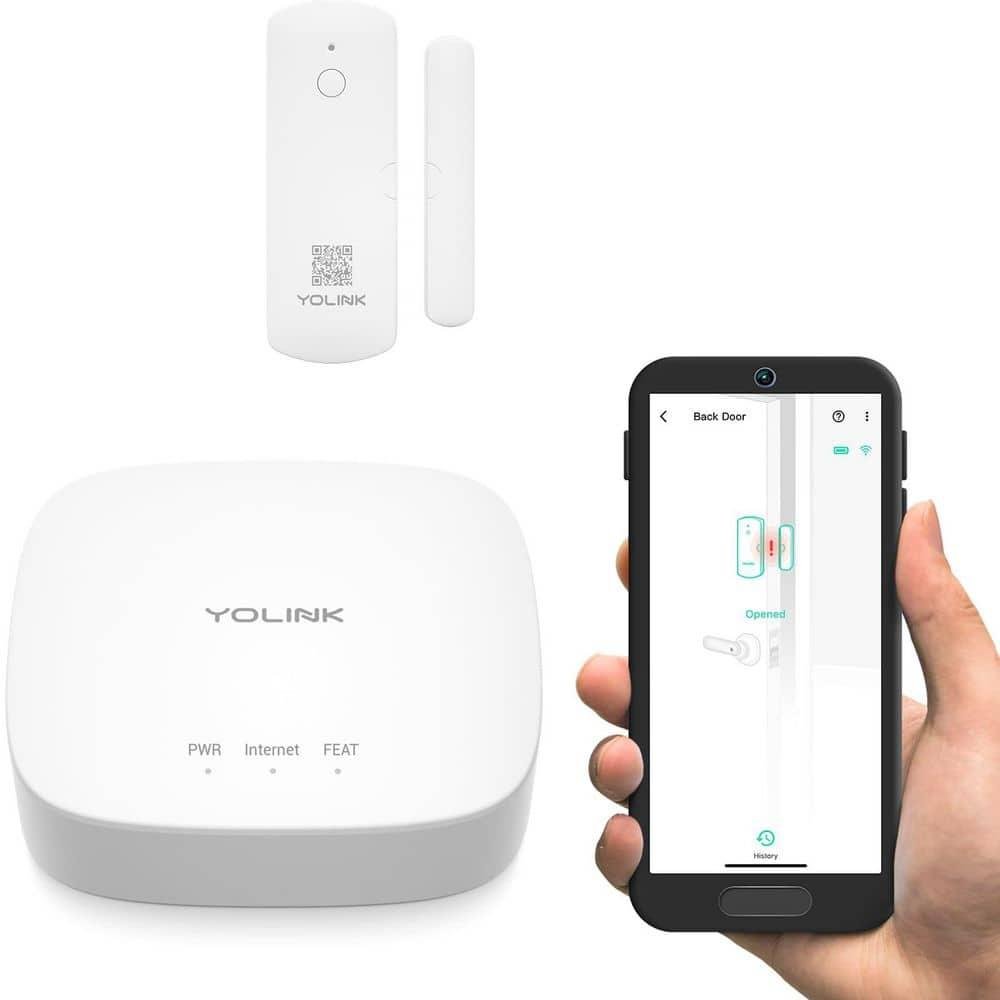
Best For: YoLink Smart Home Starter Kit (Hub + Sensors)
What It Is: A long-range, low-power hub and sensor kit that works via sub-GHz radio.
Why Renters Love It: Great range and battery life with simple, removable sensors for renter-friendly setups.
Real-Life Scenario: Cover a multi-room apartment without WiFi dead zones using the YoLink bridge.
One Limitation: Limited third-party integrations compared with Zigbee or Z-Wave hubs.
Who Should Buy This?
- Renters dealing with weak or inconsistent WiFi
- People who want long-range, reliable sensor coverage
- Apartments where traditional WiFi devices struggle to stay connected
- Anyone building a flexible, scalable system with strong local communication
👉 If your biggest problem is unreliable internet, this system gives you consistent performance without depending on your WiFi signal.
Do not choose based on features alone. Basic setup → plug-and-play gives out-of-the-box, removable control for flaky WiFi. Growing setup → add a bridge to keep devices local and reduce internet dependence. Full coverage → centralized hub suits renters committed to strong local control and privacy while keeping installations lease-safe and removable.
Common Mistakes Renters Make with No-WiFi Smart Devices
- Assuming “no WiFi” means zero setup (some still need initial connection)
- Ignoring storage limits on local recording
- Overcomplicating setups with too many devices
- Not testing systems during internet outages
👉 The goal isn’t perfection—it’s reliability. A simple system that works offline is better than a complex one that fails.
🎯 Decision Shortcut
If your internet is unreliable—or you’re tired of devices failing when it matters most—don’t overthink it. The goal isn’t to build a perfect system. It’s to stay protected no matter what your WiFi is doing.
Choose the setup that gives you control, not dependency:
- Basic Setup (Fast & Reliable):
👉 Go here if you want instant peace of mind. Simple, plug-and-play devices that work without relying on constant internet—so you’re protected even during outages. - Growing Setup (Flexible & Smarter):
👉 Perfect if you want more range and control. Add a local bridge or hub to strengthen your system and reduce WiFi dependence—without making things complicated. - Full Coverage (Maximum Control & Privacy):
👉 Choose this if you want total control. A centralized, offline-first system gives you consistent performance, stronger privacy, and security that doesn’t depend on the cloud. If you plan to expand your setup, choosing the right smart home hub for apartments can improve reliability and give you better local control.
Bottom line:
Start where you are—but don’t stay unprotected.
Because the real risk isn’t choosing the wrong setup…
it’s relying on a system that stops working when your internet does.
❓ FAQs
Can smart devices work without WiFi?
Yes. Many devices use Bluetooth or local radios to operate without internet, offering local control and fewer cloud dependencies.
Are non-WiFi security cameras reliable?
They can be, when they store footage locally or on a private drive. Choose cameras with clear local storage options to avoid cloud-only failure modes.
Will I need landlord approval for non-WiFi installs?
Often no, if you use adhesive mounts and avoid hardwiring. Still, check lease language and prefer non-destructive mounts to eliminate move-out disputes.
How do voice assistants work without WiFi?
Offline voice features are limited but some assistants support local commands or Bluetooth control. Expect reduced cloud features and confirm removable setup to stay lease-safe.
Do smart home devices without WiFi still need internet at all?
Some devices need WiFi for initial setup or remote access, but core features like recording, alerts, and automation can work locally.
What is the best setup for apartments with no internet?
A hub-based system with local storage, door/window sensors, and an offline-capable camera offers the best balance of security and reliability.
Smart Home Devices Without WiFi vs WiFi-Based Systems
Choosing between offline-capable devices and WiFi-based systems comes down to reliability vs convenience.
WiFi-based systems:
- Depend on internet for most features
- Offer remote access and cloud storage
- Can fail during outages
Smart home devices without WiFi:
- Work locally without constant internet
- Use local storage for recordings
- Continue operating even when WiFi drops
👉 For apartments with unstable internet, offline-capable systems offer more consistent protection.
🏁 Final Verdict
If your security depends on WiFi, it’s not really security—it’s a risk waiting to happen.
In apartments where internet is unreliable or shared, the smartest move is choosing smart home devices without WiFi for apartments that give you control no matter what. No outages. No lag. No waiting for systems to reconnect when you need them most.
Start simple if you need to. A plug-and-play, offline-capable setup can give you immediate protection without frustration or complexity. If you want more control, expand with a local hub or bridge to strengthen reliability and reduce internet dependence. And if you’re serious about privacy and consistency, a full local-control system gives you security that works whether your WiFi is up or down.
Every step you take toward local control is a step away from uncertainty.
Focus on battery-powered, renter-safe devices that install easily and remove cleanly when you move. Choose systems with local storage and backup options so you’re never locked out of your own data. Keep your setup simple, reliable, and built around what actually works in real apartment conditions—not what looks good on paper.
Because real protection doesn’t depend on a signal…
it depends on systems you can trust to work every time.
If you want to build a complete setup, follow a step-by-step smart home setup for apartments to expand your system the right way.
👤 About the Author
Craig, Founder of TopRatedByCraig, TopRatedByCraig.com. Focus on renter-first, lease-safe, scalable smart home security.