
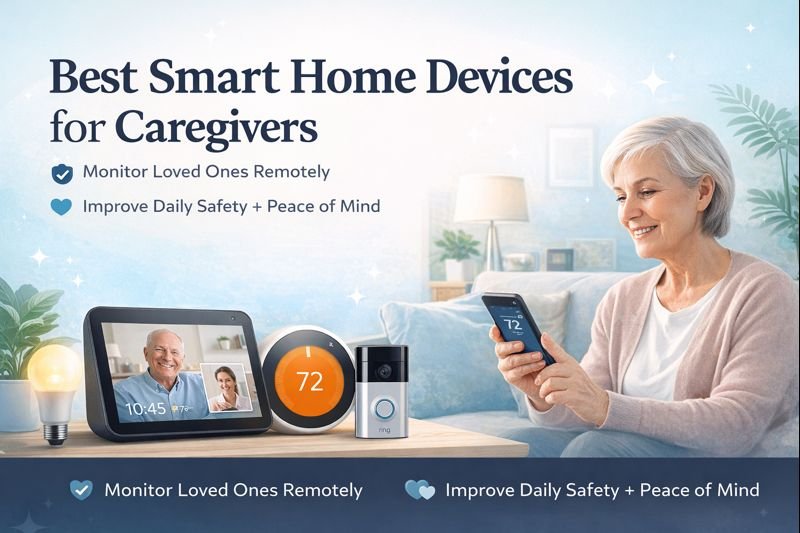
Caring for an aging parent or loved one can be stressful—especially when you can’t always be there in person.This guide covers the best smart home devices for caregivers who want to monitor loved ones remotely while improving safety and peace of mind.
Fortunately, smart home technology makes it easier than ever for caregivers to monitor loved ones remotely, improve safety, and stay connected without invading privacy.
In this guide, we’ll cover the best smart home devices for caregivers, focusing on tools that are simple, reliable, and genuinely helpful for everyday caregiving.
Why Smart Home Devices Are Helpful for Caregivers
Caregivers often juggle work, family, and responsibilities across multiple locations. Smart home devices help by offering:
- Remote monitoring without constant check-ins
- Alerts for unusual activity or emergencies
- Hands-free communication
- Peace of mind for both caregivers and loved ones
The best devices don’t replace human care—they support it.
What to Look for in Smart Home Devices for Caregivers
Before choosing any device, caregivers should prioritize:
- Ease of use (simple setup, minimal maintenance)
- Remote access through a smartphone app
- Reliable alerts (motion, doors, inactivity)
- Privacy controls (no constant video surveillance)
- Compatibility with Alexa or Google Assistant
Best Smart Home Devices for Caregivers That Improve Safety
For caregivers, safety is the top priority. Smart home devices can help protect loved ones by providing real-time awareness, early alerts, and simple ways to respond quickly—without invading privacy or adding complexity.
The most effective caregiver-friendly smart home devices focus on prevention, awareness, and fast response. Whether it’s detecting movement, ensuring lights turn on automatically, or enabling hands-free communication, these tools help caregivers reduce risks while allowing loved ones to maintain independence.
🧑⚕️ Caregiver Use Cases: How Smart Home Devices Help in Real Life
Smart home technology isn’t just about convenience — for caregivers, it’s about peace of mind, safety, and staying connected when you can’t always be there in person. Below are real-world ways caregivers use smart home devices to support loved ones remotely.
🏠 Long-Distance Caregiving for Aging Parents
Caregivers who live in a different city or state use smart home devices to check in without invading privacy.
How smart devices help:
- Indoor cameras placed in common areas to confirm daily activity
- Motion sensors to detect movement and routine patterns
- Smart displays for quick video check-ins and voice calls
Why it matters:
You know your loved one is up, active, and safe — without constant phone calls.
🚶 Fall Prevention & Nighttime Safety Monitoring
Falls are one of the biggest risks for older adults, especially at night.
Common caregiver setup:
- Motion-activated smart lights in hallways and bathrooms
- Voice assistants for hands-free help after dark
- Smart plugs to automate bedside lamps
Caregiver benefit:
Reduces nighttime accidents while allowing seniors to move confidently and independently.
💊 Medication Reminders & Daily Routine Support
For caregivers managing medications, appointments, and routines, consistency is key.
Helpful devices:
- Voice assistants for medication reminders
- Smart displays that show daily schedules
- Automated routines triggered by time or motion
Peace of mind:
Reminders happen automatically — even when you’re busy or unavailable.
📹 Remote Check-Ins Without Constant Supervision
Many caregivers want reassurance without making loved ones feel monitored.
Privacy-friendly approach:
- Cameras only in shared spaces (never bathrooms or bedrooms)
- Activity alerts instead of constant live feeds
- Smart displays for voluntary video calls
Result:
Care stays respectful, supportive, and non-intrusive.
🚪 Home Security & Emergency Awareness
Smart home devices help caregivers know when something unusual happens.
Popular setups include:
- Smart door sensors to track entry and exit
- Video doorbells to see visitors and deliveries
- Motion alerts for unexpected activity patterns
Why caregivers love this:
You’re alerted to potential issues early — before they become emergencies.
🤝 Supporting Independent Living (Without Taking Control Away)
The best caregiving tools support independence, not replace it.
Smart home devices allow seniors to:
- Control lights, thermostats, and reminders with voice commands
- Stay connected with family easily
- Live confidently in their own home longer
For caregivers:
Less stress, fewer emergency calls, and more trust in daily safety.
✅ Why This Matters for Caregivers
Smart home technology gives caregivers:
- Remote visibility without hovering
- Automated safety checks
- Emotional reassurance
- More time for themselves — without guilt
When set up correctly, these devices become silent helpers, working in the background to keep loved ones safe and connected.
Below are the best smart home devices caregivers trust most for safety, monitoring, and peace of mind.
Best Smart Home Devices for Caregivers
Smart Video Doorbells
| Smart Doorbell | Power Type | Two-Way Talk | Motion Alerts | Best For Caregivers |
|---|---|---|---|---|
| Ring Video Doorbell | Battery or Wired | Yes | Yes | Monitoring visitors & deliveries remotely |
| Google Nest Doorbell | Battery or Wired | Yes | Yes | Google-based households |
| Eufy Video Doorbell | Battery or Wired | Yes | Yes | Homes wanting local storage (no subscription) |
Quick Picks: Best Smart Home Devices for Caregivers
- Best Overall: Amazon Echo Show 8 – easy video check-ins and reminders
- Best for Safety: Google Nest Doorbell – reliable motion alerts
- Best for Daily Monitoring: Motion sensors + smart plugs
- Best for Comfort: Google Nest Thermostat
Ring Indoor Cam (2nd Gen)
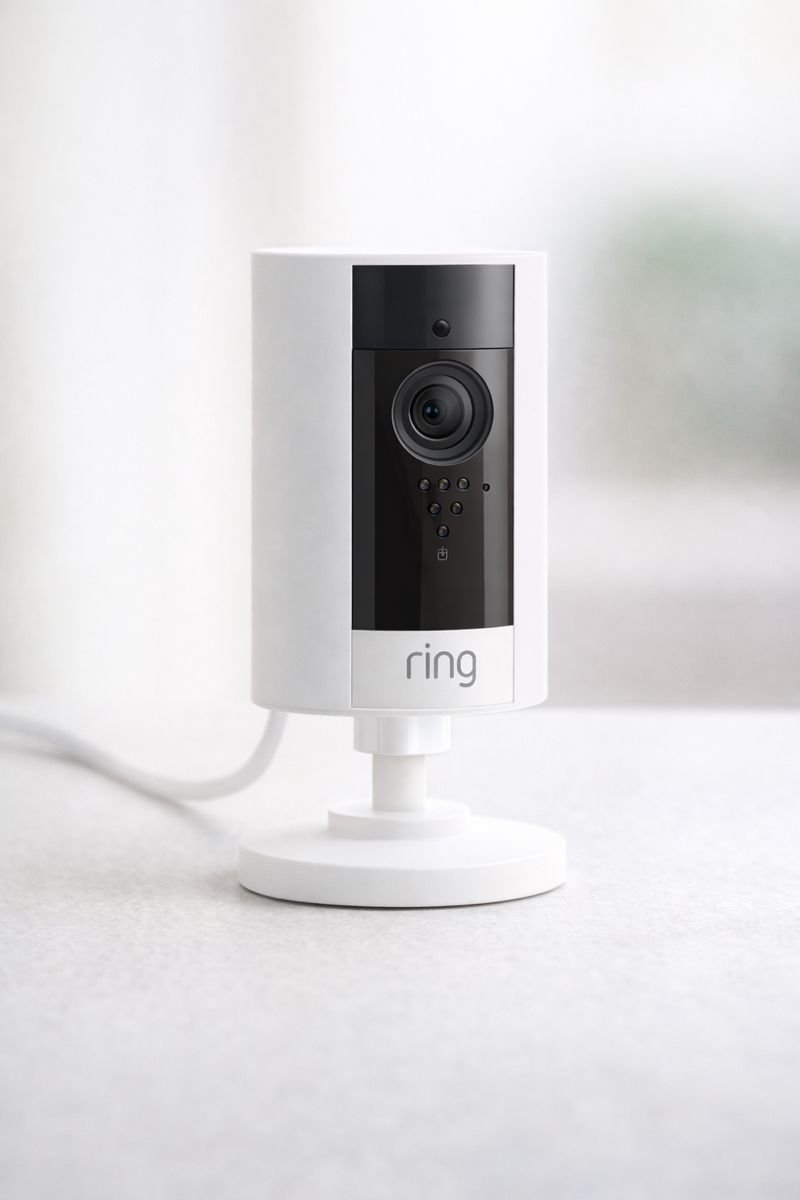
Best for: Monitoring movement and activity inside the home.
- Live HD video with night vision
- Motion alerts sent to caregiver’s phone
- Two-way audio communication
- Simple setup with the Ring app
💡 Great for living rooms or hallways. See Today’s Price
Smart doorbells allow caregivers to see who’s coming and going—especially useful for monitoring visitors, deliveries, or unexpected activity.
Why caregivers like them:
- View live video remotely
- Receive motion alerts
- Communicate through two-way audio
- Reduce risk from unknown visitors
Best for: Monitoring front-door activity and preventing scams or unsafe visitors.
Indoor Security Cameras (Privacy-Friendly)
Indoor cameras can help caregivers check in visually—but should always be used thoughtfully.
Caregiver-friendly features:
- Motion-only alerts instead of constant recording
- App-based on/off controls
- Clear night vision
- Optional audio alerts
Best for: Entryways, kitchens, or common areas (not bedrooms or bathrooms).
Motion Sensors & Activity Monitoring
| Device Type | Monitoring Style | Privacy-Friendly | Alerts | Best For |
|---|---|---|---|---|
| Aqara Motion Sensors | Movement Detection | Yes | Instant Alerts | Activity tracking without cameras |
| Indoor Cameras | Live Video | Optional Privacy Covers | Real-Time Video | Visual monitoring |
| Door Sensors | Open/Close Detection | Yes | Instant Alerts | Prevent wandering or missed doors |
Aqara Motion Sensor
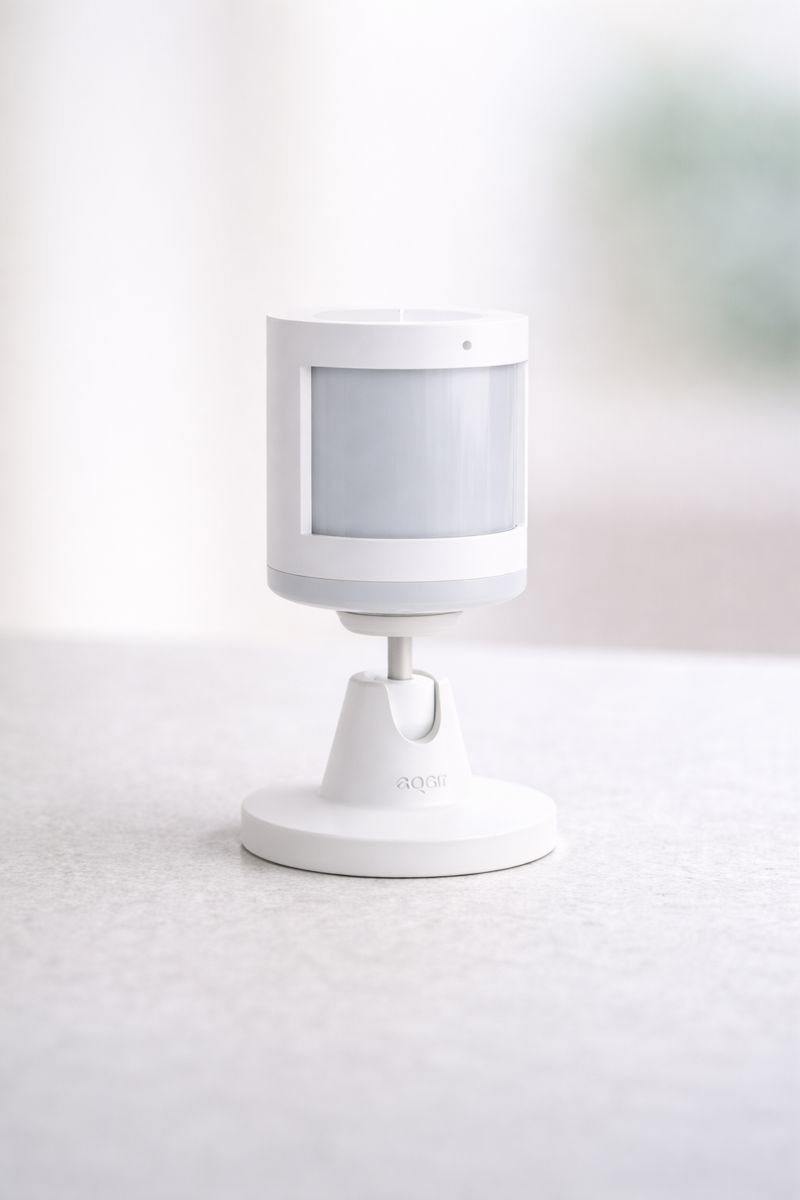
Best for: Knowing when loved ones are active or inactive.
- Detects movement throughout the home
- Can trigger alerts or automations
- Small, discreet design
- Works with compatible smart home hubs
💡 Helpful for nighttime movement tracking. See Today’s Price
Motion sensors are one of the most underrated tools for caregivers.
They can:
- Detect movement patterns
- Alert caregivers if there’s no activity for long periods
- Monitor nighttime wandering
- Improve fall awareness without cameras
Best for: Passive monitoring that respects privacy.
Smart Plugs for Remote Control
| Smart Plug | Hub Required | Voice Control | Ease of Use | Best For Caregivers |
|---|---|---|---|---|
| TP-Link Kasa Smart Plug | No | Alexa, Google Assistant | ⭐⭐⭐⭐⭐ | Remote control of lamps & appliances |
| Amazon Smart Plug | No | Alexa Only | ⭐⭐⭐⭐⭐ | Alexa-based homes with simple setup |
| Wyze Smart Plug | No | Alexa, Google Assistant | ⭐⭐⭐⭐ | Affordable automation for basic devices |
TP-Link Kasa Smart Plug
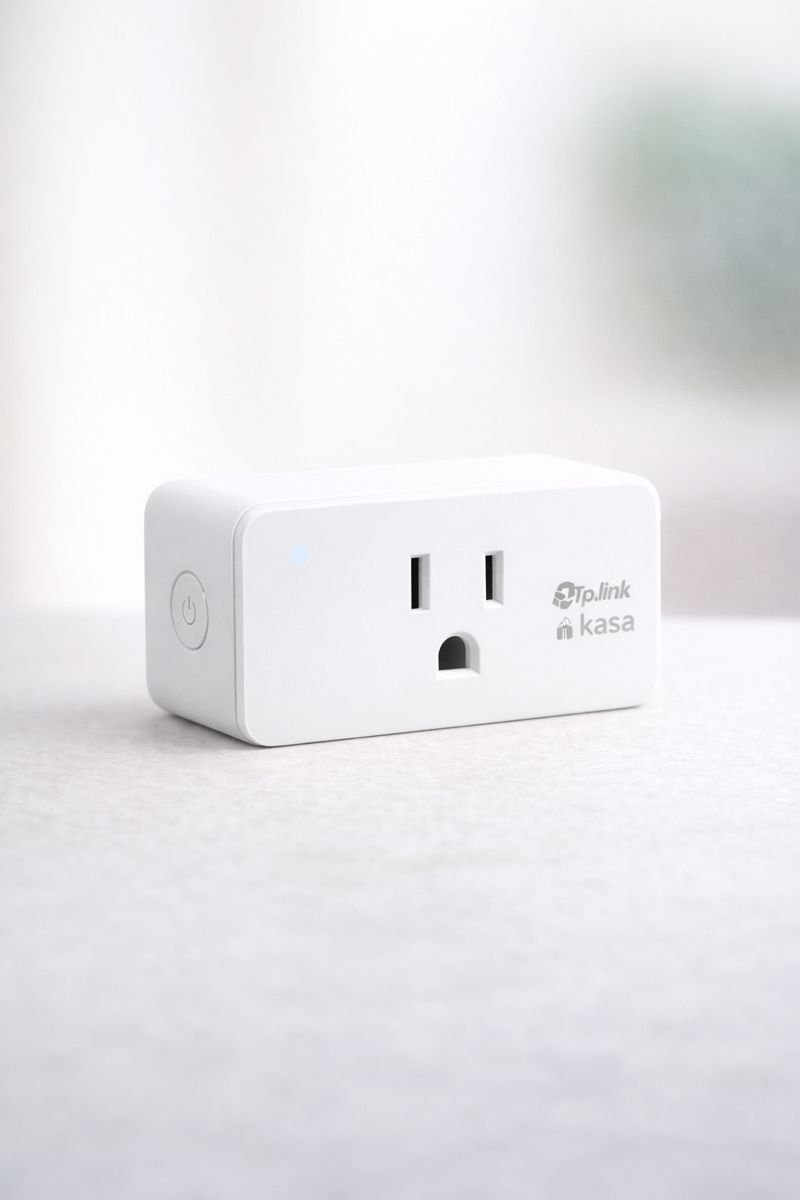
Best for: Controlling appliances remotely.
- Turn devices on or off from anywhere
- Works with voice assistants
- No hub required
- Helps prevent forgotten appliances
💡 Great for lamps, coffee makers, and heaters. See Today’s Price
Smart plugs let caregivers remotely control everyday appliances like lamps, heaters, or coffee makers.
Helpful uses:
- Turn lights on/off remotely
- Ensure devices aren’t left running
- Automate daily routines
Best for: Safety, energy control, and simple automation.
Smart Lighting for Safety & Visibility
| Smart Bulb | Hub Required | Voice Control | Ease of Use | Best For Caregivers |
|---|---|---|---|---|
| Philips Hue White | Yes (Hue Bridge) | Alexa, Google Assistant | ⭐⭐⭐⭐⭐ | Whole-home lighting & reliable automation |
| Sengled Smart Bulbs | No | Alexa, Google Assistant | ⭐⭐⭐⭐⭐ | Simple setup with no extra hardware |
| Wyze Bulbs | No | Alexa, Google Assistant | ⭐⭐⭐⭐ | Budget-friendly lighting control |
Philips Hue White Smart Bulbs
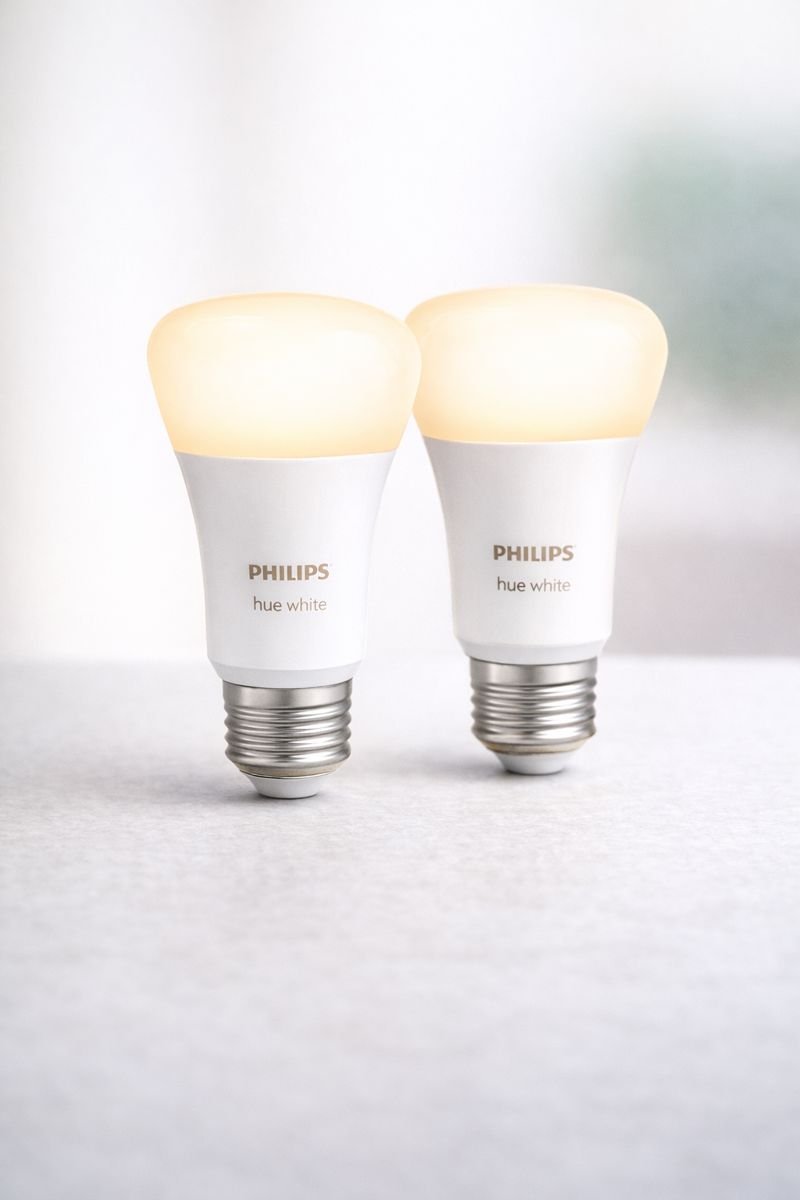
Best for: Improving visibility and reducing fall risks.
- Automated lighting schedules
- Voice-controlled brightness
- Soft white light for comfort
- Can turn on automatically at night
💡 Ideal for hallways and bathrooms. See Today’s Price
Lighting plays a major role in fall prevention.
Smart lighting allows caregivers to:
- Turn lights on remotely
- Schedule evening or nighttime lighting
- Automatically illuminate hallways or bathrooms
Best for: Improving nighttime safety and visibility.
Smart Thermostats
| Product | Remote Control | Voice Assistant | Ease of Use | Best For |
|---|---|---|---|---|
| Google Nest Thermostat | Yes (App) | Alexa & Google Assistant | ⭐⭐⭐⭐⭐ | Caregivers monitoring temperature remotely |
| Amazon Smart Thermostat | Yes (Alexa App) | Alexa Only | ⭐⭐⭐⭐ | Alexa-based homes on a budget |
| ecobee Smart Thermostat | Yes (App) | Alexa, Google, Siri | ⭐⭐⭐⭐ | Advanced monitoring with room sensors |
Google Nest Thermostat
Smart temperature control for comfort, safety, and peace of mind. Check Price on Amazon See Today’s Price 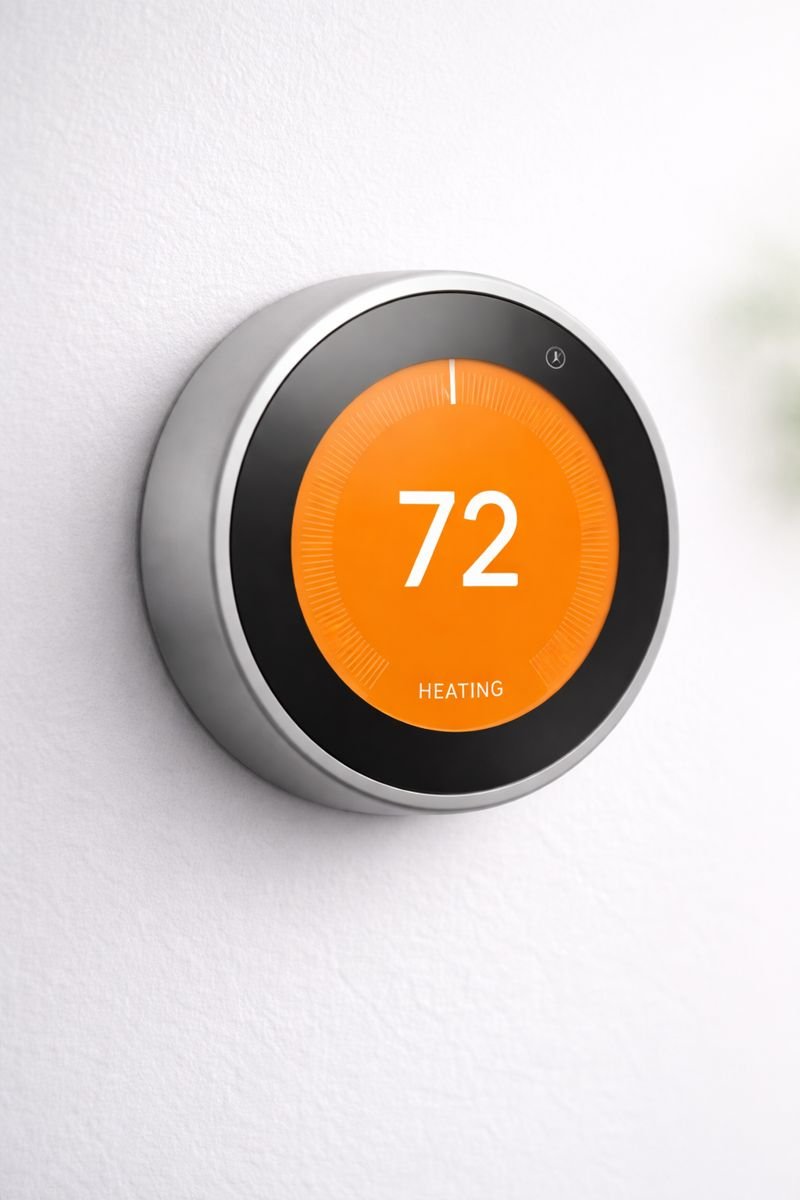
Best for: Caregivers who want to remotely monitor and control home temperature to keep loved ones safe and comfortable.
- Remote temperature control via smartphone or tablet
- Automatic scheduling to maintain consistent comfort
- Helps prevent overheating or dangerously cold indoor temperatures
- Works with Alexa and Google Assistant for hands-free control
- Simple, easy-to-read display with minimal setup required
Smart thermostats help caregivers maintain a safe and comfortable home environment.
Key benefits:
- Remote temperature adjustments
- Alerts for extreme temperatures
- Energy-efficient scheduling
Best for: Loved ones who may forget to adjust heating or cooling.
Voice Assistants for Hands-Free Help
| Device | Screen | Video Calling | Ease of Use | Best For |
|---|---|---|---|---|
| Echo Show 8 (3rd Gen) | Yes (Large Display) | Yes | ⭐⭐⭐⭐⭐ | Visual check-ins & daily reminders |
| Echo Dot (5th Gen) | No | No | ⭐⭐⭐⭐⭐ | Simple voice commands & reminders |
| Google Nest Hub | Yes | Yes | ⭐⭐⭐⭐ | Google-based households |
Amazon Echo Show 8 (3rd Gen)
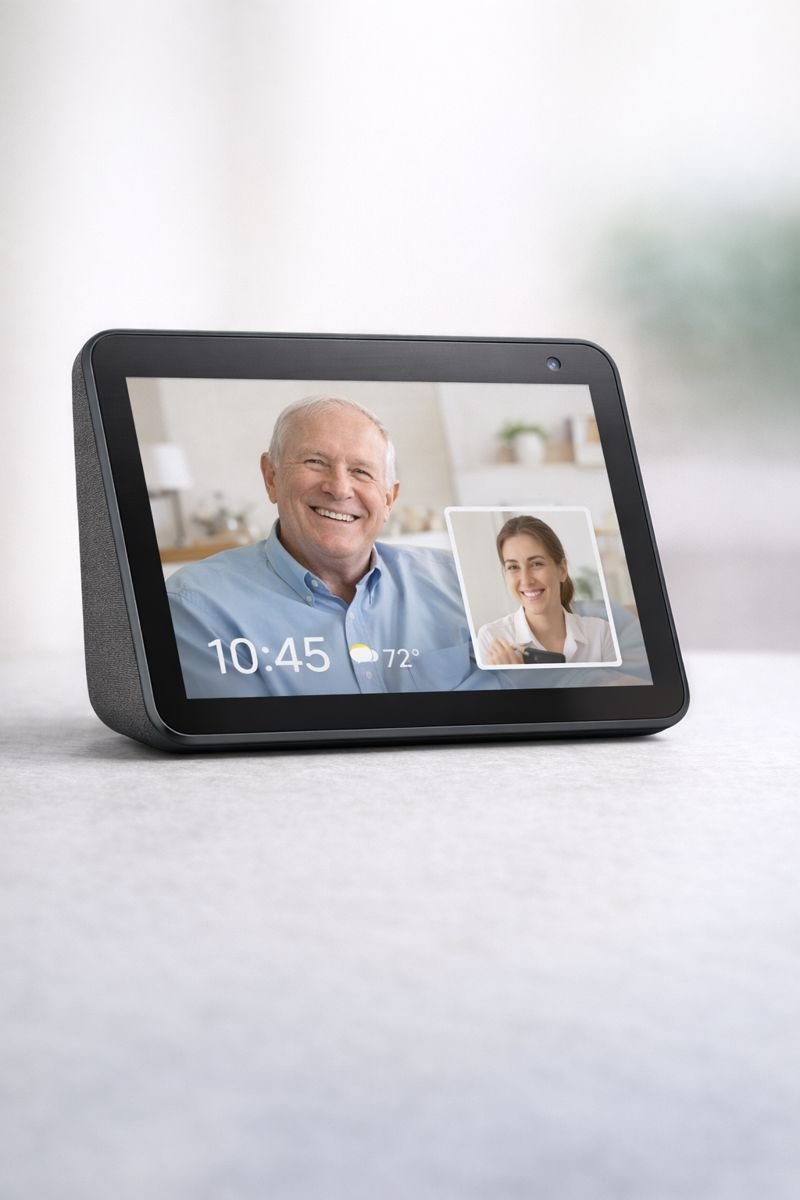
Best for: Caregivers who want easy video check-ins and daily reminders.
- Hands-free video calls with loved ones
- Large, easy-to-read display
- Voice reminders for medications and routines
- Simple voice control — no tech skills needed
💡 Ideal for kitchens, bedrooms, or living rooms. See Today’s Price
Voice assistants are often the centerpiece of a caregiver-friendly smart home.
They allow loved ones to:
- Call or message family hands-free
- Set reminders for medication or appointments
- Control lights, thermostats, and plugs with voice commands
Best for: Loved ones with limited mobility or vision challenges.
Are Smart Home Devices Safe for Caregiving?
Yes—when used correctly.
Best practices for caregivers:
- Choose devices with strong privacy controls
- Avoid over-monitoring
- Use alerts instead of constant live feeds
- Always involve loved ones in setup decisions
Smart devices should empower, not overwhelm.
How to Set Up a Caregiver-Friendly Smart Home (Step-by-Step)
- Start with a voice assistant
- Add smart lighting and plugs
- Install motion sensors in key areas
- Add doorbell or camera if needed
- Set up alerts on your phone
- Test everything together
Simple setups work best.
Common Mistakes Caregivers Should Avoid
- Buying overly complex systems
- Installing too many cameras
- Ignoring privacy concerns
- Choosing devices that require constant maintenance
When it comes to caregiving tech, less is often more.
Are Smart Home Devices Worth It for Caregivers?
Absolutely—when chosen carefully.
They help caregivers:
- Stay informed without being intrusive
- Respond faster in emergencies
- Reduce stress and worry
- Support independence for loved ones
Smart home devices don’t replace care—they extend it.
Best Next Steps for Caregivers
If you’re just getting started, begin with one or two devices and expand as needed. Most caregivers see the biggest impact from a smart display, doorbell, and motion alerts.
Final Thoughts
Caring for someone you love is challenging, but smart home technology can make it more manageable. The best smart home devices for caregivers focus on safety, communication, and peace of mind, without sacrificing dignity or independence.
With the right setup, caregivers can stay connected—no matter where they are. When chosen carefully the best smart home devices for caregivers make remote caregiving simpler, safer, and far less stressful.
Privacy & Consent Considerations
When using monitoring devices, it’s important to inform and involve your loved one whenever possible. Choose devices with privacy controls, disable unnecessary recording features, and respect personal boundaries.
Ready to Explore More?
You may also find these helpful:
- Best Smart Home Devices for Seniors
- Smart Home Safety Devices That Prevent Falls
- Simple Smart Home Setup for Aginrag in Place
What are the best smart home devices for caregivers?
The best smart home devices for caregivers include video doorbells, indoor security cameras, motion sensors, smart plugs, smart thermostats, and voice assistants. These devices help caregivers monitor safety, check activity, manage routines, and stay connected to loved ones remotely.
Can caregivers monitor loved ones remotely with smart home devices?
Yes, caregivers can monitor loved ones remotely using smart home devices. Indoor cameras, motion sensors, smart doorbells, and smart displays allow caregivers to receive alerts, view live activity, and communicate from anywhere using a smartphone or tablet.
Are smart home devices safe for elderly care?
Smart home devices are safe for elderly care when privacy-friendly settings are used. Many devices offer encryption, customizable alerts, camera privacy modes, and user permissions, allowing caregivers to monitor safety without invading personal privacy.
Do smart home devices require technical skills to use?
Most smart home devices designed for caregivers are easy to use and require minimal technical skills. Voice assistants, app-based controls, and automated routines make setup and daily use simple—even for non-tech-savvy users.
What smart home device is best for caregiver peace of mind?
For caregiver peace of mind, smart displays like the Amazon Echo Show, motion sensors, and smart thermostats are top choices. These devices provide real-time updates, safety alerts, and daily activity monitoring without constant check-ins.
Pingback: Best Smart Home Devices to Reduce Falls for Seniors
Pingback: Best Smart Devices for Caregivers (Who Can’t Be Home 24/7)