
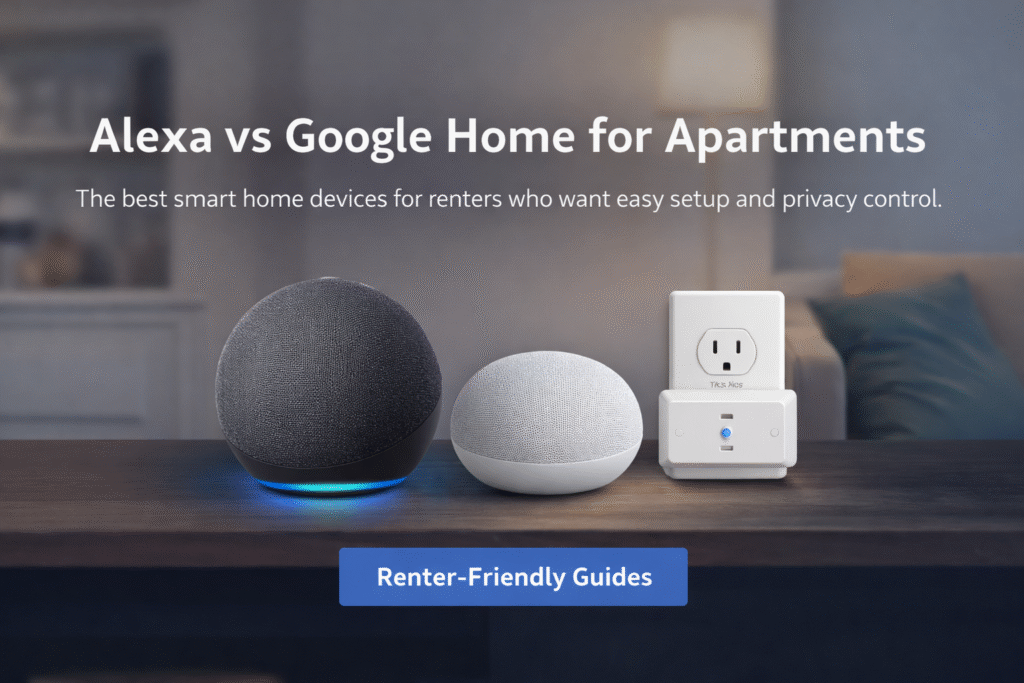
👉 Quick Answer: Alexa vs Google Home for Apartments
Choose Alexa if you want easier setup, better device compatibility, and more renter-friendly options.
Choose Google Home if you prefer Google services and a cleaner smart home interface.
👉 Most renters should start with Alexa.
Introduction
Choosing between Alexa vs Google Home for apartments can be confusing for renters who want smart home convenience without violating lease rules. Renters often pick Alexa or Google Home because of brand buzz, then regret being locked into an ecosystem that complicates moves or lease rules. Choosing on ads or reviews leads to hidden friction — landlord objections, incompatible devices, or unsettled privacy concerns in thin-walled apartments. That uncertainty creates stress when you need simple, removable security and clear control.
You worry whether voice assistants will listen in, whether your existing plugs will pair, and if subscriptions will trap you after a move. Choose for portability and lease-safety, not headline features: Basic setup → plug-and-play. Growing setup → add a bridge. Full coverage → centralized hub. This guide prioritizes lease compliance and renter mobility over enthusiast customization. I focus on simple choices that reduce landlord friction and support small spaces.
Both Alexa and Google Home support hundreds of smart home devices, but compatibility can vary depending on the ecosystem you choose. According to Google Home smart home compatibility, the platform supports a wide range of devices including lights, plugs, thermostats, and security systems. Many renters assume they need extra hardware to get started, but in most cases, modern setups can work without a dedicated hub depending on the devices you choose.
Quick Picks (Alexa vs Google Home for Apartments)
- Best Overall (Alexa Users): Amazon Echo (4th Gen) – A powerful all-in-one hub with built-in smart home control, perfect for growing your setup over time.
- Best for Google Users: Google Nest Mini (2nd Gen) – Simple, compact, and great for voice commands and quick setup with Google Home.
- Best Budget Automation Add-On: TP-Link Kasa Smart Plug Mini – Easy plug-and-play device that works with both Alexa and Google, perfect for beginners.
👤 Who This Is For
- Renters choosing between Alexa and Google Home in apartments
- Tenants needing removable, lease-safe voice assistants
- People worried about privacy in thin-walled units
- Renters who may move and want portable setups
📑 Table of Contents
- Introduction
- Who This Is For
- Quick Comparison Table
- Decision Shortcut
- FAQs
- Final Verdict
- About the Author
Alexa vs Google Home for Apartments (Quick Comparison)
If you’re deciding between Alexa and Google Home for your apartment, both offer strong features — but they serve slightly different needs.
Alexa (Amazon)
✔ Better for smart home control
✔ Works with more devices
✔ Strong automation and routines
Google Home
✔ Better voice search and answers
✔ Strong integration with Google services
✔ Simpler interface
Which Is Better for Apartments?
For most renters, Alexa is the better choice because:
- It supports more smart devices
- It works well with budget-friendly setups
- It offers better automation control
👉 If your goal is building a smart apartment system, Alexa usually wins
Which Is More Accurate: Alexa or Google Assistant?
Voice accuracy is one of the biggest differences between these platforms.
Google Assistant is generally known for stronger natural language understanding, especially for complex or conversational commands. Alexa performs very well for structured commands and smart home control.
For apartment users, both are reliable, but Google may have a slight edge in understanding more natural speech.
Key Differences Between Alexa and Google Home for Apartments
When comparing Alexa vs Google Home for apartments, the biggest difference comes down to ecosystem flexibility and device compatibility. Alexa generally supports a wider range of third-party smart home devices, which can make it easier for renters to expand their setup over time.
Google Home, however, integrates very smoothly with Google services like Google Calendar, Google Assistant, and Android devices. This can make voice commands and daily automation feel more natural for people already using the Google ecosystem.
For renters, the most important factor is choosing devices that are plug-and-play and easy to remove. Both Alexa and Google Home work well with renter-friendly smart plugs, bulbs, and sensors that don’t require drilling or permanent installation.
Which Platform Is Better for Privacy?
Privacy is an important consideration when using voice assistants.
Both Alexa and Google Assistant collect data to improve functionality, but they provide controls that allow users to manage and delete recordings. Understanding how each platform handles data can help you choose the one you’re more comfortable with.
Which App Is Easier to Use Day-to-Day?
The app experience plays a major role in how easy your smart home is to manage.
Alexa’s app is focused on device control and routines, while Google Home offers a cleaner interface that many users find easier to navigate. However, Alexa often provides more customization for automation.
For beginners, ease of use may favor Google, while advanced users may prefer Alexa’s flexibility.
Do You Need a Hub for Alexa in an Apartment?
The short answer: usually no — but sometimes yes.
Most Alexa devices (like Echo speakers) connect directly to WiFi and don’t require a separate hub.
However, a hub may be needed if you plan to use:
- Zigbee devices
- Matter-compatible devices
- Advanced automation setups
Some Alexa devices (like certain Echo models) already have built-in hubs, which means you don’t need to buy anything extra.
When You DON’T Need a Hub
✔ Basic smart plugs
✔ Smart bulbs
✔ WiFi cameras
When You DO Need a Hub
✔ Advanced automation
✔ Multiple device ecosystems
✔ Offline/local control
👉 For most apartments: start without a hub, upgrade later if needed
📊 Alexa vs Google Home for Apartments: Quick Comparison
| Product | Contract Required | DIY Install | Monitoring Option | Best For | Works With Alexa |
|---|---|---|---|---|---|
| Amazon Echo (4th Gen) | No long-term contract | Yes (removable setup) | Optional monthly plan | Beginners who want an all-in-one hub and long-term smart home setup | Yes |
| Google Nest Mini (2nd Gen) | No long-term contract | Yes (wireless & adhesive) | Optional month-to-month | Google users who want simple voice control and quick setup | Yes |
| TP-Link Kasa Smart Plug Mini | No long-term contract | Yes (compact & wireless) | Optional low-cost plan | Budget renters who want easy plug-and-play automation | Yes |
Which Works Better in Small Apartments?
In smaller spaces, both systems perform well, but setup and placement matter.
Alexa offers broader device compatibility, while Google Home provides a smoother conversational experience. In apartments, where space is limited, both systems can work effectively with proper setup.
Types of Alexa Devices for Apartments
Not all Alexa devices serve the same purpose. Choosing the right type depends on your apartment setup.
1. Smart Speakers (Echo Dot, Echo)
✔ Voice control hub
✔ Compact and renter-friendly
✔ Ideal starting point
2. Smart Displays (Echo Show)
✔ Includes screen for video and controls
✔ Great for kitchens and living rooms
3. Smart Plugs
✔ Turn regular devices into smart devices
✔ Easy, no-install upgrade
4. Smart Hubs (Built-In or Separate)
✔ Connect Zigbee or Matter devices
✔ Enable advanced automation
👉 Most renters start with 1 speaker + 1–2 smart plugs
Alexa also integrates with a wide range of security devices including lights, plugs, and Alexa-compatible cameras for apartments designed specifically for renters.
Amazon Echo (4th Gen)
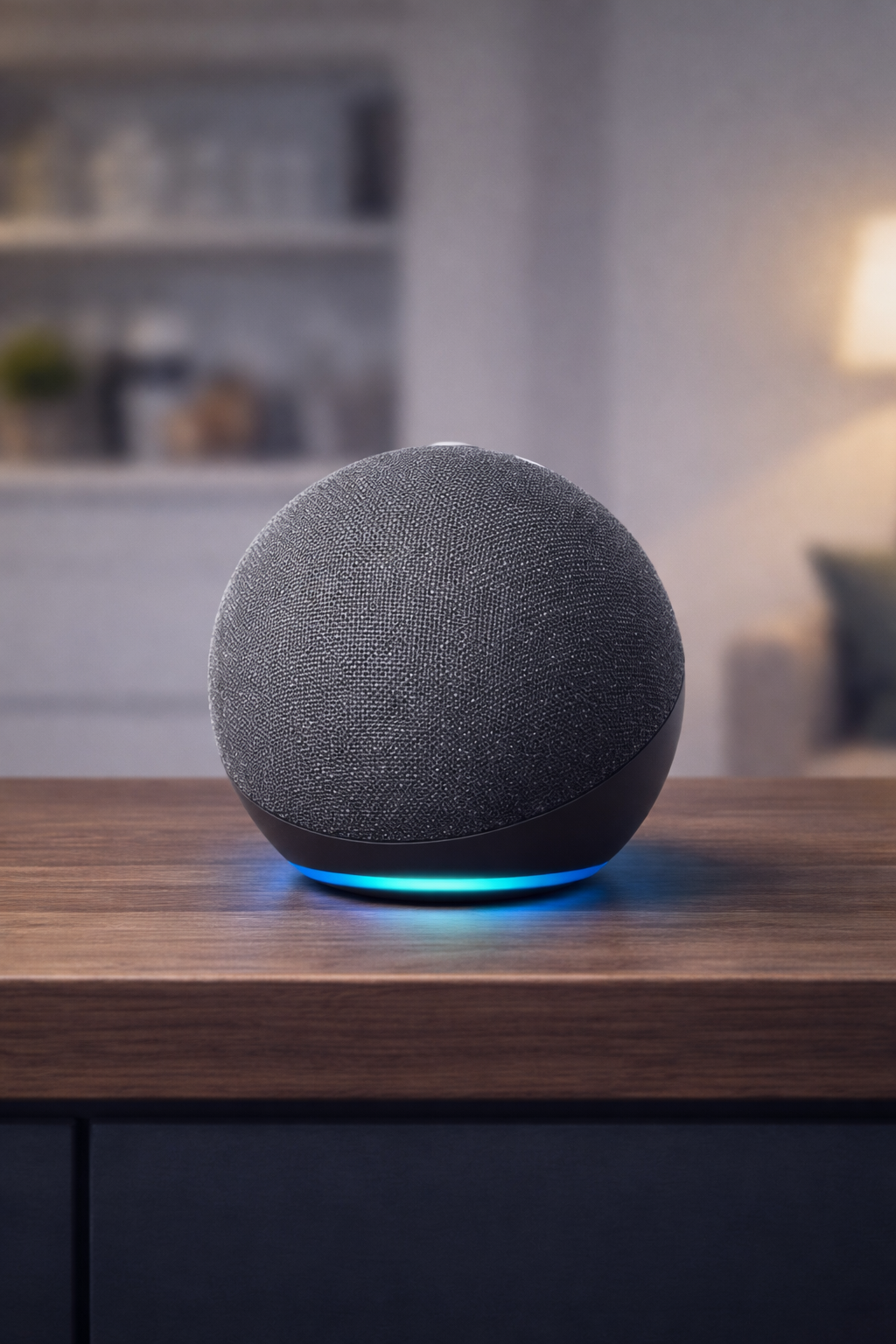
Best For: Renters choosing the Alexa ecosystem
What It Is: Compact smart speaker with Alexa for voice control and routines.
Why Renters Love It: Plug-and-play setup, good sound, easy to move between units.
Real-Life Scenario: Use as a bedside assistant for timers, music, and quick voice controls.
One Limitation: Requires Wi‑Fi and account to access full features.
If you’re leaning toward Alexa, starting with the right devices can make your setup easier, more reliable, and more affordable from the beginning.
Who This Is For:
- Renters who want an all-in-one smart home hub + speaker
- Beginners looking for easy setup with strong device compatibility
- Anyone building a smart home with Alexa as the main system
Skip This If:
- You prefer using Google Home over Alexa
- You only want a basic speaker without hub features
- You’re trying to build a Google-centered smart home
If you’re building an Alexa setup in a small apartment, starting with an Echo speaker is often the easiest option. You can also explore other Best Alexa devices under $50 for renters that work well in small spaces.
Which Is Easier to Set Up for Beginners?
Setup simplicity can make a big difference for first-time users.
Both platforms offer guided setup, but Google Home is often considered slightly easier to configure initially. Alexa may require more steps when adding multiple devices.
Best Alexa Device for Small Apartments
If you’re working with limited space, choosing the right Alexa device matters.
Best Options:
- Compact smart speakers (like Echo Dot or Echo Pop)
- Devices that combine multiple functions
- Small footprint designs
What to Avoid:
❌ Large smart displays in tight spaces
❌ Multiple overlapping devices
👉 For most small apartments, a single Echo Dot or Echo Pop is enough to start
If you prefer a simpler setup and are already using Google services, the next option offers a more streamlined, Google-focused experience.
Google Nest Mini (2nd Gen)
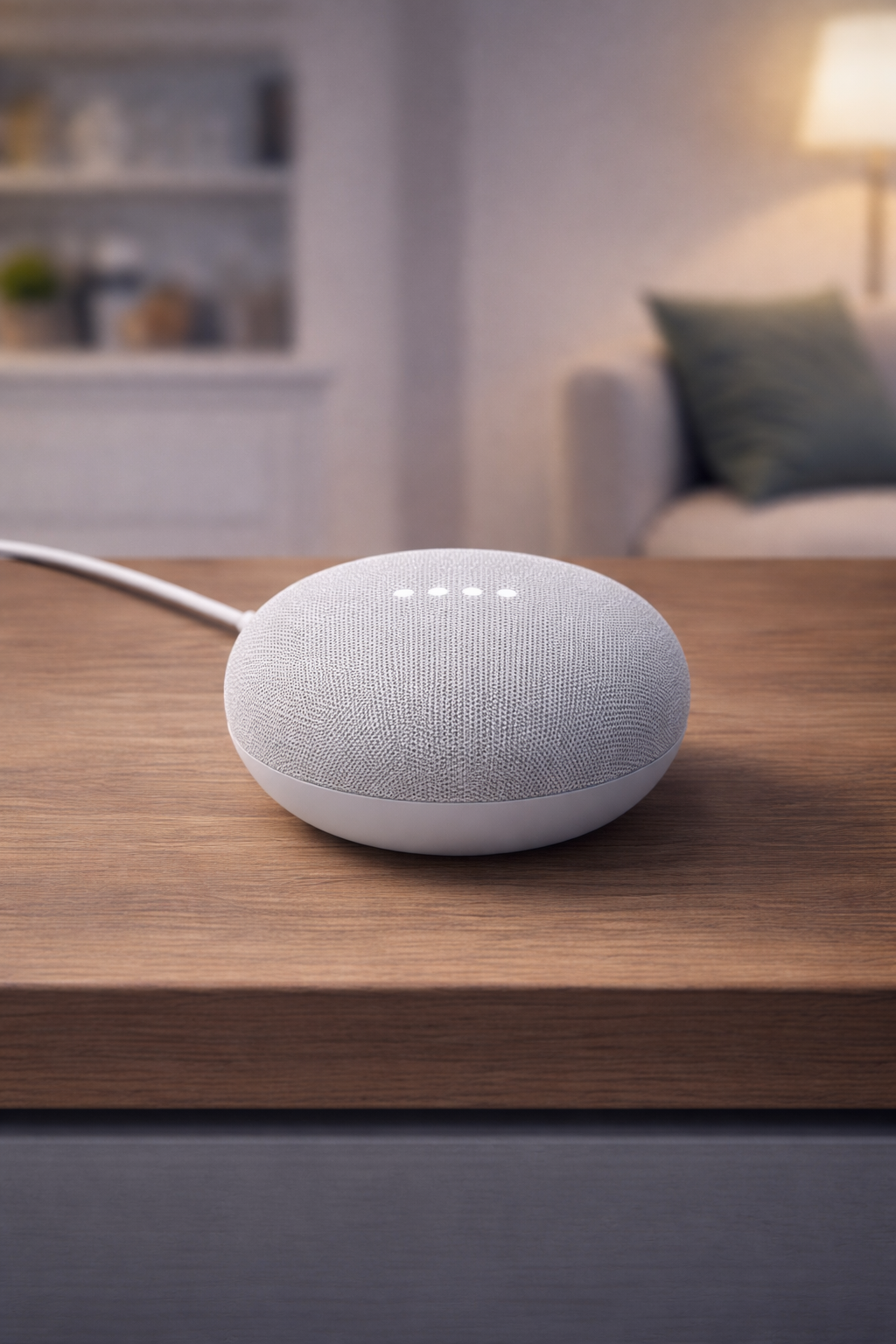
Best For: Renters who prefer Google Assistant
What It Is: Tiny Google Assistant speaker for voice commands and smart control.
Why Renters Love It: Low-profile, affordable, and easy to wall-mount with adhesives.
Real-Life Scenario: Control lights and ask questions from a small apartment kitchen or living room.
One Limitation: Less bass and audio power than larger speakers.
Who This Is For:
- Users already using Google services (Gmail, Google Assistant, Android)
- Renters who want simple voice control with minimal setup
- People who prefer a clean, Google-based ecosystem
Skip This If:
- You want broader smart device compatibility
- You plan to expand into a larger smart home system
- You want stronger support for Matter + multi-brand setups
If you don’t need a smart speaker at all and just want an easy way to automate devices, the next option is the simplest and most budget-friendly place to start.
TP-Link Kasa Smart Plug Mini
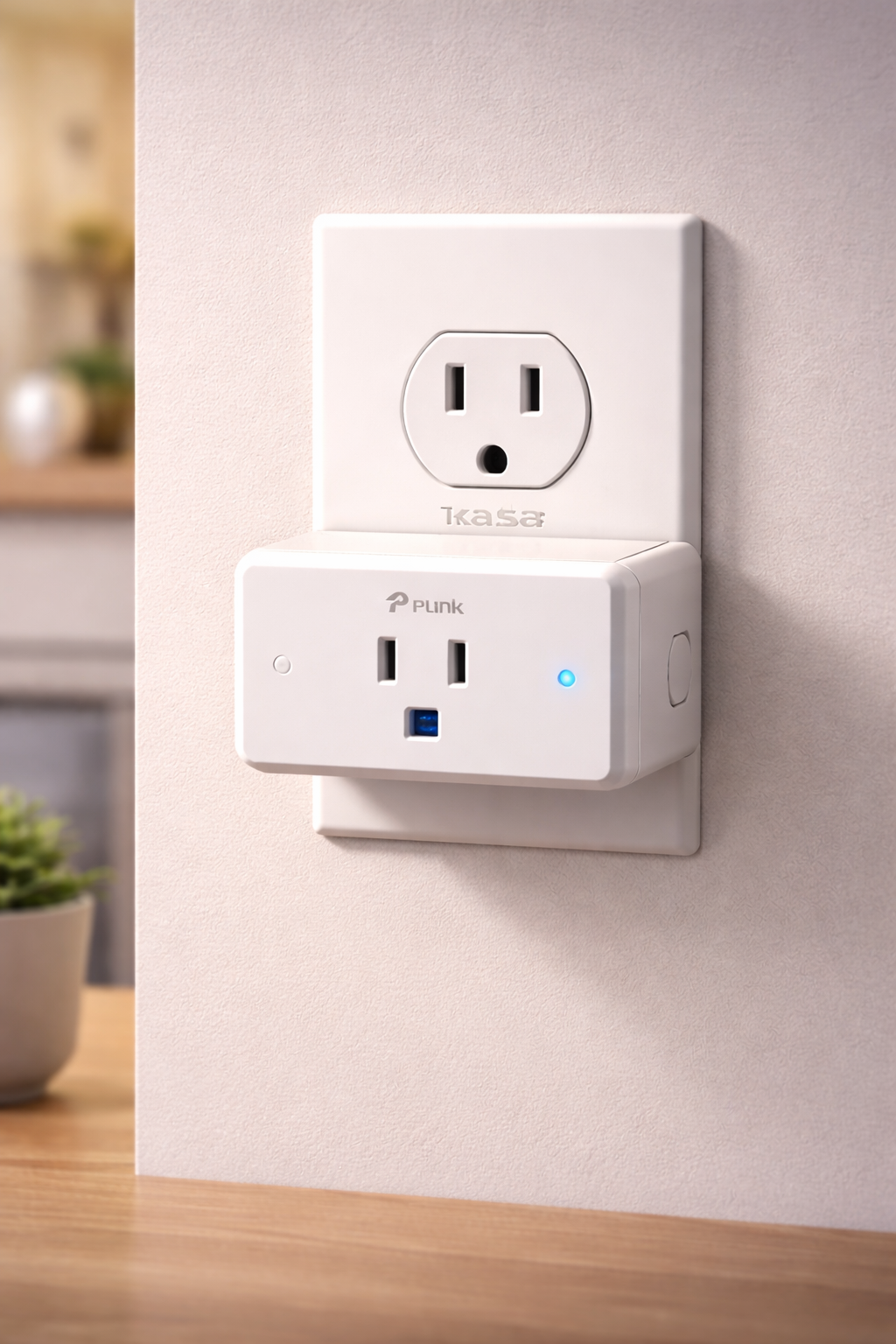
Best For: Renters who want simple smart home automation
What It Is: Compact smart plug enabling voice and app control for devices.
Why Renters Love It: Instantly smarten lamps or heaters without rewiring or complex installs.
Real-Life Scenario: Schedule a lamp to turn on before you arrive home from work.
One Limitation: Requires a nearby outlet and Wi‑Fi connection.
Who This Is For:
- Budget renters who want quick, plug-and-play automation
- Beginners starting with lamps, fans, or small appliances
- Anyone who wants smart functionality without installing anything
Skip This If:
- You want a fully connected smart home system
- You need advanced automation or sensors
- You prefer controlling everything from a central hub
Smart plugs are one of the easiest ways renters can automate lights and appliances. If you’re deciding between options, this guide explains Smart plug vs smart switch for renters and which is better for apartment setups.
Do not choose based on features alone. Basic → plug-and-play focuses on removable speakers and simple voice routines that respect leases. Growing → add a bridge to expand compatibility without permanent wiring. Full coverage → centralized hub is for renters who need coordinated controls and have cleared landlord and privacy concerns tied to ecosystem choice.
At this point, it comes down to how you want to control your smart home—voice-first with a speaker, or simple automation with plug-and-play devices.
How to Set Up Alexa in an Apartment (Beginner Guide)
Setting up Alexa in an apartment is simple and doesn’t require any technical experience.
Step 1: Choose Your Main Device
Start with an Echo speaker as your control center.
Step 2: Connect to WiFi
Use the Alexa app to connect your device.
Step 3: Add Smart Devices
Connect smart plugs, lights, or cameras through the app.
Step 4: Create Routines
Automate tasks like:
- Turning lights on/off
- Setting schedules
- Voice-triggered actions
👉 Most setups take less than 10–15 minutes
🎯 Decision Shortcut
Quick pick for apartment renters:
- 👉 Choose Alexa (Amazon Echo) if you want the easiest setup, better device compatibility, and quick results
- 👉 Choose Google Home (Nest Mini) if you’re already using Google services and prefer a simpler, Google-based setup
- 👉 Choose a smart plug (TP-Link Kasa) if you want the cheapest and easiest way to start automating your apartment
👉 Best choice for most renters: start with Alexa, then expand as needed.
One of the biggest advantages for renters is being able to build a smart home without drilling, wiring, or making permanent changes.
What Can Alexa Actually Do in an Apartment?
Alexa can do much more than just play music — especially in a smart apartment setup.
Everyday Uses:
- Control lights and devices
- Set reminders and alarms
- Play music and podcasts
Smart Home Uses:
- Automate routines
- Monitor security devices
- Control cameras and sensors
Convenience Features:
- Voice control everything hands-free
- Control devices remotely
- Integrate multiple devices into one system
👉 Alexa turns your apartment into a simple, automated smart home
❓ FAQs
Which assistant keeps my setup lease-safe?
Pick devices that use adhesives or plugs and avoid hard wiring. Check app settings and local voice data; consider privacy options and removable installation.
Will voice assistants breach my privacy with neighbors?
Voice assistants can activate accidentally; place them away from shared walls. Disable voice purchasing, review voice history, and use mute to reduce listening risk.
Can I move devices without breaking my lease?
Most smart speakers are plug-and-play and removable. Save settings to the cloud and de-register devices before moving to avoid account entanglement.
Which assistant integrates with apartment devices like smart locks or thermostats?
Both ecosystems support common brands, but compatibility varies by model. Use bridges for broader support and check landlord permission for any lock or thermostat changes.
When deciding between Alexa vs Google Home for apartments, renters should prioritize compatibility, privacy controls, and simple removable devices.
Which is better for small apartments?
For most small apartments, Alexa is usually the better choice.
It offers wider device compatibility, simple setup, and works well with compact, plug-and-play devices like smart plugs, bulbs, and cameras. That makes it ideal for renters who want something quick and flexible.
Google Home is still a good option—especially if you already use Google services—but Alexa tends to be more versatile for typical apartment setups.
Do both work without a hub?
Yes—both Alexa and Google Home can work without a separate hub.
Most modern smart devices connect directly over Wi-Fi and can be controlled through their apps or voice assistants. However, some devices (like Zigbee or Thread-based products) may benefit from a hub or built-in hub features for better reliability and expanded functionality.
For most renters and beginners, a hub is not required to get started.
Can you use Alexa and Google Home together?
Yes, you can use both in the same home—but they don’t integrate directly with each other.
Instead, they control the same compatible devices independently. For example, a smart light can be connected to both Alexa and Google Home, but the assistants won’t communicate with each other.
This setup can work, but it’s usually simpler to stick with one main system to avoid confusion and keep everything easy to manage.
🏁 Final Verdict
For most apartment renters, Alexa is the better choice.
It’s easier to set up, works with more devices, and gives you a simple, reliable smart home without needing extra equipment or permanent installation.
Google Home is still a solid option—especially if you already use Google services—but it’s not as flexible when it comes to device compatibility.
The smartest approach is to start simple and stay renter-friendly:
- Begin with a smart speaker (like an Echo or Nest Mini)
- Add plug-and-play devices like smart plugs or bulbs
- Expand only when you actually need more control
👉 Bottom line: choose Alexa for simplicity and compatibility, then build your setup at your own pace without overcomplicating things.
👤 About the Author
Craig, Founder of TopRatedByCraig, TopRatedByCraig.com.
Focus on renter-first, lease-safe, scalable smart home security.