
Introduction
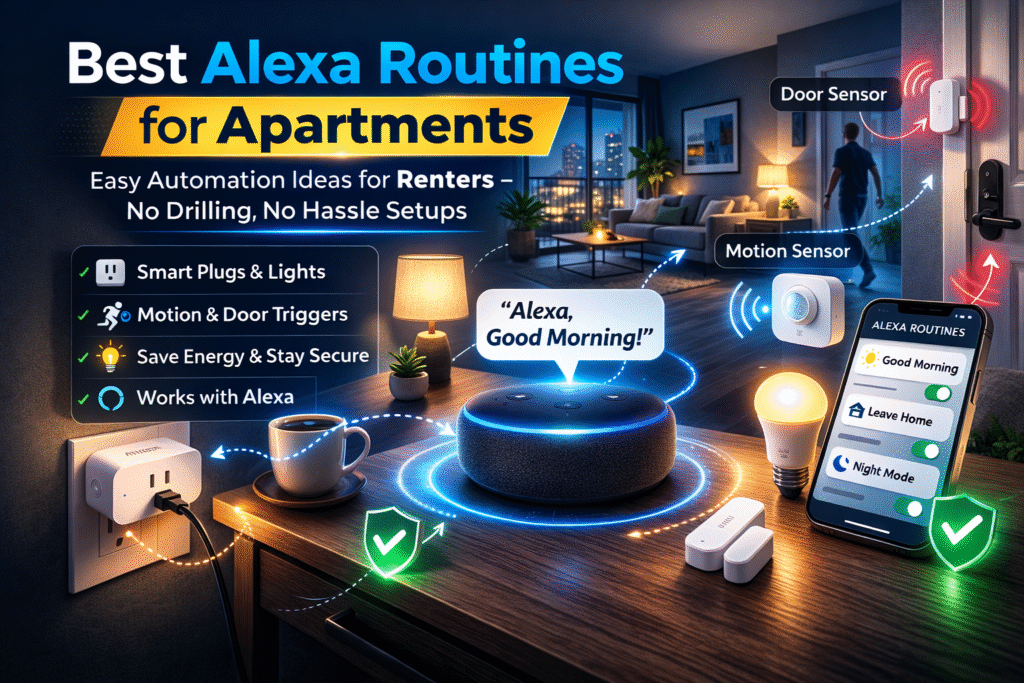
Apartment renters often assume creating Alexa routines is low-risk, but device compatibility and automation triggers can quickly become confusing. Choosing the right hardware makes a big difference, and starting with affordable devices helps keep setups simple. If you’re just getting started, our guide to the best Alexa devices under $100 for apartments explains which budget-friendly Echo devices and smart accessories work well for renters. According to the official Alexa Routines guide, routines allow users to automate smart home devices using schedules, voice commands, or sensors.
That mismatch between devices, apps, and ecosystems often leads to frustration, wasted money, and hesitation around smart home automation—especially for renters worried about privacy, installation rules, or possible landlord pushback.
Pick a tier that fits how permanent you plan to be. Basic setup uses plug-and-play devices. Growing setups add a bridge. Full coverage uses a centralized hub. This guide prioritizes lease compliance and renter mobility over enthusiast customization. The goal is predictable, removable routines that respect apartment rules while keeping your automation simple and under control.
Quick Picks (Best Devices for Alexa Routines in Apartments)
- Best Overall: Amazon Smart Plug – The easiest way to start Alexa routines. Just plug it in and automate lights, coffee makers, or fans with zero setup stress.
- Best for Security Routines: Aqara Door & Window Sensor P2 – Perfect for triggering routines like alerts or turning on lights when a door opens.
- Best for Motion Automation: Philips Hue Motion Sensor – Great for hands-free automation, like turning lights on when you walk into a room.
Best Alexa Routine Ideas for Apartment Living
Alexa routines become much more powerful when you apply them to everyday situations in your apartment.
Some of the most useful routines include a “Good Morning” routine that turns on lights, reads the weather, and starts your day automatically, or a “Good Night” routine that turns everything off and locks down your space.
You can also create a “Leaving Home” routine that turns off lights and devices, or an “Arriving Home” routine that activates lighting and sets the mood. These simple automations make your apartment more convenient without requiring complex setup.
What Are Alexa Routines and How Do They Work?
Alexa routines are automated actions that trigger multiple smart devices with a single command or event.
For example, you can create a routine that:
- Turns on lights
- Starts music
- Adjusts temperature
…all with one voice command like “Alexa, good morning.”
Routines can also trigger based on time, motion, or device activity.
👉 They’re one of the easiest ways to automate your apartment without complicated setup.
👤 Who This Is For
- Renters who use Alexa and want simple automations without landlord approvals
- People prioritizing removable gear and easy move-out procedures
- Those confused by device compatibility across smart home brands
- Privacy-minded renters avoiding always-on installs and hardwiring
📑 Table of Contents
- Introduction
- Who This Is For
- Quick Comparison Table
- Decision Shortcut
- FAQs
- Final Verdict
- About the Author
📊 Best Alexa Routines for Apartments: Devices That Make Automation Easy
| Product | Contract Required | DIY Install | Monitoring Option | Best For | Works With Alexa |
|---|---|---|---|---|---|
| Amazon Smart Plug | No long-term contract | Yes (removable setup) | Optional monthly plan | Renters planning long-term growth | Yes |
| Aqara Door & Window Sensor P2 | No long-term contract | Yes (wireless & adhesive) | Optional month-to-month | Quick setup & simple control | Yes |
| Philips Hue Motion Sensor | No long-term contract | Yes (compact & wireless) | Optional low-cost plan | Budget-friendly small apartments | Yes |
For most renters starting with Alexa routines, the Amazon Smart Plug offers the easiest automation setup, while sensors like Aqara and Philips Hue add powerful triggers for more advanced routines.
Best Overall: Amazon Smart Plug
Best Routine Trigger: Aqara Door & Window Sensor P2
Best Motion Automation: Philips Hue Motion Sensor
How to Set Up Alexa Routines in an Apartment
Setting up Alexa routines is simple and beginner-friendly.
Basic steps:
- Open the Alexa app
- Go to “Routines”
- Tap “Create Routine”
- Choose a trigger (voice, time, or device)
- Add actions (lights, plugs, music, etc.)
- Save and test
Most routines can be created in just a few minutes.
👉 This makes Alexa automation easy even for beginners.
Time-Based vs Trigger-Based Alexa Routines
Not all Alexa routines work the same way, and understanding the difference can help you get better results.
Time-based routines run on a schedule, such as turning lights on at 7 PM every day. These are useful for consistent habits like evening lighting or morning alarms.
Trigger-based routines activate when something happens, such as motion being detected or a door opening. These are more dynamic and useful for real-time automation.
Most renters benefit from combining both types to create a smart home that responds automatically without constant input.
Do You Need Smart Devices for Alexa Routines?
Yes — Alexa routines work best when connected to smart devices.
Common devices used in routines include:
- Smart plugs
- Smart bulbs
- Motion or door sensors
While Alexa can perform some basic actions on its own, routines become much more powerful when paired with smart home devices.
👉 The more compatible devices you have, the more automation you can create.
Amazon Smart Plug
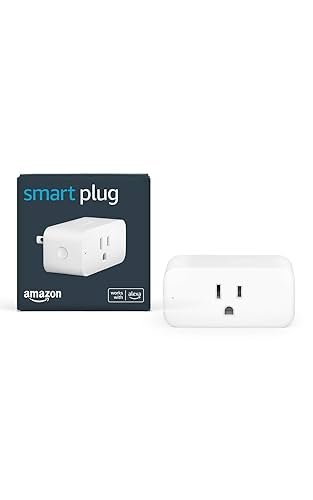
Best For: Simple Alexa automation routines
What It Is: A plug-in smart outlet controlled by Alexa for single-device automations.
Why Renters Love It: Easy plug-and-play setup that needs no permanent installation.
Real-Life Scenario: Turn lamps on/off with routines when arriving or leaving your apartment.
One Limitation: Lacks advanced energy monitoring features.
- Works with Alexa
- Plug-and-play, no drilling
- Compact design for outlets
Aqara Door & Window Sensor P2
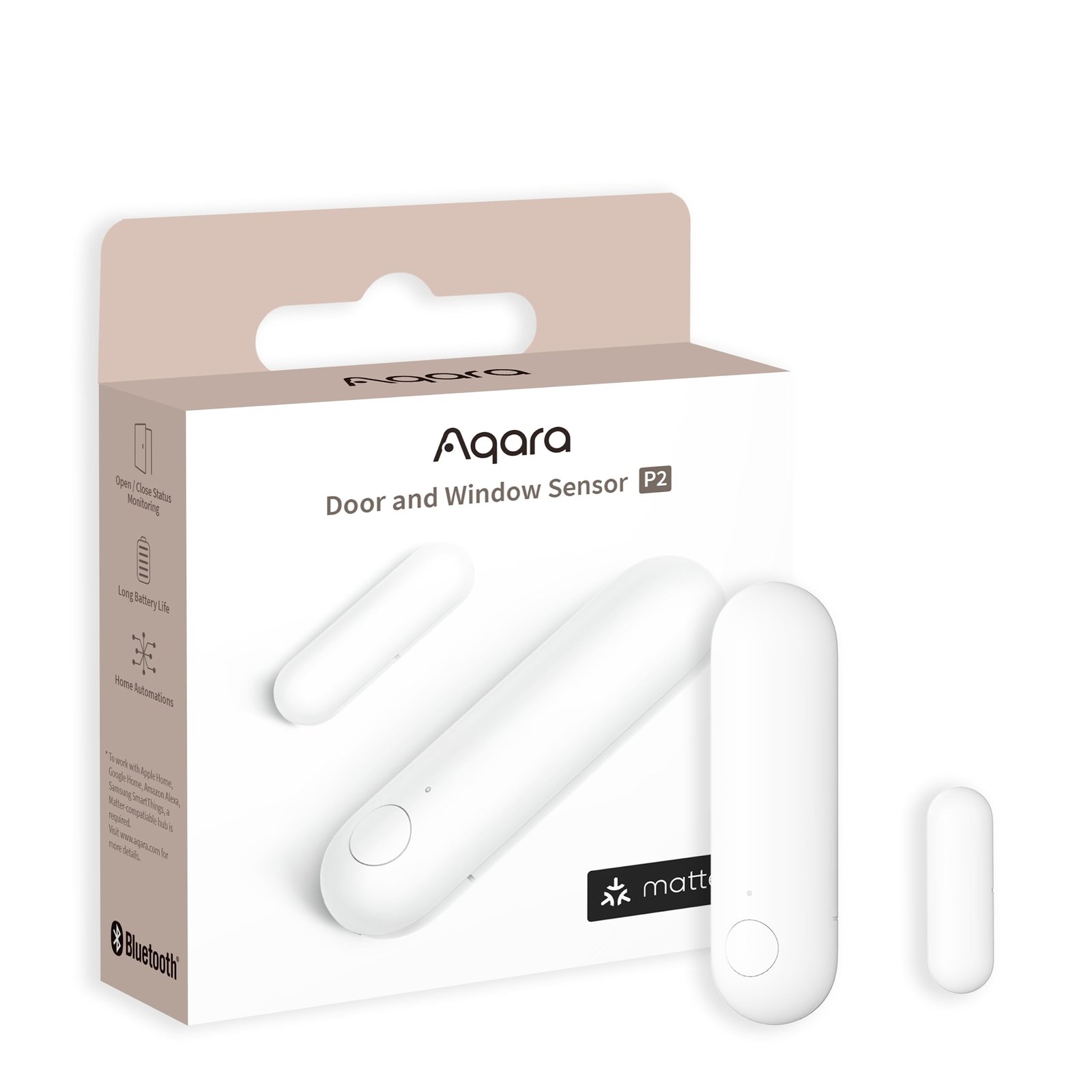
Best For: Triggering Alexa routines from doors or windows
What It Is: A battery-powered contact sensor that triggers routines when doors or windows open.
Why Renters Love It: Adhesive installation and no wiring preserve lease compliance.
Real-Life Scenario: Trigger hallway lights or security routines when you open your front door.
One Limitation: Requires a compatible hub for full features.
- Battery-powered
- Adhesive mount
- Works with Alexa via hub
Door sensors are one of the easiest ways to trigger Alexa routines. If you want to compare more options, see our guide to the best Alexa door sensors for renters.
Philips Hue Motion Sensor
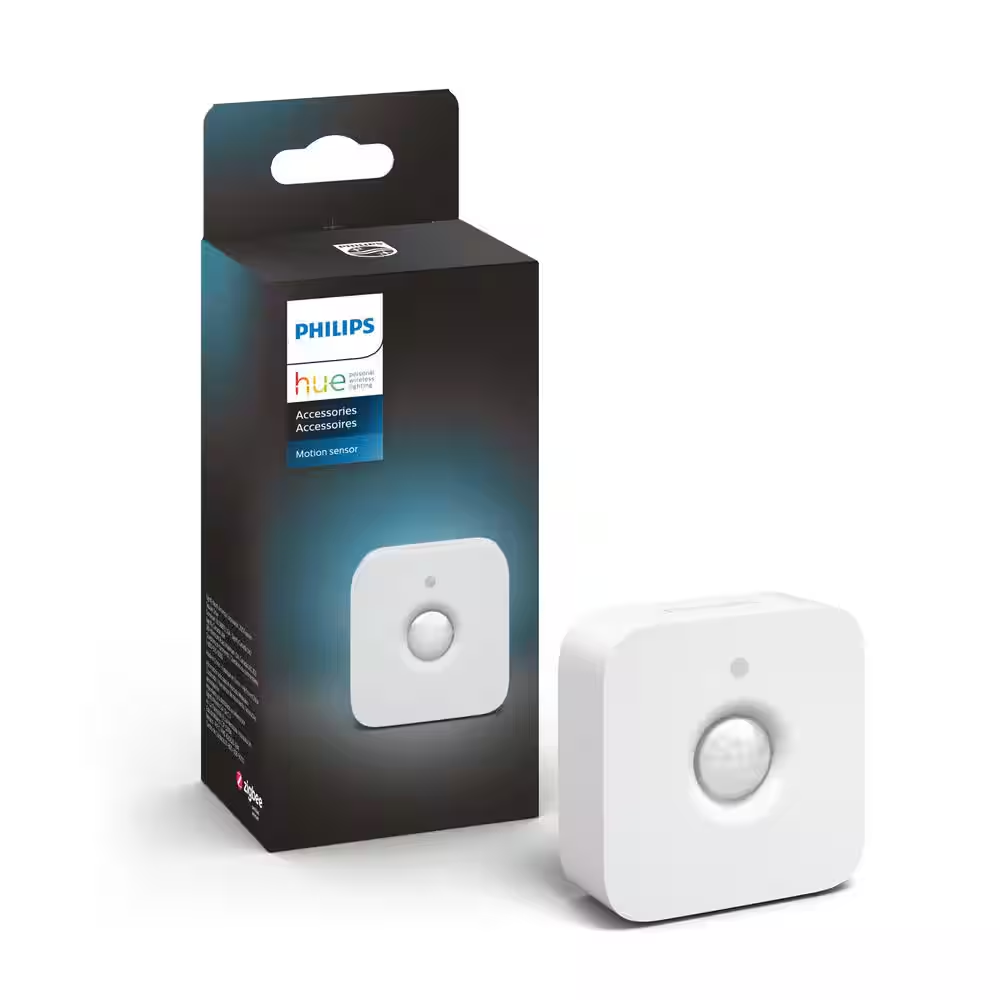
Best For: Motion-based Alexa routines
What It Is: A wireless motion sensor that activates Hue lights and Alexa routines.
Why Renters Love It: Motion-based automations replace permanent switches and are removable.
Real-Life Scenario: Automatically turn on hallway or closet lights after dark.
One Limitation: Best performance with Hue bridge.
- Small and battery-powered
- Integrates with Hue ecosystem
- Responsive motion detection
Room-by-Room Alexa Automation Ideas for Apartments
Breaking your routines down by room makes your setup more effective and easier to manage.
In the living room, you can use routines to turn on lights and entertainment systems when you sit down or arrive home. In the bedroom, routines can dim lights and create a nighttime environment automatically.
In the kitchen, routines can control lighting and appliances during cooking times, while entryways benefit from motion-triggered lighting for convenience and safety.
This approach helps you build a smart home system that feels natural and tailored to your daily routine.
Best Alexa Routine Ideas for Apartments
Alexa routines can make apartment living more convenient and efficient.
Popular routine ideas include:
- Morning routine: Turn on lights and play news
- Night routine: Turn off lights and lock doors
- Away routine: Simulate activity while you’re out
- Motion-triggered lighting: Automatically turn on lights
👉 These routines help automate daily tasks without extra effort.
Do not choose based on features alone. Basic covers quick, removable routines that keep you lease-safe. Growing adds a small bridge to improve cross-device reliability without permanent wiring. Full Coverage relies on a centralized hub for cohesive automations when you plan to stay and want consistent, landlord-friendly control across devices.
Common Alexa Routine Mistakes to Avoid
Many users don’t get the full benefit of Alexa routines because of simple mistakes.
One common issue is creating too many routines at once, which can make your setup confusing and hard to manage. Another mistake is relying only on voice commands instead of automation triggers, which defeats the purpose of routines.
Poor device placement can also reduce effectiveness, especially for motion-based routines. The best approach is to start simple, test your routines, and gradually expand as you learn what works best.
🎯 Decision Shortcut
Pick a tier based on permanence and routine complexity.
- Basic setup: Keep routines simple with Alexa and removable devices.
- Growing setup: Add a bridge to stabilize cross-device automations.
- Full coverage: Centralized hub for consistent, apartment-friendly automations.
If you’re looking for more inspiration, explore these Alexa automation ideas for small apartments to expand your routines without adding complex equipment.
❓ FAQs
Will Alexa routines work in any apartment?
Most routines work if devices use common wireless protocols and avoid hardwired changes. Choose plug-in or battery-powered gear to stay lease-safe and movable.
Can routines violate my lease?
Routines themselves rarely violate leases, but permanent installations can. Avoid drilling, prefer adhesive or plug-in setups, and get permission for anything permanent.
How do I protect privacy with Alexa routines?
Review routine triggers and limit cloud-only features to reduce data exposure. Use local or removable devices when possible and clear accounts before moving out.
Which Alexa setups are easiest to remove when moving?
Plug-in smart plugs, battery sensors, and adhesive accessories are the most removable options. Factory reset devices, uninstall apps, and keep receipts to show non-permanent changes.
Why Alexa Routines May Not Work Properly
If your Alexa routines aren’t working as expected, the issue is usually related to connectivity or setup.
Weak WiFi signals, delayed device responses, or incorrect trigger settings can all cause routines to fail or behave inconsistently. In apartments, network congestion can also affect performance.
To fix this, make sure your devices are within range, your WiFi connection is stable, and your routines are configured correctly. Testing each routine individually can help identify and resolve issues quickly.
Are Alexa Routines Worth It for Apartments?
Alexa routines are one of the easiest ways to upgrade your apartment without adding complexity.
They offer:
- Hands-free automation
- Time-saving convenience
- Better control over your smart home
Even a few simple routines can significantly improve your daily routine.
👉 For renters, Alexa routines are absolutely worth using.
🏁 Final Verdict
Ecosystem confusion is the central renter tension here, so prioritize compatibility, removability, and clear migration plans. Basic → plug-and-play works for quick, lease-safe routines. Growing → bridge smooths cross-device behavior without permanent changes. Full → centralized hub gives cohesive automations if you plan to stay longer. Do not buy hardware that forces permanent modifications.
Install reversible devices first and test routines thoroughly before committing. Configure privacy settings in Alexa, document configurations, and keep receipts to prove non-permanent setups. These steps reduce setup anxiety, preserve mobility, and make sure your routines work together without risking your lease or wasting money. For most apartment renters, starting with a smart plug like the Amazon Smart Plug is the easiest way to build Alexa routines without installing permanent devices.
👤 About the Author
Craig, Founder of TopRatedByCraig, TopRatedByCraig.com.
Focus on renter-first, lease-safe, scalable smart home security.