
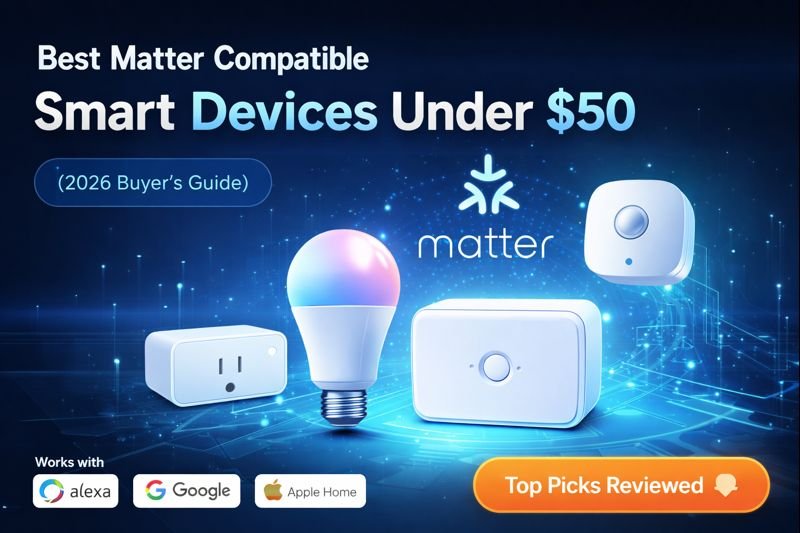
Best Matter compatible smart devices under $50 make it easy to build a reliable, future-proof smart home without overspending. Smart homes no longer have to be expensive. With Matter, smart devices are finally simple, reliable, and affordable.
If you’re looking for Matter compatible smart devices under $50 that work seamlessly with Alexa, Google Home, and Apple Home, this guide highlights the best options available today for beginners and budget-conscious buyers.
Quick Picks (Best Matter Devices Under $50)
Don’t want to compare everything? Start here:
- 🏆 Best Overall: TP-Link Kasa Matter Smart Plug – most reliable and easiest to use
- 💡 Best Lighting: Matter Smart Bulbs (Color) – flexible lighting with app + voice control
- 🚪 Best for Security: Aqara Door & Window Sensor – simple, renter-friendly monitoring
- 🏠 Best Starter Hub: Aqara Hub – connects sensors for a full setup
- 📦 Best Value Pack: Kasa Smart Plug Multi-Pack – more devices for less money
👉 Simple rule: Start with smart plugs, then add bulbs or sensors based on what you want to automate.
Are Matter Devices Under $50 Worth It?
Yes—many Matter-compatible devices under $50 offer solid performance for basic smart home setups.
While they may not have premium features, they’re great for:
- Beginners testing smart home setups
- Renters who want low-risk upgrades
- Simple automation like lights and plugs
For most users, these budget devices deliver more than enough functionality for everyday use.
| Device | Best For | Works With | Price |
|---|---|---|---|
| Smart Plug | Appliances | Alexa / Google / Apple | Under $50 |
| Smart Bulb | Lighting | Alexa / Google / Apple | Under $50 |
| Motion Sensor | Safety | Alexa / Google / Apple | Under $50 |
| Smart Button | One-tap control | Alexa / Google / Apple | Under $50 |
What to Expect from Matter Devices Under $50
At this price point, it’s important to set realistic expectations.
Most devices under $50 will offer:
- Basic automation features
- Reliable connectivity (depending on setup)
- Simple installation
However, they may lack:
- Advanced integrations
- Premium build quality
- Complex automation features
For renters and beginners, this trade-off is usually worth it.
Best Matter Devices Under $50 by Use Case
Not all budget smart devices serve the same purpose. The best choice depends on what you want to improve—lighting, automation, or convenience.
Here’s how to choose:
🔹 Best for Beginners (Start Here)
Smart plugs are the easiest entry point into a smart home. They require no installation and work instantly with Alexa, Google, or Apple.
👉 Ideal for: first-time users building a budget smart home
🔹 Best for Lighting Upgrades
Smart bulbs offer an easy way to upgrade lighting with dimming, scheduling, and color options without wiring.
👉 Ideal for: bedrooms, living rooms, and ambiance
🔹 Best for Automation & Alerts
Motion sensors and small automation devices help trigger routines and improve convenience without adding complexity.
👉 Ideal for: hands-free automation and smart routines
👉 Key takeaway: Start with a smart plug, then expand into lighting and automation as your budget allows.
🔹 How to Choose the Best Matter Devices Under $50
When shopping for Matter devices on a budget, it’s important to focus on value and simplicity.
Here’s what to look for:
- No hub required → easier setup
- Works with Alexa / Google / Apple → more flexibility
- Reliable connection → stable performance
- Device type → plugs, bulbs, sensors, or buttons
For under $50, smart plugs and bulbs usually offer the best value because they provide immediate automation without complex setup.
👉 Best approach:
Start with simple devices, then expand your system over time
Smart Plug vs Smart Bulb vs Sensor (Under $50)
If you’re building a smart home on a budget, the most common options are smart plugs, smart bulbs, and sensors. Each serves a different purpose.
🔹 Smart Plugs
- Control appliances and lamps
- Easiest setup
- Best for beginners
🔹 Smart Bulbs
- Control lighting directly
- Offer dimming and color features
- Great for ambiance
🔹 Sensors (Motion or Door)
- Trigger automation
- Send alerts
- Work in the background
👉 Which should you choose?
- Start with smart plugs for simplicity
- Add bulbs for lighting control
- Use sensors for automation and alerts
👉 This approach helps you build a complete smart home under $50 without overspending.
What Is Matter?
Matter is a universal smart home standard designed to make devices work together across platforms. Instead of being locked into one brand or app, Matter devices connect smoothly and remain compatible as your smart home grows.
Key benefits of Matter:
- Cross-platform compatibility
- Faster setup
- Improved reliability
- Long-term support
This guide is ideal for:
- First-time smart home users
- Renters and apartment dwellers
- Budget-conscious buyers
- Seniors and caregivers
- Anyone upgrading from older smart devices
🔹 What Are Matter Compatible Smart Devices? (Beginner Guide)
Matter compatible smart devices are products built using a universal smart home standard that allows different brands to work together seamlessly.
Unlike older smart home systems, Matter devices can connect across platforms like Alexa, Google Home, and Apple Home without compatibility issues.
This makes them ideal for beginners and budget-conscious users who want a flexible smart home setup.
👉 Simple breakdown:
- Matter = cross-platform compatibility
- Works with multiple ecosystems
- Easy to expand over time
🔹 Do Matter Devices Work Without a Hub?
One of the biggest advantages of Matter devices is that many of them can work without a dedicated hub.
Some devices connect directly through WiFi, while others may use a compatible controller like an Echo device or smart home hub.
For most budget setups:
- You don’t need an extra hub
- Devices can connect directly or through existing smart speakers
👉 Bottom line:
- Many Matter devices = no hub required
- Simple setup for beginners and renters
What Should You Buy First with a $50 Budget?
If you only have $50 to spend, the key is to prioritize devices that give you the most value right away.
🔹 Option 1: Smart Plug Starter Setup
- Buy 1–2 smart plugs
- Control lamps and appliances
- Set schedules and routines
👉 Best for: immediate automation with minimal setup
🔹 Option 2: Lighting Upgrade Setup
- Buy 1–2 smart bulbs
- Create lighting routines
- Add ambiance and control
👉 Best for: improving lighting and atmosphere
🔹 Option 3: Mixed Setup (Best Value)
- 1 smart plug + 1 smart bulb
- Combine automation and lighting
👉 Best for: balanced setup under budget
👉 Best choice for most people: Start with a smart plug, then add a bulb or sensor as you expand.
Best Matter Compatible Smart Devices Under $50
Smart Plug (Best Overall Value)
Best Matter Smart Plug (Under $50)

- Matter-certified for universal compatibility
- Works with Alexa, Google Home, and Apple Home
- Ideal for lamps, fans, and small appliances
Smart plugs are one of the easiest ways to start building a smart home. They allow you to control lamps, fans, coffee makers, and other appliances using your voice or smartphone.
Why smart plugs are popular:
- Instant smart functionality
- Scheduling and automation
- Works well in apartments and rentals
🔹 Best Budget Smart Home Setup Using Matter Devices (Under $50)
You don’t need expensive equipment to build a smart home.
A simple Matter setup under $50 can include:
- Smart plug for appliances
- Smart bulb for lighting
- Optional sensor for basic monitoring
Connect everything through Alexa or another platform, and you can start automating your home immediately.
Example routines:
- Turn lights on/off automatically
- Schedule appliances
- Control devices with voice commands
This setup works because:
- Low cost
- Easy installation
- No wiring required
👉 Even a small budget can create a functional smart home
Smart Light Bulb (Best Budget Lighting Upgrade)
Best Matter Smart Light Bulb (Under $50)

- Voice-controlled lighting
- No hub required on most models
- Dimmable and energy efficient
Matter smart bulbs provide voice-controlled lighting without complicated setup. Many models work without a hub and offer dimming or color-changing features.
Best for:
- Bedrooms and living rooms
- Hands-free lighting control
- Creating schedules and routines
Motion Sensor (Best for Automation and Safety)
Best Matter Motion Sensor (Under $50)

- Triggers lights automatically
- Ideal for hallways and night safety
- Works with Matter smart lights and plugs
Motion sensors trigger lights or devices automatically when movement is detected. They are commonly used in hallways, bathrooms, and entryways to improve safety and convenience.
Benefits include:
- Automatic lighting at night
- Reduced energy usage
- Enhanced home awareness
Smart Button (Simple One-Tap Control)
Best Matter Smart Button (Under $50)

- One-press control for multiple devices
- No phone required
- Great for seniors and kids
Smart buttons offer a physical way to control your smart home. One press can trigger multiple actions, such as turning on lights or activating a routine.
Ideal for:
- Seniors and children
- Quick control without a phone
- Simple automations
Temperature Sensor (Comfort Monitoring)
Best Matter Temperature Sensor (Under $50)

- Tracks room temperature accurately
- Helps automate fans and heaters
- Compact and discreet design
Temperature sensors track room conditions and can trigger fans, heaters, or alerts based on your preferences.
Useful for:
- Improving indoor comfort
- Automating climate devices
- Monitoring specific rooms
Real Apartment Setup Under $50 (Per Device)
Here’s what a simple budget-friendly setup looks like:
- Smart plug for lamps
- Smart bulb for lighting
- Entry-level sensor for automation
You don’t need expensive devices to create a functional smart home.
Quick Comparison
| Device Type | Best Use |
|---|---|
| Smart Plug | Controlling appliances |
| Smart Bulb | Voice-activated lighting |
| Motion Sensor | Automated lighting and safety |
| Smart Button | Simple one-tap control |
| Temperature Sensor | Room comfort monitoring |
Do Budget Matter Devices Require a Hub?
Some do, and some don’t.
Many budget devices rely on a compatible controller (like a smart speaker) instead of a dedicated hub.
Always check compatibility before buying to avoid setup issues.
Matter vs Traditional Smart Devices
| Feature | Matter Devices | Older Smart Devices |
|---|---|---|
| Platform Compatibility | Universal | Brand-specific |
| Setup | Simple | Often complex |
| Reliability | High | Varies |
| Long-Term Support | Future-ready | Limited |
Matter Smart Home Starter Bundle (Beginner Friendly)
Start your smart home the right way with this affordable Matter-compatible starter bundle. These devices work together seamlessly and are perfect for beginners, renters, and budget-conscious buyers.
- 🔌 Matter Smart Plug – Control lamps, fans, and appliances
- 💡 Matter Smart Light Bulb – Voice-controlled lighting
- 🔦 Matter Motion Sensor – Automatic lighting and safety
Why this bundle works:
- Compatible with Alexa, Google Home, and Apple Home
- No brand lock-in thanks to Matter
- Simple setup with powerful automation
Who Should Consider Matter Devices Under $50?
- Beginners building a smart home
- Renters who want flexibility
- Budget-conscious buyers
- Seniors and caregivers
- Anyone upgrading from older smart devices
Are Matter devices worth it?
Yes. They’re more reliable, easier to set up, and future-proof.
Do Matter devices work with Alexa?
Yes — as long as Alexa supports Matter (most modern Echo devices do).
Can I mix brands with Matter?
Yes. That’s the entire point of Matter.
Are Matter devices secure?
Yes. Matter uses modern encryption standards.
Is Matter better than Wi-Fi smart devices?
Matter devices often use Wi-Fi or Thread but are far more reliable.
Pros
- Cross-platform compatibility
- Easy setup
- Future-proof standard
- Reliable connections
Cons
- Some devices still rolling out updates
- Limited product selection compared to older standards
🔹 Are Matter Smart Devices Under $50 Worth It? (Pros & Cons)
Budget Matter devices are a great entry point — but they do have trade-offs.
Pros:
- Affordable and accessible
- Easy to set up
- Works across multiple platforms
- Great for beginners
Cons:
- Fewer advanced features
- Limited device options compared to premium models
- May require multiple devices for full setup
For most users, especially renters and beginners, these devices provide excellent value.
👉 Bottom line:
Matter devices under $50 are one of the best ways to start a smart home
Common Mistakes When Buying Budget Smart Devices
Avoid these common issues:
- Expecting premium performance at a low price
- Ignoring compatibility with your ecosystem
- Buying too many devices at once
- Choosing devices without reading setup requirements
Start small and expand as needed.
Decision Shortcut: Best Matter Devices Under $50
If you want simple automation, start with smart plugs and bulbs.
If you want more functionality, add sensors or entry-level devices.
For most renters and beginners, a few affordable devices are enough to build a solid smart home setup.
Final Thoughts
Matter compatible smart devices under $50 offer an affordable way to build a reliable and future-proof smart home. They are easy to install, simple to use, and designed to work across multiple platforms without complications.
For anyone starting out or upgrading on a budget, Matter devices provide a strong foundation for a modern smart home.
If you’re starting a smart home on a budget, Matter devices under $50 offer the best balance of price, compatibility, and reliability available today.
Pingback: What Is a Smart Home Hub? Do You Really Need One in 2026?
Pingback: Smart Home Hub Guide: What It Is, How It Works, and Which One You Need (2025)
Pingback: Best Smart Home Devices Under 50 | 2025 Budget Buyer’s Guide
Pingback: Best Matter Smart Devices for Apartments (Renter-Safe Picks)
Pingback: Best Smart Home Devices for Caregivers (Remote Monitoring)