
Introduction
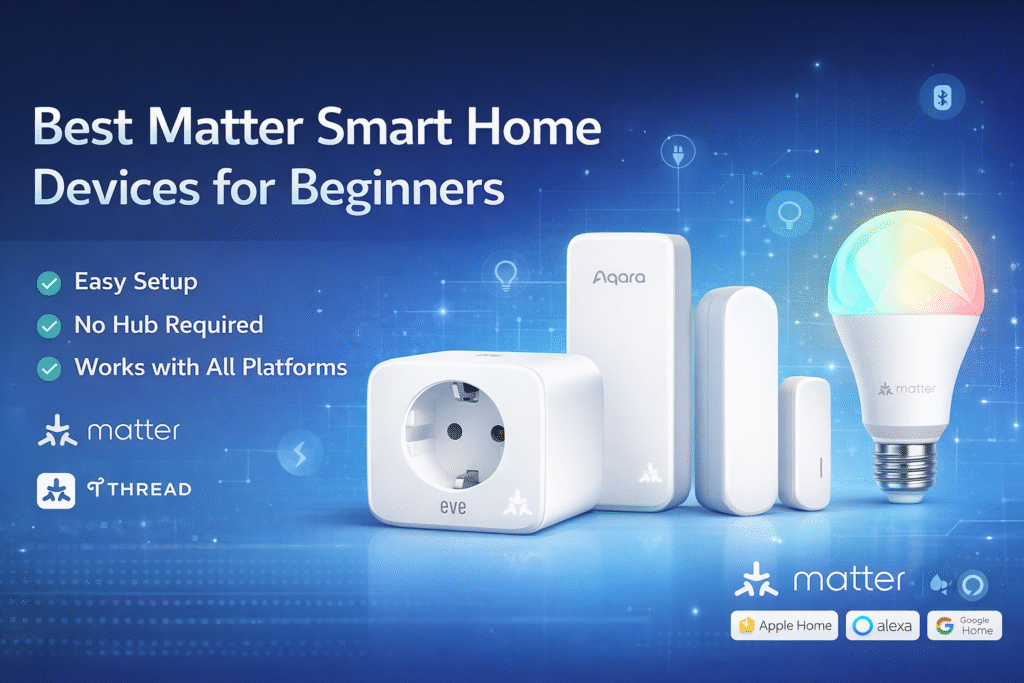
Choosing the best Matter smart home devices for beginners can feel confusing if you’re new to smart home technology. Many renters assume Matter means every device will instantly work together, only to discover some setups require hubs, permanent installs, or ecosystem lock-in. The Connectivity Standards Alliance, which developed the Matter standard, explains that Matter is designed to improve compatibility between smart home platforms while making devices easier to manage.
When renters misunderstand how Matter works, it can lead to wasted money, deposit concerns, and confusion about which setup actually fits a temporary living situation. It’s common to feel stuck between wanting a smarter home and avoiding anything that could upset a landlord.
The safest approach is to keep your setup reversible and low-commitment. Start with simple plug-and-play devices, then expand only if your rental situation allows it. Basic setups use removable devices, growing setups add a small bridge for better compatibility, and full coverage systems rely on a centralized hub. Prioritize renter-friendly gear that avoids drilling, permanent wiring, or landlord conflicts.
If you’re completely new to smart home technology, our guide to best smart home devices for beginners covers the easiest devices to start building a simple automation setup.
Quick Picks (Best Matter Devices for Beginners)
- Best Overall: Eve Energy (Matter Smart Plug) – The easiest way to start your smart home. Plug it in, connect, and control devices instantly with no learning curve.
- Best for Security: Aqara Door & Window Sensor P2 – Simple, renter-friendly protection with quick alerts and easy adhesive setup.
- Best for Smart Lighting: Nanoleaf Essentials A19 Matter Bulb – A fun and easy upgrade for beginners, with simple app control and customizable lighting.
Beginner Smart Home Setup: Step-by-Step Starting Point
If you’re completely new to smart home devices, the best approach is to keep things simple and build gradually.
Start with one central control device, such as a smart speaker or app that supports Matter. From there, add a single smart plug or smart bulb to get comfortable with how automation works.
Once you understand the basics, you can expand your setup by adding sensors or additional devices. This step-by-step approach prevents overwhelm and helps you build confidence as you go.
What Is Matter and Why Does It Matter for Beginners?
Matter is a smart home standard designed to make devices work together across different platforms like Alexa, Apple Home, and Google Home.
For beginners, this means:
- Less compatibility issues
- Easier setup
- More flexibility when choosing devices
Instead of being locked into one ecosystem, Matter allows you to mix and match devices.
👉 This makes it one of the easiest ways to start a smart home.
👤 Who This Is For
- Renters confused by brand compatibility and Matter claims
- Renters avoiding drilling, wiring, or permanent installation
- Short-term renters wanting portable, lease-safe security
- Renters worried about deposits and landlord permissions
- Beginners who want easy, reversible Matter devices
📑 Table of Contents
- Introduction
- Who This Is For
- Quick Comparison Table
- Decision Shortcut
- FAQs
- Final Verdict
- About the Author
How to Choose Matter Smart Home Devices for Beginners
Beginners should start with simple devices like smart plugs, sensors, and bulbs that work across multiple platforms. Matter simplifies compatibility between ecosystems such as Alexa, Apple Home, and Google Home, but choosing removable devices is still important for renters.
What Should Beginners Buy First?
Choosing your first smart home device can feel overwhelming, but a few simple options stand out.
Smart plugs are one of the easiest starting points because they allow you to control everyday devices without installation. Smart bulbs are another beginner-friendly option that provide immediate visual impact and automation potential.
Once you’re comfortable, adding sensors can unlock more advanced features like motion-based automation. Starting with simple devices ensures a smoother learning experience.
📊 Best Matter Smart Home Devices for Beginners Compared
| Product | Contract Required | DIY Install | Monitoring Option | Best For | Works With Alexa |
|---|---|---|---|---|---|
| Eve Energy (Matter Smart Plug) | No long-term contract | Yes (removable setup) | Optional monthly plan | Renters planning long-term growth | Yes |
| Aqara Door & Window Sensor P2 | No long-term contract | Yes (wireless & adhesive) | Optional month-to-month | Quick setup & simple control | Yes |
| Nanoleaf Essentials A19 Matter Bulb | No long-term contract | Yes (compact & wireless) | Optional low-cost plan | Budget-friendly small apartments | Yes |
Best Matter Setup for Beginners (Simple & Affordable)
Starting a Matter smart home doesn’t require a complex setup.
A simple beginner setup includes:
- One smart plug
- One smart bulb
- Optional sensor
This gives you basic automation and control without overwhelming complexity.
👉 Start small and expand your system over time.
Best Overall: Eve Energy Matter Smart Plug
Best Security Device: Aqara Door & Window Sensor P2
Best Smart Lighting: Nanoleaf Essentials A19 Matter Bulb
These are the best Matter smart home devices for beginners who want easy setup and cross-platform compatibility.
If you’re trying to build a beginner setup on a tight budget, see our guide to Matter compatible devices under $100 for renter-friendly smart home options that are affordable and easy to install.
Do You Need a Hub for Matter Devices?
Not all Matter devices require a hub, but some setups benefit from one.
- WiFi Matter devices: No hub required
- Thread-based devices: May require a compatible hub/controller
- Hubs improve automation and reliability
👉 Beginners can start without a hub and upgrade later if needed.
Simple Automation Ideas for Beginners
Automation is where smart home devices become truly useful, even for beginners.
You can create a routine that turns lights on at a specific time, or use motion sensors to automatically activate lighting when you enter a room. Another simple example is scheduling devices to turn off at night to save energy.
These basic automations don’t require advanced setup but can significantly improve convenience and efficiency in your home.
Eve Energy (Matter Smart Plug)
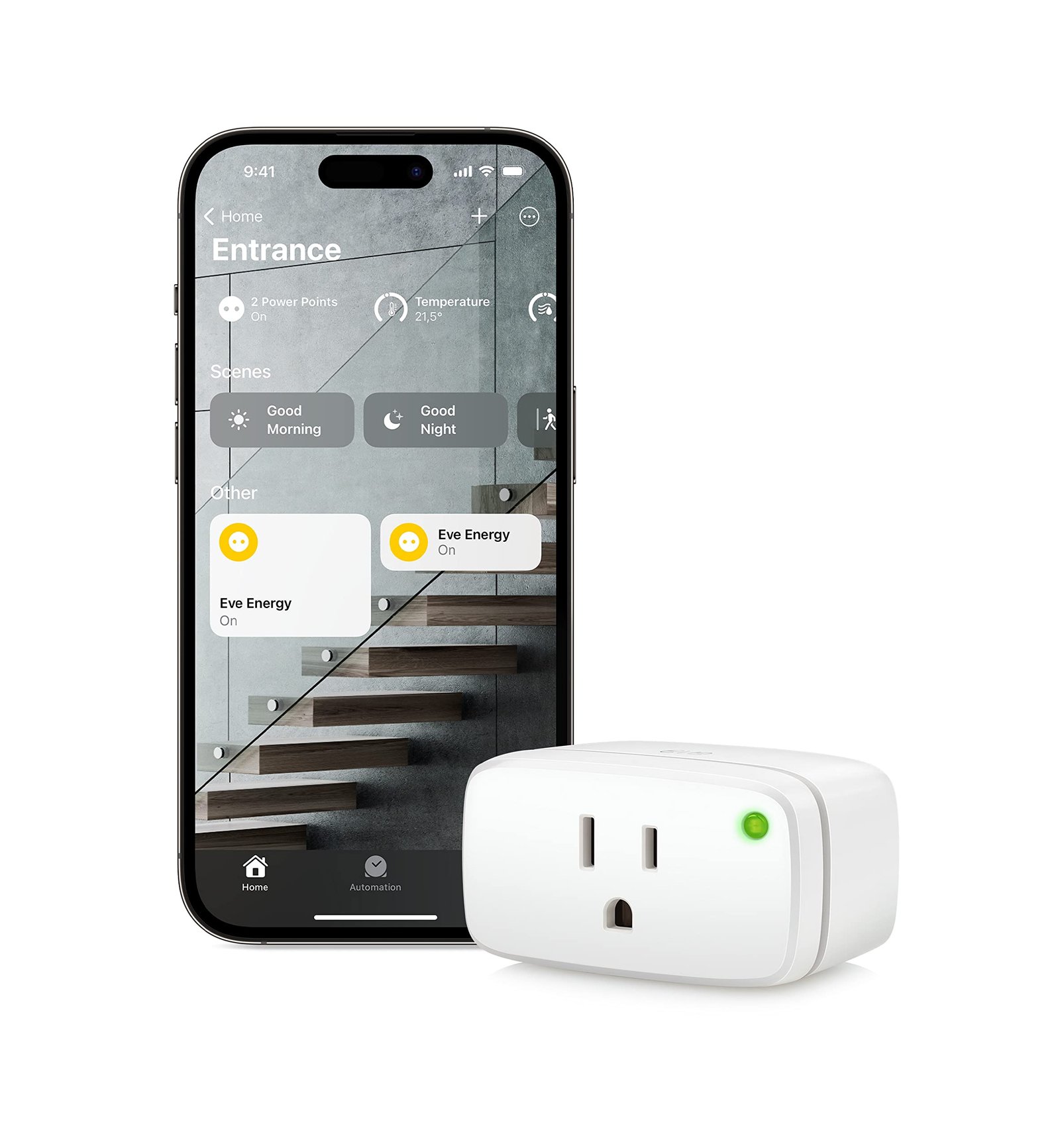
Best For: Beginners starting with plug-and-play automation
What It Is: A plug-in smart outlet enabling Matter-compatible on/off control and scheduling.
Why Renters Love It: No drilling; keeps setup reversible and portable.
Real-Life Scenario: Automate lamps and small appliances in a temporary rental without landlord approval.
One Limitation: Requires existing Wi-Fi and power outlet.
Aqara Door & Window Sensor P2
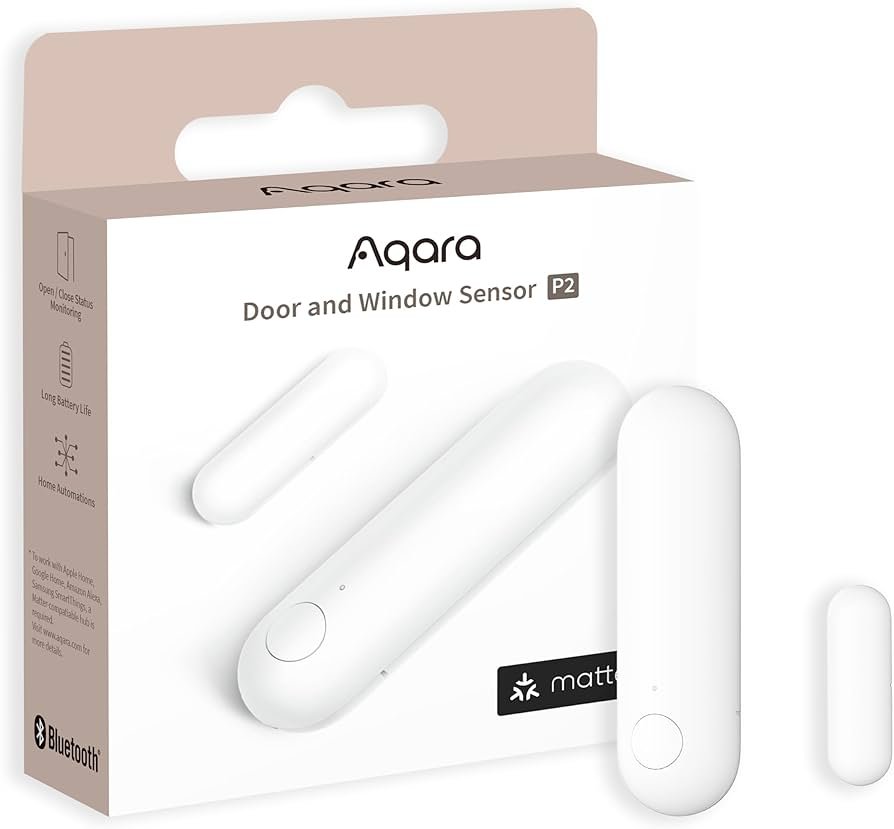
Best For: Basic apartment security alerts
What It Is: Small contact sensor that reports open/close events to your Matter hub.
Why Renters Love It: Adhesive-backed and battery-powered for easy, damage-free installation.
Real-Life Scenario: Receive instant alerts when doors or windows open while you’re away.
One Limitation: Requires compatible hub for extended features.
Nanoleaf Essentials A19 Matter Bulb
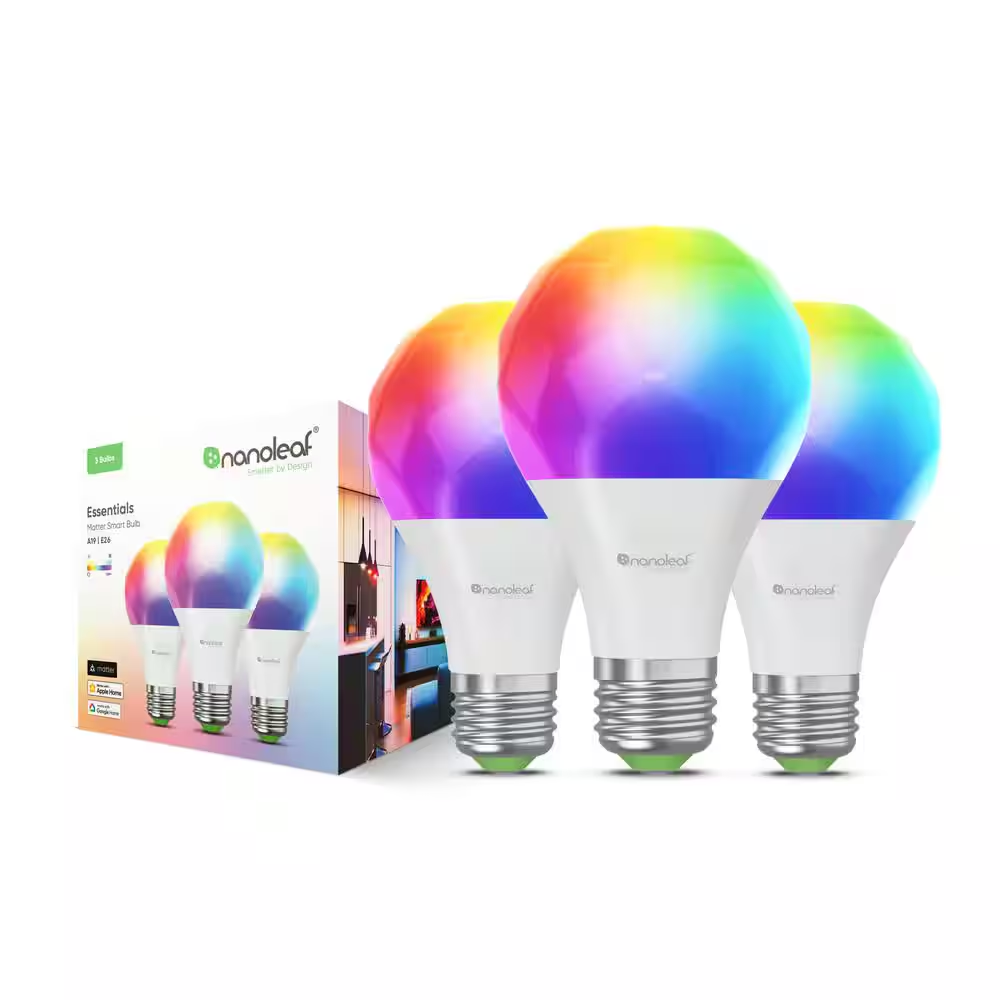
Best For: Beginner smart lighting
What It Is: A Matter-capable A19 bulb with tunable white and color options.
Why Renters Love It: Screws into standard sockets for instant smart lighting without fixture changes.
Real-Life Scenario: Set scenes and schedules to mimic occupancy while traveling.
One Limitation: May need a companion bridge for advanced effects.
What to Avoid When Buying Smart Home Devices as a Beginner
One of the biggest mistakes beginners make is buying too many devices at once. This can make your setup confusing and harder to manage.
Another mistake is choosing devices that don’t work well together. While Matter improves compatibility, it’s still important to ensure your devices support the same ecosystem.
It’s also important to avoid overcomplicating your setup early on. Starting simple allows you to learn how everything works before expanding your system.
Are Matter Devices Good for Renters?
Matter devices are ideal for renters because they are:
- Easy to install
- Compatible across platforms
- Portable when moving
Most devices don’t require drilling or permanent installation.
👉 You can build a smart home without modifying your apartment.
Do not choose based on features alone. For renters, prefer stages: Basic setup → plug-and-play for removable starters; Growing setup → add a bridge when you want cross-brand convenience; Full coverage → centralized hub if you stay long and need whole-home control. This progression reduces ecosystem confusion while keeping lease risks low.
How to Expand Your Smart Home After Getting Started
Once you’ve set up your first few devices, expanding your system becomes much easier.
You can gradually add more devices based on your needs, such as additional lighting, sensors, or automation tools. Because Matter supports cross-platform compatibility, new devices can integrate smoothly into your existing setup.
Expanding over time helps you build a system that fits your lifestyle without unnecessary complexity.
🎯 Decision Shortcut
Pick the tier that matches your rental stability.
- Basic setup: Choose removable Matter devices that need no drilling or hub.
- Growing setup: Add a bridge for broader compatibility while keeping installs reversible.
- Full coverage: Move to a centralized hub only if you plan longer-term stability.
If you eventually want to expand your system, a hub can improve reliability and automation. See our guide to Matter smart home hubs for apartments to learn when a hub becomes useful for larger setups.
❓ FAQs
What is Matter and will it simplify device choice?
Matter is a cross-brand connectivity standard focused on basic interoperability. It reduces ecosystem confusion but you still must check device power or mounting requirements against your lease.
Can I install Matter devices without landlord permission?
Many Matter devices are removable and use adhesive or plugs. Still confirm for any door locks, permanent wiring, or drilled mounts to avoid lease violations.
Do Matter devices need a hub or bridge?
Some plug-and-play Matter devices work standalone; others benefit from a small bridge for wider compatibility. Choose bridges only when reversible and allowed by your lease.
Will using Matter lock me into one ecosystem?
Matter reduces lock-in by design, improving cross-brand work. However, cloud features or proprietary apps may remain, so prioritize removable, local-capable devices for renter mobility.
Why Matter Is a Good Choice for Beginners
Matter simplifies the smart home experience by reducing compatibility issues between devices and platforms.
For beginners, this means less time troubleshooting and more time actually using your devices. You can mix and match products from different brands while still maintaining a smooth and reliable setup.
This flexibility makes Matter one of the most beginner-friendly smart home standards available today.
Are Matter Devices Worth It for Beginners?
Matter devices are designed to simplify smart homes, especially for beginners.
They offer:
- Easy setup
- Cross-platform compatibility
- Future-proof technology
While still evolving, they provide a strong foundation for building a smart home.
👉 For beginners, Matter devices are absolutely worth it.
🏁 Final Verdict
Start with the least risky path and confirm reversibility before purchase. Basic → plug-and-play; Growing → bridge; Full → centralized hub. This order turns Matter’s promise of interoperability into practical steps that reduce ecosystem confusion and protect your lease. Be patient and iterate with small upgrades.
Do not assume every Matter label solves landlord issues; some features still require permanence or cloud accounts. Install removable sensors, smart bulbs, and plug-in outlets first to test compatibility and keep deposits safe. If you need cross-brand routines, add a reversible bridge in the Growing stage. Only consider a centralized hub for full coverage after confirming lease permissions and your likely stay length to avoid costly mistakes.
For most beginners, the Eve Energy Matter Smart Plug is the easiest device to start with because it installs instantly and works across multiple smart home ecosystems.
👤 About the Author
Craig, Founder of TopRatedByCraig, TopRatedByCraig.com.
Focus on renter-first, lease-safe, scalable smart home security.
Pingback: Best Matter Sensors for Apartment Security (Renter Guide)