
Introduction
Many renters searching for the best budget apartment security systems under $200 often buy the flashiest or cheapest gear and later worry about deposits or broken lease terms. Prioritizing features over lease-safe installation often leads to regret, wasted money, or systems that are difficult to remove when moving out. According to the National Crime Prevention Council, simple prevention tools like alarms and door sensors can significantly reduce burglary risk.
If you’ve hesitated to install security devices because you’re worried about damaging walls or losing equipment when you move, this guide highlights practical options designed for renters. You shouldn’t have to choose between protecting your apartment and protecting your security deposit. Affordable, removable solutions make it possible to do both.
Apartment security systems typically fall into three simple tiers. Basic setups rely on plug-and-play devices. Growing setups add a small bridge to expand wireless range. Full coverage systems use a central hub for larger setups. This guide focuses on lease-friendly installs that match short-term budgets and renter mobility rather than complicated enthusiast upgrades.
If you’re comparing different alarm setups, our guide to best smart security systems for renters explains how renter-friendly systems work and what features matter most before buying.
Quick Picks (Best Budget Apartment Security Systems Under $200)
- Best Overall: Ring Alarm 5-Piece Kit (2nd Gen) – The most complete setup under $200 with easy install and optional monitoring, perfect for renters who want full coverage.
- Best for Easy Setup: SimpliSafe 5-Piece Wireless System – Simple, wireless, and quick to install with flexible month-to-month monitoring.
- Best Budget Pick: Wyze Home Security Core Kit – The most affordable option that still covers the basics for small apartments.
👤 Who This Is For
- Renters on tight monthly budgets wanting basic security.
- Apartment dwellers avoiding drills or landlord permission.
- Short-term tenants needing portable, refundable installations.
- Students balancing cost and move flexibility.
- Renters planning gradual upgrades without risking deposits.
📑 Table of Contents
- Introduction
- Who This Is For
- Quick Comparison Table
- Decision Shortcut
- FAQs
- Final Verdict
- About the Author
What Makes a Good Budget Security System?
A budget security system isn’t just about price — it’s about getting the right features without overspending.
Here’s what to look for:
- No contracts or long-term commitments
- Wireless setup for easy installation
- Reliable sensors and alerts
- Optional monitoring (not required)
Many affordable systems today offer the same core protection as premium systems — just without extra features.
👉 A good budget system balances cost, reliability, and simplicity
What You Don’t Get With Budget Security Systems Under $200
Budget systems are a great entry point, but they do have limitations.
You may not get advanced features like professional-grade cameras, long-range sensors, or advanced automation. Some systems also rely more heavily on apps instead of full monitoring services.
Understanding these trade-offs helps set realistic expectations.
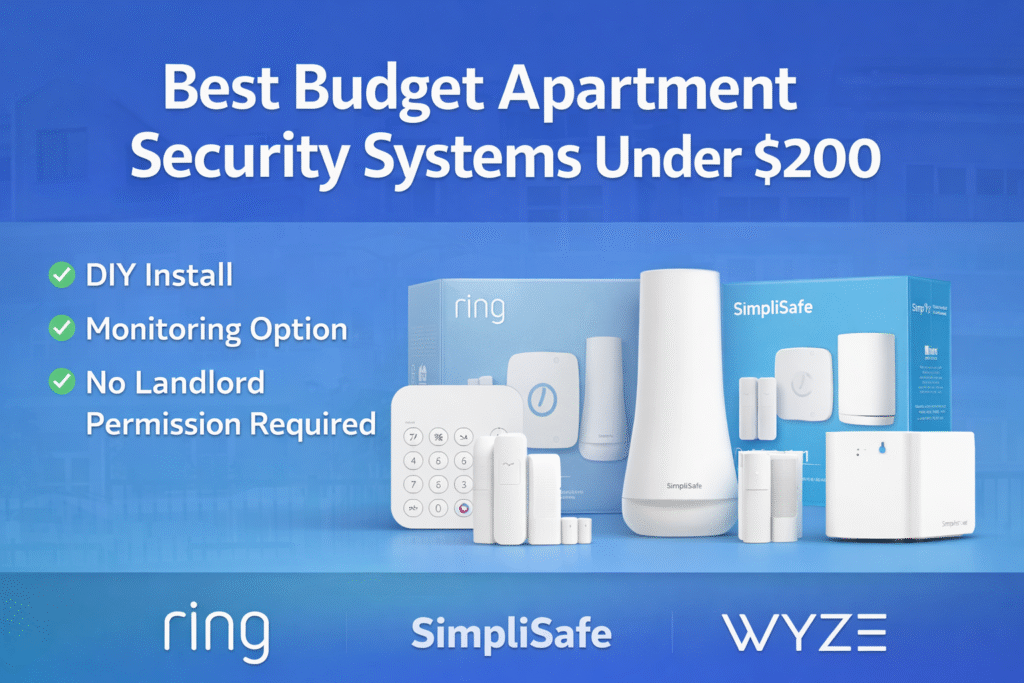
These are the best budget apartment security systems under $200 for renters who want protection without contracts, drilling, or expensive equipment.
📊 Best Budget Apartment Security Systems Under $200 Compared
| Product | Contract Required | DIY Install | Monitoring Option | Best For | Works With Alexa |
|---|---|---|---|---|---|
| Ring Alarm 5-Piece Kit (2nd Gen) | No long-term contract | Yes (removable setup) | Optional monthly plan | Renters planning long-term growth | Yes |
| SimpliSafe 5-Piece Wireless Home Security System | No long-term contract | Yes (wireless & adhesive) | Optional month-to-month | Quick setup & simple control | Yes |
| Wyze Home Security Core Kit | No long-term contract | Yes (compact & wireless) | Optional low-cost plan | Budget-friendly small apartments | Yes |
Types of Budget Security Systems for Apartments
Not all budget systems are the same — especially for renters.
1. DIY Wireless Systems
✔ Easy to install
✔ No drilling required
✔ Portable
2. Self-Monitored Systems
✔ No monthly fees
✔ Full control through app
3. Professionally Monitored Systems
✔ 24/7 monitoring
✔ Emergency response
❌ Monthly cost
4. Hybrid Systems
✔ DIY setup with optional monitoring
✔ Flexible pricing
👉 Most renters choose DIY + optional monitoring systems
How Long Does It Take to Set Up a Budget Security System?
Most budget systems are designed for quick setup.
In many cases, you can install sensors and connect your system in under 30 minutes. Wireless systems are especially easy since they don’t require drilling or wiring.
This makes them ideal for renters who want a simple setup.
For renters who want additional visibility inside their apartment, adding a camera can be a simple upgrade. See our guide to best indoor cameras under $100 for renters for budget-friendly monitoring options.
Ring Alarm 5-Piece Kit (2nd Gen)
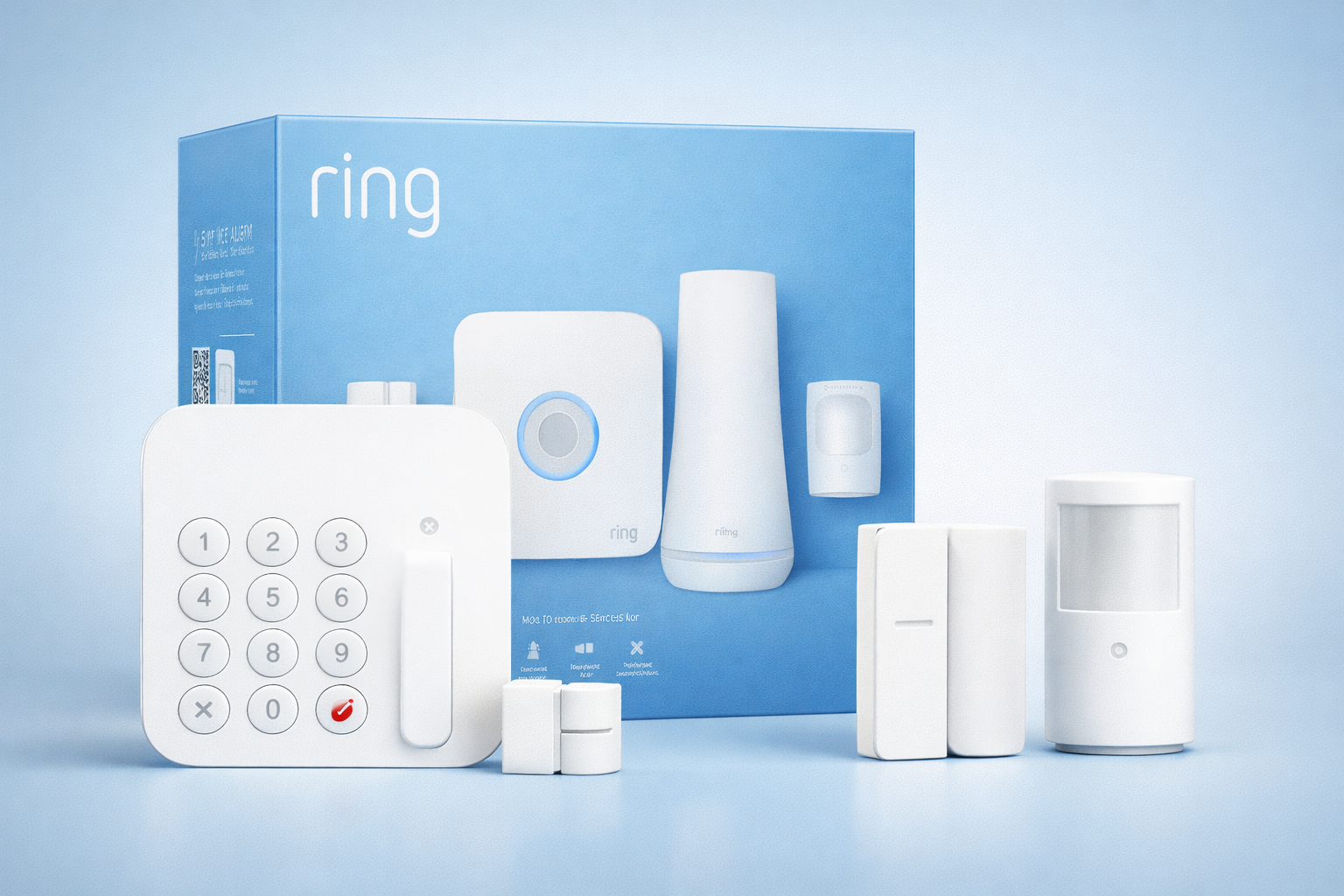
Best For: Renters planning long-term growth
What It Is: A compact, easy-to-expand alarm kit with sensors and a base station.
Why Renters Love It: Expandable setup you can remove and take when you move.
Real-Life Scenario: Ideal for tenants who want a scalable system without drilling holes.
One Limitation: Some features require a subscription.
Do Budget Security Systems Require a Subscription?
Not always — and this is a key advantage of modern systems.
No Subscription Required
- Basic alerts
- App control
- Self-monitoring
✔ No monthly cost
✔ Full control
Subscription Required (Optional)
- Professional monitoring
- Cloud storage
- Advanced features
👉 Most systems let you start free and upgrade later if needed
SimpliSafe 5-Piece Wireless Home Security System
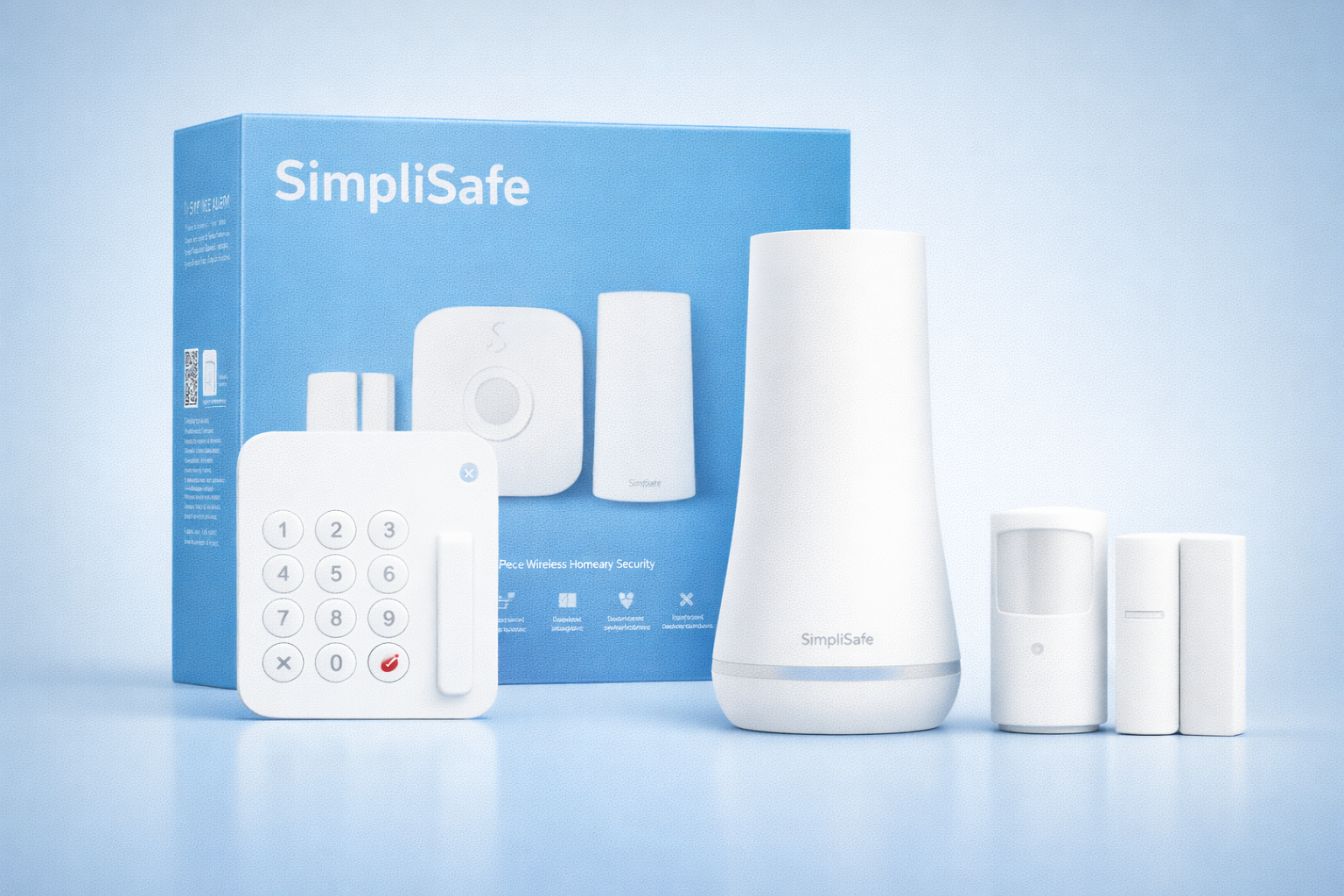
Best For: Quick setup and simple control
What It Is: Wireless alarm kit with door/window sensors and a keypad.
Why Renters Love It: Fast adhesive setup that’s easy to install and remove.
Real-Life Scenario: Perfect for renters needing quick protection before move-in or move-out.
One Limitation: Battery life may vary by sensor.
Wireless vs Wired Budget Security Systems
Choosing between wireless and wired systems is important for renters.
Wireless Systems
✔ No drilling
✔ Easy setup
✔ Portable
❌ Battery maintenance
Wired Systems
✔ Stable connection
✔ No battery concerns
❌ Requires installation
❌ Not renter-friendly
👉 For apartments, wireless systems are almost always the better choice
Are Budget Security Systems Pet-Friendly?
Motion sensors can sometimes be triggered by pets.
Many systems offer adjustable sensitivity or pet-friendly settings to reduce false alerts. However, performance can vary depending on the size and activity of your pet.
Choosing the right system can help avoid unnecessary notifications.
Wyze Home Security Core Kit
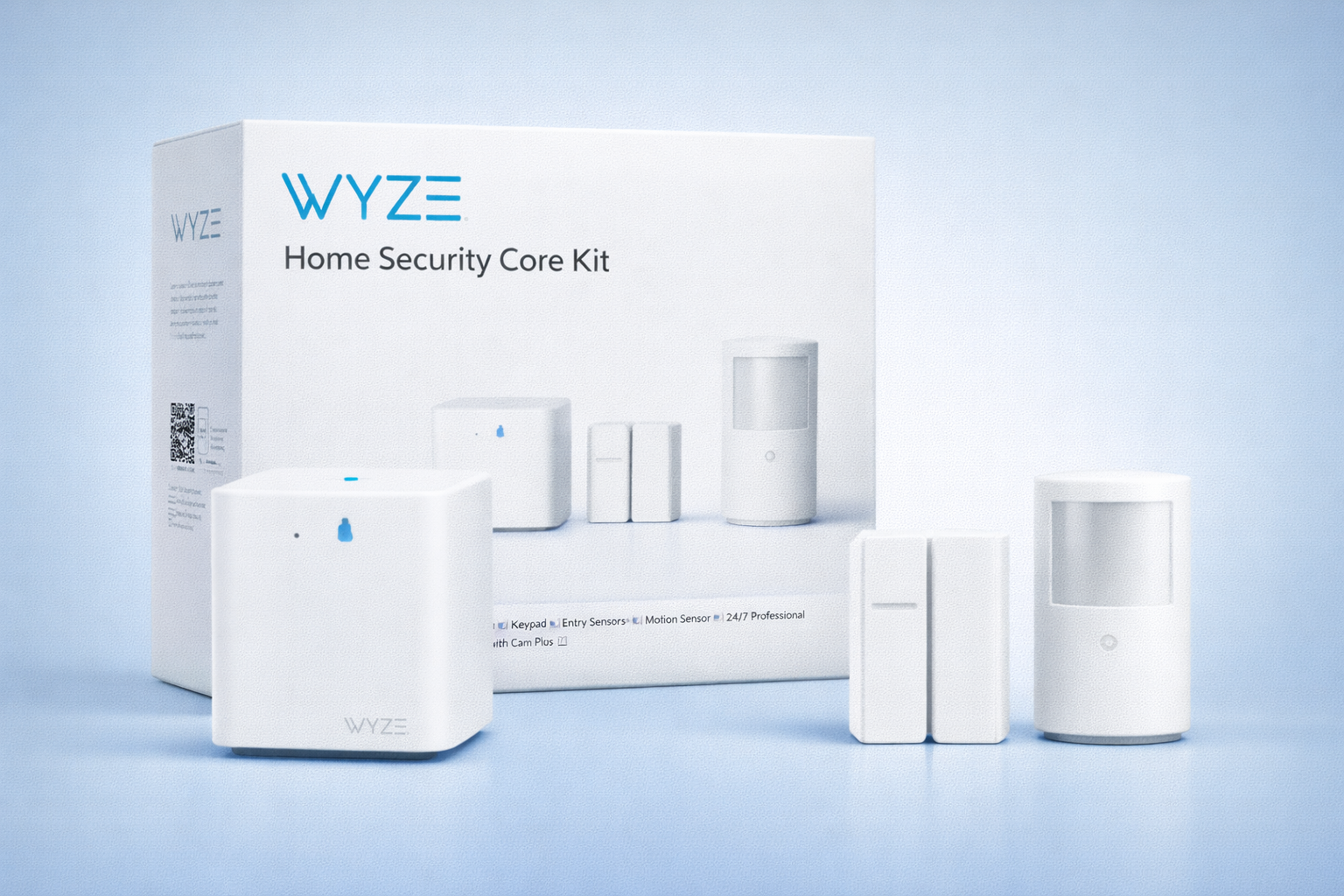
Best For: Budget-friendly small apartments
What It Is: Affordable, compact hub with essential sensors for small spaces.
Why Renters Love It: Low-cost and minimal hardware that’s easy to relocate.
Real-Life Scenario: Great for studio apartments on a tight budget.
One Limitation: Limited advanced automation compared to premium hubs.
How Fast Do Budget Security Systems Send Alerts?
Alert speed is important for real-time security.
Most systems send notifications within seconds, but delays can happen depending on your WiFi connection and app performance. Systems with stronger connectivity tend to respond faster.
Reliable alerts are key to effective security.
Do not choose based on features alone. Basic setup focuses on low-cost, removable devices you keep when you leave. Growing setup uses a small bridge to extend range without major expense. Full Coverage moves to a centralized hub if you can invest and plan to stay. All tiers respond to budget pressures and lease-safe removability.
What Happens If Your WiFi Goes Down?
Most budget security systems rely on WiFi to function properly.
If your connection drops, you may lose access to alerts or remote control features. Some systems offer limited local functionality, but many depend heavily on internet access.
Understanding this limitation is important when choosing a system.
How to Choose the Best Budget Security System Under $200
Choosing the right system isn’t about picking the cheapest option — it’s about getting the best value.
1. Installation
Choose systems that require no drilling or wiring.
2. Features
Look for:
- Motion sensors
- Entry sensors
- Mobile alerts
3. Monitoring Options
- Free self-monitoring
- Optional paid plans
4. Expandability
Choose systems that allow adding sensors later.
5. Brand Reliability
Stick with trusted brands to avoid issues.
👉 Focus on value, flexibility, and ease of use
🎯 Decision Shortcut
Choose the tier that protects your budget and deposit.
- Basic setup: Pick removable, low-cost sensors and cameras you can take when you leave.
- Growing setup: Add a small bridge for better range without landlord involvement.
- Full coverage: Move to a centralized hub if you plan to stay and invest.
If you’re building a full apartment setup over time, start with basic security and expand gradually. Our guide to the best apartment smart home starter kit shows how renters can add sensors, cameras, and automation safely.
Are Cheap Security Systems Worth It?
Yes — especially for renters on a budget.
Affordable systems today provide:
- Reliable protection
- Easy installation
- No contracts
- Mobile alerts
While they may lack some advanced features, they still offer strong basic security.
👉 For most renters, a budget system is more than enough to stay protected
❓ FAQs
Are budget apartment security systems effective?
Yes, basic models can deter theft and provide timely alerts. Choose renter-safe mounts to avoid lease violations when installing or removing.
Can I install cameras without landlord permission?
Often you can for interior spaces, but check your lease and building rules first. Use adhesive mounts and removable fixtures to prevent damage and deposit disputes.
Is paid monitoring necessary for apartments?
No, paid monitoring is optional and adds live response at ongoing cost. For strict budgets, rely on local alarms and alert-focused apps to balance safety and expense.
How do I protect my deposit when removing devices?
Document wall condition, use non-destructive mounts, and uninstall carefully before moving out. Communicate temporary security plans with your landlord to reduce surprises.
🏁 Final Verdict
For budget apartment security systems, prioritize removability, clear costs, and lease-friendly installation. Do not overspend on features you can’t keep or that risk your deposit. The tiered path keeps decisions simple: Basic → plug-and-play; Growing → bridge; Full → centralized hub. Follow the tier that matches how long you’ll stay and how much risk your lease allows.
Install removable alarms and cameras first, using adhesive mounts and no-drill fixtures to protect walls. If you need better range without permanent changes, add a small bridge for better coverage. When long-term and confident, shift to a centralized hub with renter-safe parts. This staged plan protects your budget and deposit while improving security.
👤 About the Author
Craig, Founder of TopRatedByCraig, TopRatedByCraig.com.
Focus on renter-first, lease-safe, scalable smart home security.
Pingback: Apartment Security Checklist for Renters (Don’t Miss These Safety Steps)