
Introduction
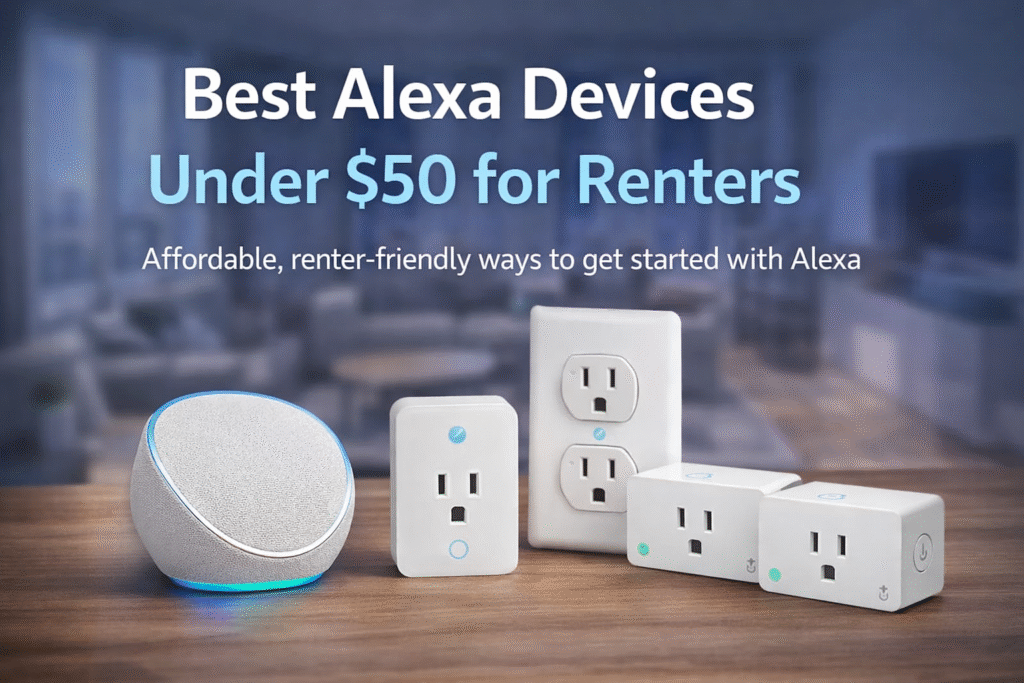
The best Alexa devices under $50 for renters make it easy to start a smart home without drilling, wiring, or expensive equipment. Fortunately, modern devices that work with Amazon Alexa make it easier to automate lights, appliances, and other everyday devices without permanent installation. According to Amazon’s official smart home documentation, Alexa can connect with a wide range of compatible smart home devices for voice control and automation.
Start small and removable: Basic Setup → plug-and-play devices. Grow carefully: Growing Setup → add a small bridge. For long-term needs consider Full Coverage → centralized hub. “This guide prioritizes lease compliance and renter mobility over enthusiast customization.” I focus on low-cost Alexa options that install easily, respect landlord rules, and minimize time spent setting up. You’ll get practical choices, not hype or gimmicks.
If you want to expand beyond basic voice control later, you can also explore other cheap smart home devices for small apartments under $100 that work well in renter-friendly setups.
Quick Picks (Best Alexa Devices Under $50 for Renters)
Don’t want to overthink it? Start here:
- 🏆 Best Overall: Amazon Echo Pop – cheapest way to get full Alexa voice control
- 🔌 Best for Easy Automation: Amazon Smart Plug – quick setup for lamps and appliances
- 💰 Best Value: Kasa Smart Plug Mini (HS103P4) – control multiple devices for less
👉 Simple rule: Start with an Echo Pop, then add a smart plug to automate your apartment on a budget.
What Alexa Devices Do You Actually Need for an Apartment?
If you’re new to Alexa, you don’t need a full smart home setup to get started.
Most apartment renters only need a few key devices:
- A smart speaker (like an Echo device)
- Smart plugs for lamps or small appliances
- Optional smart bulbs for lighting control
That’s enough to control your space with voice commands and simple automation.
👉 Start with 1–2 devices and expand as needed instead of buying everything at once.
👤 Who This Is For
- Renters with very limited electronics budgets
- People who move frequently and need removable gear
- Small-apartment dwellers with tight shelf and outlet space
- Lease-conscious renters who avoid permanent modifications
WHAT RENTERS SHOULD PRIORITIZE
When choosing Alexa devices under $50 for a rental, your priorities should be different from homeowners.
You want devices that are:
- No-drill and damage-free
- Easy to install and remove
- Compatible with Alexa without extra hubs
- Simple to reset when moving
The goal isn’t just saving money—it’s avoiding anything that could cause issues with your lease.
The best renter-friendly smart home setups are flexible, portable, and easy to expand over time.
📑 Table of Contents
- Introduction
- Who This Is For
- Quick Comparison Table
- Decision Shortcut
- FAQs
- Final Verdict
- About the Author
WHAT YOU CAN REALISTICALLY EXPECT UNDER $50
Alexa devices under $50 can still deliver a lot of value—but it’s important to understand what you’re getting at this price point.
Most budget devices focus on:
- Basic voice control
- Simple automation (on/off, scheduling)
- Easy app integration
- Quick setup with minimal configuration
What you won’t usually get:
- Advanced automation ecosystems
- Premium build quality
- Deep smart home integrations without additional devices
For renters and small apartments, these simpler features are usually more than enough.
📊 Best Alexa Devices Under $50 for Renters: Quick Comparison
| Product | Contract Required | DIY Install | Monitoring Option | Best For | Works With Alexa |
|---|---|---|---|---|---|
| Amazon Echo Pop | No long-term contract | Yes (removable setup) | Optional monthly plan | Renters planning long-term growth | Yes |
| Amazon Smart Plug | No long-term contract | Yes (wireless & adhesive) | Optional month-to-month | Quick setup & simple control | Yes |
| Kasa Smart Plug Mini (HS103P4) | No long-term contract | Yes (compact & wireless) | Optional low-cost plan | Budget-friendly small apartments | Yes |
DO YOU NEED A HUB FOR ALEXA DEVICES UNDER $50?
Most Alexa devices under $50 do not require a separate smart home hub.
They connect directly through Wi-Fi and work with the Alexa app.
You may need a hub if:
- You’re using Zigbee-based devices
- You want more advanced automation control
For most renters, a hub isn’t necessary—keeping your setup simple is usually the better option.
Best Alexa Devices Under $50 by Use Case
Not all Alexa devices serve the same purpose. The best choice depends on what you want—voice control, automation, or basic security.
Here’s how to choose:
🔹 Best for Beginners (Start Here)
Echo devices are the easiest way to start. They give you voice control and act as the center of your smart home.
👉 Ideal for: first-time users
🔹 Best for Automation (Smart Plugs & Lighting)
Smart plugs and bulbs let you automate lights, fans, and appliances without wiring.
👉 Ideal for: daily convenience
🔹 Best for Budget Security
Low-cost cameras or sensors help monitor your apartment without needing a full system.
👉 Ideal for: basic security
👉 Key takeaway: Start with an Echo device, then add plugs or sensors based on your needs.
Best Budget Alexa Setup for Apartments (Under $100)
You don’t need to spend a lot to build a functional Alexa setup.
A simple budget-friendly setup can include:
- One Echo device (for voice control)
- One or two smart plugs
- Optional smart bulbs
This gives you full control over lighting and small devices without going over budget.
👉 Start small and build your setup over time instead of buying everything at once.
Echo vs Smart Plug vs Camera (Under $50 Setup)
If you’re building a smart home on a tight budget, the most common options are Echo devices, smart plugs, and cameras.
🔹 Echo Devices
- Voice control
- Central hub for automation
- Easy setup
🔹 Smart Plugs
- Control appliances
- Plug-and-play
- Very affordable
🔹 Cameras
- Provide monitoring
- Add security
- Work in small apartments
👉 Which should you choose?
- Start with Echo for control
- Add plugs for automation
- Add camera for security
👉 This gives you a complete setup under $50–$100.
Do Alexa Devices Require WiFi?
Yes — most Alexa devices require a WiFi connection to function properly.
WiFi is needed for:
- Voice commands
- App control
- Smart home integration
- Streaming music or content
Without WiFi, Alexa devices have very limited functionality.
👉 For apartment renters, a stable WiFi connection is essential for a smooth experience.
What Should You Buy First with a $50 Budget?
If you only have $50, the goal is to get the most value from your first device.
🔹 Option 1: Echo Starter Setup
- Echo Pop
👉 Voice control + smart home foundation
🔹 Option 2: Smart Plug Setup
- 1–2 smart plugs
👉 Control lamps and appliances
🔹 Option 3: Mixed Setup (Best Value)
- 1 Echo device + 1 smart plug
👉 Best balance of control and automation
👉 Best choice for most renters: Echo device + smart plug
If you want the easiest Alexa setup for renters, the Amazon Echo Pop is the best overall choice under $50.
Amazon Echo Pop
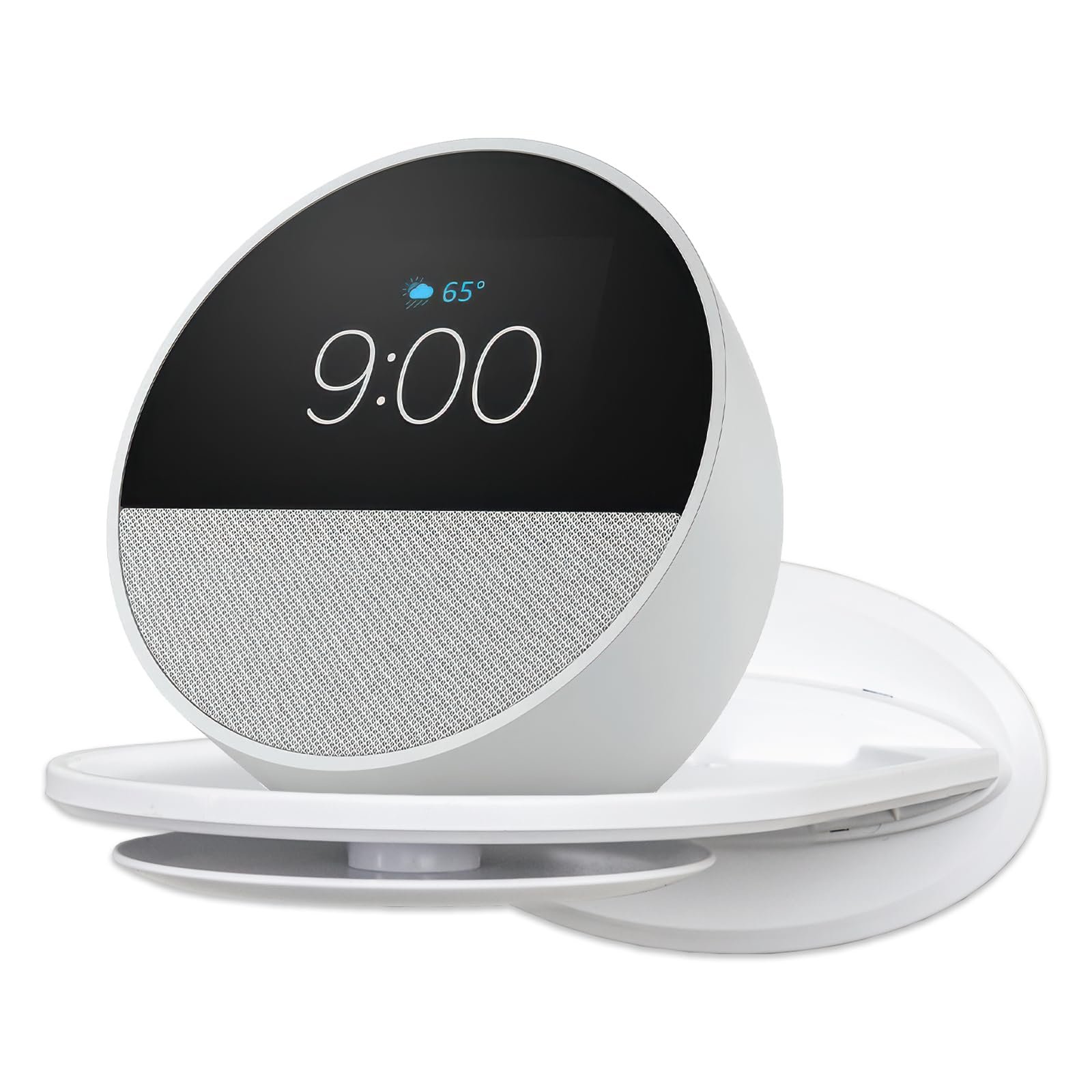
Best For: Best for renters starting their first Alexa setup in a small apartment.
What It Is: A compact Alexa speaker with clear voice control and decent sound.
Why Renters Love It: Plugs in, moves easily, and respects lease rules.
Real-Life Scenario: Use it on a shelf to control lights, timers, and alarms in a studio apartment.
One Limitation: Not the best bass for music fans.
Amazon Smart Plug
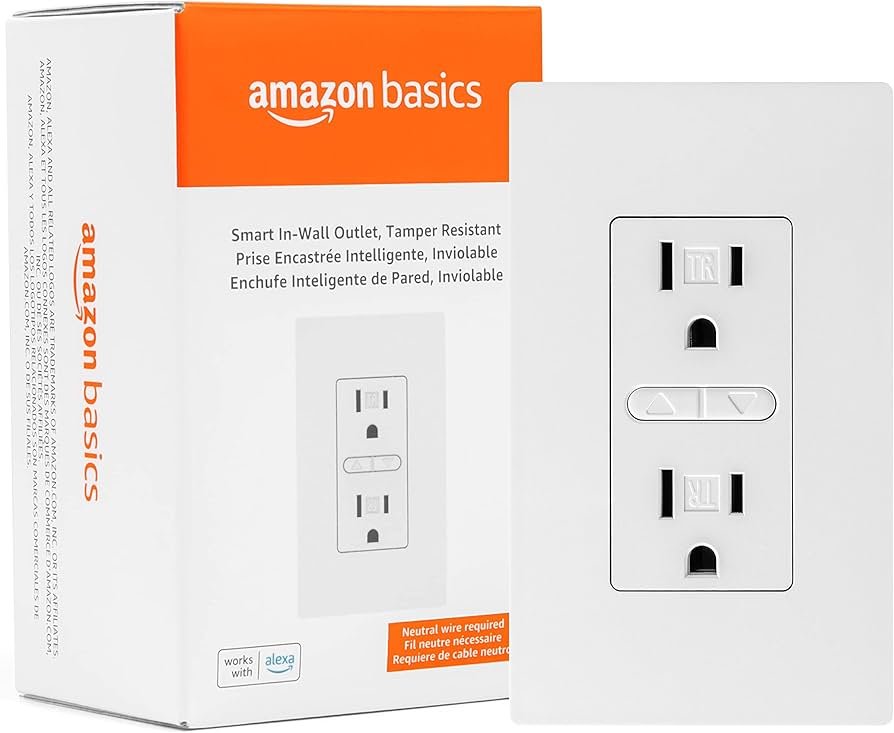
Best For: Best for renters who want quick Alexa automation without installing smart switches.
What It Is: A simple smart plug that lets Alexa control standard outlets.
Why Renters Love It: No wiring, instant automation, and fully removable.
Real-Life Scenario: Plug a lamp or coffee maker in to set voice timers and routines.
One Limitation: Limited to single-outlet control per plug.
Kasa Smart Plug Mini (HS103P4)
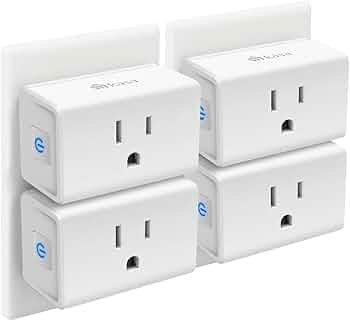
Best For: Best for budget-friendly Alexa automation in small apartments.
What It Is: A compact, affordable smart plug pack that supports Alexa.
Why Renters Love It: Small footprint and easy setup for multiple devices.
Real-Life Scenario: Use several to automate lamps and small appliances across a studio.
One Limitation: Minimal advanced scheduling features on some firmware.
Are Alexa Devices Allowed in Apartments?
Most Alexa devices are completely renter-friendly and allowed in apartments.
Devices like:
- Smart speakers
- Smart plugs
- Smart bulbs
…do not require drilling, wiring, or permanent installation.
However, devices that require mounting or wiring may need landlord approval.
👉 Stick with plug-and-play devices to keep your setup lease-safe.
Do not choose based on features alone. Basic setup favors plug-and-play devices for immediate, removable use. Growing setup adds a small bridge for better device coordination without permanent wiring. Full Coverage moves to a centralized hub for stability if you stay longer. This keeps budget risk low and protects lease compliance.
REAL-LIFE RENTER AUTOMATION SCENARIOS
Alexa devices become much more valuable when you use them in real-life situations.
Leaving Your Apartment
Say, “Alexa, I’m leaving,” and your lights and devices turn off automatically.
Coming Home Late
Your lights turn on instantly with a voice command or routine.
Night Routine
Say, “Alexa, goodnight,” and everything shuts down while your space transitions into a relaxing environment.
These small automations make a big difference in daily convenience.
🎯 Decision Shortcut
Pick a path based on budget and move plans.
- Basic setup: Choose a portable Alexa device that installs easily and removes cleanly.
- Growing setup: Add a bridge for better device coordination without permanent wiring.
- Full coverage: Move to a centralized hub when staying put and needing broader control.
If you’re just getting started, our guide on how to build a smart home in an apartment explains how to expand your setup step-by-step without violating lease rules.
COMMON MISTAKES RENTERS MAKE WITH ALEXA DEVICES
Many renters buy smart home devices expecting instant results—but a few common mistakes can hold them back.
- Buying devices that require permanent installation
- Not checking Alexa compatibility
- Overloading Wi-Fi with too many devices
- Expecting high-end performance from budget devices
The best approach is to start small and build a system that fits your space.
❓ FAQs
Are Alexa devices under fifty dollars secure enough for renters?
Low-cost Alexa devices include basic privacy controls and can be safe if configured correctly. Always review microphone settings and account permissions before connecting to your home network.
Will installing an Alexa device violate my lease?
Most budget Alexa devices are plug-and-play and removable, avoiding alterations to the property. Avoid drilling or hardwiring and keep receipts to show you can remove equipment when you leave.
How do I avoid hidden costs with inexpensive Alexa devices?
Check whether optional cloud subscriptions are required for extra features before buying. Stick to built-in voice controls and local automations to keep monthly costs down.
Can Alexa devices under fifty dollars work well in small apartments?
Yes—compact Alexa devices fit small spaces and handle basic voice control and smart plugs well. Use portable placement and avoid permanent mounts to stay lease-compliant and flexible.
Are Alexa Devices Worth It for Apartments?
Alexa devices are one of the easiest ways to upgrade your apartment without making permanent changes.
They offer:
- Hands-free control
- Simple automation
- Affordable entry into smart home tech
Most devices are portable, so you can take them with you when you move.
👉 For renters, Alexa devices are a low-cost, high-impact upgrade.
🏁 Final Verdict
The best Alexa devices under $50 for renters are simple, removable devices that add voice control without permanent installation. For budget-focused renters, buy only what covers core needs: voice control, timers, and a smart plug or two. Do not chase extra bells that raise cost or require permanent changes. Follow the tier path to scale safely: Basic → plug-and-play, Growing → bridge, Full → centralized hub. This keeps spending predictable while preserving mobility.
Install portable devices on adhesive mounts or shelf placement; avoid permanent wiring. Use low-cost Alexa devices under fifty dollars to cover essentials first, then upgrade a bridge only when you plan to stay. This method limits wasted spend, stays lease-safe, and gives clear upgrade steps as your budget and timeline change. Once you have your Alexa speaker and smart plugs set up, you may eventually want to add security devices like the best Alexa compatible cameras for apartments.
👤 About the Author
Craig, Founder of TopRatedByCraig, TopRatedByCraig.com.
Focus on renter-first, lease-safe, scalable smart home security.
Pingback: Alexa vs Matter for Apartments: Which System Wins?
Pingback: Best Alexa Smart Bulbs for Renters (No Hub Required) – 2026
Pingback: Alexa vs Google Home for Apartments: Which One Wins for Renters?