
In this guide, we’ll break down the best Alexa-compatible devices without a hub that are perfect for renters and small apartments. Renting comes with limits. Most leases don’t allow drilling into walls, changing wiring, or installing anything permanent. That means your smart home setup should be easy to install, easy to remove, and leave no damage behind. Stick with devices that plug in, screw into existing sockets, or mount without tools. If you want more non-invasive options, check out our full guide to No-Drill Smart Home Devices for Renters.
When it comes to building your setup, start simple. If you’re using just a handful of devices, choose plug-and-play Wi-Fi options that connect directly to Alexa with no extra equipment. As your setup grows, you can add a portable hub if needed — just make sure it’s easy to unplug and take with you when you move. The goal isn’t to build a complex system. It’s to create a smart home that’s flexible, renter-friendly, and stress-free.
Many Wi-Fi smart plugs, bulbs, and speakers connect directly through the Alexa app without needing a separate hub. According to Amazon’s official Alexa smart home documentation, compatible Wi-Fi devices can be discovered and controlled directly through the Alexa ecosystem.
Quick Picks (Best Alexa Devices That Don’t Need a Hub)
Don’t want to overthink it? Start here:
- 🏆 Best Overall: Amazon Echo Dot (5th Gen) – simple voice control with no extra setup
- 🔌 Best Smart Plug: TP-Link Kasa Smart Plug – easy automation with no hub required
- 💡 Best Lighting: Alexa-compatible smart bulbs (Wi-Fi) – control lights instantly
- 📱 Best for Beginners: Echo Dot + smart plug combo – fastest way to start
- 🏠 Best Starter Setup: Echo device + bulbs + plugs – full control without a hub
👉 Simple rule: If it connects to Wi-Fi and Alexa, you don’t need a hub—keep your setup simple.
Do You Really Need a Hub for Alexa Devices?
No—most Alexa-compatible devices today do not require a separate hub.
Many devices connect directly through WiFi and work with the Alexa app or Echo devices.
For renters and beginners, this makes setup much easier and avoids unnecessary equipment.
🔎 What Does “No Hub Required” Mean for Smart Devices?
“No hub required” means the device connects directly to your Wi-Fi network instead of needing a separate control system.
Traditional smart home setups often require:
- A hub or bridge
- Extra hardware
- More setup steps
No-hub devices skip all of that.
They connect straight to:
- Your Wi-Fi
- The Alexa app
For beginners and renters, this makes setup faster, cheaper, and much easier to manage.
👤 Who This Is For
- Renters prohibited from drilling or altering wiring who require full, reversible removal at move-out.
- Tenants with strict landlord rules about mounted devices, permanent mounts, or in-wall modifications.
- Occupants who prioritize renter mobility, data control, and non-destructive automation over deep customization.
- Tenants planning to exceed 8 devices within one lease term and requiring a clear scaling plan.
🏠 Are No-Hub Smart Devices Better for Renters?
In most cases—yes.
No-hub devices are ideal for renters because they:
- Don’t require permanent setup
- Reduce clutter (no extra hardware)
- Are easier to move between apartments
You’re not building a complex system—you’re building a flexible one.
For renters, simplicity and portability matter more than advanced configurations.
Alexa Devices Without a Hub vs With a Hub (What’s the Difference?)
| Feature | No Hub Devices | Hub Required Devices |
|---|---|---|
| Setup | Easy (plug & connect) | More complex |
| Cost | Lower upfront | Higher (extra hub) |
| Compatibility | Wi-Fi / Alexa native | Zigbee / Z-Wave |
| Best For | Renters, beginners | Advanced setups |
👉 Bottom line: If you’re renting, hub-free is the smarter move 90% of the time.
📑 Table of Contents
- Introduction
- Who This Is For
- Quick Comparison Table
- Decision Shortcut
- FAQs
- Final Verdict
- About the Author
📊 Quick Comparison Table: Best Alexa-Compatible Devices Without a Hub
| Product | Ideal Setup Size | Requires Hub? | Automation Type | Best For | Connectivity |
|---|---|---|---|---|---|
| Kasa Smart Plug Mini (HS103P4) | 1–8 devices | No (Wi-Fi) | Alexa app routines (cloud-based) | Plug-and-play appliance control | Wi-Fi |
| Amazon Echo Pop | 1–20 Alexa devices | No (built-in Alexa) | Alexa voice + routines | Voice control in small apartments | Wi-Fi + Bluetooth |
| Wyze Bulb Color | 1–10 bulbs | No (Wi-Fi) | App + Alexa routines | Smart lighting without changing switches | Wi-Fi |
Best Alexa Devices Without a Hub by Use Case
Not all Alexa-compatible devices serve the same purpose. The best choice depends on what you want to improve—automation, voice control, or security.
Here’s how to choose:
🔹 Best for Beginners (Start Here)
Smart plugs are the easiest no-hub devices to use. They work instantly with Alexa and require no installation.
👉 Ideal for: first-time users
🔹 Best for Voice Control
Echo devices act as the control center for your smart home. They allow you to control devices, run routines, and manage everything with voice commands.
👉 Ideal for: hands-free control
🔹 Best for Security & Monitoring
Wireless cameras and sensors provide monitoring and alerts without needing a hub or complex setup.
👉 Ideal for: renters who want simple security
👉 Key takeaway: Start with a smart plug or Echo device, then expand based on your needs.
⚡ How to Set Up Alexa Devices Without a Hub
Setting up a no-hub Alexa device is straightforward.
Here’s how it works:
- Plug in the device
- Download the Alexa or device app
- Connect to Wi-Fi
- Link it to Alexa
That’s it.
Once connected, you can:
- Control devices with voice commands
- Set schedules and routines
- Manage everything from one app
No hub, no wiring, no complicated setup.
Smart Plug vs Speaker vs Camera (No Hub Setup)
If you’re building a smart home without a hub, the most common devices are smart plugs, speakers, and cameras. Each serves a different purpose.
🔹 Smart Plugs
- Plug-and-play setup
- Control appliances and lamps
- Best for beginners
🔹 Smart Speakers
- Voice control
- Central control for devices
- Enable routines and automation
🔹 Cameras
- Provide monitoring and alerts
- Easy to install
- Add security
👉 Which should you choose?
- Start with smart plugs for simplicity
- Add a speaker for voice control
- Use cameras for security
👉 This combination creates a complete no-hub smart home setup.
🎤 Do You Ever Need a Hub for Alexa Devices?
For most beginners—you don’t.
No-hub devices cover:
- Basic automation
- Voice control
- Everyday convenience
However, a hub may be useful if you want:
- Advanced automation
- Faster local control
- Support for non-Wi-Fi devices (like Zigbee or Thread)
For renters and beginners, it’s best to start without a hub and only upgrade if needed.
How to Build a Smart Home Without a Hub (Step-by-Step)
If you’re starting from scratch, the best approach is to build your smart home gradually using simple, no-hub devices.
🔹 Step 1: Start with a Smart Plug
Control lamps, fans, and appliances instantly.
🔹 Step 2: Add a Smart Speaker
Use Alexa to control devices and create routines.
🔹 Step 3: Add Lighting or Cameras
Expand your setup with smart bulbs or cameras for more functionality.
🔹 Step 4: Create Routines
Automate daily tasks like turning lights on/off or scheduling devices.
👉 Simple rule: Keep everything plug-and-play and expand over time.
Kasa Smart Plug Mini (HS103P4)
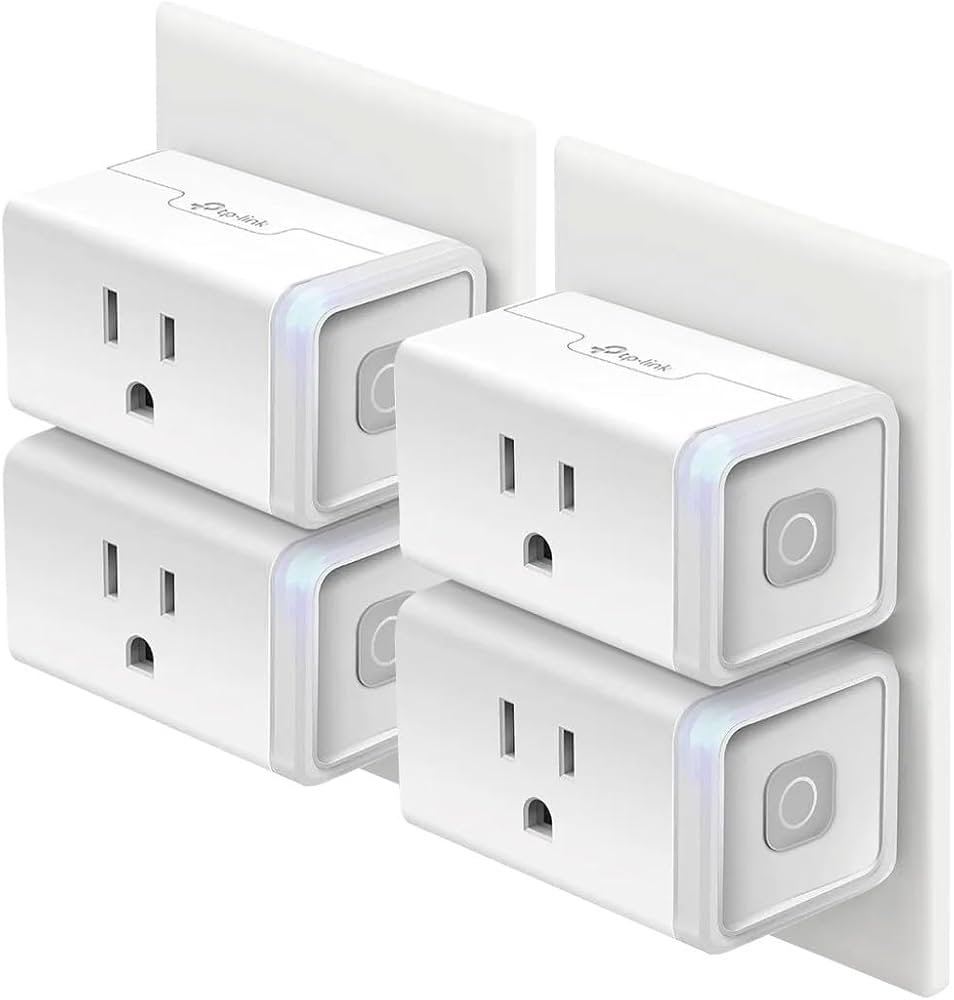
Best For: Renters who want an affordable, plug-and-play way to make lamps and appliances Alexa-controlled without installing anything.
What It Is
The Kasa Smart Plug Mini is a compact Wi-Fi smart plug that connects directly to Alexa — no hub required. You simply plug it into an outlet, connect it to your Wi-Fi, and control anything plugged into it using the Alexa app or voice commands.
Why Renters Love It
Renters love this device because it requires zero installation. No drilling. No wiring. No landlord approval. It instantly turns lamps, fans, coffee makers, or space heaters into smart devices. It’s affordable, easy to set up, and small enough not to block the second outlet.
Real-Life Scenario
Imagine coming home from work and saying, “Alexa, turn on the living room lamp,” before you even step inside. Or setting your coffee maker to turn on automatically every morning without touching it. It’s one of the simplest ways to start building a smart apartment.
One Limitation
It relies on Wi-Fi and cloud-based Alexa routines. If your internet goes down, remote control won’t work until it reconnects.
🔌 What Can You Do With Alexa Smart Plugs?
Smart plugs are one of the most useful no-hub devices.
With a smart plug, you can:
- Turn lamps on/off with your voice
- Schedule devices automatically
- Control appliances remotely
For example:
- Turn on lights before you get home
- Schedule a fan to turn off at night
- Control devices from anywhere
This is why smart plugs are often the first step into smart home automation.
Amazon Echo Pop
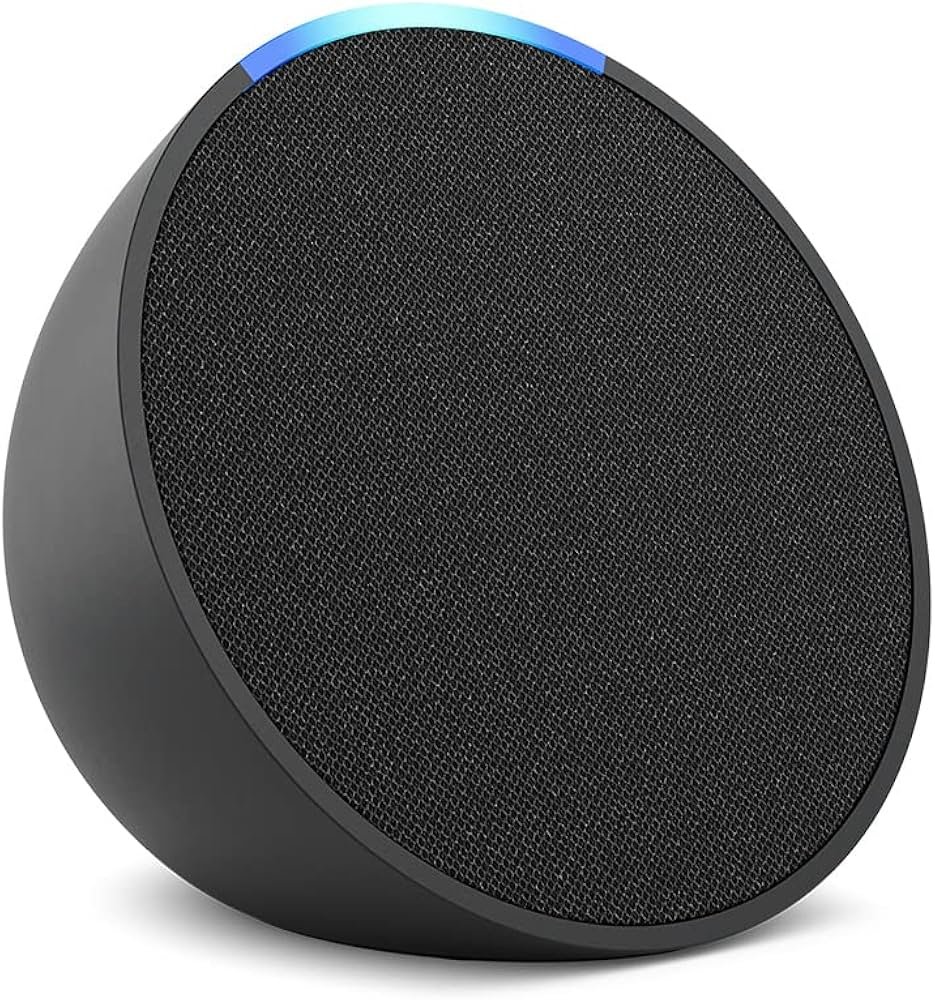
Best For: Small apartments and studio setups that need a compact, budget-friendly Alexa voice control center.
What It Is
The Amazon Echo Pop is a compact Alexa smart speaker that acts as your voice control center. It connects directly to Wi-Fi and allows you to control all your Alexa-compatible devices without needing a separate hub.
Why Renters Love It
It’s small enough for nightstands, desks, or kitchen counters, and it’s one of the most affordable Alexa speakers available. For renters in small apartments or studios, it adds voice control without taking up space or requiring extra equipment.
Real-Life Scenario
Instead of opening apps, you can simply say, “Alexa, dim the lights,” or “Alexa, turn off everything,” as you’re getting into bed. It creates a hands-free experience that makes your apartment feel more modern and convenient.
One Limitation
The Echo Pop does not replace advanced smart home hubs for large setups. It’s best suited for simple Wi-Fi-based systems rather than complex multi-protocol networks.
🎧 Do Alexa Speakers Work Without a Hub?
Yes—Alexa speakers are designed to work independently.
Devices like the Echo Pop:
- Connect directly to Wi-Fi
- Act as a voice control center
- Manage multiple smart devices
They don’t require a hub because:
- Alexa itself acts as the control system
- Everything runs through the cloud
For beginners, this makes Alexa speakers one of the easiest devices to start with.
Wyze Bulb Color
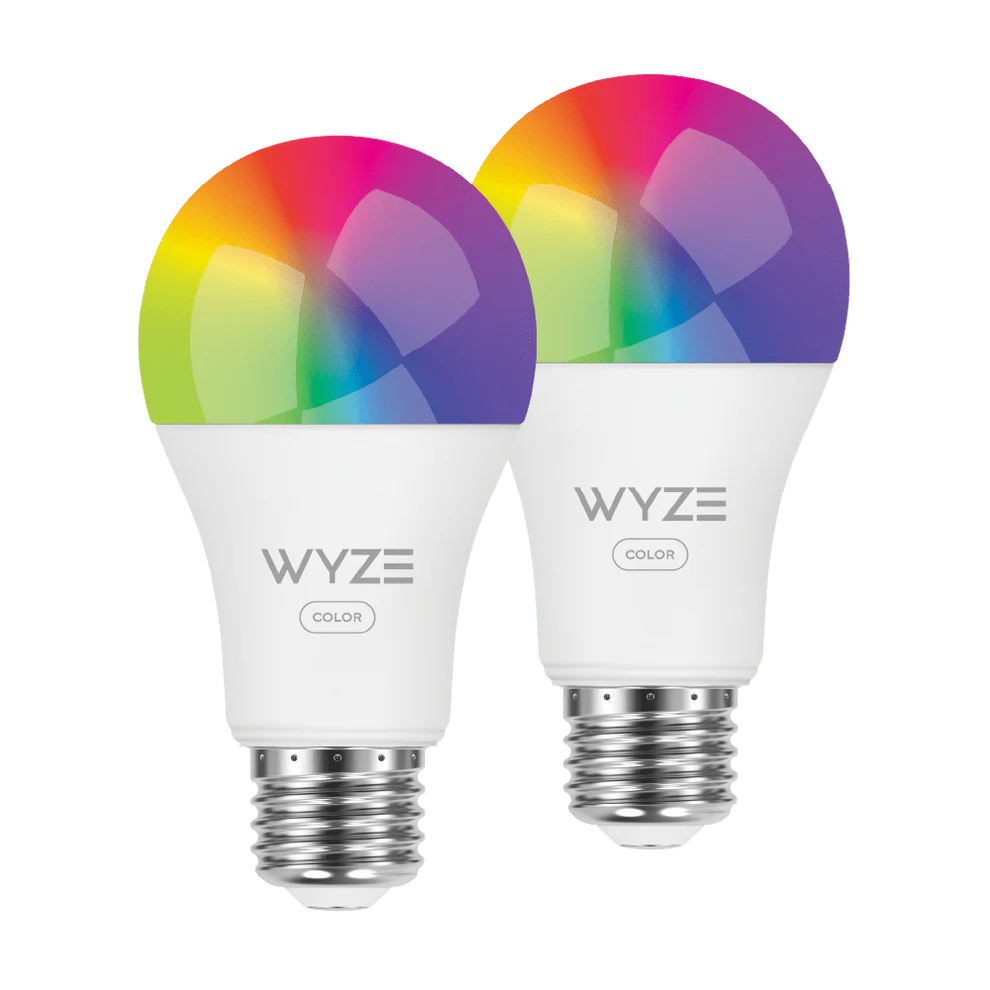
Best For: Apartment renters who can’t replace wall switches but want customizable smart lighting with zero wiring.
What It Is
The Wyze Bulb Color is a Wi-Fi smart bulb that screws into a standard light socket and connects directly to Alexa. It offers full color control, brightness adjustments, and scheduling without requiring a hub.
Why Renters Love It
Unlike smart switches, this bulb doesn’t require electrical work. You just unscrew your old bulb and screw this one in. It’s perfect for renters who want smart lighting but aren’t allowed to modify wall switches.
Real-Life Scenario
You can set warm white lighting for relaxing evenings, bright white for working from home, or colorful mood lighting when friends come over — all controlled by your voice or phone.
One Limitation
If someone turns off the wall switch manually, the bulb loses power and can’t respond to Alexa until the switch is turned back on.
Match your current device count and projected growth to the Ideal Device Range. Do not select based on a single feature or promotional price; select on scaling discipline and removal risk. Use Kasa Smart Plug Mini (HS103P4) only if you plan to reach the 12+ threshold or require robust local automation; for 0–8 setups choose Amazon Echo Pop or Wyze Bulb Color to avoid hub obligations and landlord conflict.
💡 Do Smart Bulbs Need a Hub?
Not all smart bulbs require a hub.
Wi-Fi bulbs (like Wyze):
- Connect directly to your network
- Work with Alexa without extra hardware
Hub-based bulbs (like some Philips Hue setups):
- Require a bridge for full functionality
For renters and beginners:
👉 Wi-Fi bulbs are usually the better choice
👉 Less setup, fewer devices, easier control
🎯 Decision Shortcut
If you want simple → choose Wi-Fi devices that connect directly to Alexa.
No hubs. No extra equipment. Just plug in, connect to your Wi-Fi, and you’re done.
If you want speed → start with a plug-and-play device like a smart plug or smart bulb.
They install in under five minutes and don’t require tools, wiring, or landlord approval.
If you want voice control → start with the Amazon Echo Pop first.
It becomes the command center for your apartment, letting you control lights, plugs, and routines hands-free.
If you’re a renter, keep it simple.
Wi-Fi only. Plug-and-play. Easy to remove when you move.
That’s the entire strategy.
For a complete step-by-step setup guide, see our article on How to Build a Smart Home in an Apartment.
❓ FAQs
Can I use hub-free devices while under a strict lease?
Yes, but enforce removal discipline. Hub-free Wi‑Fi or Matter devices reduce physical alteration risk at the cost of limited local automation and potential cloud dependency. Trade-off: easier compliance versus lower offline reliability. If you project growth beyond 8 devices during the lease, plan for a tenant-portable bridge so you do not breach the 8–12 threshold mid-term.
Are security cameras allowed under most leases and what are the trade-offs?
Security cameras are permitted only if they require no permanent mounts or in-wall power and if they respect landlord privacy rules. Trade-off: battery or plug-in cameras preserve lease compliance but may reduce runtime and feature set compared with hardwired units. Reference scaling: keep camera count within the 0–8 plug-and-play tier unless you obtain explicit written landlord permission for more advanced wiring.
If I reach 10 devices mid-lease, what is the compliant path?
Do not retrofit in-wall or hardwired gear. Install a tenant-portable bridge immediately and migrate devices to the hybrid tier. Trade-off: added hardware cost versus avoiding lease violations and potential fines. Maintain removable mounts and preserve original surfaces; follow the 8–12 bridge rule until you either reduce devices or obtain landlord consent for hub-class deployment.
Does local automation require a hub and what risk does it carry?
Local automation typically requires a hub-class device for reliable on-premise routines; the trade-off is increased setup complexity and potential landlord scrutiny. If local automation is mandatory, deploy only removable hubs and document restoration steps. Reference thresholds: defer hub deployment until you exceed 12 devices within the lease term to minimize eviction and damage risk.
Do No-Hub Alexa Devices Work Without WiFi?
Most do not.
Without WiFi:
- Voice control won’t work
- App control won’t work
- Some devices may still function manually
A stable internet connection is important for full functionality.
🧠 Best No-Hub Smart Home Setup for Beginners
If you want a simple, no-hub smart home, keep it minimal.
Here’s a proven setup:
Step 1: Start with an Alexa speaker
Step 2: Add a smart plug for daily devices
Step 3: Add a smart bulb for lighting control
Step 4: Use Alexa routines for automation
This setup gives you:
- Voice control
- Automation
- Remote access
Without needing extra hardware or complicated systems.
Common Mistakes When Buying No-Hub Devices
Avoid these common issues:
- Assuming all smart devices work without a hub
- Ignoring compatibility with Alexa
- Overcomplicating your setup
- Buying devices that still require additional hardware
Always double-check product requirements.
Best Budget Option
If you’re trying to build a smart home without overspending, this is where you should start.
The best budget Alexa-compatible devices focus on three things:
- Easy setup (no hub required)
- Reliable Wi-Fi connection
- Core functionality without unnecessary extras
These devices are perfect for:
- Renters who want to keep costs low
- Beginners testing smart home setups
- Small apartments where simple automation is enough
What you’re getting at this level:
- Basic voice control with Alexa
- App control for scheduling and automation
- Quick installation with no tools or wiring
What you’re NOT getting:
- Advanced automation features
- Multi-room ecosystem syncing
- Premium build quality
👉 Bottom line: Budget Alexa devices are the fastest, cheapest way to get started, and for most renters, they’re more than enough.
Are Alexa Devices Safe for Apartments?
Yes—but only if you use them correctly.
Here’s what matters:
- Use strong Wi-Fi passwords
- Enable two-factor authentication
- Stick with trusted brands
- Keep devices updated
Privacy-wise, Alexa devices only listen after the wake word.
👉 For renters, they’re safe, secure, and low-risk when set up properly.
Voice Control vs App Control: Which One Will You Actually Use?
Most people think they’ll use voice control all the time—but reality is different.
- Voice control = fast, hands-free convenience
- App control = better for schedules and automation
👉 The best setups use both together, not one or the other.
Decision Shortcut: Best Alexa Devices Without a Hub
If you want the easiest setup, start with smart plugs and bulbs.
If you want more functionality, add cameras or sensors.
For most renters, a simple setup without a hub provides the best balance of convenience and flexibility.
Future-Proofing Your Smart Home (Matter + Alexa)
The smart home world is shifting toward Matter compatibility.
What that means for you:
- Devices work across brands
- No lock-in to one ecosystem
- Easier upgrades in the future
👉 If you’re buying new devices, prioritize Matter-supported products when possible.
🏁 Final Verdict
Renter-first policy: enforce strict tiering and removal discipline. For 0–8 devices, do not introduce bridges or hubs; use plug-and-play Wi‑Fi/Matter devices that require no permanent mounts. For 8–12 devices, install a tenant-portable bridge that can be removed cleanly; do not install in-wall or hardwired gear. For 12+ devices, deploy a centralized removable hub with local automation and battery-backed settings. Do not accept any installation that increases landlord liability or complicates move-out.
If you’re looking for the best Alexa-compatible devices without a hub, start simple and expand gradually. Install only equipment that can be restored to original condition and keep configuration exports current before move-out. Do not scale past the tier limits without written landlord approval. Deploy bridges and hubs only when your device count and lease term justify the risk and cost. Reinforce thresholds in procurement, installation, and documentation to preserve mobility and avoid lease enforcement actions.
Start small.
Pick one device — a smart plug, a bulb, or an Echo speaker — and get comfortable with it. Once you see how easy it is, you can expand at your own pace. If you’re comparing more advanced options, explore our full list of Best Alexa-Compatible Smart Devices for Renters.
A smart apartment doesn’t have to be complicated. It just has to work for you.
👤 About the Author
Craig is the founder of TopRatedByCraig and focuses on renter-first smart home strategy. He evaluates systems using lease compliance rules, scaling discipline, and long-term automation reliability. TopRatedByCraig.com
Pingback: Philips Hue vs Govee for Small Apartments (2026 Comparison)
Pingback: Best Alexa Door Sensors for Renters (No-Drill Options)