
Introduction
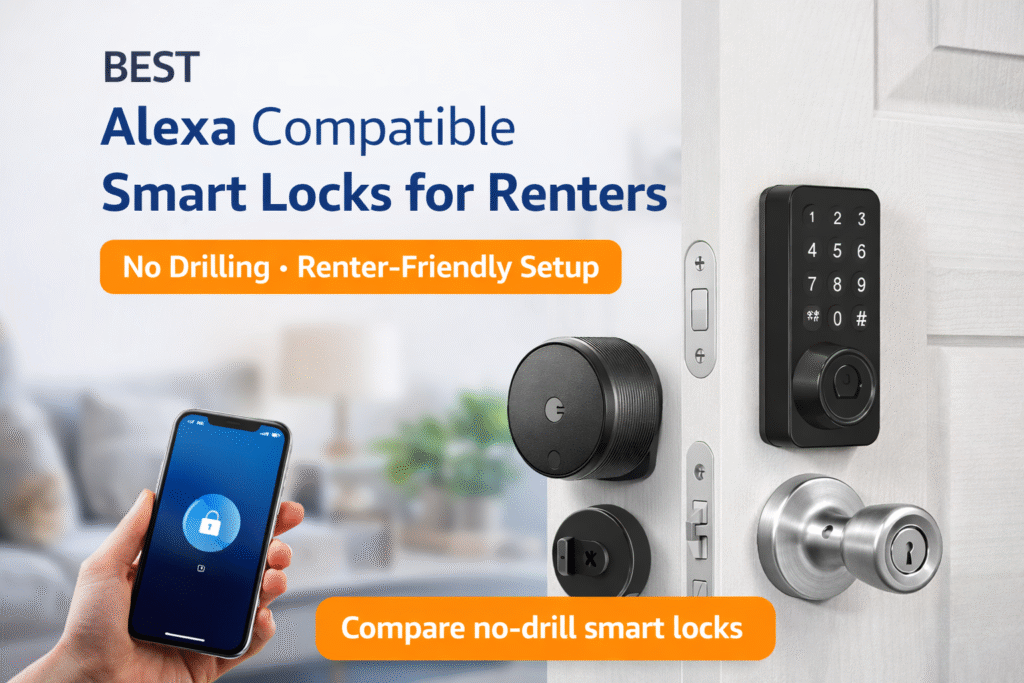
Choosing the best Alexa compatible smart locks for renters means finding a lock that installs without drilling and works with your existing deadbolt. Renters often buy an attractive Alexa-compatible smart lock without checking whether installation requires drilling or permanent changes. That mistake creates anxiety about losing deposits or dealing with landlord disputes. According to Consumer Reports’ smart lock buying guide, renters should prioritize locks that install easily, maintain existing hardware, and offer reliable app-based control. Choosing renter-friendly smart locks helps protect your lease while still giving you convenient Alexa voice access. You want voice convenience, but not at the cost of breakable lease terms or tricky rewiring.
Start small and keep the door removable: Basic setup → plug-and-play. When needs grow, bridge devices let you add range and integrations without holes: Growing setup → add a bridge. If you plan long-term control and local automation, move toward a centralized coordinator: Full coverage → centralized hub. “This guide prioritizes lease compliance and renter mobility over enthusiast customization.” These are the best Alexa compatible smart locks for renters because they install easily without drilling or permanent door modifications.
Many renters also pair smart locks with entry cameras for better visibility at their door. If you’re comparing options, see our breakdown of Ring vs Blink for apartment security.
Quick Picks (Best Alexa Smart Locks for Renters)
- Best Overall: August Wi-Fi Smart Lock (4th Gen) – A top-tier choice that installs over your existing lock, making it perfect for renters who want security without replacing hardware.
- Best for Easy Setup: Wyze Lock Bolt – Simple, fast to install, and great for anyone who wants quick keyless entry without complications.
- Best Budget Pick: Level Bolt Smart Lock – A hidden smart lock option that keeps your door looking normal while adding smart functionality at a lower cost.
👤 Who This Is For
- Renters who cannot drill or alter rental doors
- People wanting Alexa entry without permanent changes
- Lease-conscious movers who need removable solutions
- Those prioritizing simple install and easy removal
📑 Table of Contents
- Introduction
- Who This Is For
- Quick Comparison Table
- Decision Shortcut
- FAQs
- Final Verdict
- About the Author
What Makes a Smart Lock Renter-Friendly?
Not all smart locks are suitable for apartments. A renter-friendly smart lock is designed to install easily, avoid damage, and be fully reversible when you move out.
Here’s what to look for:
- No drilling required (uses existing deadbolt)
- Tool-free or minimal installation
- No permanent wiring changes
- Easy removal without affecting the original lock
Most renters don’t have permission to modify doors or hardware, so choosing the wrong lock can risk your security deposit.
The best renter-friendly smart locks simply replace the interior portion of your deadbolt, leaving the exterior unchanged — making them ideal for apartments.
👉 Bottom line: If it alters the door structure, it’s not renter-safe.
Will a Smart Lock Fit Your Existing Door?
Not all smart locks are compatible with every door.
Some models are designed to replace only the interior portion of your lock, while others require full replacement. Door thickness, deadbolt type, and existing hardware can all affect compatibility.
Checking your current lock setup before buying ensures you choose a model that fits without requiring modifications.
To help you quickly compare the best Alexa compatible smart locks for renters, the table below highlights installation method, renter-safety, and Alexa compatibility.
📊 Best Alexa Compatible Smart Locks for Renters Comparison Table
| Product | Contract Required | DIY Install | Monitoring Option | Best For | Works With Alexa |
|---|---|---|---|---|---|
| August Wi-Fi Smart Lock (4th Gen) | No long-term contract | Yes (removable setup) | Optional monthly plan | Renters planning long-term growth | Yes |
| Wyze Lock Bolt | No long-term contract | Yes (wireless & adhesive) | Optional month-to-month | Quick setup & simple control | Yes |
| Level Bolt Smart Lock | No long-term contract | Yes (compact & wireless) | Optional low-cost plan | Budget-friendly small apartments | Yes |
Types of Alexa Compatible Smart Locks for Apartments
Not all smart locks function the same way. Understanding the different types helps you choose the right fit.
1. Retrofit Smart Locks (Best for Renters)
These attach to your existing deadbolt from the inside.
✔ No exterior changes
✔ Easy installation
✔ Fully reversible
2. Keypad Smart Locks
These replace your entire lock and include a keypad.
✔ Keyless entry
✔ Good for shared access
❌ May require landlord approval
3. Bluetooth Smart Locks
Operate locally without requiring constant WiFi.
✔ More secure (local connection)
✔ Lower battery usage
❌ Limited remote control
4. WiFi Smart Locks
Connect directly to your network for remote access.
✔ Control from anywhere
✔ Alexa integration
❌ Higher battery drain
👉 For most renters: retrofit + optional WiFi bridge = best setup
How Reliable Is Auto-Lock and Auto-Unlock?
Many smart locks offer features like auto-lock and auto-unlock for convenience.
These features typically rely on timers, location tracking, or Bluetooth connection. While they can work well, performance may vary depending on your phone connection or settings.
For renters, testing these features and adjusting settings is important to ensure consistent and reliable operation.
Smart locks are often the first step in apartment security, but renters who want full protection should also consider a complete setup. Our guide to the best smart security systems for renters explains the easiest no-drill options.
August Wi-Fi Smart Lock (4th Gen)
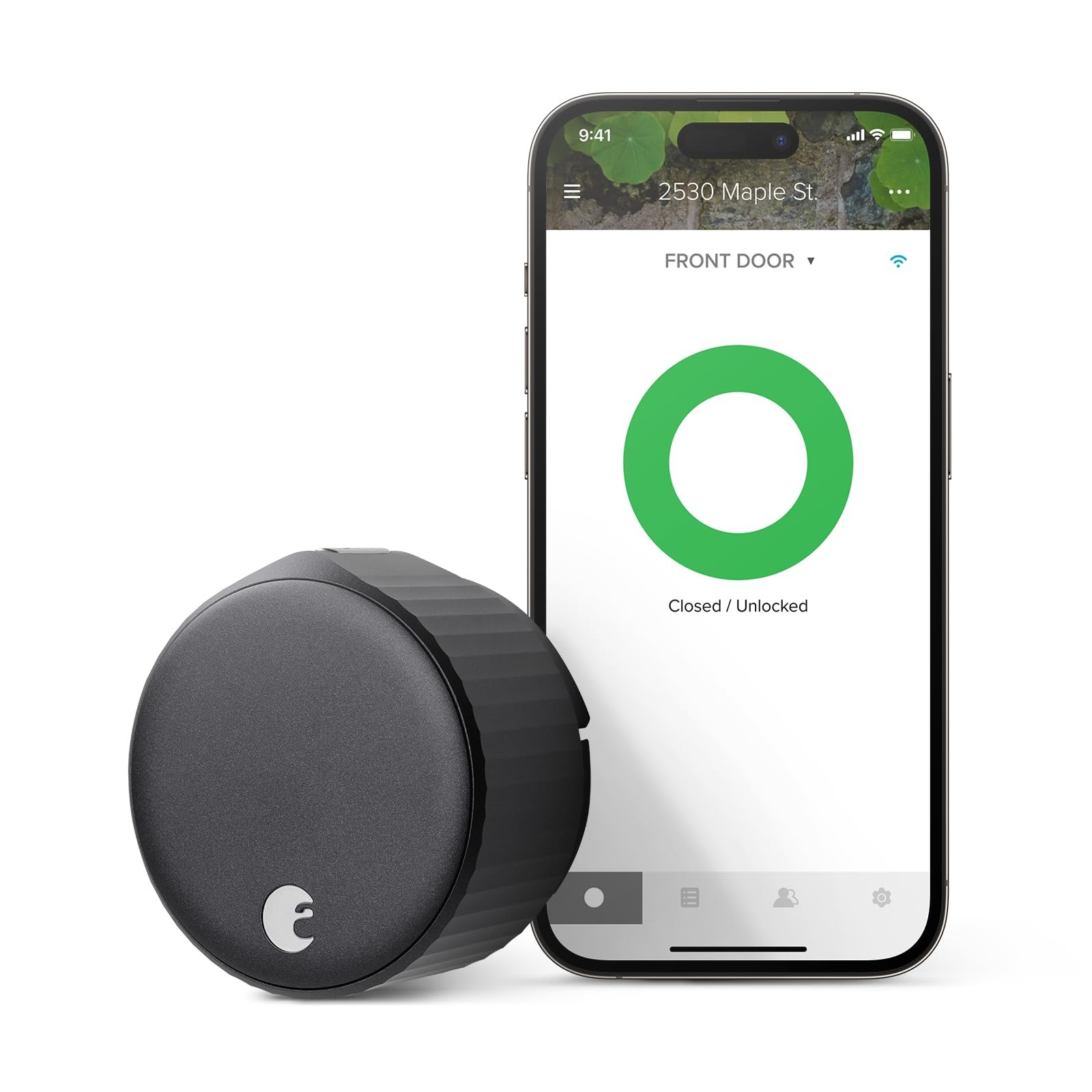
Best For: Renters who want the easiest Alexa-compatible smart lock without modifying their door.
What It Is: A retrofit Wi‑Fi smart lock that attaches to your deadbolt for Alexa control.
Why Renters Love It: Installs without drilling and preserves the original exterior lock.
Real-Life Scenario: Set up quick Alexa unlocks for guests while keeping the original deadbolt intact.
One Limitation: Wi‑Fi features need a stable home network.
- Direct Wi‑Fi for Alexa
- Easy interior install
Wyze Lock Bolt
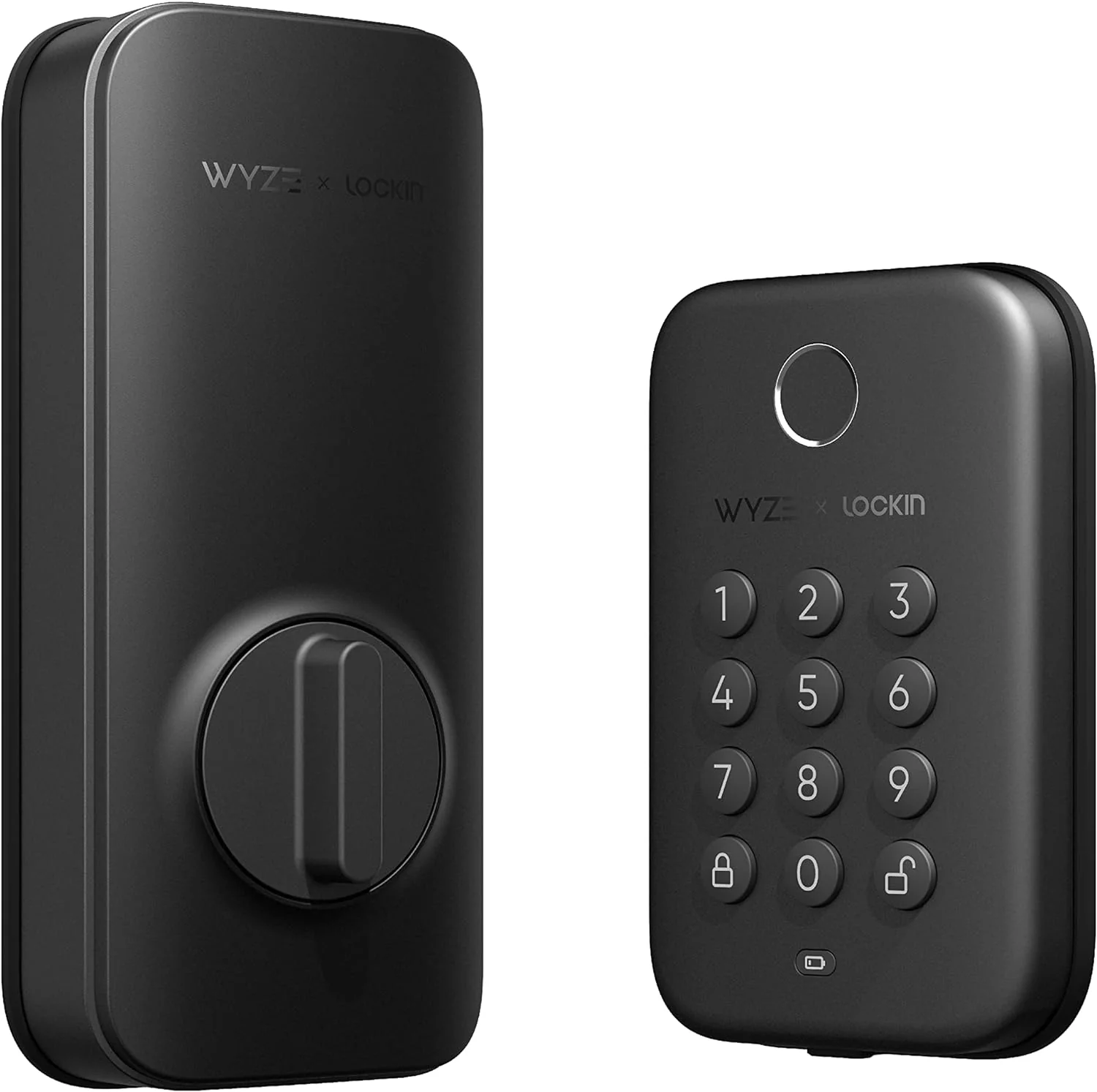
Best For: Renters who want an affordable smart lock with keypad entry.
What It Is: Affordable bolt-style smart lock with keypad and wireless connectivity.
Why Renters Love It: Budget price and keypad reduce reliance on phone apps.
Real-Life Scenario: Give temporary codes to visitors without altering door hardware.
One Limitation: Build quality is basic compared with premium locks.
- Keypad entry
- Low price
Do Smart Locks Require Drilling or Wiring?
One of the biggest concerns renters have is whether installing a smart lock will damage their door.
The good news: most renter-friendly smart locks do NOT require drilling or wiring.
No-Drill Smart Locks
- Attach to your existing deadbolt
- Replace only the interior thumb turn
- Can be removed in minutes
✔ Safe for apartments
✔ No permanent changes
Full Replacement Smart Locks
- Replace both interior and exterior hardware
- May require minor adjustments
❌ Not always lease-friendly
Wiring Requirements
Most modern smart locks are:
- Battery-powered
- Completely wireless
- No electrical wiring needed
👉 If you’re renting, always choose a no-drill retrofit lock to stay lease-compliant.
What Happens If the Smart Lock Battery Dies?
Smart locks are powered by batteries, which means they need occasional replacement.
If the battery runs low, most devices will send alerts in advance. However, if it fully dies, you may need to use a physical key or emergency power option to unlock the door.
Understanding how your lock handles power loss helps prevent lockouts.
Level Bolt Smart Lock
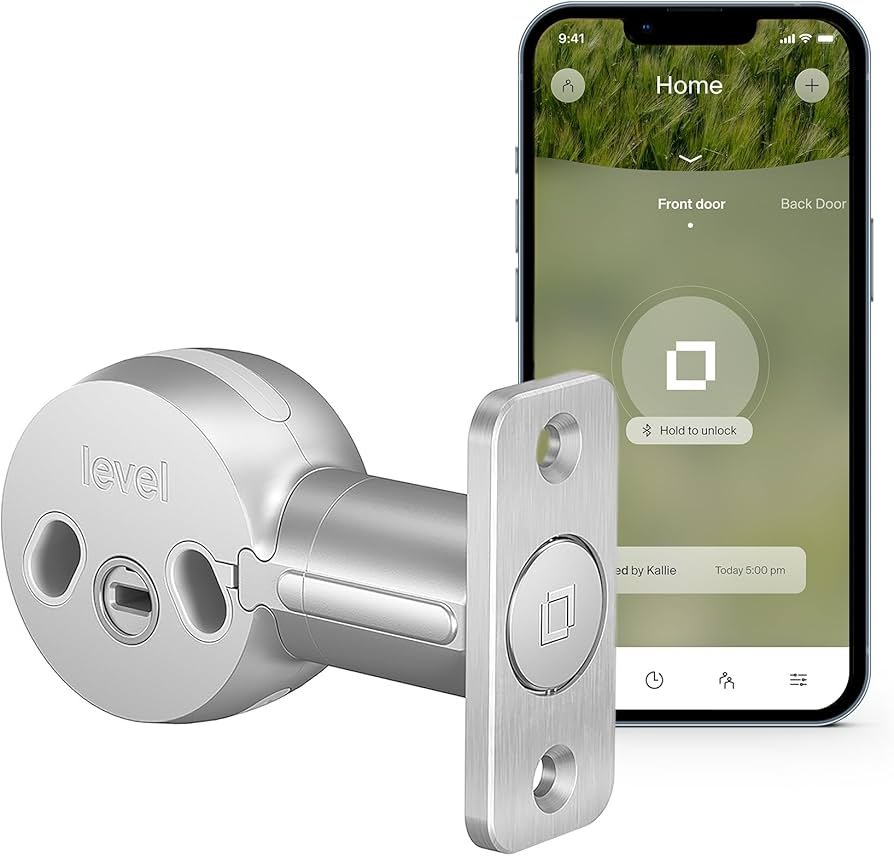
Best For: Renters who want a smart lock that looks like a normal lock.
What It Is: Sleek bolt that fits behind existing thumbturn for discreet smart access.
Why Renters Love It: Looks like a normal lock and keeps exterior unchanged.
Real-Life Scenario: Maintain a traditional appearance while using Alexa routines.
One Limitation: Higher price than simple retrofit kits.
- Invisible design
- Alexa compatible
Can You Give Temporary Access to Guests or Delivery Drivers?
One of the biggest advantages of smart locks is the ability to control access remotely.
You can create temporary codes or grant app-based access to guests, family members, or service providers. These permissions can be time-limited and easily removed.
For renters, this adds convenience without needing to duplicate physical keys.
Do not choose based on features alone. Choose based on how reversible the installation is, starting with Basic setup → plug-and-play for no-drill simplicity. Growing setup → add a bridge when you need range or cloud integrations. Full coverage → centralized hub if you want local control and long-term ownership, without risking lease violations.
Are Smart Locks as Secure as Traditional Locks?
Security is a common concern when switching to a smart lock.
Most smart locks use strong encryption and are designed to meet modern security standards. However, overall security still depends on installation quality and the strength of your existing door and deadbolt.
When properly installed, smart locks can provide a level of security comparable to traditional locks, with added convenience.
How to Choose the Best Alexa Smart Lock for Your Apartment
Choosing the right smart lock depends on your apartment setup and how you plan to use it.
1. Installation Type
Stick with retrofit locks if you want zero risk to your lease.
2. Alexa Compatibility
Make sure the lock supports:
- Voice control
- Alexa routines
- Remote locking/unlocking
3. Connectivity
- Bluetooth = local control
- WiFi = remote access
4. Security Features
Look for:
- Auto-lock
- Activity logs
- Two-factor authentication
5. Battery Life
Most smart locks run on batteries — choose one with long battery life and low drain.
👉 The best choice is one that balances security + convenience + lease safety
🎯 Decision Shortcut
Quick pick based on lease risk and Alexa needs.
- Basic setup: Choose a no-drill smart lock that pairs directly with Alexa.
- Growing setup: Add a bridge for smarter routines while keeping mounts removable.
- Full coverage: Move to a centralized hub if you stay long-term and need local automation.
If you’re building a full renter-friendly setup, see our guide on how to build an Alexa smart home in an apartment for a step-by-step system plan.
Are Smart Locks Safe for Apartment Renters?
Yes — when chosen correctly, smart locks can actually increase your apartment security.
Why Smart Locks Are Safe:
- No lost keys (use codes or app access)
- Auto-lock features prevent accidental unlocks
- Activity tracking lets you monitor access
Common Concerns:
Can they be hacked?
Modern smart locks use encryption and secure protocols, making them very difficult to hack.
What if the battery dies?
Most locks provide:
- Low battery alerts
- Backup key access
- Emergency power options
Renter Advantage:
Smart locks give renters more control over access without needing to change the entire security system.
👉 Bottom line: Smart locks are safe, reliable, and often more secure than traditional locks.
❓ FAQs
Can I install an Alexa smart lock without drilling?
Yes—many retrofit and interior-replacement locks avoid drilling and use the existing latch. Always check your lease and favor removable options to avoid deposit disputes.
Will Alexa work without a hub?
Some locks connect directly to Alexa via Wi‑Fi or Bluetooth for basic voice control. For broader automations and multi-device coordination, a bridge adds features without permanent door changes.
Will installing a smart lock violate my lease?
It can if you alter exterior hardware, drill into the door, or change the strike plate without permission. Get written landlord approval or choose reversible, interior-only replacements to stay lease-safe.
What about battery life and maintenance?
Smart locks use batteries and typically send low-battery alerts through their companion apps. Pick removable setups with clear battery access so you can maintain them without landlord assistance.
🏁 Final Verdict
Do not drill or replace exterior hardware before checking your lease; that’s the most common renter mistake with Alexa compatible smart locks. Install interior-only replacements or retrofit kits that keep the original bolt and are easy to remove. Follow the tier path: Basic → plug-and-play for simple Alexa access, Growing → bridge to expand integrations, Full → centralized hub for long-term local control.
If you move frequently, prioritize plug-and-play models with documented removal steps and clear app backups. If you plan to stay and want richer automations, plan a bridge or hub but secure landlord approval first and keep original parts to restore the door when you leave. When in doubt, ask your landlord in writing.
👤 About the Author
Craig, Founder of TopRatedByCraig, TopRatedByCraig.com.
Focus on renter-first, lease-safe, scalable smart home security.