
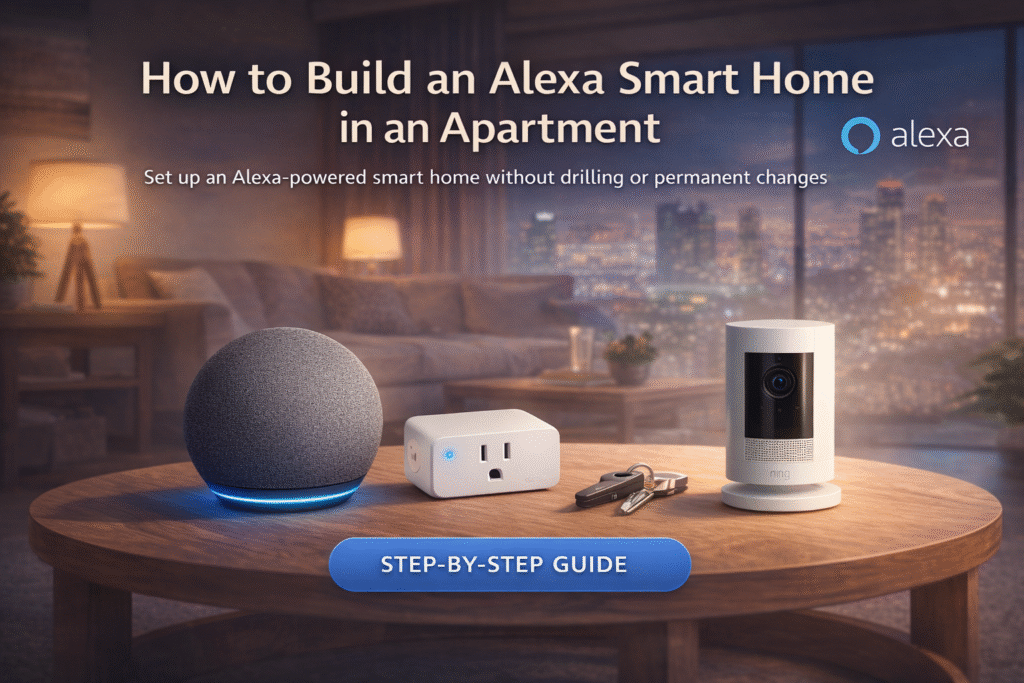
Introduction
Building an Alexa smart home in an apartment is easier than most renters expect when you focus on removable, plug-and-play devices. That renter mistake leads to ecosystem lock-in, deposit anxiety, and a pile of incompatible gadgets that feel impossible to remove. If you’re unsure which choice keeps options open, that worry is normal — choose removability over permanent upgrades. Many renters assume building an Alexa smart home requires expensive equipment, but several budget-friendly devices make it easy to start. If you’re looking for affordable options, see our guide to the best Alexa devices under $50 for renters.
Start with reversible choices and grow only when you’re ready. Basic setup → plug-and-play devices. Growing setup → add a bridge. Full coverage → centralized hub. This guide prioritizes lease compliance and renter mobility over enthusiast customization. You’ll get stepwise, lease-safe Alexa strategies that stay portable and easy to undo.
Many renters assume building an Alexa smart home means committing to permanent installations or complicated wiring. In reality, Alexa works with a wide range of plug-and-play smart home devices designed for simple setup. According to Amazon, the Alexa smart home ecosystem supports thousands of compatible devices that can be controlled through voice commands, routines, and the Alexa app.
Quick Picks (Building an Alexa Smart Home in an Apartment)
- Best Overall: Amazon Echo (4th Gen) – The foundation of your Alexa setup. Handles voice control, routines, and connects all your smart devices in one place.
- Best for Easy Automation: Amazon Smart Plug – The fastest way to start automating your apartment. Just plug it in and control lights, fans, or appliances instantly.
- Best for Security: Ring Stick Up Cam (Battery) – A simple, wireless camera for keeping an eye on your space with real-time alerts and app control.
Room-by-Room Alexa Smart Home Setup for Apartments
The easiest way to build an Alexa smart home in an apartment is to set it up one room at a time.
Start with your living room by adding a smart speaker and lighting. Move to the bedroom with routines for sleep and wake-up automation. In entryways, use motion sensors or smart plugs for convenience when coming and going.
This step-by-step approach keeps your setup organized and prevents unnecessary complexity as you build.
Can You Build an Alexa Smart Home in an Apartment?
Yes — you can fully build an Alexa smart home in an apartment without making any permanent changes.
Most Alexa-compatible devices are designed to be:
- Plug-and-play
- Wireless
- Easy to remove
This means you can automate your apartment without drilling, wiring, or violating your lease.
👉 Alexa is one of the best smart home systems for renters because of its flexibility and ease of use.
Alexa Smart Home in an Apartment: Simple Setup Strategy
Building an Alexa smart home in an apartment works best when you start with simple, removable devices and expand gradually. Begin with an Alexa speaker like the Echo to control your smart home with voice commands, then add plug-and-play devices such as smart plugs, lights, or sensors that require no drilling or permanent installation. As your setup grows, you can add cameras or additional automation devices while keeping everything portable and easy to remove when you move. This step-by-step approach allows renters to enjoy smart home convenience without risking their lease or security deposit.
👤 Who This Is For
- Renters who want Alexa voice control without permanent changes
- Tenants protecting security deposits and avoiding landlord conflicts
- People in small apartments needing compact, removable gadgets
- Users wanting easy growth without locking into one ecosystem
📑 Table of Contents
- Introduction
- Who This Is For
- Quick Comparison Table
- Decision Shortcut
- FAQs
- Final Verdict
- About the Author
Below is a simple setup path for building an Alexa smart home in an apartment using renter-friendly devices that require no drilling or permanent installation.
📊 Quick Comparison Table
| Product | Contract Required | DIY Install | Monitoring Option | Best For | Works With Alexa |
|---|---|---|---|---|---|
| Amazon Echo (4th Gen) | No long-term contract | Yes (removable setup) | Optional monthly plan | Renters planning long-term growth | Yes |
| Amazon Smart Plug | No long-term contract | Yes (wireless & adhesive) | Optional month-to-month | Quick setup & simple control | Yes |
| Ring Stick Up Cam (Battery) | No long-term contract | Yes (compact & wireless) | Optional low-cost plan | Budget-friendly small apartments | Yes |
Best Alexa Smart Home Setup for Apartments
A simple Alexa smart home setup doesn’t require a lot of devices.
A practical setup includes:
- One Echo device for voice control
- Smart plugs for appliances
- Smart bulbs for lighting
- Optional camera for security
This setup gives you automation, convenience, and control without overcomplicating your space.
👉 Start small and expand your system over time.
Budget Tiers: How Much Should You Spend to Get Started?
You don’t need to spend a lot to build an effective Alexa smart home.
A basic setup can include a smart speaker and one or two smart plugs. A mid-level setup might add smart lighting and sensors. A more advanced setup includes multiple devices working together through routines.
Choosing a budget tier helps you build a system that fits your needs without overspending.
Do You Need a Hub for an Alexa Smart Home?
Most Alexa smart home setups do not require a separate hub.
Devices typically connect through:
- WiFi
- Built-in Alexa integration
Some Echo devices include a built-in hub that supports Zigbee or Matter devices, but this is optional.
👉 Beginners can start without a hub and still create a powerful smart home setup.
Amazon Echo (4th Gen)
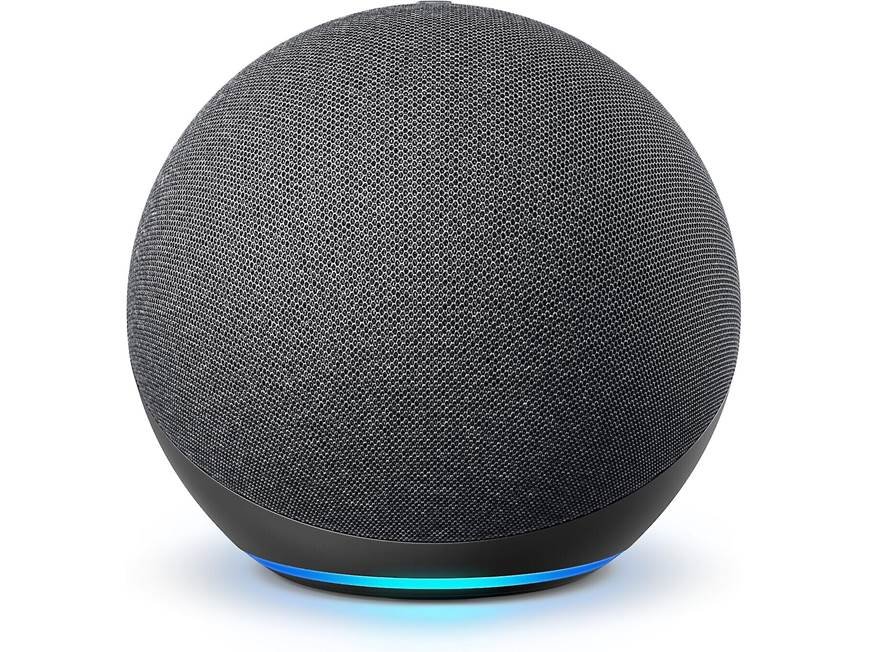
Best For: Starting an Alexa smart home in an apartment.
What It Is: A compact Alexa smart speaker with Zigbee hub and clear audio.
Why Renters Love It: Plugs in, controls devices, and doesn’t require permanent installation.
Real-Life Scenario: Use it as a living-room hub to run lights, plugs, and routines.
One Limitation: Requires outlet space and Wi-Fi.
Amazon Smart Plug
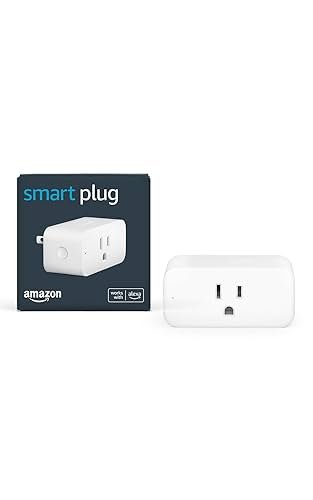
Best For: Simple automation and appliance control.
What It Is: A plug-in smart outlet to turn appliances on/off via Alexa.
Why Renters Love It: Installs in a standard outlet without wiring or permanent changes.
Real-Life Scenario: Schedule a lamp or coffee maker from your phone or voice.
One Limitation: Blocks neighboring outlet when used.
Simple devices like smart plugs work well without additional hubs. If you prefer plug-and-play gear, explore our list of the best Alexa-compatible devices that don’t need a hub.
Ring Stick Up Cam (Battery)
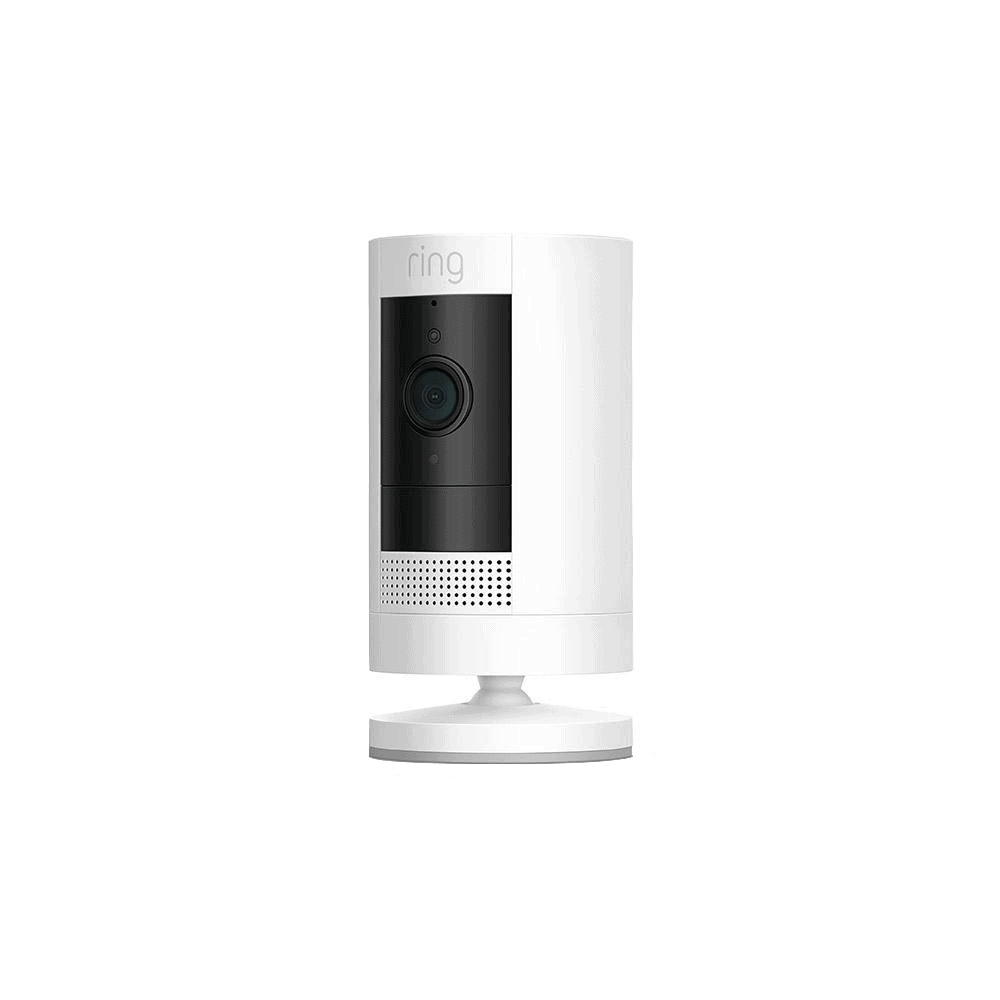
Best For: Alexa-compatible apartment security.
What It Is: A battery-powered security camera with Alexa integration and motion alerts.
Why Renters Love It: Mounts with adhesive or sits on a shelf; no drilling needed.
Real-Life Scenario: Monitor a porch or entryway and get motion notifications on Alexa.
One Limitation: Battery requires periodic recharging.
How to Combine Multiple Alexa Routines Without Conflicts
As your setup grows, combining routines effectively becomes important.
Running too many routines that control the same devices can cause conflicts or inconsistent behavior. For example, one routine turning lights off while another turns them on can create confusion.
To avoid this, organize routines by purpose and avoid overlapping triggers. This keeps your automation predictable and reliable.
Do Alexa Smart Homes Require WiFi?
Yes — most Alexa smart home devices rely on WiFi for full functionality.
WiFi is needed for:
- Voice commands
- App control
- Device automation
Without WiFi, many features will be limited or unavailable.
👉 A stable internet connection is essential for a smooth smart home experience.
Do not choose based on features alone. Basic means reversible plug-and-play Alexa devices, Growing adds a small bridge for smoother coordination, and Full Coverage moves to a centralized hub for unified control. Follow the progression to avoid ecosystem confusion and landlord issues: prioritize removable hardware and voice-first simplicity in small spaces.
How to Optimize Your WiFi for Alexa Devices in Apartments
Apartment environments often have multiple networks competing for signal, which can affect performance.
To improve reliability, place your router in a central location and keep devices within range. Avoid placing devices behind thick walls or in areas with weak signals.
A stable connection ensures faster response times and more reliable automation.
How to Move Your Alexa Smart Home to a New Apartment
One advantage of an apartment-friendly smart home is portability.
Most devices can be unplugged, packed, and reinstalled in a new space without difficulty. Once you reconnect your devices and update your WiFi settings, your routines can be restored quickly.
This flexibility makes Alexa setups ideal for renters who may move frequently.
🎯 Decision Shortcut
Pick the path that keeps your lease and future moves safe.
- Basic setup: Keep Alexa speakers and plug-in sensors that remove cleanly.
- Growing setup: Add a wireless bridge to coordinate devices without hardwiring.
- Full coverage: Move to a hub that centralizes control but stays removable.
❓ FAQs
Will Alexa devices violate my lease?
Most Alexa-compatible devices are plug-and-play and do not alter the property. Always avoid drilling or hardwiring without landlord permission and keep receipts for removal.
How portable is an Alexa setup when I move?
Plug-in speakers and adhesive sensors are designed to be removed and taken with you. Bridges and hubs can typically be unplugged and moved if you avoid permanent mounts.
Can I use smart locks with Alexa in a rental?
Some smart locks offer non-destructive installation options suited for rentals. Check compatibility and landlord rules, and prefer models that reinstall the original hardware when you leave.
Do I need an Alexa-specific hub for devices to work?
No — many Alexa devices work without a hub for basic control. A bridge or hub helps coordination but choose it only when you need centralized, removable control.
What’s the Best Order to Build Your Alexa Smart Home?
Building your setup in the right order makes the process much easier.
Start with a smart speaker, then add basic devices like plugs or lights. Once you’re comfortable, expand with sensors and automation routines.
Following a clear order prevents overwhelm and helps you build a system that works smoothly from the start.
Is Building an Alexa Smart Home Worth It for Renters?
Building an Alexa smart home is one of the easiest ways to upgrade your apartment.
It offers:
- Hands-free convenience
- Easy automation
- No permanent installation
Because everything is portable, you can take your setup with you when you move.
👉 For renters, an Alexa smart home is absolutely worth it.
🏁 Final Verdict
For renters creating an Alexa smart home in an apartment, starting with simple plug-and-play devices is usually the easiest and safest approach. Do not lock yourself into a single ecosystem out of convenience; ecosystem confusion is the main renter risk when building an Alexa smart home. Start with removal-first gear and test voice workflows before upgrading. Basic → plug-and-play, Growing → bridge, Full → centralized hub describes a responsible growth path that protects deposits and keeps options open.
Install removable Alexa speakers, plug-in sensors, and adhesive devices first, then add a bridge if you need smoother automation. Install a centralized hub only when you’re settled and ready to manage whole-home control without permanent changes. This progression solves ecosystem confusion while staying lease-safe and mobile.
If you’re building your first Alexa setup, starting with a small collection of compatible devices is often the easiest path. Our guide to the best apartment smart home starter kit walks through a simple renter-friendly setup.
👤 About the Author
Craig, Founder of TopRatedByCraig, TopRatedByCraig.com.
Focus on renter-first, lease-safe, scalable smart home security.
Pingback: Best Alexa Smart Bulbs for Renters (No Hub Required) – 2026
Pingback: Alexa Smart Home Setup Without Wiring (2026 Guide)
Pingback: Best Alexa Compatible Smart Locks for Renters (No Drilling, No Lease Risk – 2026)