
Introduction
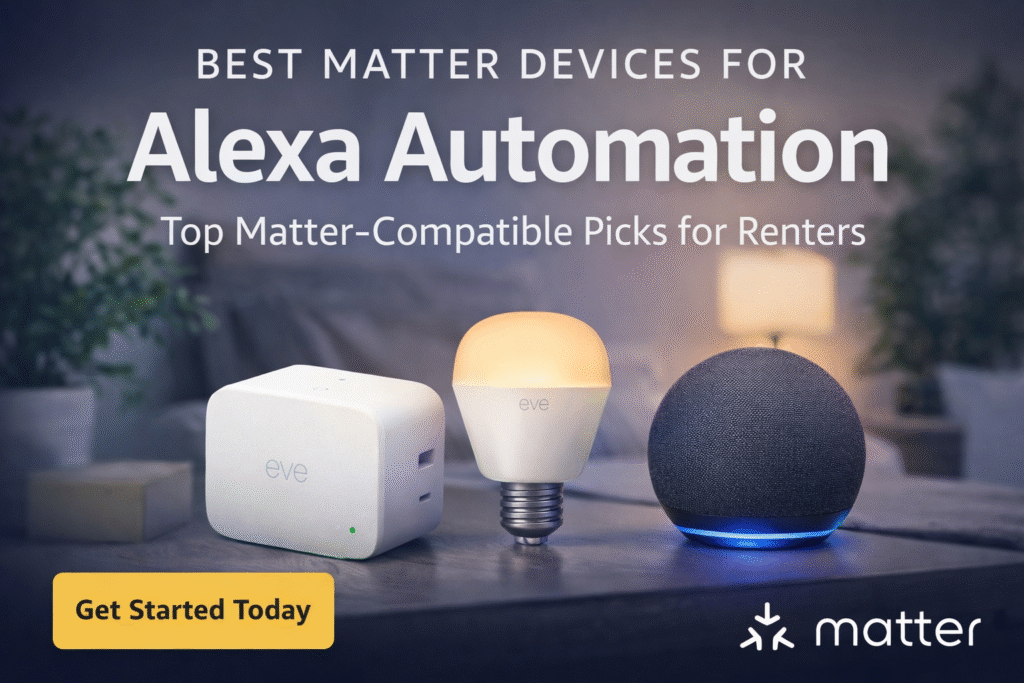
Best Matter devices for Alexa automation can be confusing for renters trying to avoid compatibility issues and unnecessary setup. Many renters assume buying “Matter” labeled gadgets guarantees instant Alexa automation. In reality, the Matter standard—developed to improve smart home compatibility—still depends on how devices connect and which ecosystems they support. That misunderstanding leads to buying gear that quietly needs a hub, hard wiring, or landlord permission. The result is confusion, wasted money, and anxiety about breaking lease terms. You can end up juggling incompatible ecosystems, or stuck with devices you cannot remove without risking charges. That trial-and-error wastes time and makes smart home setup feel stressful instead of helpful.
Start simple and scale without damaging rental property: Basic setup → plug-and-play, Growing setup → add a bridge, Full coverage → centralized hub. This guide prioritizes lease compliance and renter mobility over enthusiast customization. I focus on removable setups, wireless options, and minimal footprint hub choices so you can confirm Alexa compatibility before investing. Follow tiers to avoid landlord issues and reduce ecosystem confusion while keeping options reversible. These picks focus on simple, renter-safe setups that actually work. If you’re just getting started, check out these best Matter smart home devices for beginners to avoid compatibility mistakes early.
Quick Picks (Best Matter Devices for Alexa Automation)
Don’t want to overthink your setup? Start here:
- 🏆 Best Overall: Amazon Echo (4th Gen) – best control center for Alexa automation
- 🔌 Best Smart Plug: Matter-compatible smart plug – automate appliances and routines easily
- 💡 Best Lighting: Matter smart bulbs – perfect for schedules and voice control
- 🚶 Best for Automation Triggers: Motion sensor (Matter-compatible) – automate lights and routines
- 🚪 Best for Security Automations: Door/window sensor – trigger alerts and smart actions
👉 Simple rule: Use an Echo as your hub, then add plugs, bulbs, and sensors to build powerful Alexa automations.
What Is Matter Automation with Alexa? (Simple Explanation)
Matter automation with Alexa means using Alexa routines to control Matter-compatible devices automatically.
For example:
- Turning on lights when you enter a room
- Scheduling devices to turn on/off at certain times
- Triggering actions based on motion or sensors
Matter ensures your devices work together, while Alexa handles the automation.
🔹 What Are Matter Devices for Alexa Automation? (Beginner Guide)
Matter devices are smart home products built on a universal standard that allows different brands to work together seamlessly.
When combined with Alexa, Matter devices let you automate your home using voice commands, routines, and app controls.
Instead of being locked into one ecosystem, Matter gives you flexibility while Alexa provides control and automation.
👉 Simple breakdown:
- Matter = compatibility
- Alexa = control + automation
For renters, this combination is powerful because it allows you to build a flexible smart home without complicated setup.
👤 Who This Is For
- Renters unsure which Matter gear reliably works with Alexa
- People avoiding permanent installation or hardwiring in rentals
- Those who want removable automation that won’t upset landlords
- Renters wanting Alexa routines without ecosystem lock-in
- Anyone testing Matter compatibility before long-term purchases
WHO SHOULD ACTUALLY USE MATTER DEVICES
Matter devices aren’t for everyone—but they’re especially useful if you want a setup that’s easy to expand over time.
This guide is best for you if:
- You’re building a smart home step-by-step
- You want devices that work across multiple ecosystems
- You use Alexa but don’t want to be locked into one brand
- You prefer simple, reliable setups without constant troubleshooting
If you just want a single device, Matter may not matter much. But if you’re building a system, it makes a big difference.
📑 Table of Contents
- Introduction
- Who This Is For
- Quick Comparison Table
- Decision Shortcut
- FAQs
- Final Verdict
- About the Author
WHAT YOU ACTUALLY NEED FOR MATTER + ALEXA
Before choosing Matter devices, it helps to understand what you need to get everything working properly with Alexa.
Here’s the basic setup:
- An Alexa device that supports Matter (like newer Echo models)
- A stable Wi-Fi network
- Matter-compatible smart devices
- The Alexa app for setup and control
Some setups may also use Thread technology (a low-power network used by certain Matter devices), but most beginner setups work fine over Wi-Fi.
The key is keeping things simple and compatible.
📊 Best Matter Devices for Alexa Automation: Quick Comparison
| Product | Contract Required | DIY Install | Monitoring Option | Best For | Works With Alexa |
|---|---|---|---|---|---|
| Eve Energy | No long-term contract | Yes (removable setup) | Optional monthly plan | Renters planning long-term growth | Yes |
| Nanoleaf Essentials | No long-term contract | Yes (wireless & adhesive) | Optional month-to-month | Quick setup & simple control | Yes |
| Amazon Echo | No long-term contract | Yes (compact & wireless) | Optional low-cost plan | Budget-friendly small apartments | Yes |
Do You Need a Hub for Matter Devices with Alexa?
In most cases, you don’t need a separate hub—but you do need a compatible Alexa device.
Many Echo devices act as Matter controllers, allowing you to connect and automate devices without additional hardware.
For renters, this keeps setups simple and avoids unnecessary equipment.
Best Matter Devices for Alexa Automation by Use Case
Not all Matter devices serve the same purpose when it comes to Alexa automation. The best choice depends on what you want to automate—lighting, routines, or security.
Here’s how to choose the right device:
🔹 Best for Alexa Lighting Automation
Smart plugs and smart bulbs are the easiest way to automate lighting. You can create routines like “Good Morning” or “Good Night” to control multiple lights at once.
👉 Ideal for: bedrooms, living rooms, and daily routines
🔹 Best for Alexa Routines & Triggers
Motion sensors and smart buttons allow you to trigger Alexa routines automatically. For example, lights can turn on when you enter a room, or a routine can activate with a single press.
👉 Ideal for: hands-free automation
🔹 Best for Security Automation
Door/window sensors and cameras can trigger alerts or routines through Alexa. This adds an extra layer of automation and safety without requiring wiring.
👉 Ideal for: entryways and apartment security
👉 Key takeaway: Start with lighting automation, then add sensors and triggers to unlock more advanced Alexa routines.
🔹 Do You Need a Hub for Matter Devices With Alexa?
One of the most common questions is whether you need a hub to use Matter devices with Alexa.
The answer depends on the device.
Some Matter devices work directly over WiFi, while others use Thread and may require a compatible controller like an Echo device that supports Matter.
For most renters:
- You won’t need a separate hub
- An Echo device can act as the controller
👉 Bottom line:
- No extra hub needed in most cases
- Keep your setup simple with Alexa-compatible devices
🔹 Can Alexa Control Matter Devices? (How It Works)
Yes — Alexa can control Matter devices, and this is one of the biggest advantages of using Matter.
Once a Matter device is connected, Alexa can:
- Turn devices on/off
- Run routines
- Automate multiple devices together
This allows you to mix different brands while controlling everything through one system.
👉 Example:
You can say “Alexa, turn off everything” and control lights, plugs, and sensors at once.
How to Build Alexa Automation Using Matter Devices
If you want to get the most out of Alexa automation, the key is combining multiple Matter devices into simple routines.
Here’s a step-by-step approach:
🔹 Step 1: Start with One Device
Begin with a smart plug or bulb and connect it to Alexa.
🔹 Step 2: Create Basic Routines
Use the Alexa app to create routines like:
- “Good Morning” → turns on lights
- “Good Night” → turns everything off
🔹 Step 3: Add Triggers
Introduce motion sensors or smart buttons to automate actions without voice commands.
🔹 Step 4: Expand Gradually
Add more devices over time to build a fully automated smart home.
👉 Simple rule: Start small, automate one task at a time, and build from there.
Best Matter Devices by Automation Use Case
If your goal is automation, choose devices based on how you plan to use them:
- Lighting automation → Smart bulbs
- Appliance control → Smart plugs
- Security automation → Sensors and cameras
- Convenience → Smart switches (if allowed)
This makes your setup more practical—not just feature-heavy.
Eve Energy
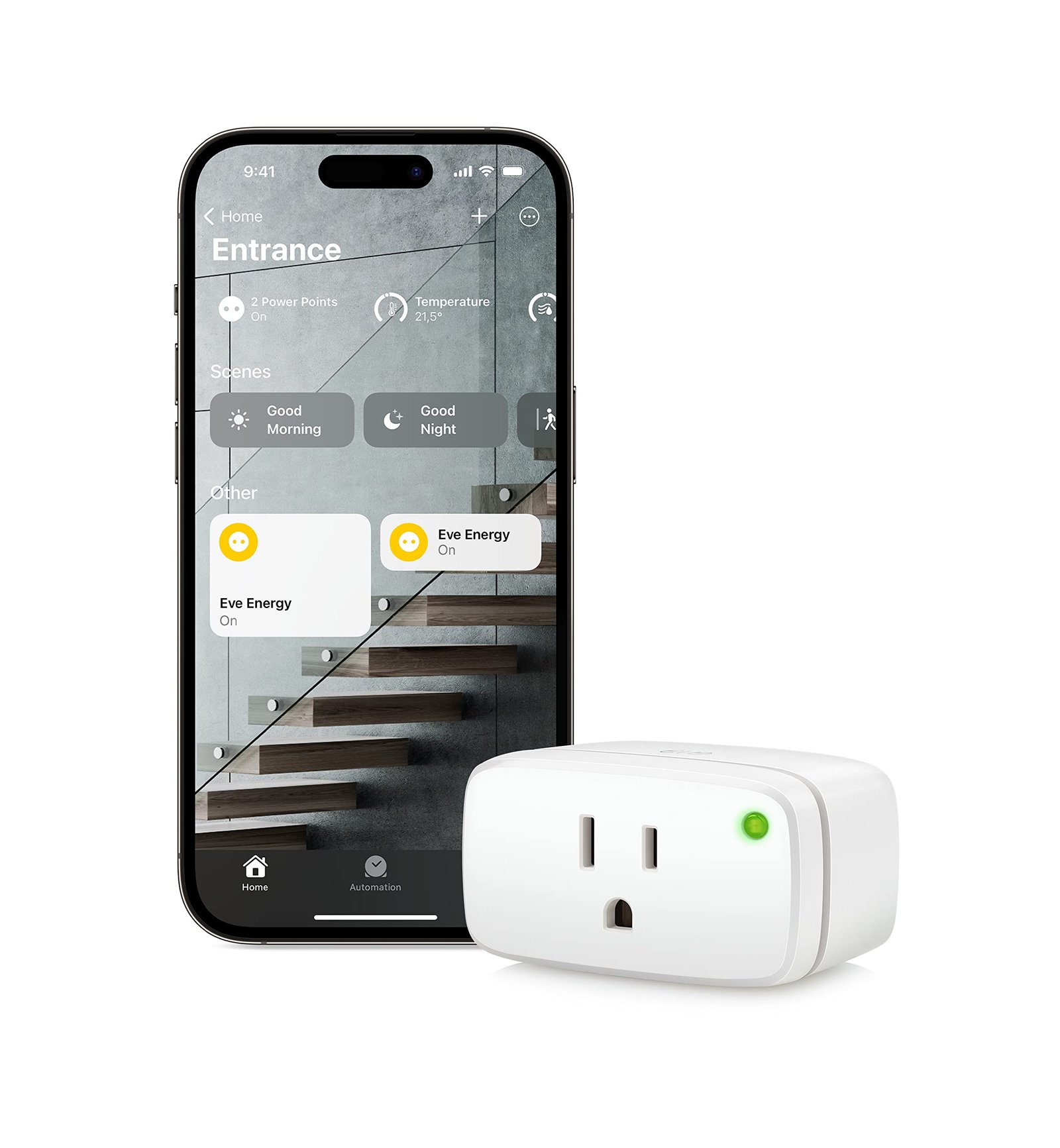
Best For: Testing Matter without commitment
What It Is: A Matter-compatible smart plug for Alexa control and energy monitoring.
Why Renters Love It: Plugs into outlets, removable, no wiring or drilling required.
Real-Life Scenario: Schedule lamps or coffee makers while keeping hardware lease-friendly and portable.
One Limitation: Lacks control for hardwired fixtures.
Best Alexa Automation Setup for Apartments (Simple vs Advanced)
If you’re setting up Alexa automation in an apartment, the best approach is to keep things simple, wireless, and easy to expand.
Here’s a practical setup strategy:
🔹 Beginner Setup (Simple & Budget-Friendly)
- 1–2 smart plugs
- 1 Alexa device
- Basic routines
👉 Best for renters new to smart homes
🔹 Balanced Setup (Best Overall)
- Smart plugs + smart bulbs
- Motion sensor
- Alexa routines
👉 Best for renters who want automation without complexity
🔹 Advanced Setup (Full Automation)
- Multiple devices across rooms
- Sensors + triggers
- Fully automated routines
👉 Best for renters building a long-term smart home
👉 Key takeaway: The best Alexa automation setup combines simple devices with smart routines—no wiring required.
🔹 Best Alexa Automation Setup Using Matter Devices
If you want to build a simple but powerful automation setup, start with a few key Matter devices.
A basic setup includes:
- Smart plugs for lamps and appliances
- Smart bulbs for lighting automation
- Sensors for motion or door alerts
Then connect everything through Alexa routines.
For example:
- “Good Morning” routine turns on lights and starts coffee
- “Good Night” routine turns everything off
This setup works well because:
- No wiring is required
- Easy to expand over time
- Fully renter-friendly
👉 Start small, then build automation as needed
Nanoleaf Essentials
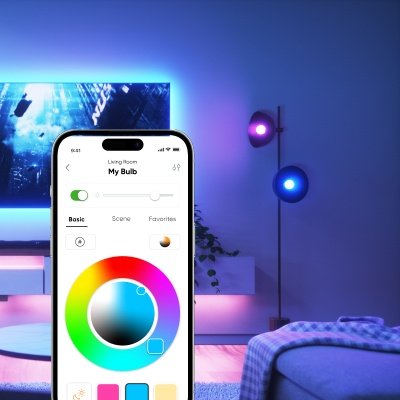
Best For: Renters wanting ambiance + automation
What It Is: A Matter-enabled smart bulb offering color and tunable white via Alexa.
Why Renters Love It: Easy to screw in, creates ambiance without permanent changes.
Real-Life Scenario: Use layered lighting scenes for movie nights or morning routines.
One Limitation: Requires compatible socket and occasional firmware updates.
Amazon Echo
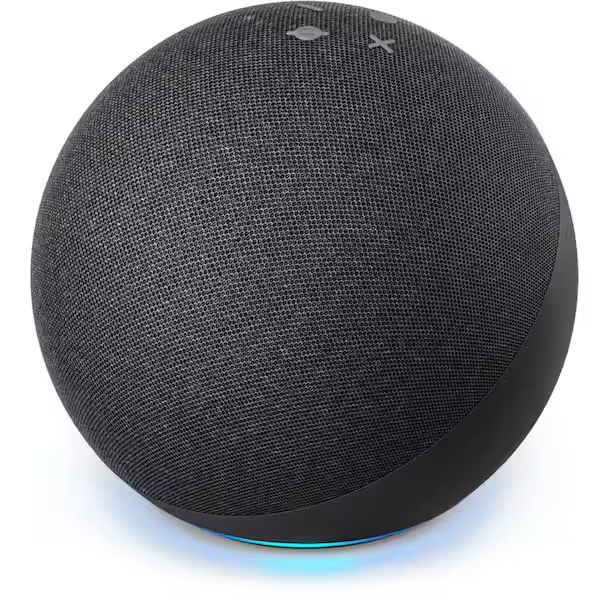
Best For: Expanding beyond basic devices
What It Is: A compact Alexa speaker that acts as a Matter controller and voice hub.
Why Renters Love It: Centralizes voice control and expands device reach without extra hubs.
Real-Life Scenario: Control lights, plugs, and routines hands-free across rooms.
One Limitation: Privacy concerns for some users; voice recording options exist.
Do not choose based on features alone. Basic setup focuses on removable, plug-and-play devices for quick Alexa pairing. Growing setup adds a simple bridge to improve compatibility. Full Coverage moves to a centralized hub for broader integrations while preserving removable hardware. This approach reduces ecosystem confusion and minimizes lease risk.
Real Alexa Automation Examples (Beginner-Friendly)
Here are simple automations renters actually use:
- Turn on lights at sunset
- Turn off all devices at bedtime
- Turn on a lamp when motion is detected
- Schedule devices to turn on before you get home
These routines make your smart home feel automatic—not manual.
🔹 What Can You Automate With Matter Devices + Alexa? (Use Cases)
Matter devices combined with Alexa open up a wide range of automation possibilities.
Here are some real-world examples:
- Automatically turn lights on when you enter a room
- Turn off all devices at night with one command
- Schedule appliances to run at certain times
- Get alerts when doors or windows open
For apartment living, these automations add convenience without requiring complex setup.
👉 You don’t need a full smart home — just a few devices can make a big difference
Common Mistakes When Setting Up Matter with Alexa
Avoid these common issues:
- Assuming all Matter devices work the same
- Ignoring compatibility with Alexa
- Overcomplicating routines
- Buying devices that require extra setup
Start simple and build your automation over time.
REAL-LIFE MATTER AUTOMATION SCENARIOS
Matter devices become powerful when they work together in real-life situations.
Leaving Home
Say, “Alexa, I’m leaving,” and all devices respond instantly—lights off, plugs off, security activated.
Morning Routine
Lights turn on gradually, your routine starts, and everything works without delay.
Evening Relax Mode
Lighting, music, and environment adjust with one command.
Because Matter devices communicate efficiently, these automations feel faster and more reliable.
🎯 Decision Shortcut
Quick pick by renter priorities:
- Basic setup: Use plug-and-play devices for immediate, risk-free Alexa control.
- Growing setup: Add a bridge to broaden compatibility while staying removable.
- Full coverage: Move to a centralized hub for fuller integration that stays lease-aware.
These best Matter devices for Alexa automation give you a simple path to building a system that works without extra setup.
Alexa Contact Sensor Triggers (Matter & Routine Setup Guide)
If you want real automation—not just voice control—contact sensors are where things start to feel smart.
A contact sensor detects when something opens or closes, like a door, window, or cabinet. When paired with Alexa routines, this becomes a powerful trigger for automation.
What Is a Contact Sensor Trigger in Alexa?
A contact sensor sends a signal when:
- A door opens
- A window closes
- A cabinet is accessed
Alexa can use that signal to trigger actions automatically.
Example:
- Front door opens → lights turn on
- Window opens → AC turns off
- Closet opens → light turns on
This is what turns a smart home from “cool” to fully automated.
Do Alexa Routines Support Contact Sensor Triggers?
Yes—but this depends on compatibility.
- Zigbee sensors (via Echo hubs) → Fully supported
- WiFi sensors (via skill integration) → Usually supported
- Matter contact sensors → ⚠️ Limited but improving
👉 Right now, not all Matter contact sensors fully support trigger-based routines in Alexa.
That’s why choosing the right sensor matters.
Best Contact Sensors for Alexa Automation
If your goal is reliable automation, focus on sensors that:
- Integrate directly with Alexa
- Support routine triggers
- Work without complicated setup
Look for:
- Alexa-compatible Zigbee sensors (Echo hub devices)
- Sensors with strong app + Alexa routine support
- Battery-efficient models for long-term use
Example Alexa Routine Using a Contact Sensor
Here’s a simple but powerful setup:
Trigger:
Front door opens
Actions:
- Turn on hallway lights
- Send phone notification
- Start security camera recording
👉 This is beginner-friendly and instantly useful.
Matter Contact Sensors: What You Need to Know
Matter is growing fast, but here’s the honest truth:
- Not all Matter sensors fully support Alexa triggers yet
- Some only report status (open/closed) without automation
- Support is improving, but not perfect
👉 If automation is your priority right now,
Alexa-native or Zigbee sensors are more reliable
Why Contact Sensors Matter for Apartment Automation
For renters, contact sensors are perfect because:
- No drilling required
- Easy to install and remove
- Work on doors, windows, cabinets
They give you:
- Security
- Automation
- Convenience
Without risking your lease.
❓ FAQs
Are Matter devices always plug-and-play with Alexa?
Not always. Some Matter devices still need a bridge or firmware update, so confirm Alexa support before installing to avoid returns and lease issues.
Do I need a hub to get full Matter functionality with Alexa?
Sometimes a bridge or hub improves compatibility. If you’re unsure how Alexa and Matter work together, see this comparison of Alexa vs Matter for apartments to understand which setup fits your needs.
Will using Matter devices risk my lease agreement?
Devices themselves rarely void leases, but permanent or hardwired installs can. Favor plug-in or adhesive options and avoid drilling or wiring to stay compliant.
How can I test Alexa compatibility without committing?
Buy removable, returnable units and check Alexa pairing before permanent changes. Keep packaging and receipts so you can reverse choices without landlord conflict.
🔹 Are Matter Devices Worth It for Alexa Automation? (Pros & Cons)
Matter devices are becoming the standard for smart homes, but are they worth using with Alexa?
Pros:
- Works across multiple brands
- Future-proof technology
- Easy automation with Alexa
- Flexible setup for renters
Cons:
- Still growing ecosystem
- Some devices require compatible controllers
- Setup can vary depending on device
For most users, the combination of Matter + Alexa offers the best balance of flexibility and simplicity.
👉 Bottom line:
Matter devices are a strong choice for Alexa automation — especially for renters
Are Matter Devices Better Than Alexa-Only Devices?
Matter devices offer more flexibility across platforms, but they’re not always better for beginners.
Alexa-only devices are often easier to set up and work more seamlessly within the Alexa ecosystem.
For renters, the best approach is often a mix:
- Use Alexa-friendly devices for simplicity
- Add Matter devices for flexibility
🏁 Final Verdict
For renters facing ecosystem confusion, follow a staged path to stay lease-safe and reversible. Basic → plug-and-play; Growing → bridge; Full → centralized hub. Do not rush into hardwired or landlord-altering installations. Install only removable units or adhesive mounts first to confirm Alexa interoperability before escalating. This reduces returns, wasted spend, and ecosystem confusion for renters.
Start with plug-and-play picks, then expand only when your setup still fits your space and lease. If you want a full walkthrough, see how to build an Alexa smart home in an apartment. Keep receipts and confirm return windows so you can reverse choices without landlord conflict. Document installations and use non-destructive mounts, and test Alexa routines early. Start simple, test compatibility first, and only expand when your setup still works with your space and your lease.
👤 About the Author
Craig, Founder of TopRatedByCraig, TopRatedByCraig.com.
I focus on renter-first, lease-safe, scalable smart home security.