
Introduction
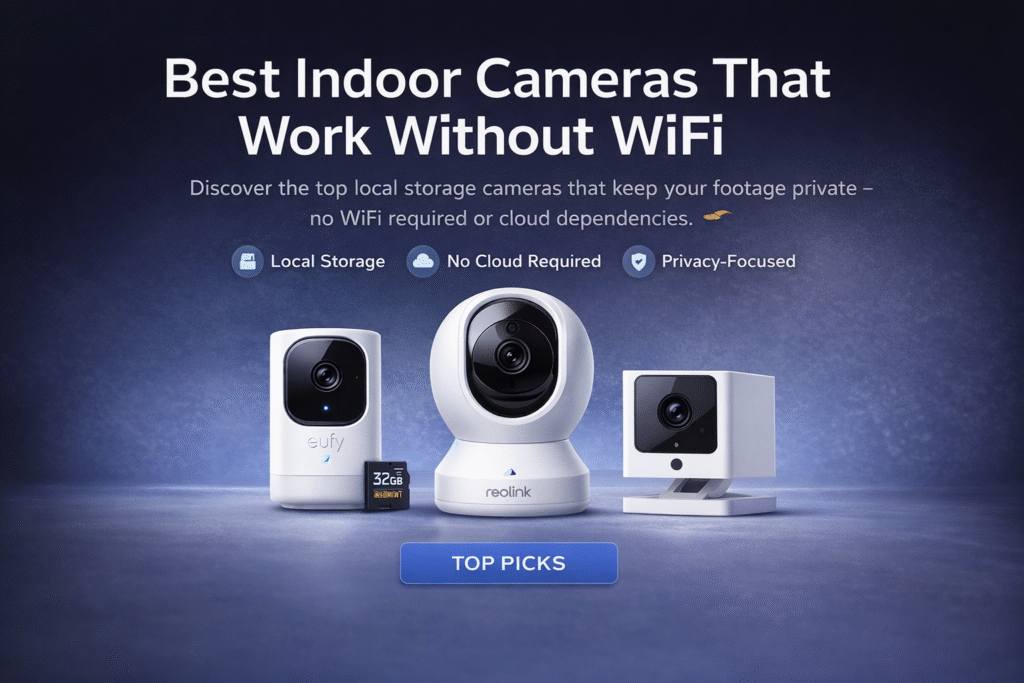
These are the best indoor cameras that work without WiFi if you want privacy without relying on cloud services. Most renters think avoiding WiFi automatically means better privacy—but that’s not always true. Renters often assume choosing an indoor camera without WiFi automatically solves privacy and lease worries. That mistake leads to buying devices that still record to cloud services, require account sign-ins, or depend on landlord-controlled networks. Small missteps can create ongoing stress: worries about being monitored, confusion over who accesses footage, and the fear of breaking lease rules when installing permanent hardware. Privacy organizations like the Electronic Frontier Foundation warn that internet-connected cameras can introduce surveillance risks, especially when cloud storage is involved. You can get solid privacy using local storage, battery options, and removable mounts that respect lease terms. For a broader breakdown of renter-friendly options, see our complete Best Smart Cameras for Apartments: Renter’s Guide.
Follow an easy progression for renters: Basic setup → plug-and-play for removable privacy; Growing setup → add a bridge for better local control; Full coverage → centralized hub when you need whole-apartment workflow. This guide prioritizes lease compliance and renter mobility over enthusiast customization. This approach reduces questions from landlords and lowers hacking risk by minimizing internet exposure.
Quick Picks (Best Indoor Cameras That Work Without WiFi)
- Best Overall: Eufy Solo IndoorCam C24 – Reliable with local storage support, making it a great long-term option if you want security without depending fully on WiFi.
- Best for Easy Setup: Reolink E1 Pro Indoor Camera – Simple to install and use, perfect for quick monitoring with minimal setup.
- Best Budget Pick: Wyze Cam v3 – Affordable and compact, ideal for small apartments or basic indoor security coverage.
👤 Who This Is For
- Renters who prioritize privacy over cloud convenience
- People bound by strict no-alteration lease clauses
- Users with unreliable or no home WiFi
- Tenants who need easy removable installations
- Small-space dwellers wanting local-only recordings
📑 Table of Contents
- Introduction
- Who This Is For
- Quick Comparison Table
- Decision Shortcut
- FAQs
- Final Verdict
- About the Author
Do Indoor Cameras Work Without WiFi?
Yes — indoor security cameras can work without WiFi, but they operate differently than traditional smart cameras.
Instead of streaming footage to the cloud, these cameras rely on local storage options like SD cards, internal memory, or wired connections. This makes them ideal for renters who want privacy, reliability, and a setup that doesn’t depend on internet access.
There are two main ways these cameras function without WiFi:
- Local Recording Cameras: Store footage directly on an SD card or internal storage
- Closed-System Cameras: Use a base station or monitor instead of internet access
For apartment use, this is a major advantage. You avoid:
- Internet outages affecting your security
- Monthly cloud subscription fees
- Privacy concerns from cloud-based storage
👉 Bottom line: If you want simple, reliable, and private security — no WiFi cameras are a strong option.
📊 Best Indoor Cameras That Work Without WiFi: Quick Comparison Table
| Product | Contract Required | DIY Install | Monitoring Option | Best For | Works With Alexa |
|---|---|---|---|---|---|
| Eufy Solo IndoorCam C24 | No long-term contract | Yes (removable setup) | Optional monthly plan | Renters planning long-term growth | Yes |
| Reolink E1 Pro Indoor Camera | No long-term contract | Yes (wireless & adhesive) | Optional month-to-month | Quick setup & simple control | Yes |
| Wyze Cam v3 | No long-term contract | Yes (compact & wireless) | Optional low-cost plan | Budget-friendly small apartments | Yes |
Types of Indoor Cameras That Work Without WiFi
Not all no-WiFi cameras work the same way. Choosing the right type depends on your setup and security goals.
1. SD Card Cameras (Most Common)
These record footage directly onto a memory card.
✔ Easy to set up
✔ No monthly fees
✔ Best for small apartments
2. Battery-Powered Cameras
These work without wiring and often support offline recording.
✔ Fully renter-friendly
✔ No installation damage
✔ Portable and flexible
3. Base Station Cameras
These connect to a local hub instead of the internet.
✔ More stable recording
✔ Better for multi-room coverage
✔ Slightly more advanced setup
4. Cellular Backup Cameras (Optional Upgrade)
Some cameras use SIM cards instead of WiFi.
✔ Works during internet outages
✔ Remote access possible
❌ Higher cost
👉 For most renters: SD card + battery-powered cameras = best balance
Power Options: Battery vs Plug-In vs Cellular Cameras
Not all no-WiFi cameras operate the same way when it comes to power.
Battery-powered cameras are easy to install and portable, but require periodic charging. Plug-in cameras provide continuous operation but must be placed near an outlet. Cellular cameras offer flexibility but may consume more power depending on usage.
Choosing the right power source depends on how often you want to maintain the device and where you plan to place it.
Eufy Solo IndoorCam C24
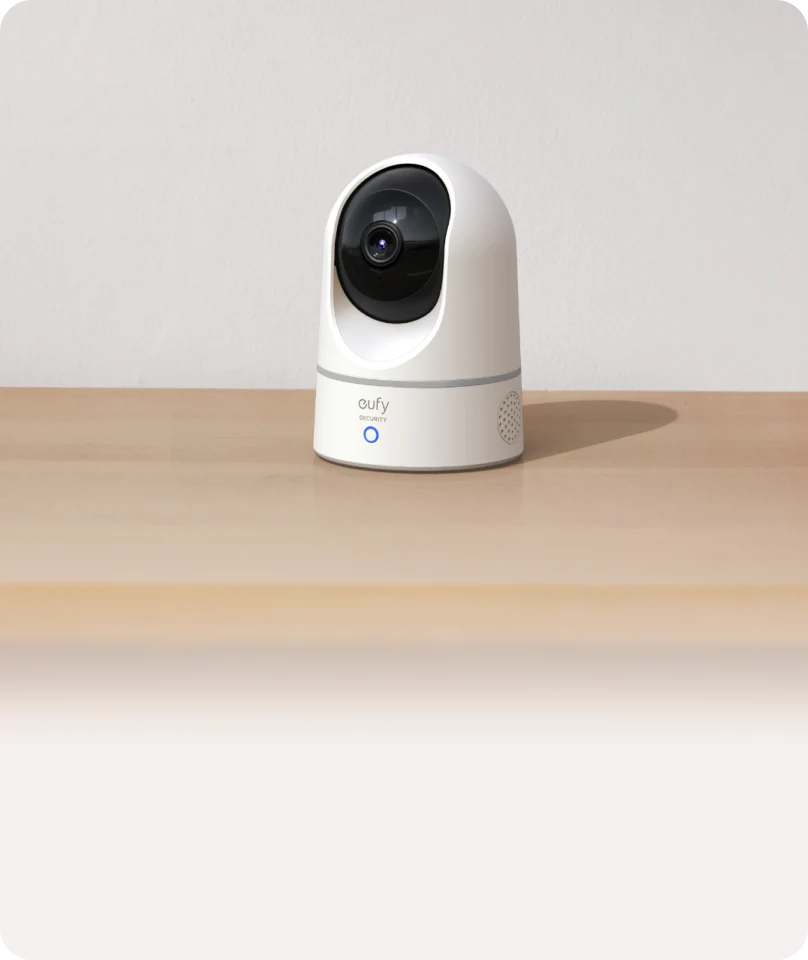
Best For: Local recording with no subscription and optional offline use
What It Is: A compact indoor camera with local storage and optional offline operation for privacy-minded renters.
Why Renters Love It: Stores footage locally so tenants avoid cloud accounts and subscription fees.
Real-Life Scenario: Ideal for a renter who wants a simple, removable camera that keeps recordings on an SD card or local hub without landlord access.
One Limitation: Limited advanced cloud features compared with subscription-based systems.
Choose this if you want simple, private recording with no monthly fees and zero reliance on cloud storage.
Local Storage vs Cloud Storage (No WiFi Cameras Explained)
One of the biggest differences with no WiFi cameras is how footage is stored.
Local Storage (No WiFi Cameras)
- Saves footage directly to SD card or internal memory
- No internet required
- No subscription fees
✔ More private
✔ Works 24/7
✔ No ongoing costs
Cloud Storage (WiFi Cameras)
- Uploads footage to online servers
- Requires internet connection
- Often requires monthly subscription
✔ Remote access
❌ Less private
❌ Ongoing cost
👉 For apartment renters, local storage is usually the better choice because it’s:
- Lease-friendly
- Cost-effective
- Reliable without internet
Do Cellular Security Cameras Require a Data Plan?
Some cameras without WiFi use cellular networks to send alerts or provide remote access.
These cameras typically require a data plan, similar to a mobile phone. Costs can vary depending on how often the camera uploads footage or sends notifications.
For users who need remote monitoring without WiFi, understanding these data costs is important before choosing a cellular-based system.
Reolink E1 Pro Indoor Camera
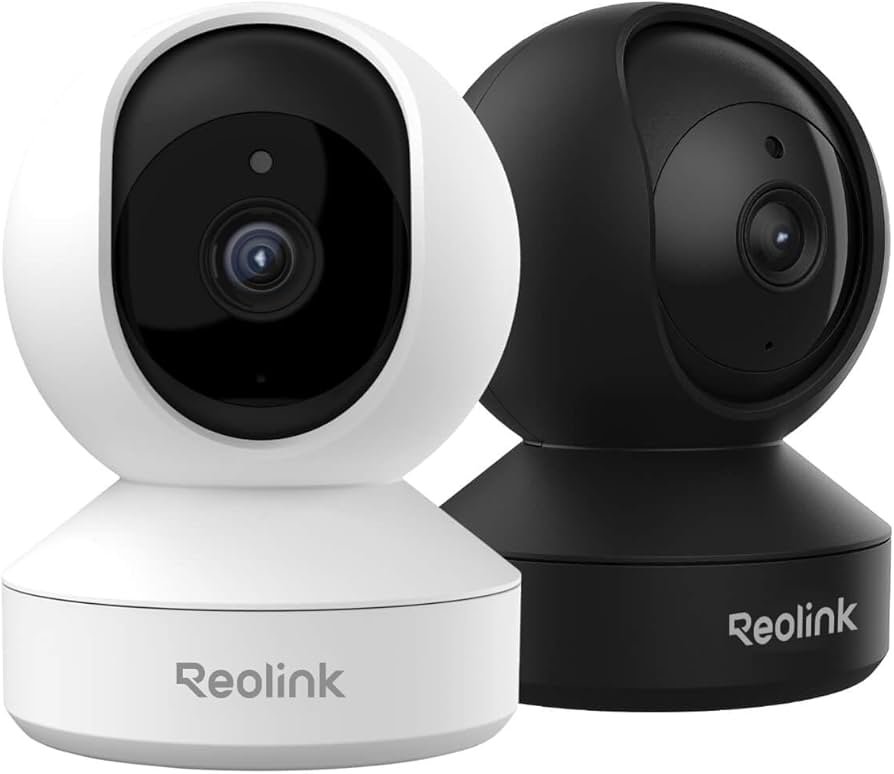
Best For: Flexible indoor monitoring with local storage and no required subscription
What It Is: A versatile indoor camera with pan/tilt and local SD storage, no subscription required.
Why Renters Love It: Flexible mounting and local storage make it easy to add or remove without lease changes.
Real-Life Scenario: Great for monitoring living spaces with adjustable views while keeping footage on-premises.
One Limitation: Mobile app features may be limited when avoiding cloud services.
Go with this if you want wider coverage and more control while still keeping your footage stored locally.
If you eventually want smart integration and voice control, explore options in our Best Alexa Compatible Indoor Cameras for Apartments guide.
Wyze Cam v3
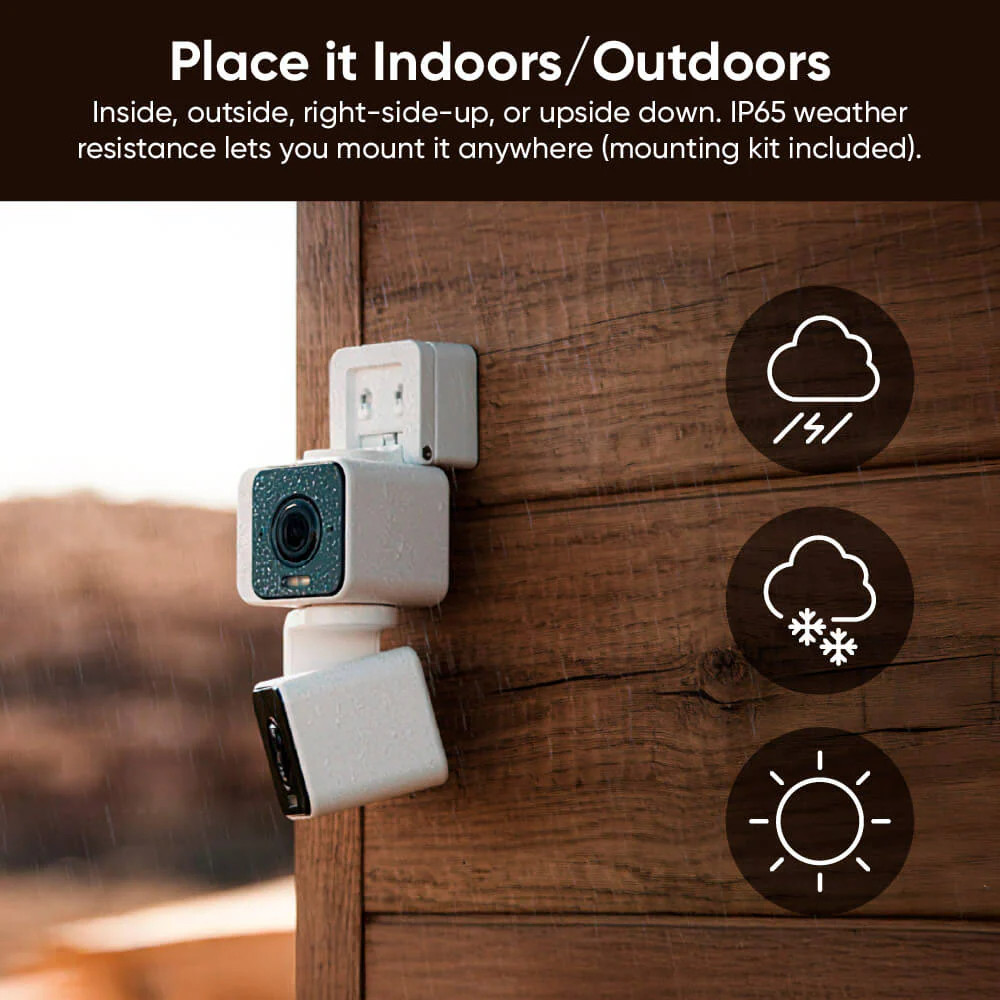
Best For: Budget-friendly local recording with strong performance
What It Is: An affordable indoor camera offering solid image quality and local recording options.
Why Renters Love It: Budget-friendly and easy to install, with local storage to protect privacy.
Real-Life Scenario: Perfect for small apartments needing discreet, low-cost local surveillance without recurring fees.
One Limitation: Lower durability compared to higher-end models.
Pick this if you need a reliable, budget-friendly camera that still offers local recording without a high upfront cost.
If you’re looking for more affordable options, check out our full guide on Best Indoor Cameras Under $100 for Renters
How Much Footage Can No-WiFi Cameras Store?
Storage capacity is an important factor when choosing a camera without WiFi.
Most no-WiFi cameras rely on local storage, such as SD cards or internal memory. The amount of footage you can store depends on the storage size and video quality settings.
Higher resolution recordings take up more space, so it’s important to balance quality with available storage to ensure you don’t run out of recording capacity.
Do not choose based on features alone. Basic favors plug-and-play removable cameras with local storage; Growing adds a bridge for improved on-premise control; Full coverage moves to a centralized hub for integrated local recording. Given privacy concerns, prioritize options that minimize cloud exposure and remain fully removable for lease safety.
How to Choose the Best Indoor Camera Without WiFi (Apartment Guide)
Choosing the right camera comes down to a few key factors — especially as a renter.
1. Storage Type
Look for cameras with SD card or internal storage to avoid subscriptions.
2. Power Source
- Battery-powered = easiest setup
- Plug-in = more consistent recording
3. Placement Flexibility
Choose compact cameras that can sit on shelves or mount without drilling.
4. Night Vision & Motion Detection
Make sure the camera can still detect movement and record clearly at night.
5. Privacy Features
Look for:
- Local-only storage
- No cloud dependency
- Optional offline mode
👉 Smart renters prioritize: no damage + no subscription + simple setup
🎯 Decision Shortcut
Quick pick based on privacy and lease safety.
- Basic setup: Plug-and-play, removable cameras that store locally and avoid cloud accounts.
- Growing setup: Add a bridge for local network control without forcing cloud connections.
- Full coverage: Move to a centralized hub for unified, local-only recording and easy removal.
Can You Watch Footage in Real Time Without WiFi?
Real-time viewing is limited when a camera does not use WiFi.
Most local-storage cameras record footage that can be viewed later, rather than streamed live. Cellular-enabled cameras may offer live viewing, but performance depends on signal strength and data usage.
Understanding these limitations helps set realistic expectations for how your camera will function.
Best Use Cases for No WiFi Indoor Cameras
No WiFi cameras are not just a workaround — they’re actually the best solution in certain situations.
1. Apartments with Unreliable Internet
If your WiFi drops often, these cameras keep recording regardless.
2. Privacy-Focused Users
No cloud = no external access to your footage.
3. Budget Setups
No monthly fees makes these much cheaper long-term.
4. Temporary Living Situations
Perfect for renters who move frequently and need portable security.
5. Backup Security System
Works alongside your main system in case WiFi fails.
👉 These cameras shine when you want simple, private, and dependable security
❓ FAQs
Are indoor cameras without WiFi truly private?
They can be significantly more private when they store locally and never connect to cloud services. Always verify storage method and account requirements to avoid hidden cloud backups that could expose footage or violate lease terms.
How do I view footage from a non-WiFi camera?
Many use local SD cards or a direct USB/phone connection for playback. Confirm that accessing footage doesn’t require creating online accounts that store data off-premises to stay lease-safe.
Will installing a non-WiFi camera break my lease?
Not if you use removable mounts and avoid drilling or permanent wiring. Always check lease clauses and choose adhesive, clamp, or magnetic mounts to keep installations reversible.
Can non-WiFi cameras still be hacked or accessed remotely?
The risk is much lower without internet connectivity, but any bridge or hub introduces new exposure. Keep firmware updated, limit network bridges, and prefer local-only hubs to reduce remote-access risk.
Are No-WiFi Cameras Legal to Use Indoors?
Even without WiFi, security cameras must still follow privacy laws.
Recording in shared or private spaces without consent may be restricted depending on local laws. It’s important to avoid placing cameras in sensitive areas such as bedrooms or bathrooms.
For most users, placing cameras in common areas and clearly informing others of their presence helps avoid legal issues.
🏁 Final Verdict
Choosing the best indoor cameras that work without WiFi helps reduce privacy risks while keeping your setup simple and renter-friendly. For renters, privacy-first choices start with removable hardware and clear local storage. Do not assume ‘no WiFi’ always means private — verify if the camera requires accounts, cloud backups, or monthly services. Follow the simple tier map: Basic → plug-and-play; Growing → bridge; Full → centralized hub, choosing the step that reduces cloud exposure.
Install cameras on removable mounts and keep recordings local on SD or direct-record bridges to avoid unintended uploads. Check lease terms before any wiring or power modifications and prefer battery or USB-powered units for reversible setups. When adding a bridge or hub, select local-first implementations and skip services that push mandatory cloud backups.
👤 About the Author
Craig, Founder of TopRatedByCraig, TopRatedByCraig.com.
Focus on renter-first, lease-safe, scalable smart home security.