
Introduction
Upgrading your door with a smart lock sounds simple—until you realize most options require drilling, permanent changes, or full lock replacements. For renters, that’s a fast way to risk your security deposit or run into landlord issues.
The reality is: not every smart lock is renter-friendly.
That’s where the Matter smart home standard makes things easier. It allows smart locks from different brands to work together across platforms like Alexa, Apple Home, and Google. But compatibility alone isn’t enough—you need a lock that installs safely, removes cleanly, and doesn’t damage your door. If you’re building a complete renter-friendly setup, pairing a smart lock with window sensors can add another layer of protection—especially in apartments where entry points are limited.
This guide focuses only on lease-safe Matter compatible smart locks. Every option below is chosen based on one rule: no unnecessary damage, no permanent changes, and minimal risk to your deposit.
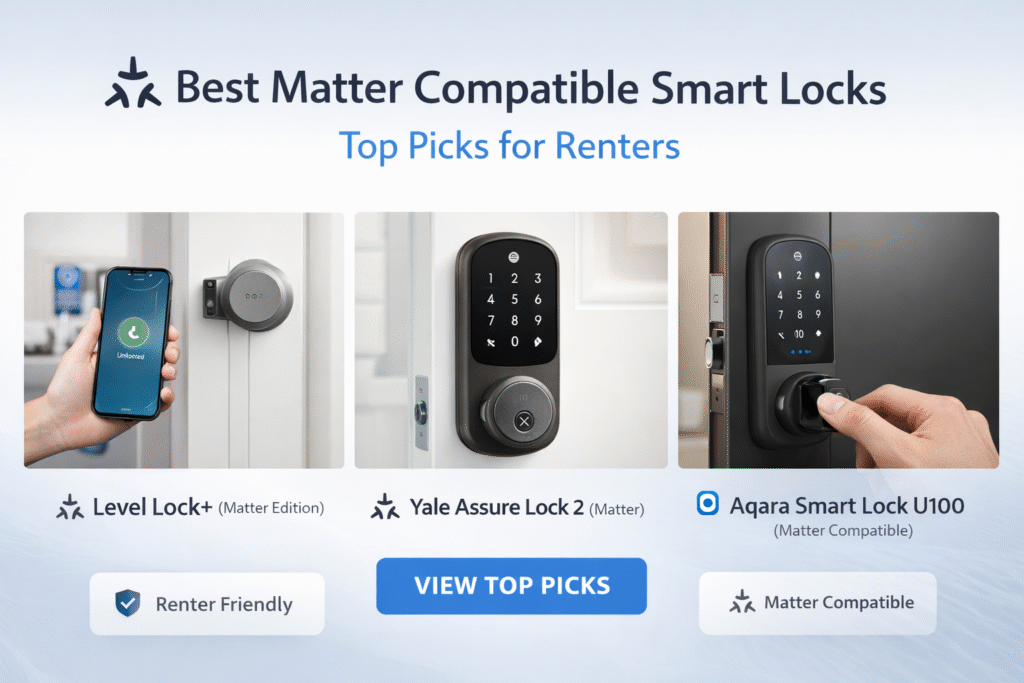
Quick Picks (Best Matter Smart Locks for Renters)
Don’t want to compare everything? Start here:
- 🏆 Best Overall: Level Lock (Matter) – clean, hidden design with strong smart home compatibility
- 🔐 Best Features: Yale Assure Lock 2 – keypad + app control for easy access and flexibility
- 🍎 Best for Apple Users: Aqara U100 – best option for Apple Home and Matter setups
👉 Simple rule: Choose Level for a seamless look, Yale for features, and Aqara for Apple-focused setups.
What Is the Best Smart Lock for Renters?
The best smart lock for renters is a retrofit smart lock that installs over your existing deadbolt without drilling or permanent changes.
These locks are:
- Easy to install and remove
- Lease-safe and reversible
- Compatible with Alexa, Google, or Matter
👉 For most renters, retrofit smart locks offer the best balance of security, convenience, and flexibility.
🔎 What Is a Matter Compatible Smart Lock?
A Matter compatible smart lock is designed to work across multiple smart home platforms without being locked into a single ecosystem.
That means one lock can work with:
- Alexa
- Google Home
- Apple Home (HomeKit)
Instead of choosing a lock based on one system, Matter allows you to choose flexibility.
For renters, this matters because you’re not tied to one setup—you can change platforms without replacing your lock.
⚠️ What We Refuse to Recommend
Most “top smart lock” lists ignore renter restrictions. This one doesn’t.
We intentionally excluded:
- Locks that require drilling into your door
- Full deadbolt replacements that aren’t easily reversible
- Wired systems that leave permanent damage
- Any setup that could violate lease agreements
If it puts your deposit at risk, it’s not on this list.
🚫 Are Smart Locks Safe for Apartments?
This is one of the biggest concerns renters have—and it’s a valid one.
The truth is: smart locks are safe when you choose the right type.
For apartment use, you should:
- Avoid locks that require permanent door modifications
- Choose models designed to work with existing deadbolts
- Stick with trusted brands that use encryption and secure access
When used properly, smart locks can actually increase your security by giving you:
- Remote access control
- Activity tracking
- Auto-lock features
The key is choosing renter-safe designs, not permanent replacements.
Who This Is For
This guide is built specifically for renters who want smart security without complications.
- You want a smart lock without drilling or damage
- You need something easy to remove when moving out
- You want Matter compatibility for flexibility
- You care about protecting your deposit and avoiding landlord issues
🏠 Can You Install a Smart Lock Without Drilling?
Yes—and this is critical for renters.
Many modern smart locks are designed to:
- Fit over your existing deadbolt
- Require no drilling or permanent changes
- Be removable when you move out
These are often called:
- Retrofit smart locks
- No-drill smart locks
- Renter-friendly smart locks
If you’re under a lease, this is the type you should focus on.
Retrofit vs Full Replacement Smart Locks (Renters Guide)
When choosing a smart lock for an apartment, one of the biggest decisions is whether to go with a retrofit lock or a full replacement lock.
🔹 Retrofit Smart Locks
- Install over your existing deadbolt
- No drilling or permanent changes
- Easy to remove when you move
👉 Best for renters who want a simple, lease-safe upgrade
🔹 Full Replacement Smart Locks
- Replace your existing lock entirely
- Offer more features and stronger security
- May require tools and landlord approval
👉 Best for renters who want a more permanent solution
👉 Which should you choose?
If you’re renting, retrofit smart locks are usually the better option because they minimize risk and are easier to install and remove.
Quick Comparison Table
| Product | Installation | Renter Risk | Best For | Works With Matter |
|---|---|---|---|---|
| Level Lock (Matter) | Internal swap | Medium | Hidden design | Yes |
| Yale Assure Lock 2 | Partial replace | Medium | Keypad + app control | Yes |
| Aqara U100 | Partial replace | Medium | Apple Home users | Yes |
Do Smart Locks Require Drilling or Permanent Changes?
Not always.
Some smart locks are designed specifically for renters and attach to your existing deadbolt from the inside.
These models:
- Require no drilling
- Don’t change the exterior of your door
- Can be removed without damage
Always check installation type before buying.
Best Smart Locks for Renters by Use Case
Not all smart locks are the same. The best option depends on your apartment setup, lease restrictions, and how much installation you’re comfortable with.
Here’s how to choose the right one:
🔹 Best for No-Drill Install (Lease-Safe Option)
Retrofit smart locks that fit over your existing deadbolt are the safest option for renters. They don’t require replacing hardware or modifying your door.
👉 Ideal for: renters who want zero risk of lease violations
🔹 Best for Maximum Security
Full replacement smart locks offer stronger security features, including keypads, auto-locking, and advanced access controls.
👉 Ideal for: renters who prioritize security and have landlord approval
🔹 Best for Convenience & Automation
Smart locks with app control and voice assistant support make it easy to lock/unlock doors remotely and integrate with your smart home system.
👉 Ideal for: renters using Alexa or Matter for automation
👉 Key takeaway: Most renters should start with a retrofit smart lock to avoid drilling and keep their setup fully reversible.
🔐 Do Smart Locks Work Without a Hub?
Not all smart locks require a hub—but some features depend on it.
Here’s the breakdown:
Without a hub:
- You can lock/unlock via Bluetooth
- Limited remote control
With a hub (or Matter controller):
- Full remote access
- Voice control
- Automation with other devices
For renters, the best choice is a lock that works standalone first, then expands with a hub if needed.
This keeps your setup simple and flexible.
How to Choose the Best Smart Lock for Your Apartment
Choosing the right smart lock isn’t just about features—it’s about what works best for your living situation as a renter.
Here’s a simple way to decide:
🔹 Choose a Retrofit Lock if:
- You want a no-drill installation
- You need something easy to remove
- You want to avoid lease issues
🔹 Choose a Full Replacement Lock if:
- You have landlord approval
- You want advanced security features
- You don’t mind a more involved installation
🔹 Choose Matter-Compatible Locks if:
- You want smart home integration
- You use Alexa or other platforms
- You want long-term flexibility
👉 Best strategy for renters: Start with a lease-safe retrofit lock that works with Matter or Alexa, then upgrade if needed.
Best Smart Lock Setup for Apartments (Simple vs Advanced)
The best smart lock setup depends on your apartment type and how much control you want.
🔹 Simple Setup (Most Renters)
- Retrofit smart lock
- Mobile app control
- Optional Alexa integration
👉 Best for: quick setup with no drilling
🔹 Balanced Setup (Best Overall)
- Retrofit smart lock
- Alexa or smart speaker
- Basic automation (lock/unlock routines)
👉 Best for: convenience + smart home integration
🔹 Advanced Setup (Full Control)
- Smart lock with full replacement (if allowed)
- Multiple smart devices connected
- Advanced automation and alerts
👉 Best for: long-term setups with more control
👉 Key takeaway: Most renters should stick with a simple retrofit setup to avoid lease issues.
What Happens When You Move?
Many renter-friendly smart locks are easy to remove.
- Detach from your existing lock
- Restore original hardware
- Take the smart lock with you
This makes them a practical long-term investment.
Which Smart Lock Should You Actually Choose?
If you’re still unsure, here’s the simplest way to decide:
🔹 Want the safest, lease-friendly option?
👉 Choose a retrofit smart lock
- No drilling
- Easy to remove
- Low risk
🔹 Want better security features?
👉 Choose a full replacement smart lock
- More control
- Stronger features
- Requires approval
🔹 Want smart home integration?
👉 Choose a Matter-compatible smart lock
- Works with multiple platforms
- Future-proof setup
👉 Best choice for most renters:
A retrofit smart lock with Matter or Alexa support.
Best Matter Compatible Smart Locks for Renters
Level Lock+ (Matter Edition)
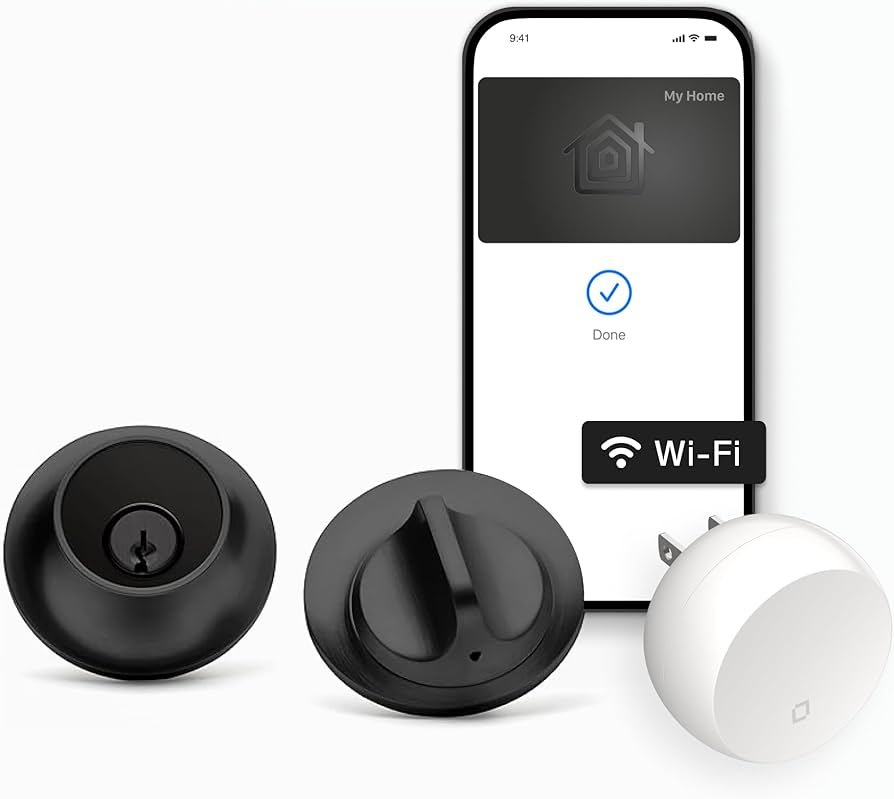
Level Lock (Matter Edition)
Renter Risk Level: Medium (internal deadbolt replacement)
Installation: Replaces internal components only
Best for: Renters who want a completely hidden smart lock
If you want a smart lock that doesn’t look like a smart lock, the Level Lock is one of the cleanest options available. It installs inside your existing deadbolt, meaning your door keeps its original appearance—something many landlords prefer.
This makes it a strong option for renters who want smart functionality without drawing attention or changing the exterior hardware.
Why it stands out:
- Invisible design (looks like a standard lock)
- Works with Matter for cross-platform compatibility
- Keeps your door’s original aesthetic
Downside:
- Requires replacing internal components
- Not a quick, tool-free install
👉 Best for renters comfortable restoring their original lock before moving out.
📱 How Do You Control a Smart Lock?
Smart locks can be controlled in multiple ways, depending on the model:
- Mobile app (most common)
- Keypad entry
- Voice assistants (Alexa, Google, Apple)
- Physical key (backup)
For renters, having multiple control options is important.
It gives you flexibility—whether you’re home, away, or letting someone in temporarily.
For renters who want full visibility along with access control, adding an indoor camera that works without WiFi can help monitor your space without relying on a constant connection.
Yale Assure Lock 2 (Matter)
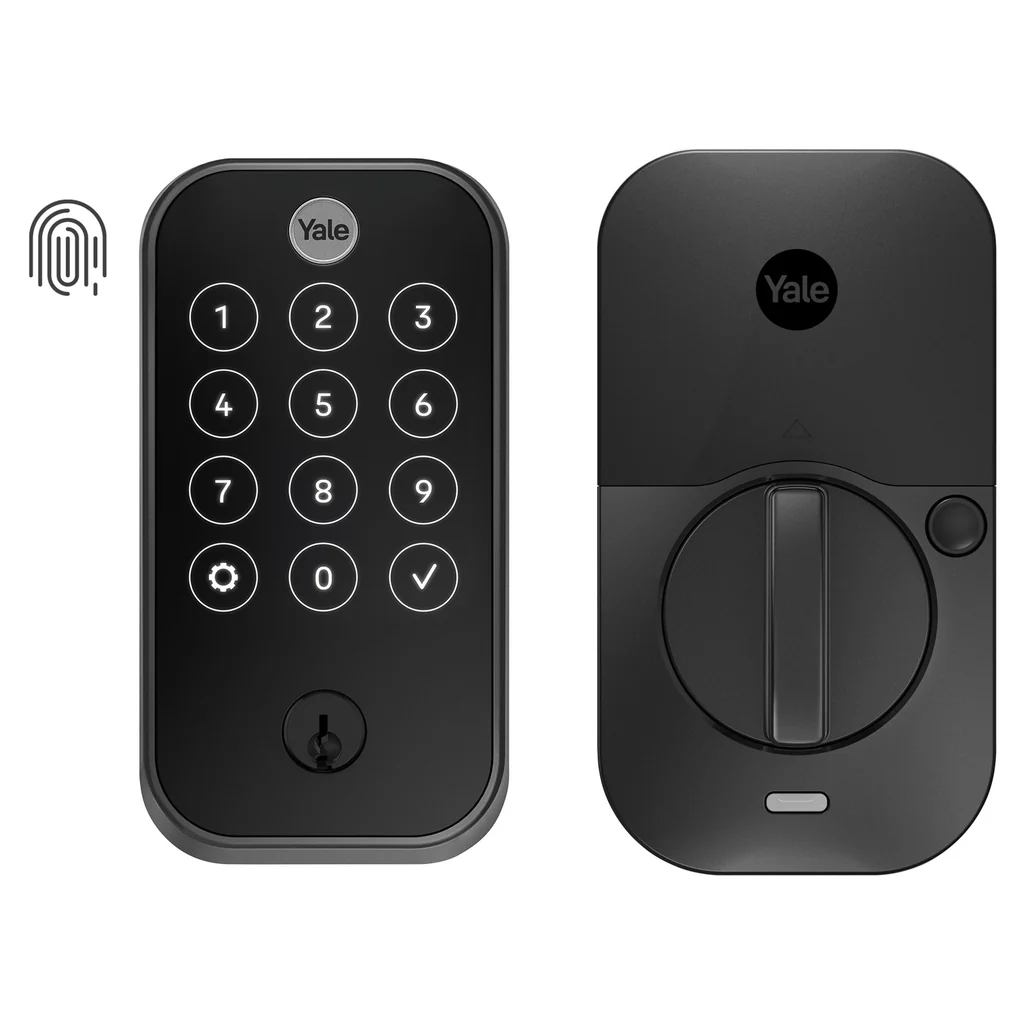
Yale Assure Lock 2 (Matter)
Renter Risk Level: Medium (full deadbolt replacement)
Installation: Replaces your existing lock
Best for: Renters who want keypad entry and full smart control
The Yale Assure Lock 2 is one of the most popular smart locks for a reason—it gives you a full keypad, app control, and Matter compatibility in one package.
However, this is a full lock replacement, which means you’ll need to reinstall your original lock when you move out.
Why it stands out:
- Keypad access (no keys needed)
- Strong smart home integrations
- Reliable performance
Downside:
- Requires full deadbolt replacement
- Slightly higher risk for renters
👉 Best for renters who want convenience and don’t mind a reversible install.
Aqara U100
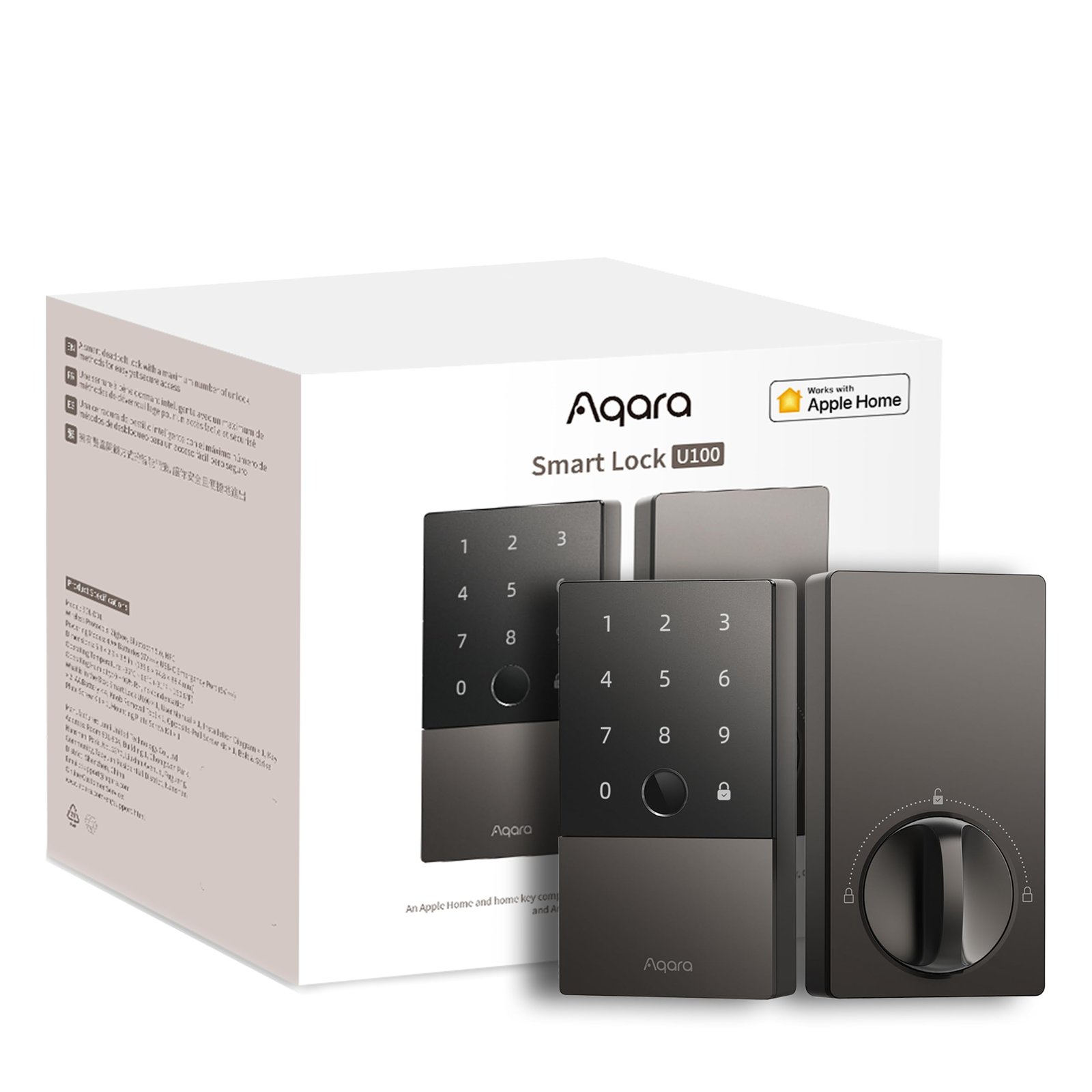
Aqara U100
Renter Risk Level: Medium (deadbolt replacement)
Installation: Replaces existing lock
Best for: Apple Home users and fingerprint access
The Aqara U100 is a solid option if you’re deep into the Apple ecosystem. It offers fingerprint unlocking, keypad entry, and seamless integration with Apple Home.
Like the Yale, it requires replacing your existing lock—but it adds more advanced access options.
Why it stands out:
- Fingerprint unlock (fast + convenient)
- Apple Home integration
- Matter support for flexibility
Downside:
- Requires lock replacement
- Setup may be more advanced for beginners
👉 Best for renters who want advanced features and are comfortable with reinstalling hardware later.
⚡ Are Matter Smart Locks Worth It?
Matter smart locks are one of the best long-term investments for a smart home.
Why?
Because they:
- Work across multiple platforms
- Future-proof your setup
- Reduce compatibility issues
For renters especially, this matters because you may change:
- Apartments
- Wi-Fi setups
- Smart home ecosystems
Instead of replacing your lock, you keep using the same device.
That flexibility is what makes Matter devices stand out.
🧠 Biggest Mistake Renters Make
The biggest mistake renters make is installing a smart lock they can’t reverse.
Many locks require full replacements or modifications, and renters forget to reinstall the original hardware before moving out. That leads to:
- Lost deposits
- Repair costs
- Landlord disputes
The safest move is choosing a lock you can remove cleanly and restore easily.
If you’re planning a full smart apartment setup, it’s worth learning how to build an Alexa smart home system without wiring so everything stays renter-friendly and easy to remove.
Decision Shortcut
- Want the most discreet option → Level Lock
- Want keypad + convenience → Yale Assure Lock 2
- Want fingerprint + Apple Home → Aqara U100
FAQs
Can I install a Matter lock without landlord permission?
In most cases, yes—if no permanent changes are made and you reinstall the original lock before moving out.
How portable are Matter compatible smart locks?
Most can be removed and reinstalled, but portability depends on how easy it is to reverse the installation.
Will my smart lock work with my voice assistant?
Yes. Matter-compatible locks typically work with Alexa, Apple Home, and Google Home.
What if a lock requires a hub or bridge?
Some setups may require a hub for full functionality, depending on your ecosystem.
🧠 Best Smart Lock Setup for Renters
If you want a simple, lease-safe setup, don’t overcomplicate it.
Here’s a proven approach:
Step 1: Choose a retrofit (no-drill) smart lock
Step 2: Connect it via Bluetooth or Matter
Step 3: Add a hub later if you want automation
Step 4: Use app + keypad for flexibility
This gives you:
- Security
- Convenience
- Full control
Without risking your lease or overbuilding your system.
Common Mistakes Renters Make with Smart Locks
Avoid these common issues:
- Buying locks that require drilling
- Not checking door compatibility
- Ignoring landlord or lease restrictions
- Choosing locks without backup access options
Always verify compatibility before purchasing.
Decision Shortcut: Best Smart Locks for Renters
If you want the easiest setup, choose a retrofit smart lock that installs over your existing deadbolt.
If you want remote access, choose a WiFi-enabled model.
For most renters, a no-drill retrofit lock is the safest and most practical option.
Final Verdict
If you’re renting, your priority isn’t just smart features—it’s avoiding damage, fees, and unnecessary complications. Every lock in this guide was selected based on one principle: lease-safe installation with minimal risk.
For most renters, the safest approach is choosing a lock that can be removed cleanly and doesn’t require permanent changes. The best smart lock isn’t just the smartest—it’s the one that protects your deposit.
About the Author
Craig is the founder of TopRatedByCraig.com, where he focuses on renter-friendly smart home solutions that are easy to install, removable, and built for real apartment living. His goal is simple: help you upgrade your space without risking your lease.