
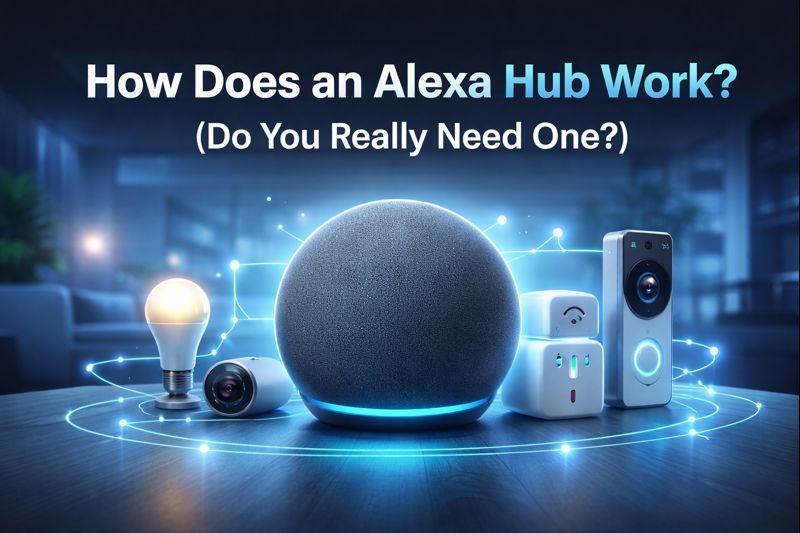
How does an Alexa hub work? If you’re new to smart homes, you’ve probably heard the term Alexa hub and wondered what it actually does — and whether you really need one. The short answer? Not always. But in many setups, an Alexa hub makes your smart home faster, more reliable, and easier to manage.
If you’re just getting started, many smart home devices for beginners work without a hub but adding one can make your setup faster and more reliable. This beginner-friendly guide explains everything in plain English, with visuals, comparison tables, FAQs, and Amazon-recommended Alexa hub devices.
Quick Picks (Best Alexa Hubs & Devices for Apartments)
- Best Overall Hub: Amazon Echo (4th Gen) – Built-in smart home hub with Matter support, making it the easiest all-in-one choice for controlling multiple devices.
- Best Smart Display Hub: Amazon Echo Show 8 – Perfect if you want a screen for managing devices, viewing cameras, and running routines visually.
- Best for Advanced Control: Amazon Echo Hub – Ideal for wall-mounted control and managing a full smart home setup from one central dashboard.
What Is an Alexa Hub in Simple Terms?
An Alexa hub is a device that connects and controls your smart home devices through Alexa.
Instead of managing each device separately, the hub allows everything to work together in one system.
This means you can:
- Control devices with voice commands
- Create routines and automations
- Manage everything from one app
👉 For beginners, an Alexa hub simplifies your entire smart home setup.
Table of Contents
- How Does an Alexa Hub Work? (Quick Beginner Summary)
- What Is an Alexa Hub?
- How Does an Alexa Hub Work? (Simple Explanation)
- Alexa Hub vs No Hub: Do You Really Need One?
- Which Alexa Devices Have a Built-In Hub?
- Best Alexa Hub Devices (With Images & Recommendations)
- What Smart Devices Need an Alexa Hub?
- Alexa Hub for Apartments & Renters
- Frequently Asked Questions (FAQ)
- Final Verdict: Do You Really Need an Alexa Hub?
This guide is perfect if you:
✔ Are new to smart homes
✔ Live in an apartment or rental
✔ Want Alexa devices that just work
✔ Don’t want complicated setups
Do You Need an Alexa Hub?
Not every smart home setup requires an Alexa hub.
You can skip a hub if you’re using:
- WiFi smart plugs
- Smart bulbs
- Basic Alexa devices
However, a hub becomes useful when you want:
- Better automation
- More reliable connections
- Support for Zigbee or Matter devices
👉 Beginners can start without a hub and upgrade later.
Quick Answer: How an Alexa Hub Works (Beginner Summary)
An Alexa hub is a built-in smart home controller found in certain Echo devices. It allows compatible smart devices to communicate locally using Zigbee or Matter instead of relying completely on Wi-Fi.
This means:
- Faster response times
- Fewer disconnects
- Better performance in apartments and crowded networks
If you plan to add more than a few smart devices, a hub is usually worth it.
How to Set Up an Alexa Hub for Beginners
Setting up an Alexa hub is simple and takes just a few minutes.
Basic steps:
- Plug in your Alexa device
- Open the Alexa app
- Connect to WiFi
- Add compatible smart devices
- Group devices and create routines
Once set up, you can control everything with voice commands.
👉 Most setups are beginner-friendly and require no technical experience.
What Is an Alexa Hub?
An Alexa hub acts like a translator between Alexa and your smart devices. Instead of every device needing its own app and Wi-Fi connection, the hub manages them centrally.
Most Alexa hubs support:
- Zigbee
- Matter (newer Echo models)
- Local smart-home control
Amazon explains how Alexa smart home hubs work by allowing compatible devices to connect locally using protocols like Zigbee and Matter, improving speed and reliability.
How Does an Alexa Hub Work? (Simple Explanation)
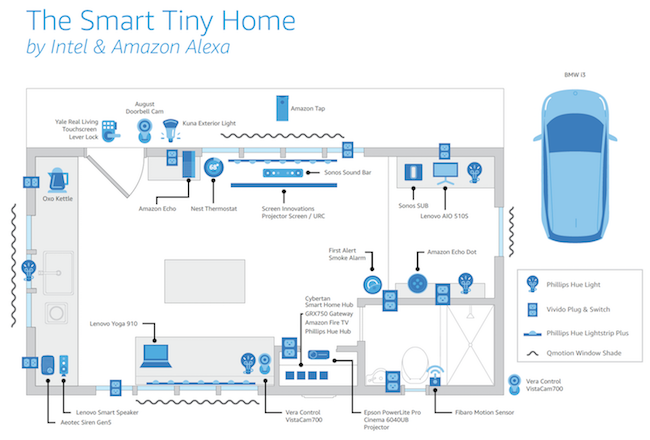

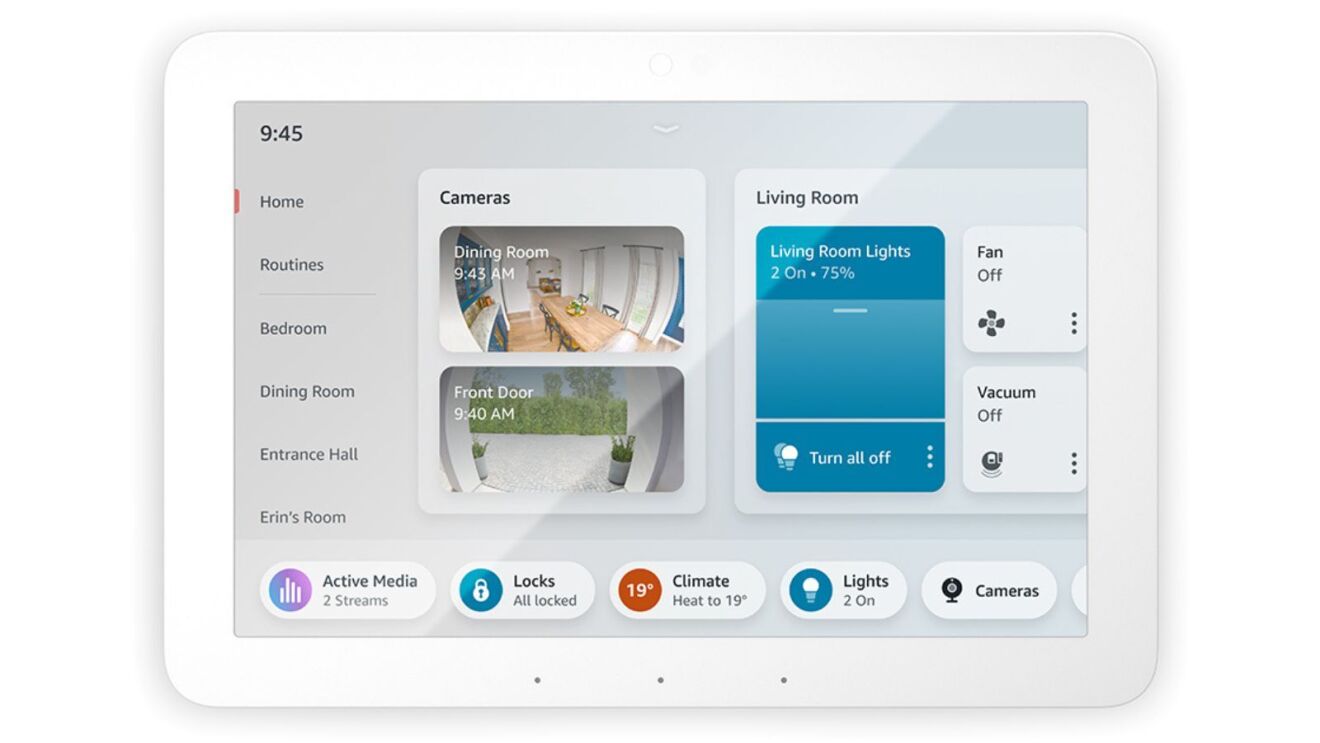
Here’s what happens step by step:
- You say: “Alexa, turn off the lights.”
- Alexa sends the command to the hub inside your Echo device
- The hub talks directly to the device (Zigbee or Matter)
- The device responds almost instantly
Why this matters:
- Less Wi-Fi congestion
- Devices respond faster
- Better reliability for beginners
Local Control vs Cloud Control: Why Hubs Matter
One key advantage of an Alexa hub is how it handles device communication.
Without a hub, most devices rely on cloud-based communication, which can introduce delays. With a hub, many devices can communicate locally, meaning commands are processed faster and more reliably.
This difference becomes noticeable as you add more devices, especially in environments where internet speed or stability varies.
Alexa Hub vs No Hub: Do You Really Need One?
| Feature | With Alexa Hub | Without Hub |
|---|---|---|
| Setup | Simple & centralized | App-by-app |
| Speed | Fast (local control) | Slower |
| Reliability | Very stable | Wi-Fi dependent |
| Apartment friendly | Excellent | Mixed |
| Beginner friendly | ⭐⭐⭐⭐⭐ | ⭐⭐ |
If you live in a rental, choosing one of the best smart home hubs for apartments can improve reliability without requiring permanent installation.
Verdict:
If you want fewer headaches and smoother performance, a hub is the smarter option.
Does an Alexa Hub Make Your Smart Home Faster?
Performance is one of the biggest differences between hub-based and non-hub setups.
In a basic setup, you may not notice much difference. However, as you add more devices, hubs help reduce lag and improve response time by managing communication more efficiently.
For users running multiple automations or devices, this can make the entire system feel smoother and more responsive.
Do Alexa Hubs Require WiFi?
Yes — Alexa hubs rely on WiFi for most features.
WiFi is needed for:
- Voice commands
- Device control
- App access
Some devices may work locally, but full functionality requires internet access.
👉 A stable WiFi connection is essential for smooth performance.
What Devices Do NOT Work Well Without a Hub?
Not all smart home devices perform equally in a hub-free setup.
Devices that rely on protocols like Zigbee or Thread often require a hub for full functionality. Without one, you may be limited to WiFi-only devices, which can reduce flexibility.
Understanding these limitations helps you avoid compatibility issues as your system grows.
Which Alexa Devices Have a Built-In Hub?
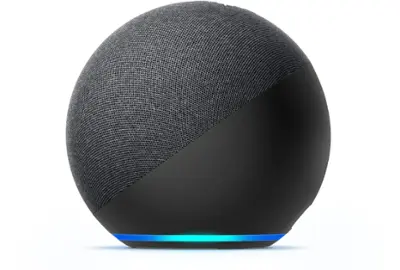
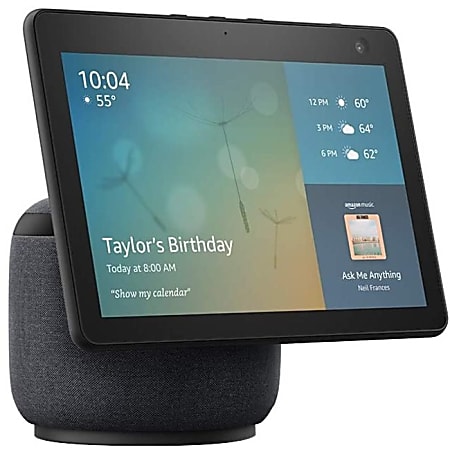

Not all Echo devices include a hub. The models below do, and they’re ideal for beginners.
Why Alexa Hubs Work Well in Apartments
Apartment environments often have more WiFi interference due to nearby networks.
Alexa hubs help reduce this issue by allowing compatible devices to communicate through alternative protocols instead of relying entirely on WiFi. This can improve stability and reduce delays.
For renters or apartment users, this makes hubs a practical way to build a more reliable smart home system.
🛒 Best Alexa Hub Devices
⭐ Echo (4th Gen) — Best Overall Alexa Hub for Beginners
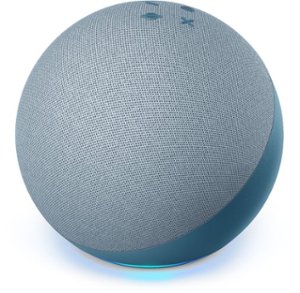
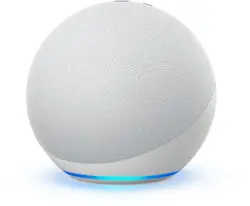
Why it’s great
- Built-in Zigbee + Matter hub
- Compact and affordable
- Excellent for apartments and small homes
Best for: Beginners who want reliability without complexity
⭐ Echo Show 10 — Best Alexa Hub With a Screen (POPULAR)

Why it’s great
- Built-in Zigbee hub
- Rotating screen follows your voice
- Visual smart-home controls and routines
Best for: Kitchens, families, and visual learners
⭐ Echo Hub — Best Alexa Smart Home Control Panel

Why it’s great
- Designed specifically for smart-home control
- Supports Zigbee and Matter
- Clean dashboard-style interface
Best for: Centralized smart-home management
When Does an Alexa Hub Become Necessary?
For small setups, a hub is often optional. But as your smart home grows, it becomes more valuable.
If you’re running multiple devices, using sensors, or creating complex routines, a hub can significantly improve reliability and performance.
A simple rule: once you move beyond basic plugs and lights, a hub becomes worth considering.
What Smart Devices Need an Alexa Hub?
You’ll benefit most from a hub if you use:
- Zigbee smart bulbs
- Motion sensors
- Door/window sensors
- Smart locks
- Smart switches
Many budget smart devices require a hub to function.
Alexa Hub for Apartments & Renters
Alexa hubs are perfect for renters:
- No drilling or wiring
- Strong performance in small spaces
- Reduced Wi-Fi congestion
- Easy to move when relocating
In apartments, hub-based devices often outperform Wi-Fi-only setups.
For renters who want simple, hub-compatible setups, these best Alexa devices for renters work especially well in apartments and shared spaces.
Frequently Asked Questions (FAQ)
Do I need a hub to use Alexa?
No. Alexa works without a hub, but hubs improve speed and reliability.
Is every Echo device a hub?
No. Only certain Echo models include built-in hubs.
What’s the difference between Alexa hub and Wi-Fi devices?
Hub devices communicate locally. Wi-Fi devices rely on the internet.
Is an Alexa hub good for beginners?
Yes — fewer apps, simpler setup, fewer issues.
Can You Start Without a Hub and Add One Later?
One of the advantages of Alexa systems is flexibility.
You can begin with a simple setup using WiFi devices and add a hub later as your needs grow. Most systems allow you to integrate a hub without replacing your existing devices.
This approach lets you start small while keeping the option to expand your system over time.
Are Alexa Hubs Worth It for Apartments?
Alexa hubs can make apartment smart homes easier to manage and more reliable.
They offer:
- Centralized control
- Better automation
- Support for more devices
However, they may not be necessary for very simple setups.
👉 If you plan to expand your smart home, an Alexa hub is worth it.
Final Verdict: Do You Really Need an Alexa Hub?
If you want:
- Faster smart-home responses
- Fewer disconnects
- Easier setup
- A future-proof system
👉 Yes — an Alexa hub is worth it.
If you only plan to use one or two Wi-Fi plugs, you can skip it — but most users upgrade quickly.
About the Author
Craig McDonald is the founder of TopRatedByCraig.com, where he reviews and explains smart home devices for beginners, renters, and non-technical users. He specializes in Alexa-compatible devices, smart hubs, and renter-friendly smart home setups, focusing on real-world usability and reliability rather than hype.
Pingback: Best Matter Smart Devices for Apartments (Renter-Safe Picks)
Pingback: Matter vs Alexa vs Google Home for Apartments (2026 Guide)
Pingback: Matter vs Alexa: What’s the Difference? (2026 Guide)
Pingback: Best Alexa-Compatible Smart Devices for Renters (2026)
Pingback: Matter vs Zigbee vs WiFi: What Actually Works Best in Apartments? (2026)